
Access Control Installation

- Understanding Smart Video Clips in Home Surveillance - March 5, 2026
- Access Control Installation - March 2, 2026
- Fire Alarm Systems - February 27, 2026
Introduction to Access Control Installation
When it comes to securing your home, office, or commercial building, access control systems are the front line of defense. Think of them as the modern-day version of a lock and key—only smarter, more flexible, and way more secure. Access control isn’t just about locking doors. It’s about managing who can go where, when, and under what conditions. Whether you’re protecting sensitive data, expensive equipment, or just trying to manage foot traffic, a well-installed access control system is a must.
Access control installation involves both physical and digital elements, from wiring and placing hardware to configuring software that determines access levels. Gone are the days when a simple lock was enough—today’s systems let you control access remotely, view real-time logs, and integrate with other security features like alarms and CCTV.
But here’s the thing: installing an access control system isn’t just plug-and-play. It takes planning, precision, and an understanding of your specific needs. This guide will walk you through everything from the types of systems available, the benefits, the step-by-step installation process, and even future trends. So if you’re thinking about beefing up your security or upgrading from traditional locks, keep reading. You’re in the right place.
Types of Access Control Systems
Access control systems aren’t one-size-fits-all. There are several types, each designed to meet different needs. Understanding them helps you make better decisions during installation.
First off, we have Physical Access Control. This type restricts physical entry to a building or area. Think card readers on doors, biometric scanners, or even turnstiles. Then there’s Logical Access Control, which limits access to data, networks, or systems—like logging into a secure software platform with two-factor authentication.
Let’s break down the most common types:
-
Discretionary Access Control (DAC): The owner decides who has access. It’s flexible but can be less secure.
-
Mandatory Access Control (MAC): Strict access rules defined by a central authority. Mostly used in government and military facilities.
-
Role-Based Access Control (RBAC): Users are grouped by roles (e.g., HR, Finance) and given access based on their job functions. It’s efficient and widely used.
-
Rule-Based Access Control: Access is granted based on system-enforced rules (e.g., only during working hours).
Choosing the right type depends on your organization’s size, the level of sensitivity of your data or assets, and how much control you want over who gets in and out.
Benefits of Installing Access Control Systems
So, why go through all the effort and expense of installing an access control system? Let’s be real—traditional keys can be lost, copied, or stolen. With access control, you’re not just adding convenience; you’re building a smart, responsive security ecosystem. Here’s how it transforms your security game:
-
Enhanced Security: No more worries about lost keys or unauthorized duplication. Access credentials can be instantly revoked or updated. You can monitor who enters and exits in real-time. Plus, with features like biometric scanning, only you are the key.
-
Customizable Permissions: Not everyone should have the same access, right? Maybe your cleaning staff should only enter between 8 p.m. and 10 p.m., or your HR department needs access to certain files or rooms. Access control systems allow granular control over who can access what—and when.
-
Audit Trails & Monitoring: This one’s a biggie for businesses. Want to know who entered the server room at 3 a.m.? You’ll have a full log. Many systems offer real-time monitoring and even push notifications for unauthorized access attempts.
-
Integration With Other Systems: Most modern systems can be integrated with CCTV, alarms, and even fire suppression systems. If someone forces entry, your access control system can alert your cameras to zoom in and start recording.
-
Reduced Need for Security Staff: Automated systems mean you won’t have to post guards at every door. Plus, no more night shifts just to monitor who’s coming and going.
-
Employee Accountability: Employees know that entries and exits are being logged. That’s often enough to discourage misconduct, whether it’s sneaking in after hours or trying to access sensitive files.
At the end of the day, installing an access control system is like hiring an always-alert, never-sleeping digital security guard that never forgets anything. And the best part? It’s customizable, scalable, and reliable.
Components of an Access Control System
An access control system is more than just a keypad on the wall. It’s a symphony of hardware and software that works together to allow—or deny—access.
Let’s look at the essential components:
-
Access Cards & Key Fobs: These are the “keys” of the system. Cards, fobs, or even smartphones carry unique credentials. When scanned, they either unlock the door or deny access.
-
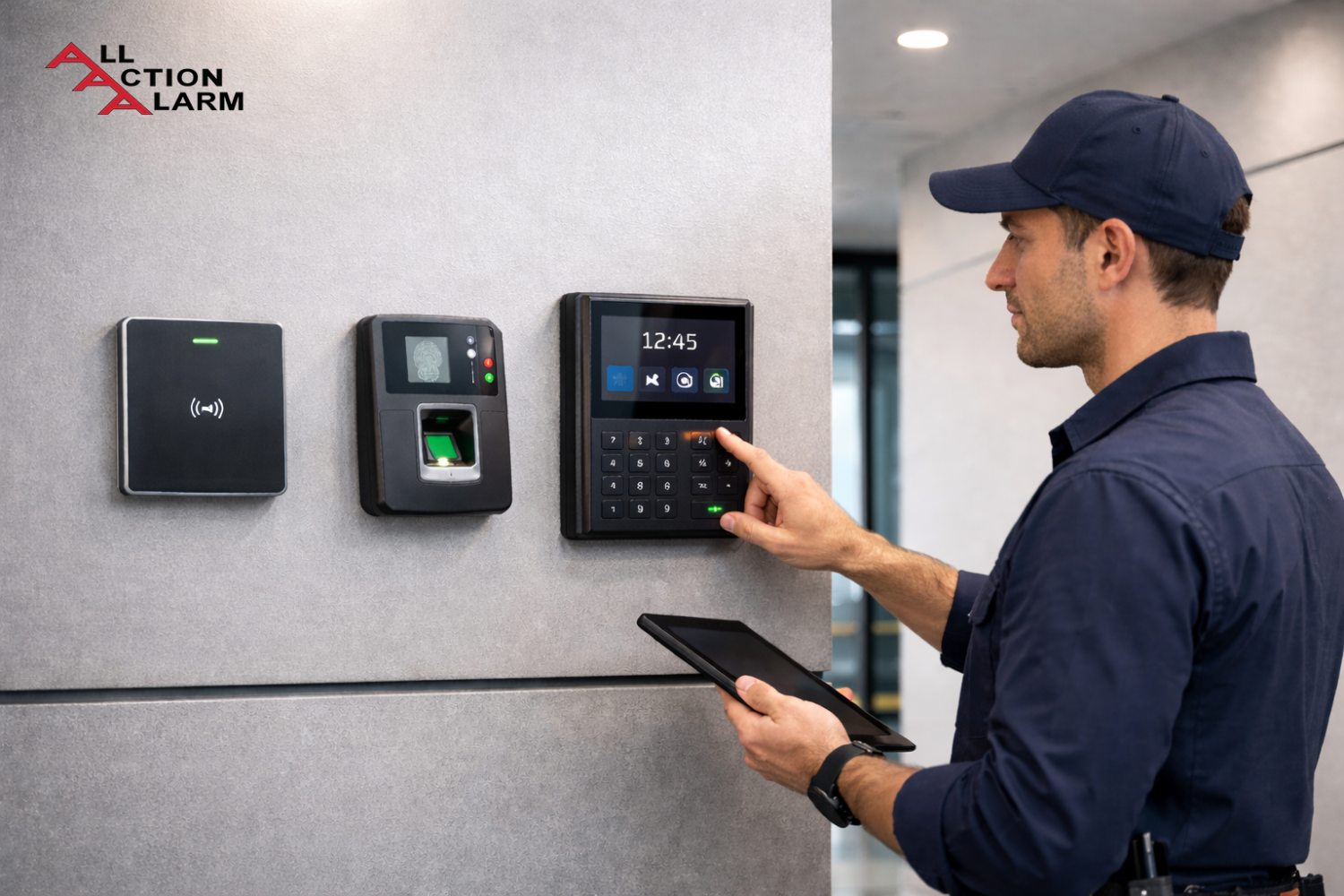
Card Readers & Biometric Scanners: These are the gatekeepers. Card readers scan access cards or fobs, while biometric scanners verify fingerprints, facial recognition, or even retina scans.
-
Control Panels (Controllers): This is the brain. It processes data from readers, checks it against the access rules, and decides whether to unlock the door. Some advanced systems use edge controllers for faster response times.
-
Locks & Door Hardware: Electromagnetic locks (maglocks), electric strikes, and automatic door openers all play a part. These are what physically keep the doors secure until the system tells them otherwise.
-
Software Interface: This is where you, the admin, set permissions, view logs, and manage users. Cloud-based platforms can be accessed from anywhere, while on-premise systems require local access.
-
Power Supply & Backup: What happens if the power goes out? Backup batteries and uninterrupted power supply (UPS) units ensure your security system doesn’t go dark.
Each of these parts needs to be installed correctly, configured precisely, and tested thoroughly to make sure everything works together in harmony. Missing even one component can mean a weak spot in your security.
Choosing the Right Access Control System
Here’s the truth: there’s no one-size-fits-all access control system. Choosing the right one depends on your unique needs—and your budget.
Start by asking yourself these key questions:
-
What’s the size of your facility? A single-door office needs a very different setup than a multi-building campus.
-
How many people will use the system? The more users, the more robust your system needs to be. Larger organizations benefit from role-based access and centralized control panels.
-
What are you securing? High-value assets or sensitive data demand more advanced systems, like biometric or multi-factor authentication.
-
Do you plan to scale? If your business is growing, you want a system that grows with you—one that can easily add users, doors, and features.
Also, consider the user experience. If your staff finds it clunky or frustrating, they might find ways to bypass it—completely defeating the purpose. A system that balances security with usability is key.
Don’t forget to evaluate support and warranty options. Some systems offer 24/7 technical support and regular updates. Others might leave you stuck if something goes wrong.
Finally, consider how the system integrates with your existing infrastructure. Can it work with your current CCTV or alarm system? If not, you may be facing extra installation costs or compatibility issues down the line.
Wired vs Wireless Access Control Systems
When setting up an access control system, one of the first big decisions you’ll need to make is whether to go wired or wireless. Each has its pros, cons, and ideal use cases, so let’s unpack them.
Wired Access Control Systems are traditional, hardwired solutions. All components—from readers to locks to control panels—are connected via physical cabling. These systems are known for:
-
Reliability: Wired systems are extremely stable. They’re not affected by Wi-Fi dropouts or signal interference.
-
Speed: They typically offer faster communication between components.
-
Security: Since data is transferred through physical cables, there’s less risk of wireless hacking or signal interception.
However, wired systems come with installation challenges. Running cables through walls, ceilings, or across long distances can be labor-intensive and costly—especially in existing buildings where infrastructure changes are complicated.
On the flip side, Wireless Access Control Systems are gaining popularity, especially for smaller businesses or retrofits.
-
Ease of Installation: No drilling or excessive wiring. Installations are cleaner and faster.
-
Flexibility: Want to add a new door? No problem. Wireless systems are modular and scalable.
-
Cost-Effective for Small Spaces: You save on labor and cabling costs.
But wireless isn’t perfect. Signal interference, power issues, or weak encryption protocols can introduce vulnerabilities. If your Wi-Fi is unstable or your building has thick concrete walls, performance may suffer.
So, which is better?
-
Use wired systems if you’re building from scratch, need high security, or want long-term stability.
-
Use wireless systems if you’re retrofitting an old building, want lower upfront costs, or plan to scale quickly.
Pro tip: Some of the best systems use a hybrid model—wired in key areas and wireless in more flexible zones.
Cloud-Based vs On-Premise Access Control
Another fork in the road: Should you go for a cloud-based or on-premise access control system?
Let’s break it down simply.
Cloud-Based Access Control systems store data remotely, allowing you to manage users and permissions from any internet-connected device. Here’s why many businesses are shifting to the cloud:
-
Remote Access: Update permissions, lock doors, or view logs from anywhere—even on your smartphone.
-
Scalability: Easily add users, doors, or locations without overhauling your infrastructure.
-
Automatic Updates: The software is kept up to date without you lifting a finger.
-
Lower Upfront Costs: No need to buy dedicated servers or heavy IT hardware.
But there are downsides, too:
-
Requires Internet: If your internet is down, so is your access (unless the system has local fallback).
-
Ongoing Subscription Fees: Many cloud platforms charge monthly or annually.
On the other hand, On-Premise Access Control stores all data and management tools locally on your servers.
-
Full Control: You own and manage all data and configurations.
-
No Subscription Fees: Pay once for the hardware and software.
-
Offline Functionality: Even without internet, the system works just fine.
However, it requires:
-
IT Expertise: You’ll need a skilled team to manage updates, backups, and system health.
-
Higher Upfront Cost: Servers, software, and infrastructure investments add up.
If you’re a small to medium business without a dedicated IT team, cloud-based is probably the way to go. For larger enterprises with strict compliance and security needs, on-premise offers more control.
Preparing for Installation
Before you drill a single hole or run any cables, you need a game plan. Installing an access control system isn’t just about slapping on a reader next to the door. It’s about laying the groundwork to ensure everything runs smoothly—and securely.
Start with a site survey. This is crucial. Walk through your facility and identify:
-
Entry and exit points
-
High-security areas (like server rooms or storage closets)
-
Public vs restricted areas
-
Accessibility concerns (for ADA compliance)
Next, decide on the type of access points you’ll be installing: single-door control, multi-door access, or zones. Will you need turnstiles? Vehicle gates? Elevators? Each adds a layer of complexity, but also tightens security.
Then, assess your infrastructure. Older buildings may lack the wiring or power outlets necessary for modern systems. Are your doors compatible with electric locks? Will you need to install door strikes or maglocks? What about backup power systems like UPS or battery packs in case of a blackout?
Another factor is network planning. Especially for IP-based or cloud access control, you’ll need stable internet, appropriate bandwidth, and a secure, segmented network to prevent cyber threats. You don’t want your access system vulnerable to hackers or downtime due to poor Wi-Fi.
Make sure you also define user groups and access levels ahead of time. Who needs 24/7 access? Who’s limited to business hours? Do visitors get temporary passes? This planning ensures smoother configuration post-installation.
Lastly, think about future scalability. Even if you’re starting small, leave room for adding more doors or users later. A short-sighted installation can cost more in the long run.
In short, successful installation starts well before the tools come out. With solid planning, you’ll save time, money, and avoid major headaches down the line.
Step-by-Step Access Control Installation Process
Alright, here’s where the rubber meets the road. Once you’ve mapped out your needs and selected the right system, it’s time to install. Let’s walk through the process step-by-step so you know exactly what to expect (or what to do if you’re going DIY).
1. Planning and Layout Design
This includes determining:
-
Locations for each reader, control panel, and lock
-
Cabling paths for wired systems
-
Network connection points
-
Power sources and backup systems
It’s best to draw up a schematic or blueprint for reference.
2. Hardware Installation
Now the real work begins:
-
Mount the card reader or biometric scanner beside the door.
-
Install the electric lock or maglock on the doorframe. This may involve drilling, wiring, and configuring fail-safe/fail-secure settings.
-
Run the cables (if it’s a wired system) through the walls or ceilings. Keep wires hidden and safe from tampering.
-
Mount the control panel in a secure, central location (like an IT or server room).
3. Software Setup and Configuration
Once the physical components are in place, it’s time to bring the system to life.
-
Install access control software on your server or sign into the cloud platform.
-
Create user profiles and define roles (admin, employee, visitor, etc.)
-
Assign permissions based on access levels and schedules.
-
Connect your system to the building’s network.
4. Testing and Troubleshooting
Before going live:
-
Test every entry and exit point with different user credentials.
-
Confirm emergency failsafe settings work (e.g., doors unlock during a fire alarm).
-
Ensure real-time logs and reports are being generated.
-
Check that door sensors detect forced entry or doors left ajar.
5. Training and Deployment
Train staff and security personnel on how to use the system. Provide manuals or quick-start guides for new users. And don’t forget to have a plan in place for lost credentials or emergency overrides.
Done right, installation sets the foundation for reliable, efficient, and scalable access control for years to come.
Integration with Other Security Systems
A modern access control system shouldn’t live in isolation. When integrated with other security and operational tools, it becomes a powerful hub that not only manages access but actively enhances overall safety, efficiency, and awareness. Let’s explore how smart integration works—and why it matters.
1. Surveillance Cameras (CCTV Integration)
When someone swipes their card or uses a fingerprint, what happens? If integrated with CCTV, the system automatically links that access event with video footage. This means you can review the exact moment a door was opened or when an unauthorized attempt was made. It’s like having eyes everywhere—documented and timestamped.
Imagine catching someone tailgating (slipping in behind an authorized user). With camera footage tied to access events, you can investigate in seconds. Plus, if you use AI-powered cameras, the system can flag unusual behaviors, like someone lingering near a restricted door without attempting entry.
2. Fire Alarm and Emergency Systems
Safety first. During emergencies, access control systems can automatically unlock all doors, ensuring a swift evacuation. This is known as a fail-safe mechanism. Some setups also lock certain areas to prevent access to fire zones or dangerous spots.
Your system should comply with local fire safety codes, which often require access-controlled doors to unlock in case of fire alarms or power failures. Integration ensures the system reacts instantly and automatically—no need for manual overrides.
3. Time and Attendance Systems
Clocking in and out just got smarter. With integration into time-tracking systems, employee access cards double as attendance trackers. Every swipe gets logged, meaning no more punching time cards or buddy-punching.
This data also feeds into payroll systems, helping HR streamline operations and reduce fraud or manual errors.
4. Building Management Systems (BMS)
Want the lights and HVAC to turn on when someone enters a room? Or turn off when the last person leaves? Integrated access control makes buildings smarter and more energy-efficient. It creates an intelligent environment that reacts to human presence.
5. Visitor Management Systems
When integrated, visitor passes can be generated directly from your access system. You’ll know who visited, when, and for how long. Some systems even allow guests to pre-register, reducing front desk bottlenecks.
Bottom line: Integration maximizes the value of your access control system. It turns your setup from a standalone security gate into a synchronized, responsive, and intelligent network that actively contributes to your safety, operations, and efficiency.
User Management and Role Assignments
Let’s be honest—your access control system is only as good as how well you manage the people using it. User management is the heartbeat of any access control setup, and getting it right is critical to maintaining security without creating chaos.
1. Creating User Profiles
Every individual who needs access—employees, managers, maintenance workers, visitors—should have a unique profile in the system. This includes their name, role, department, access credentials (card, biometric, mobile app), and contact info.
You can also add expiration dates for temporary users or contractors. That way, you won’t forget to revoke access after a project ends.
2. Assigning Roles and Permissions
Rather than assigning permissions one-by-one, group users into roles. For example:
-
Admin – Full access to all doors and system settings
-
HR Department – Access to main office and HR records room
-
IT Staff – Access to server rooms, labs, and offices
-
Maintenance – Access to utility rooms and restricted areas during work hours only
This approach, known as Role-Based Access Control (RBAC), streamlines management. If someone gets promoted or transferred, just change their role—no need to update every individual permission.
3. Access Schedules and Time-Based Permissions
Not everyone needs 24/7 access. Assign time-based rules like:
-
9 AM–5 PM access only for regular employees
-
After-hours access for security or night shift
-
Temporary access for visitors or contractors
This prevents unauthorized access outside of designated times and adds another layer of control.
4. Real-Time Monitoring and Alerts
Set up alerts for unusual behavior—like an employee trying to access a restricted area, or a door being forced open. Monitoring helps with both proactive and reactive security.
5. Revoking Access Quickly
Lost card? Employee resigned? One-click access revocation is key. Unlike physical keys, you don’t need to change locks—just deactivate the profile or credential.
Pro Tip: Conduct regular audits. Review who has access to what, and remove any outdated permissions. It’s amazing how many former employees still have access because no one checked.
Strong user management doesn’t just keep your building secure—it also reduces risks, streamlines HR tasks, and keeps everyone accountable.
Maintaining Your Access Control System
Installing an access control system is just the beginning—keeping it running smoothly is where the real work begins. Think of it like a car: you wouldn’t drive it for years without an oil change, right? Your access system needs routine check-ups to stay efficient, secure, and reliable.
1. Regular Software Updates
This is the first line of defense. Manufacturers constantly release patches and updates to fix bugs, improve performance, and tighten security. Outdated software can leave your system vulnerable to cyberattacks or compatibility issues with newer hardware.
If you’re using a cloud-based system, updates are usually automatic. For on-premise systems, you’ll need to schedule and install updates manually—so mark your calendar or assign an IT team member to oversee it.
2. Hardware Inspections
Just like any physical device, access control hardware can wear out or get damaged over time. Schedule regular inspections to check:
-
Door readers and keypads for physical damage or wear
-
Electric locks and door strikes to ensure smooth operation
-
Control panels for dust, overheating, or electrical issues
-
Battery backups to confirm they’re still functional
Clean your equipment periodically, especially biometric scanners that rely on fingerprints or facial recognition—smudges and dirt can lead to false negatives.
3. Credential Management
Review your user database every few months. Remove old profiles (ex-employees, expired contractors), and update user roles if someone has changed departments. This helps avoid unauthorized access due to oversight.
Also, test how quickly you can revoke access or issue emergency lockdown commands. In a real-world crisis, those seconds count.
4. Backups and Data Security
If you’re using on-premise software, make regular backups of your system settings, user data, and access logs. In case of system failure or breach, this data is vital. Store backups off-site or in a secure cloud.
For cloud-based systems, ensure the provider follows best practices for encryption, data redundancy, and cybersecurity compliance.
5. Staff Training and Awareness
Technology only works as well as the people using it. Train your staff on:
-
How to use readers, cards, or apps
-
What to do if access is denied
-
How to report suspicious activity or tailgating
Consider running periodic drills to test emergency responses and system functionality.
In short: maintain your system like you’d maintain your health—regular check-ups, clean living (clean hardware), and staying up to date. A well-maintained system not only runs better but stays secure against evolving threats.
Common Installation Mistakes to Avoid
Even the best systems can fail if installed improperly. Over the years, we’ve seen businesses throw thousands of dollars at access control setups only to sabotage themselves with poor planning or careless execution. Learn from these common mistakes so you don’t repeat them.
1. Poor Planning and No Site Survey
Skipping a detailed site assessment is like building a house without a blueprint. You must understand door types, traffic flow, emergency exits, and user access needs before installation begins. Otherwise, you risk installing hardware in the wrong locations—or worse, installing too much or too little.
2. Overlooking Scalability
You might be a small business today, but what about next year? Many installations fail to consider future expansion. Choose a system that can grow with you—adding doors, users, or features should be simple, not require a full replacement.
3. Choosing the Wrong Technology
Not all systems fit all needs. Some go cheap and regret it later when the system lacks features or fails under load. Others buy overly complex enterprise-grade systems for a tiny office. Match your system to your actual usage, and always prioritize usability and support.
4. Inadequate Network Security
Access control systems connected to the internet are vulnerable to hacking if your network isn’t secured. Use firewalls, encryption, secure Wi-Fi, and strong admin passwords. Never leave default login credentials active!
5. No Backup Power or Fail-Safe Plans
What happens during a power outage or system crash? If your doors stay locked and there’s no battery backup or manual override, you’ve got a big problem. Always install UPS units, and test fail-safe/fail-secure settings based on building code.
6. Ignoring Compliance and Fire Codes
Many installers forget that access systems are part of emergency evacuation plans. Your doors must unlock automatically during a fire or emergency. If your system isn’t compliant, you could face fines or endanger lives.
7. Lack of Training or Documentation
A common issue: no one knows how to actually use the system after it’s installed. Always document the process and train multiple people to manage access, revoke credentials, and troubleshoot.
Avoid these pitfalls, and you’ll save time, money, and stress. A well-executed installation is smooth, secure, and headache-free.
Cost of Access Control Installation
Let’s talk money—because installing an access control system isn’t exactly pocket change. But here’s the good news: it’s more affordable (and customizable) than ever before. The key is knowing what factors impact your costs and how to budget smartly.
1. Upfront Hardware Costs
Depending on the complexity of your setup, here’s a general breakdown of typical hardware expenses per door:
| Component | Average Cost (Per Door) |
|---|---|
| Card Reader | $150 – $600 |
| Electric Lock/Maglock | $200 – $800 |
| Door Position Sensor | $50 – $150 |
| Access Cards/Fobs | $2 – $10 each |
| Control Panel | $400 – $1,200+ |
| Biometric Scanner | $500 – $2,500 |
If you’re outfitting multiple doors, multiply accordingly. High-security setups with biometric access and advanced readers will obviously cost more.
2. Software and Licensing
Access control software can be:
-
One-time purchase (on-premise): $500 – $5,000+
-
Subscription-based (cloud): $10 – $30 per user/month
Cloud systems usually charge monthly per user, per door, or per location. These platforms include features like mobile credentials, automatic backups, and 24/7 remote access.
3. Installation Fees
Professional installation costs can range between $500 – $2,500 per door, depending on complexity. If you’re retrofitting an old building, costs may increase due to electrical work, door modifications, or network upgrades.
4. Additional Costs
-
Network Infrastructure (if needed): Switches, routers, cabling
-
Power Backup (UPS): $100 – $300 per unit
-
Training & Configuration: Some vendors include this, others charge separately
-
Ongoing Maintenance: $300 – $1,000 annually, depending on service agreements
5. DIY vs Professional Installation
If you’re tech-savvy, you might be tempted to go the DIY route—especially for smaller systems with fewer doors. DIY kits can cost under $1,000 for 1–2 doors. But beware:
-
Misconfigured systems can leave security holes
-
DIY often lacks scalability
-
No warranty on self-installed errors
Hiring professionals ensures compliance, security, and support, but costs more. Consider a hybrid approach—professional setup for core doors, and DIY for auxiliary areas.
6. Long-Term ROI
While access control systems aren’t cheap, they save money long-term by:
-
Reducing theft and unauthorized access
-
Eliminating key replacement costs
-
Automating security and time tracking
With smart planning, your investment will pay off in fewer incidents, tighter control, and peace of mind.
Future Trends in Access Control Technology
Access control isn’t standing still—it’s evolving fast. What was cutting-edge a few years ago is now just the baseline. As we move into a world of smarter buildings and contactless tech, here’s what’s shaping the future of access control.
1. Mobile Access and Smartphone Credentials
The days of physical cards and fobs are fading. Now, your phone can be your key.
-
Tap to unlock doors via NFC or Bluetooth
-
Use dedicated apps with encrypted credentials
-
Send virtual “guest passes” via text or email
Mobile credentials are harder to lose, can’t be duplicated, and are easily revoked or reassigned. Bonus: they’re more eco-friendly.
2. Biometric Advancements
Fingerprint readers were just the beginning. Now, we’re seeing:
-
Facial recognition for hands-free access
-
Iris scanning for ultra-secure zones
-
Palm vein readers and even voice recognition
These technologies are getting faster, more accurate, and more affordable. Plus, with mask mandates and hygiene concerns, touchless biometrics are gaining serious ground.
3. AI and Machine Learning
Artificial intelligence is starting to play a big role in security. Access control systems now use AI to:
-
Detect suspicious behavior (e.g., repeated failed attempts)
-
Analyze traffic flow and access patterns
-
Automate lockdowns based on real-time data
Machine learning adapts the system over time, fine-tuning alerts and improving decision-making.
4. Cloud-Based Everything
As remote work becomes the norm, cloud-based control is essential. Expect faster adoption of platforms that:
-
Support real-time monitoring from any device
-
Sync with multiple locations in one dashboard
-
Update automatically with the latest security protocols
Cloud tech also simplifies compliance and audit trails.
5. Interconnected Smart Buildings
Access control is merging into larger ecosystems. In the near future, expect seamless integration with:
-
Environmental controls (lighting, HVAC)
-
Occupancy sensors
-
Voice assistants and smart speakers
Imagine walking into your office, having the lights turn on, temperature adjust, and your PC unlock—all without touching a thing.
The future of access control is frictionless, intelligent, and deeply integrated. The goal? Make security seamless, not obstructive.
Conclusion
Installing an access control system isn’t just a tech upgrade—it’s a security revolution for your space. Whether you’re protecting your business, streamlining employee access, or keeping sensitive data safe, access control offers a smart, scalable, and future-ready solution.
From choosing between cloud or on-premise, wired or wireless, to mapping out your entry points and assigning user roles, every step matters. Yes, it requires investment—but the payoff is total control, peace of mind, and a more secure environment for everyone inside your building.
As threats evolve and workplaces become more dynamic, access control systems are evolving too—adding features like biometrics, mobile credentials, and AI-powered analytics. By getting your system installed correctly and maintaining it well, you’re setting yourself up for long-term success and safety.
Still deciding on a system? Take your time. Ask questions. Consult experts. And when you’re ready to lock things down—do it right.
FAQs
1. How long does it take to install an access control system?
Installation time depends on the number of doors, the type of system, and your building’s infrastructure. A basic 1–2 door setup can be completed in a day, while a multi-building rollout could take weeks.
2. Can I integrate access control with CCTV and alarms?
Absolutely! Most modern systems support integrations with surveillance cameras, fire alarms, and even time-tracking tools. This boosts security and gives you a more comprehensive view of what’s happening.
3. Is biometric access more secure than cards or fobs?
In most cases, yes. Biometrics are tied to unique physical traits, making them harder to duplicate. However, they must be paired with strong data protection and hygiene protocols, especially in public spaces.
4. What’s the average lifespan of an access control system?
With proper maintenance, most systems last 7–10 years or more. Software may require updates every few years, and hardware like card readers or locks might need occasional replacement.
5. Do I need an internet connection for cloud-based access control?
Yes. Cloud systems rely on a stable internet connection to sync data, update credentials, and offer remote access. Most have local fallback modes for temporary offline use.
About All Action Alarm: Your Trusted Partner in Commercial Security Solutions
AllActionAlarm.com is Long Island’s top choice for state-of-the-art commercial security systems, providing unmatched protection and peace of mind for businesses of all sizes. With years of expertise, we specialize in creating customized security solutions, combining cutting-edge technology with seamless installation and 24/7 monitoring. Whether it’s high-definition surveillance, advanced access control, or intrusion detection, we deliver systems designed to safeguard your assets and personnel.
Our team of certified professionals is committed to offering the best security systems in Long Island, New York. We understand the unique challenges businesses face and work closely with you to develop a comprehensive security plan that fits your needs. We don’t just sell equipment; we partner with you for the long haul, ensuring your business remains protected against any threat.
Don’t leave your business’s safety to chance—contact us at (631) 549-7225 today for a free consultation and experience the AllActionAlarm difference!
SOURCES:
https://www.securityindustry.org/
https://www.ifsecglobal.com/access-control
https://buildings.honeywell.com/


 Ca.garcia.s, CC BY-SA 4.0
