
Alarm Alerts and Notification System

- Access Control Installation - March 2, 2026
- Fire Alarm Systems - February 27, 2026
- Alarm Alerts and Notification System - February 27, 2026
Introduction
Ever had that moment where you swear you set a reminder… and yet, somehow, you still missed the meeting, forgot the pickup, or let the oven run a little too long? Yeah, same. Here’s the thing: we live in an era where our phones buzz, ping, flash, and chirp like restless birds in a cage—yet genuinely important stuff still slips through the cracks. That’s not because you’re careless. It’s because not all alerts are created equal, and most “notification setups” are basically a messy drawer stuffed with random cables: it technically works, but it’s stressful to deal with.
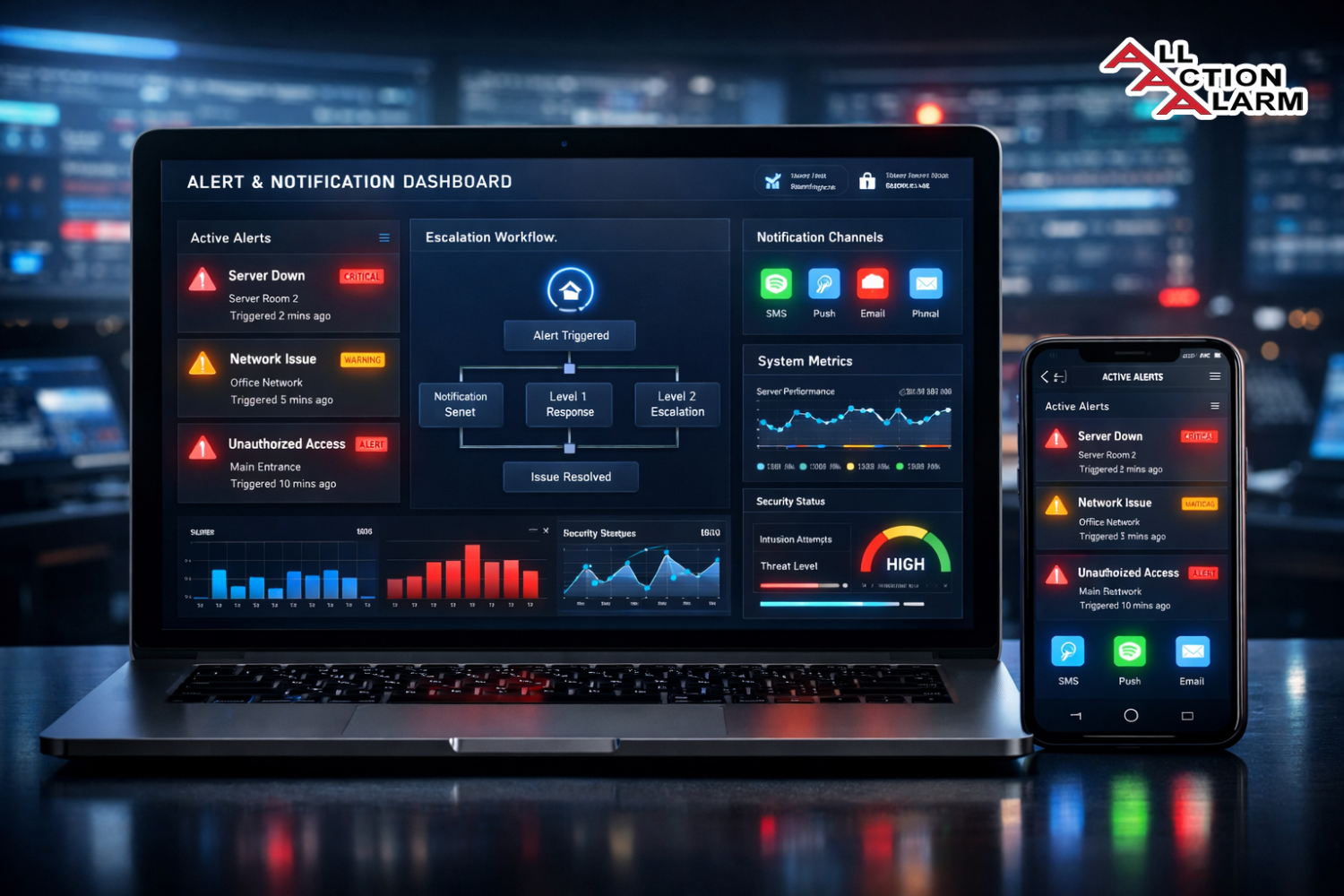
That’s where an Alarm Alerts and Notification System comes in. Think of it like having a smart assistant who doesn’t just shout everything at you at the same volume. Instead, it knows what’s urgent, what can wait, what needs escalation, and what should never interrupt dinner. A real system isn’t just a set of pings—it’s a carefully designed flow that starts with a trigger (something happened), runs through logic (is this important?), then reaches you on the right channel (push, SMS, email, voice) with a message that tells you exactly what to do next.
In this guide, we’re going to talk about how these systems work, what parts they’re made of, and how to design one that people actually respond to instead of swiping away out of reflex. Whether you’re setting up personal alarms, building a business incident alert system, or trying to reduce alert chaos in a team, you’ll walk away with a practical blueprint.
Why Alarm Alerts Still Matter in a World of “Always On”
It sounds ironic, right? We’re constantly connected, constantly reachable—so why do we still need “better alarms”? Because being connected doesn’t automatically mean being informed in the right way. If anything, the endless stream of notifications has made it harder to pay attention to the ones that truly matter. Your brain learns fast: when 80% of notifications are noise, you start treating all notifications like noise. That’s not laziness—it’s survival.
An alarm and alert system matters because it introduces structure. It gives your attention a gatekeeper. Instead of letting every app and device compete for your focus, you decide what deserves a loud alarm, what deserves a silent badge, and what shouldn’t appear at all. This is especially critical in high-stakes settings—think security alerts, server outages, medical reminders, or logistics updates—where missing a single message can cost money, safety, or trust.
Here’s a simple analogy: imagine a fire alarm that goes off every time someone makes toast. After a week, nobody will leave the building when it rings. That’s exactly what happens with poorly designed notifications. People get trained to ignore them. A well-built alert system is the opposite: it protects credibility. When it sounds, you know it’s worth reacting to.
And let’s be real—life is busy. Your mind is juggling work, family, errands, health, social plans, and a million tiny tasks. The right alarms don’t just remind you—they reduce mental load. They let you stop holding everything in your head like you’re trying to balance a stack of plates while walking on a treadmill. A good system turns chaos into clarity.
The hidden cost of missed moments
Missing an alert isn’t always dramatic, but the cost adds up. One missed bill reminder becomes a late fee. One missed appointment becomes a rescheduling hassle. One missed system incident becomes a customer churn story. Even in personal life, forgetting the small stuff can chip away at trust—“You forgot again?” is a sentence that stings, even when it’s unintentional.
The real cost is emotional friction. Missed alerts create stress, guilt, and a sense that you’re always behind. And the more that happens, the more you rely on frantic checking behavior: refreshing email, reopening apps, scanning messages like a raccoon digging through trash for something valuable. Not fun.
A well-designed alarm and notification system reduces those costs by doing two things:
-
It makes important events harder to miss (strong signals, escalation, backups).
-
It makes unimportant events quieter (filters, grouping, summaries).
That balance is the whole game. Not “more notifications.” Better ones.
What “notification fatigue” does to your brain
Notification fatigue is what happens when your attention gets “taxed” all day. Every ping is a tiny demand: Look at me. Decide if I matter. Your brain spends energy context-switching—even if you don’t open it. Over time, you become numb to pings, and your reaction time slows. You also start feeling irritated, distracted, and mentally cluttered.
The fix isn’t to become a monk who deletes all apps. The fix is to design tiers of urgency. A system should have levels: informational updates (silent), actionable alerts (visible), critical alarms (loud), and emergency escalations (impossible to ignore). When people can trust the hierarchy, they regain calm—and the alarms regain meaning.
Alerts vs. notifications vs. alarms: what’s the difference?
People use these words interchangeably, but separating them helps you design smarter:
-
Notification: A general message that something happened. Often passive. Example: “New comment on your post.”
-
Alert: A notification that implies attention is needed. Example: “Payment failed—update your card.”
-
Alarm: A high-priority signal designed to interrupt you. Example: “Security breach detected” or “Wake up now.”
In a system, you typically want lots of notifications, fewer alerts, and very few alarms. If everything is an alarm, nothing is.
How an Alarm Alerts and Notification System Works
At its core, an alarm and notification system is a pipeline. Something triggers it, rules decide what to do, messages get built, and channels deliver them. That’s it. But in practice, the devil lives in details: deduplication, retries, escalation, personalization, quiet hours, and making sure the message is actually understandable at 2:14 AM.
A simple mental model:
-
Trigger happens (sensor value spikes, app event occurs, user action detected).
-
Rules evaluate (is this above threshold? is it during quiet hours? who is on-call?).
-
Message gets created (clear title, context, next steps).
-
Channel is chosen (push, SMS, email, voice call, in-app).
-
Delivery is attempted (with retries, failover, receipts).
-
Response is tracked (acknowledge, escalate, resolve, log it).
Even a personal reminder app follows a similar flow—just simplified. A business-grade incident system adds layers: routing, on-call schedules, redundancy, audit trails, and reporting.
The basic pipeline from trigger to action
The best way to think about it is like a restaurant kitchen. The trigger is the order ticket. The rules engine is the head chef deciding what station handles it and how urgent it is. The message builder is plating—how the information is presented. The delivery layer is the waiter getting it to the table. And the action is the customer eating it.
If the order ticket is unclear, you get the wrong dish. If the waiter drops it, nobody eats. If the kitchen gets flooded with duplicate tickets, everything slows down. That’s why alert systems need both accuracy and resilience.
Events, rules, channels, and delivery
-
Events: Raw facts. “CPU hit 95%.” “Door sensor opened.” “User failed login 10 times.”
-
Rules: Logic. “If CPU > 90% for 5 minutes, send critical alert.” “If door opens after midnight, trigger alarm.”
-
Channels: Where it goes. Push, SMS, email, voice, Slack/Teams, in-app, wearable.
-
Delivery: The mechanics. Queues, retries, provider APIs, fallback routes.
A strong system keeps those parts modular. That way, changing a rule doesn’t require rebuilding delivery, and switching SMS providers doesn’t break your rules.
Real-time vs. scheduled alerts
Some alerts must happen instantly: security breaches, fire alarms, downtime incidents. Others are better scheduled: daily summaries, weekly reports, monthly billing reminders. Mixing these without intention is how you get chaos.
A mature system uses:
-
Real-time alerts for urgent, time-sensitive events.
-
Scheduled notifications for routine updates and summaries.
-
Batching to reduce noise when many small events occur.
For humans, timing matters as much as content. A “critical-but-not-urgent” message at midnight is a bad experience. A scheduled reminder at the right moment is a lifesaver.
Push, SMS, email, voice, and in-app: choosing channels
No single channel is best. Each has strengths:
-
Push notifications: Fast, rich, can include actions. But can be missed if muted.
-
SMS: High reach, hard to ignore, works without apps. But costs money and is limited in formatting.
-
Email: Great for detail and records. Terrible for urgent wake-up moments.
-
Voice calls: The nuclear option. Great for emergencies. Annoying if misused.
-
In-app: Best for contextual updates while users are active. Useless if they’re not.
A good system uses channel strategy like a toolbox, not a hammer.
Core Components You Need
If you’re building or selecting an alarm alerts and notification system, it helps to know the “must-have” components. You don’t need everything on day one, but you do need the foundation to avoid turning it into a fragile tower of duct tape.
Most systems boil down to four big building blocks:
-
Trigger sources
-
Rules engine
-
Message builder
-
Delivery layer
Add-on components include routing, user preferences, scheduling, analytics, audit logs, and monitoring.
Trigger sources: sensors, apps, APIs, and humans
Triggers are the starting gun. They can come from:
-
Sensors: motion detectors, temperature sensors, door contacts, smoke detectors, GPS trackers.
-
Applications: app events like sign-ins, purchases, errors, user milestones.
-
APIs & webhooks: external services reporting events (payment provider, shipping updates).
-
Humans: manual triggers like “declare incident,” “send broadcast,” “panic button.”
The trick is consistency. If triggers are messy, rules become messy. A good system standardizes events into a clear format: timestamp, source, severity, context, and identifiers.
Common triggers in daily life and business
Personal triggers:
-
Wake-up alarms, calendar reminders, medication schedules
-
Home security (door opened, camera motion)
-
Budget alerts (spending limits, bill due)
Business triggers:
-
Server health (latency, error rates)
-
Fraud signals (multiple failed logins, unusual transactions)
-
Operations (inventory low, shipment delayed)
-
Customer lifecycle (trial ending, subscription renewal)
The same principles apply whether it’s “take vitamins” or “your payment pipeline is down.”
Rules engine: the “if this, then that” brain
Rules decide what happens next. The rules engine is where you control:
-
Thresholds (“if temperature > 80°C”)
-
Time windows (“for 5 minutes continuously”)
-
Conditions (“only if user is active”)
-
Routing (“send to on-call engineer”)
-
Suppression (“don’t alert twice for same incident”)
-
Escalation (“if unacknowledged, call manager”)
You don’t want rules scattered across ten places. Centralizing them makes behavior predictable and auditable.
Thresholds, time windows, escalation, suppression
This is where most systems either become elegant… or become unbearable.
-
Thresholds prevent under- or over-reacting.
-
Time windows avoid false positives (spikes happen; sustained issues matter).
-
Escalation ensures urgency actually reaches someone.
-
Suppression prevents floods when the same problem repeats.
A rule like “CPU > 90%” is too naive. A better rule is “CPU > 90% for 5 minutes, and not during known deployment windows, and only alert once every 30 minutes unless it worsens.”
Message builder: turning data into clear instructions
Raw data is not a useful alert. Nobody wants: “Error 503.” They want: “Checkout is failing for users. Action: restart service or roll back deployment.”
A message builder should create:
-
A clear title: what’s happening in plain language
-
Severity label: info/warn/critical
-
Context: where, when, who’s impacted
-
Next step: what to do right now
-
Links: dashboard, runbook, relevant logs
Good alerts don’t just inform—they guide.
Delivery layer: getting the message out reliably
Delivery is where systems either shine or crumble. Reliability means:
-
Retries with backoff
-
Multiple providers (failover)
-
Delivery receipts (when possible)
-
Queueing to handle spikes
-
Rate limits to avoid provider bans
If your delivery fails, your “alert system” becomes a false sense of security. The system should prove it can deliver, not assume it.
Designing Alerts People Actually Act On
Let’s get practical. The biggest reason alerts fail isn’t technology. It’s human behavior. People ignore alerts because they’re too frequent, too vague, or too hard to act on quickly. So the design goal isn’t “send alerts.” The goal is trigger the right action at the right time with the least friction.
Think of an alert like a road sign. If it’s confusing, too wordy, or placed too late, drivers miss it. A good sign is obvious, timely, and tells you exactly what to do.
The “actionability” test
Every alert should pass a simple test:
If I woke up and saw only this message, would I know what to do next?
If the answer is no, your alert is incomplete.
What should the receiver do next?
Actionable alerts answer:
-
What happened?
-
Why does it matter?
-
What’s the impact?
-
What should I do now?
-
Where do I click to verify?
If you can’t answer those in 10 seconds, the alert is likely to be ignored or delayed.
Severity levels and prioritization
Severity isn’t just a label. It’s a contract. If you label something “critical,” it should actually be critical. Otherwise, people stop trusting your labels.
A common severity framework:
-
Info: Nice-to-know, no action needed.
-
Warning: Action may be needed soon; investigate.
-
Critical: Immediate action required.
-
Emergency: Safety/legal/customer trust at risk—escalate fast.
Tie severity to channel choice. Critical might use SMS + push. Info might be in-app or email digest.
Clear copywriting for alerts (yes, words matter)
Alert copywriting is underrated. A well-worded alert prevents mistakes. A poorly worded one causes panic or confusion.
Tips:
-
Use plain language: “Database storage is almost full” > “Disk threshold exceeded.”
-
Lead with impact: “Users cannot log in” > “Auth service error.”
-
Add a verb: “Investigate,” “Restart,” “Acknowledge,” “Confirm.”
-
Keep it short upfront, detailed below.
A great alert feels like a helpful coworker, not a cryptic robot.
Reducing Noise: Smarter Alerting
Noise is the silent killer of every notification system. Once people associate alerts with annoyance, the system’s effectiveness collapses. The fix is not to “send fewer alerts” blindly. The fix is to send fewer useless alerts and reshape the rest into something digestible.
Deduplication, grouping, and smart summaries
If the same event happens 50 times, you usually don’t need 50 messages. You need one message that says: “This happened 50 times in the last 10 minutes.”
Bundled notifications vs. rapid-fire pings
Bundling is your friend when:
-
Many similar events happen close together
-
Each event individually is low-value
-
You want a quick overview rather than interruption
Rapid-fire is only okay when:
-
Each event is truly urgent
-
Each one requires distinct action
-
The receiver has agreed to that level of interruption (like on-call)
Rate limiting and quiet hours
Rate limiting prevents floods. Quiet hours prevent resentment.
Even in business, quiet hours exist. Maybe not for on-call, but for non-critical alerts. A good system knows the difference between “page someone now” and “tell them in the morning.”
Context-aware alerts
Context makes alerts smarter:
-
If user is driving, prefer voice or delay non-urgent alerts.
-
If system is in maintenance mode, suppress expected errors.
-
If a person already acknowledged, avoid sending them duplicates.
Context-aware alerting is like having manners.
Escalation and On-Call Workflows
Escalation is what turns an alert into a reliable safety net. Without escalation, you’re basically hoping the right person sees the message at the right time. That’s not a strategy—that’s a coin toss.
Escalation ladders: when one person doesn’t respond
Escalation ladders define what happens if an alert is ignored:
-
Notify primary owner
-
If no acknowledgement in X minutes, notify backup
-
If still no response, call manager or broader group
-
If emergency, trigger automated safety actions
Timed escalation steps that make sense
Timing matters. Too fast and you spam everyone. Too slow and you lose precious minutes. Many teams use:
-
5 minutes to acknowledge critical incidents
-
15 minutes to escalate to secondary
-
30 minutes to escalate to manager (varies)
In personal systems, escalation can mean: reminder → louder reminder → call a family member (for health-related routines, for example).
Acknowledgements and ownership
Acknowledgements do two things:
-
Confirm someone is handling it
-
Stop unnecessary escalation noise
Ownership avoids the dreaded “everyone thought someone else did it” problem. If an alert doesn’t have an owner, it’s a hot potato.
Failover strategies when channels break
Channels fail. Phones die. SMS providers have outages. Email gets filtered.
Failover means:
-
Try push → if failed, try SMS → if failed, call
-
Use multiple providers for critical delivery
-
Keep audit trails of delivery attempts
Reliability is built on paranoia—in the best way.
Security and Privacy for Notifications
Notifications are tiny windows into your life or your business. If you’re not careful, they can leak sensitive data on lock screens, in shared inboxes, or in logs.
Avoiding sensitive data leaks
A good rule: if you wouldn’t print it on a postcard, don’t put it in a notification.
Redaction and minimal disclosure
Examples:
-
“Payment method expired—update in app” (no full card details)
-
“New login detected—review security settings” (avoid IP if unnecessary)
-
“Lab results available” (don’t include results in lock-screen push)
Use deep links to authenticated screens for details.
Authentication, authorization, and audit logs
-
Ensure only authorized recipients get alerts
-
Use signed webhooks and secure tokens for APIs
-
Keep audit logs for who was notified, when, and how
Audit logs are your truth when something goes wrong.
Compliance basics (what to think about)
Depending on industry:
-
Healthcare may require strong protections for patient info
-
Finance may require secure records and consent
-
Marketing messages often require opt-in/opt-out compliance
Even if you’re not a compliance expert, design with privacy-first principles.
Testing and Monitoring Your Notification System
If you don’t test alerts, you don’t have an alert system—you have a theory.
Delivery receipts and bounce handling
You want to know:
-
Was it accepted by the provider?
-
Was it delivered to the device?
-
Was it opened or acknowledged (if trackable)?
Knowing the difference between “sent” and “received”
“Sent” can mean “we handed it to a provider.” That’s not enough. For critical alerts, you want receipt signals and fallback logic.
Load testing for big events
Big incidents cause alert spikes. If your alert system melts down during the moment you need it most, it’s like an umbrella that dissolves in rain.
Test:
-
Peak event bursts
-
Queue backlogs
-
Provider rate limits
-
Recovery behavior
Observability: logs, metrics, tracing
Track:
-
Alert volume by type/severity
-
Delivery success rate by channel
-
Time-to-acknowledge
-
Escalation rate
-
Top noisy triggers
Then iterate. Alert systems aren’t “set and forget.” They’re “measure and tune.”
Common Use Cases
Alarm alerts aren’t just for tech teams. They’re for anyone who wants the right info at the right time.
Home and personal life
Personal systems are underrated. A great setup can reduce stress dramatically.
Medication reminders, security alerts, family coordination
-
Medication reminders with escalation: push → alarm → call caregiver (if needed)
-
Home security: door/window open alerts with “armed mode” logic
-
Family coordination: pickups, arrivals, shared calendars, location-based reminders
The goal is calm, not constant buzzing.
Business operations
Businesses use alert systems to protect uptime, revenue, and customer trust.
Incidents, uptime, fraud, and customer messaging
-
Uptime monitoring: latency, error rates, outages
-
Fraud alerts: unusual patterns, chargebacks, account takeover signals
-
Customer messaging: delivery updates, appointment reminders, service disruptions
The best businesses treat alerts as part of customer experience, not just internal tooling.
Healthcare, logistics, and finance
These sectors rely on reliable notifications:
-
Healthcare: appointment reminders, lab availability, medication adherence
-
Logistics: shipment delays, route changes, inventory alerts
-
Finance: suspicious activity, balance thresholds, payment confirmations
In these domains, clarity and privacy are non-negotiable.
Choosing Tools and Platforms
If you’re implementing this, you’ll face the classic choice: build your own or buy a platform.
Build vs. buy: what to decide
Building gives control, but costs engineering time and maintenance. Buying is faster, but you accept platform constraints.
Time-to-market vs. control
Build if:
-
You need deep customization
-
You have strong engineering resources
-
Notifications are core to your product
Buy if:
-
You need to launch quickly
-
Your needs are common (SMS, push, email workflows)
-
You’d rather focus on your core business
Hybrid approaches are common: buy delivery infrastructure, build rules and routing.
Key features to look for
-
Multi-channel delivery
-
Routing and escalation
-
User preferences and quiet hours
-
Templates and localization
-
Analytics and audit logs
-
Reliability features (retries, failover)
-
Integration options (webhooks, APIs)
Cost considerations
Costs can come from:
-
SMS and voice charges
-
Push notification infrastructure
-
Email sending volume
-
Engineering time
-
Vendor licensing
Hidden cost: noise. Too many alerts can burn out teams—expensive in human terms.
Best Practices and Mistakes to Avoid
This is where most systems either become beloved… or become muted forever.
The top pitfalls (and how to dodge them)
Over-alerting, vague messages, missing owners
-
Over-alerting: Reduce noise with suppression and grouping.
-
Vague messages: Add impact + next step + link.
-
Missing owners: Route alerts to a responsible person or role.
-
No escalation: Ensure critical alerts cannot die silently.
-
No testing: Run drills and simulate failures.
A simple checklist for launch
-
Define severity levels
-
Map severity to channels
-
Create clear templates
-
Add deduplication and rate limiting
-
Set quiet hours for non-critical alerts
-
Implement acknowledgement and escalation
-
Monitor delivery success rates
-
Review noisy alerts weekly
Keep it simple at first, then evolve.
Future Trends
Alert systems are getting smarter, more personalized, and more privacy-aware.
AI-assisted alert triage and summarization
AI can:
-
Group related alerts into one incident
-
Suggest likely root causes
-
Draft incident summaries
-
Reduce noise by learning patterns
Used well, it’s like having a calm coordinator during chaos.
Multimodal alerts: voice, wearables, and beyond
Wearables can deliver subtle haptics. Voice assistants can announce critical events. Cars can read out urgent messages safely. The channel mix will expand—and systems must adapt.
Privacy-first personalization
Expect more:
-
On-device processing
-
Minimal data exposure in lock-screen alerts
-
User-controlled preferences
-
Fine-grained consent management
The future is “personalized without being creepy.”
Conclusion
An Alarm Alerts and Notification System isn’t just about sending messages—it’s about protecting attention. It’s a framework for making sure the right signal cuts through the noise at the right time, without turning your life (or your team) into a buzzing, blinking circus. When you design alerts with clear severity, strong actionability, smart noise reduction, and reliable delivery, something magical happens: people start trusting the system again. And when they trust it, they respond faster, feel calmer, and make fewer mistakes.
Whether you’re setting up a personal reminder routine, building a business incident workflow, or managing critical alerts across multiple channels, the winning formula is the same: start with clear triggers, apply thoughtful rules, craft messages humans understand, and deliver them reliably—with escalation when needed. Keep tuning, keep measuring, and keep respecting the fact that attention is expensive.
Because at the end of the day, the goal isn’t more notifications. The goal is fewer regrets.
FAQs
1) What’s the best channel for critical alerts?
For truly critical alerts, use multi-channel delivery: push + SMS, and optionally voice calls for emergencies. Redundancy beats perfection.
2) How do I reduce alert fatigue quickly?
Start with deduplication, grouping, and severity rules. Then add quiet hours for non-critical alerts and write clearer messages with specific actions.
3) What makes an alert “actionable”?
An actionable alert tells you what happened, why it matters, impact, what to do next, and where to check—in under 10 seconds.
4) Should I build my own notification system or use a platform?
If notifications are core to your product and you need deep customization, building can make sense. If you need speed and common features, buying a platform is often better.
5) How do I know if my alert system is reliable?
Track delivery success rates, run test alerts, simulate failures, and measure time-to-acknowledge. Reliability is proven through testing, not assumptions.
About All Action Alarm: Your Trusted Partner in Commercial Security Solutions
AllActionAlarm.com is Long Island’s top choice for state-of-the-art commercial security systems, providing unmatched protection and peace of mind for businesses of all sizes. With years of expertise, we specialize in creating customized security solutions, combining cutting-edge technology with seamless installation and 24/7 monitoring. Whether it’s high-definition surveillance, advanced access control, or intrusion detection, we deliver systems designed to safeguard your assets and personnel.
Our team of certified professionals is committed to offering the best security systems in Long Island, New York. We understand the unique challenges businesses face and work closely with you to develop a comprehensive security plan that fits your needs. We don’t just sell equipment; we partner with you for the long haul, ensuring your business remains protected against any threat.
Don’t leave your business’s safety to chance—contact us at (631) 549-7225 today for a free consultation and experience the AllActionAlarm difference!
For more info you may want to read this article about Commercial Security Alarm System.
SOURCEs
https://nvlpubs.nist.gov/nistpubs/SpecialPublications/NIST.SP.800-61r2.pdf
https://sre.google/sre-book/monitoring-distributed-systems/
https://www.atlassian.com/incident-management
https://firebase.google.com/docs/cloud-messaging
https://www.twilio.com/docs/messaging
https://docs.aws.amazon.com/sns/
https://www.ncbi.nlm.nih.gov/pmc/articles/PMC4993951/
https://cheatsheetseries.owasp.org/cheatsheets/Logging_Cheat_Sheet.html

 Ca.garcia.s, CC BY-SA 4.0
  Image by
