
Best Doorbell Camera System

- Understanding Smart Video Clips in Home Surveillance - March 5, 2026
- Access Control Installation - March 2, 2026
- Fire Alarm Systems - February 27, 2026
Introduction
Imagine hearing your doorbell ring at night and instantly seeing who’s there, talking to them without opening the door, and knowing your home is safe even when you’re on vacation. That’s the power of a smart doorbell camera system in 2025.
Home security isn’t just about alarms anymore. As technology advances, doorbell cameras have become the first line of defense for smart homes. Whether you’re dealing with porch pirates, random solicitors, or just want peace of mind, a good doorbell camera system is your modern-day peephole—with an intelligence upgrade.
The market is flooded with options, but not all are worth your money or trust. That’s why we’re diving deep into the best doorbell camera systems available today. We’ll explore features, compare top brands, and help you figure out exactly what works for your home and lifestyle.
What Is a Doorbell Camera System?
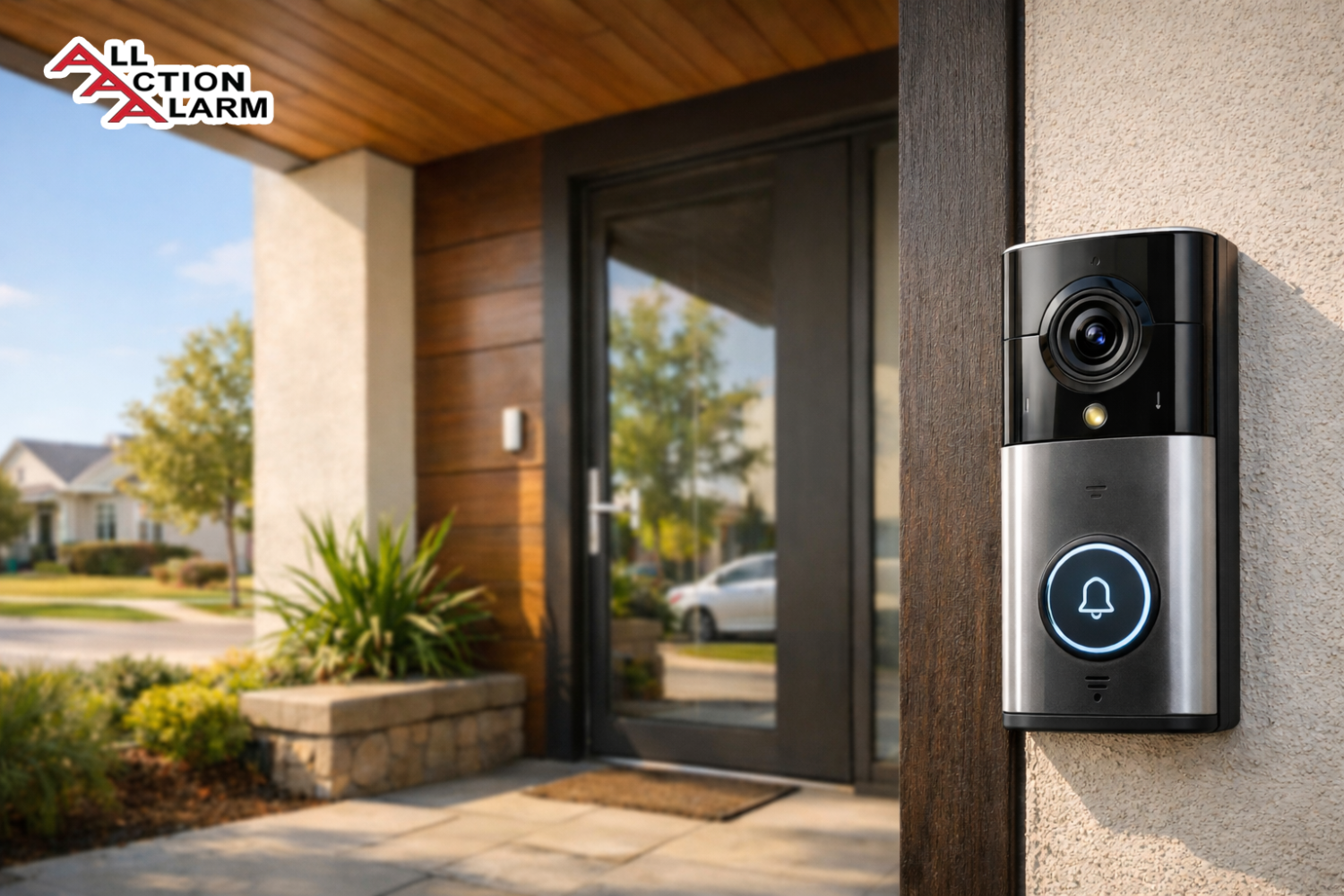
At its core, a doorbell camera system is a smart security device that combines a traditional doorbell with a built-in camera, microphone, and speaker. This allows you to see, hear, and speak to visitors at your front door—whether you’re home or halfway across the world. Unlike basic doorbells, which only chime when pressed, doorbell cameras offer real-time surveillance and interaction via a mobile app.
They’ve quickly become a staple in smart homes because they do much more than notify you of someone’s presence—they let you monitor activity, record suspicious behavior, and even integrate with other smart devices like lights, locks, and security systems. Think of them as your home’s personal bouncer—polite, observant, and always on duty.
These systems typically include:
-
A high-definition camera with a wide-angle lens
-
Motion sensors to detect movement near your door
-
Two-way audio so you can talk to visitors
-
A smartphone app for remote access
-
Cloud or local video storage
The best doorbell camera systems go even further with features like facial recognition, package detection, and AI-driven alerts. They’re not just gadgets—they’re tools that actively improve your safety and awareness.
How Doorbell Camera Systems Work
Understanding how these devices function helps you make smarter choices. The doorbell camera mounts near your front door, replacing or complementing your existing doorbell. When someone approaches, the motion sensor wakes the camera, starts recording, and sends a push notification to your phone.
If the visitor presses the doorbell, you get a live video feed and the chance to speak to them through the app. Whether it’s your friend dropping off a gift, the delivery person needing a signature, or someone you’d rather avoid, you can handle it without opening the door.
Here’s a breakdown of how it all connects:
-
Camera: Captures live and recorded video, often in 1080p or higher.
-
Microphone/Speaker: Enables real-time two-way conversation.
-
Wi-Fi Connection: Syncs the device with your smartphone app and cloud storage.
-
Cloud/Local Storage: Saves video clips for later viewing (some models offer both).
-
App Interface: Lets you view footage, speak to visitors, customize alerts, and adjust settings.
Some systems also work with smart displays like Amazon Echo Show or Google Nest Hub, allowing you to pull up your door feed with a simple voice command like “Alexa, show me the front door.”
Top Benefits of Using a Doorbell Camera
If you’re still on the fence about whether a doorbell camera is worth it, consider these compelling benefits. Once you experience the convenience and peace of mind they offer, it’s hard to go back to a basic chime.
-
Crime Deterrence: The mere presence of a camera often stops potential thieves in their tracks. Studies show visible security systems drastically reduce the chance of break-ins and vandalism.
-
Package Protection: With online shopping becoming the norm, porch piracy is on the rise. Doorbell cameras help you track deliveries, capture thieves in action, and provide evidence for claims.
-
Remote Access: Whether you’re at work or traveling, you can check who’s at your door, accept packages, or greet friends—all from your smartphone.
-
Peace of Mind: Late-night visitors? Unexpected knock while you’re home alone? A camera gives you the power to check without putting yourself at risk.
-
Insurance Perks: Some home insurance providers offer discounts if you install security devices like doorbell cameras. Bonus points for your wallet!
-
Visitor Logging: Curious about who dropped by when you weren’t home? Many cameras keep a log of activity so you can review it anytime.
-
Smart Home Integration: Control your locks, lights, or alarms from the same app—many doorbell systems are compatible with smart home platforms like Alexa, Google Assistant, and Apple HomeKit.
The bottom line? A doorbell camera adds a strong layer of security and convenience to your home setup.
Key Features to Look for in the Best Doorbell Camera System
Not all doorbell cameras are created equal, and when you’re spending $100 or more, you want to make sure you’re getting the most bang for your buck. Here are the must-have features to prioritize when shopping:
-
Video Quality: Look for at least 1080p resolution. Some high-end models offer 2K or even 4K clarity, which is especially useful for identifying faces or license plates.
-
Night Vision: Essential for capturing clear footage in low-light or no-light situations. Infrared LEDs or color night vision are top-tier options.
-
Wide-Angle Lens: A broader field of view (FOV) means you’ll see more of your front porch and yard. The best systems offer 160° or more.
-
Motion Detection & AI Alerts: Smart systems can differentiate between people, animals, vehicles, and packages. AI reduces false alerts and improves security.
-
Two-Way Audio: Talk to visitors or delivery drivers even if you’re not home.
-
Storage Options: Cloud storage is common, but local storage (via microSD or home hub) gives you more control and often saves you from paying monthly fees.
-
Smart Home Compatibility: Ensure it works with your current setup—Alexa, Google Assistant, Apple HomeKit, etc.
-
Weather Resistance: If you live somewhere with extreme temperatures or heavy rainfall, make sure the device is IP65-rated or higher.
-
Power Source: Battery-powered models are easier to install, but wired ones are more reliable and don’t need recharging.
-
Facial Recognition: Premium models can learn to recognize friends, family, or frequent visitors.
When these features align with your lifestyle and home setup, you’ll be getting a system that works seamlessly instead of adding more stress.
Wired vs Wireless Doorbell Cameras
When choosing the best doorbell camera system, one of the first decisions you’ll face is whether to go wired or wireless. Each option has its pros and cons, and the right one depends largely on your home setup, tech preferences, and willingness to perform DIY installations.
Wired Doorbell Cameras:
Wired models are directly connected to your home’s electrical system, typically replacing your existing doorbell. Because they draw continuous power, they’re more reliable over time and don’t require battery changes or recharging.
Advantages:
-
Consistent Power Supply: No worrying about dead batteries or missed alerts.
-
More Features: Wired models tend to support advanced features like 24/7 recording or continuous monitoring.
-
Better Video Resolution: Often support higher frame rates and better quality.
-
Integration with Existing Chimes: In many cases, they work with your home’s existing doorbell chime box.
Disadvantages:
-
Installation Can Be Tricky: You may need to deal with electrical wiring or hire a professional.
-
Not Ideal for Renters: Installation may require permanent changes.
Wireless Doorbell Cameras:
Wireless models run on rechargeable batteries or solar power and connect to your home network via Wi-Fi. They’re perfect for renters or anyone looking for a quick, non-invasive installation.
Advantages:
-
Easy Installation: Mount it with screws or adhesive tape—no electrician needed.
-
Portable: Great for renters or if you plan to move soon.
-
Solar Charging Options: Some offer solar panels for continuous charging.
Disadvantages:
-
Battery Maintenance: You’ll need to recharge every few months depending on usage.
-
Connectivity May Vary: Wi-Fi-only systems can experience lags or drops, especially in larger homes.
Verdict:
Go wired if you want a more permanent, feature-rich solution and don’t mind a bit of DIY (or hiring help). Choose wireless if flexibility and ease of use are more important to you. Either way, the best models in both categories are equally capable of keeping your home secure.
Top 10 Best Doorbell Camera Systems in 2025
With dozens of products available, it’s easy to feel overwhelmed. Here are the top-rated doorbell cameras in 2025 based on features, performance, user reviews, and value for money.
| Brand & Model | Video Quality | Storage | Power Source | Smart Integration | Price Range |
|---|---|---|---|---|---|
| Ring Video Doorbell Pro 2 | 1536p HD+ | Cloud only | Wired | Alexa | $$$ |
| Google Nest Doorbell (Battery) | 1080p HDR | Cloud + Local | Battery | Google Assistant | $$ |
| Arlo Essential Doorbell | 1800p HD | Cloud | Battery | Alexa, Google | $$ |
| Eufy Security Dual | 2K + Package AI | Local (no fee) | Wired/Battery | Alexa, Google | $$$ |
| Blink Video Doorbell | 1080p HD | Cloud + Local | Battery | Alexa | $ |
| Lorex 2K Video Doorbell | 2K HD | Local only | Wired | Google, Alexa | $$ |
| Remo+ RemoBell S | 1080p HD | Cloud | Wired | Google, Alexa | $$ |
| Wyze Video Doorbell Pro | 1440p HD | Cloud + Local | Battery | Alexa, Google | $ |
| Logitech Circle View | 1600p HD | Cloud (iCloud) | Wired | Apple HomeKit | $$$ |
| SimpliSafe Video Doorbell | 1080p HD | Cloud | Wired | SimpliSafe System | $$ |
Each of these systems excels in certain areas—whether you want a budget-friendly model or the highest video quality available. In the next sections, we’ll dive deeper into the top contenders.
Ring Video Doorbell Series Review
Ring has practically become synonymous with video doorbells. With several models available, including the Ring Video Doorbell Pro 2, Ring 4, and Ring Wired, there’s something for everyone.
Strengths:
-
Top-Tier Motion Detection: The Pro 2 offers 3D motion detection and a Bird’s Eye View feature, giving you a unique top-down perspective of movement.
-
Wide Ecosystem: Works seamlessly with Alexa and other Ring devices like cameras, lights, and alarms.
-
Flexible Options: Choose from wired or battery-powered models depending on your needs.
-
Subscription Perks: With a Ring Protect Plan, you get cloud video history, advanced alerts, and more.
Weaknesses:
-
Cloud Storage Only: There’s no option for local storage, so you’ll need to pay a monthly fee.
-
Privacy Concerns: Ring has faced scrutiny over data-sharing practices, though improvements have been made.
Best For:
Anyone deeply embedded in the Amazon ecosystem or who wants advanced motion detection and reliable performance.
Google Nest Doorbell Review
If you’re all-in on Google Home, the Nest Doorbell (available in both wired and battery versions) is a smart and stylish choice.
Why It Stands Out:
-
AI Smarts: Recognizes familiar faces, detects packages, animals, vehicles, and even differentiates between them.
-
HDR Video: Offers crisp, clear footage—even in direct sunlight or shadows.
-
Voice Announcements: Pairs with Google Assistant devices to announce who’s at the door.
Pros:
-
Free Storage Option: Comes with three hours of event video history without needing a subscription.
-
Vertical Field of View: Ideal for seeing packages directly beneath the camera.
-
Design Aesthetics: Sleek and modern, fits beautifully with any exterior.
Cons:
-
Limited HomeKit Support: Apple users won’t get full functionality.
-
Subscription Needed for Full Features: Nest Aware is required for extended video history and facial recognition.
Best For:
Google smart home users who want intelligent alerts and clear visuals.
Arlo Essential Wire-Free Video Doorbell Review
If you’re looking for a balance between premium features and flexible installation, the Arlo Essential Wire-Free Video Doorbell hits the sweet spot. Arlo is known for its security cameras, and their doorbell solution is just as reliable, making it a favorite among tech-savvy homeowners.
Why It’s a Top Choice:
-
HD Video with a 180° Field of View: Its square aspect ratio captures a person from head to toe and gives you a full view of your doorstep, including packages.
-
Built-In Siren: This rare feature adds an extra layer of deterrence by allowing you to trigger a siren manually or automatically during suspicious activity.
-
AI-Powered Motion Alerts: With a subscription, it can differentiate between people, animals, vehicles, and packages.
Pros:
-
Wire-Free Installation: Runs on battery power, making it a breeze to install anywhere.
-
Two-Way Audio: Clear and crisp sound lets you have seamless conversations with visitors.
-
Smart Integration: Compatible with Amazon Alexa, Google Assistant, and SmartThings.
Cons:
-
Subscription Required for Smart Features: Without the Arlo Secure plan, features like object detection and video cloud storage are limited.
-
Battery Needs Charging: Depending on activity levels, the battery typically lasts 2–6 months.
Best For:
Users who want a feature-rich, flexible system without running wires. It’s great for renters or anyone not comfortable drilling or hardwiring.
Eufy Security Video Doorbell Review
Eufy has carved out a space in the market by offering high-quality smart home products without monthly fees—and their video doorbell is no exception. The Eufy Security 2K Video Doorbell is one of the few options that combines excellent video quality with local storage, making it a favorite for privacy-conscious users.
Standout Features:
-
2K Resolution: Sharper than 1080p, offering crystal-clear footage.
-
Human Detection AI: Reduces false alerts by identifying humans versus objects or animals.
-
Local Storage: Includes 16GB of encrypted storage on the included HomeBase unit—no subscription needed.
Pros:
-
No Monthly Fees: A huge selling point for budget-conscious buyers.
-
Quick Setup: Both wired and battery versions are available depending on your preference.
-
Military-Grade Encryption: Keeps your footage safe and private, stored locally instead of in the cloud.
Cons:
-
Limited Smart Home Integration: Works with Alexa and Google, but lacks HomeKit support.
-
Local Storage Only: If you’re used to accessing your footage from anywhere, you might miss the cloud features.
Best For:
People who want great quality and privacy without ongoing costs. Perfect if you’re concerned about data privacy or tired of paying for subscriptions.
Budget-Friendly Doorbell Cameras That Work
You don’t have to spend a fortune to get reliable home security. Plenty of budget doorbell cameras under $100 offer impressive features for the price. While you may sacrifice some advanced capabilities, these models still deliver solid performance for basic needs.
Top Picks:
-
Wyze Video Doorbell Pro
-
Pros: 1440p resolution, cloud & local storage, easy to install.
-
Cons: Shorter battery life; advanced features require Cam Plus subscription.
-
-
Blink Video Doorbell
-
Pros: Affordable, solid motion detection, compatible with Alexa.
-
Cons: No AI detection; requires subscription for video history.
-
-
Remo+ RemoBell S
-
Pros: Wide 180° FOV, free 3-day cloud storage.
-
Cons: Wired only; not as sleek in design.
-
What You’ll Miss at This Price Point:
-
No AI-powered alerts
-
Limited resolution (typically 1080p or less)
-
Cloud storage may come with fees or be limited in time
-
No smart package detection or facial recognition
Still, these cameras are perfect for apartments, rentals, or anyone just getting started with home security.
How to Install a Doorbell Camera System
Installing a doorbell camera might sound intimidating, but most systems today are designed for quick DIY setups. Here’s a simplified step-by-step guide for both wired and wireless models:
For Wireless Installation:
-
Charge the Device: Fully charge the doorbell if it’s battery-powered.
-
Download the App: Most brands have a dedicated app (Ring, Eufy, Arlo, etc.).
-
Connect to Wi-Fi: Use the app to link your device to your home network.
-
Mount the Camera: Use the included bracket and screws to mount it next to your door.
-
Test the System: Ring the bell, check video feed, adjust motion settings.
For Wired Installation:
-
Turn Off Power: Cut power to your existing doorbell at the circuit breaker.
-
Remove Old Doorbell: Unscrew it and disconnect the wires.
-
Mount New Bracket: Install the mounting bracket with screws.
-
Connect Wires: Attach the existing wires to the terminals on your new doorbell.
-
Secure and Power On: Mount the device and restore power.
-
Set Up in App: Follow the in-app instructions to complete the setup.
Tips:
-
Use angled mounts if your door is in a tight corner.
-
Always check Wi-Fi signal strength at your front door before installing.
-
Don’t forget to enable motion zones and notifications.
A proper installation ensures better performance, reliability, and, most importantly, better coverage for your home’s most vulnerable entry point.
Privacy Concerns and Legal Considerations
Installing a doorbell camera is a fantastic way to boost your home’s security, but it also raises some important privacy and legal issues. With great tech comes great responsibility, especially when that tech records people—sometimes without them realizing it. If you’re not careful, you could end up violating privacy laws or irritating neighbors.
Legal Considerations by Region:
-
United States: Most states allow video recording in public spaces, like your front porch. However, audio recording laws vary. In one-party consent states, you’re fine to record as long as one person (you) consents. But in two-party consent states (like California, Florida, or Pennsylvania), it’s illegal to record a conversation unless all parties know they’re being recorded.
-
United Kingdom & EU: GDPR laws apply, especially if your camera records beyond your property (e.g., public walkways or neighbors’ homes). Signs and clear notification are often required.
-
Canada & Australia: Similar to the US, video in public areas is usually allowed, but audio and storing data come with more restrictions.
Things You Should Do:
-
Post a Sign: Let visitors know they’re being recorded. It might even deter unwanted behavior.
-
Limit the Camera’s View: Adjust settings or use a privacy shield to avoid capturing your neighbor’s yard or windows.
-
Secure Your Data: Use strong passwords, two-factor authentication, and encryption to protect your recordings.
-
Check Your HOA or Lease Rules: Renters and condo owners especially need to ensure they’re not violating agreements or bylaws.
Common Concerns:
-
Neighbor Complaints: If your camera points toward someone else’s property, they might not be thrilled. A friendly conversation usually solves this, but in some cases, it could escalate into a legal issue.
-
Hackers: Any device connected to Wi-Fi is a potential target. Make sure your firmware is always up to date and avoid using default passwords.
Doorbell cameras can increase your safety, but it’s crucial to balance that with respect for others’ privacy. As long as you stay within the legal boundaries and take common-sense precautions, you’ll avoid trouble and keep your home secure.
Smart Home Integration Tips
Today’s best doorbell camera systems do more than just alert you to someone at your door—they’re becoming an essential part of the smart home ecosystem. If you’re already using smart devices, integrating your doorbell camera can seriously streamline your daily routine.
Voice Assistant Integration:
-
Amazon Alexa: Most Ring, Arlo, and Eufy devices work with Alexa. You can say, “Alexa, show me the front door,” and the live feed will appear on your Echo Show.
-
Google Assistant: Devices like Nest and Arlo allow you to view camera feeds on your Nest Hub. You can also create routines like “Good night” to turn off lights and display the camera.
-
Apple HomeKit: If you’re deep into the Apple ecosystem, make sure your doorbell supports HomeKit (e.g., Logitech Circle View). This allows you to use Face ID, Siri, and iCloud to control and store footage.
Automations You’ll Love:
-
Smart Locks Integration: Pair your doorbell camera with a smart lock. When someone arrives, you can view them, speak to them, and unlock the door—all from your phone.
-
Lighting Control: Set outdoor lights to turn on automatically when motion is detected. It improves video clarity and scares off potential intruders.
-
Custom Notifications: Set your camera to only notify you when a person is detected—not every time a car drives by.
-
Security Routines: Create a “Vacation Mode” that automatically turns on lights and enables all cameras at night.
Tips for Seamless Integration:
-
Use a single app or ecosystem when possible—it reduces compatibility headaches.
-
Keep your firmware updated to access new features and fixes.
-
Make sure your Wi-Fi network is strong enough to support multiple devices streaming HD video.
When your doorbell camera is part of a well-integrated smart home, you’re not just watching your front door—you’re commanding it with ease.
Troubleshooting Common Doorbell Camera Issues
Even the best tech occasionally has hiccups. Before you throw your doorbell camera out the window, check out these common problems and easy fixes that might save you time (and money).
1. Poor Video Quality
-
Fix: Check your internet connection. Most doorbell cameras require at least 2 Mbps upload speed for smooth video.
-
Other Solutions: Clean the lens, reset video settings to default, or ensure your firmware is up to date.
2. False Motion Alerts
-
Fix: Adjust your motion zones and sensitivity levels. Use person detection if your device supports it.
-
Bonus Tip: Avoid placing the camera directly across from busy streets or moving trees.
3. Doorbell Not Connecting to Wi-Fi
-
Fix: Move your router closer or install a Wi-Fi extender. Check that your camera is connected to a 2.4GHz network—many don’t support 5GHz.
-
Still Stuck? Restart the device and your router, then try reconnecting via the app.
4. Missed Notifications
-
Fix: Ensure app permissions are enabled for notifications. On iPhones, check Focus or Do Not Disturb settings.
-
App Refresh: Log out and back into the app or reinstall it if needed.
5. Camera Not Recording Events
-
Fix: Check your subscription plan and make sure storage isn’t full (for local devices).
-
Smart Tip: Schedule daily reboots or updates to keep things running smoothly.
6. Doorbell Chime Not Ringing
-
Fix: For wired models, confirm that your transformer meets the voltage requirement. For wireless chimes, re-pair it using the app.
Troubleshooting can be frustrating, but most issues have simple fixes. The key is to stay calm, check the basics, and consult the manufacturer’s support site or app tutorials.
How to Maintain Your Doorbell Camera for Long-Term Use
If you want your doorbell camera to last more than just a couple of seasons, a little maintenance goes a long way. Here’s how to keep your system running like new:
1. Clean the Camera Lens Regularly
-
Why? Dust, rain spots, and pollen can blur your footage.
-
How? Use a microfiber cloth and mild lens cleaner—no harsh chemicals.
2. Keep the Firmware Updated
-
Why? Updates fix bugs, add features, and improve security.
-
How? Most systems update automatically, but you should check your app monthly.
3. Check for Water Damage
-
Tip: Even “weatherproof” devices can be compromised. Inspect seals and mounting areas after storms or extreme temperatures.
4. Battery Health (For Wireless Units)
-
Recharge batteries before they drop below 20% to preserve lifespan.
-
Consider solar panel accessories for continuous charging.
5. Storage Maintenance
-
If using local storage, regularly back up and clear old videos.
-
For cloud users, make sure your plan offers enough space to avoid auto-deletion of important clips.
6. Test Periodically
-
Every couple of weeks, press the doorbell, check motion detection, and test two-way audio. Better to find issues early than during an emergency.
Caring for your doorbell camera is a small task with big benefits. Just like a car or a laptop, regular upkeep keeps it functioning reliably for years to come.
Conclusion
Choosing the best doorbell camera system in 2025 isn’t just about flashy specs or trendy brands—it’s about finding the right balance of security, convenience, and reliability tailored to your home. With the growing need for smarter, safer living spaces, investing in a solid doorbell camera is no longer a luxury—it’s a necessity.
Whether you go with a premium option like the Ring Video Doorbell Pro 2 or a budget-friendly model like the Wyze Video Doorbell Pro, the most important thing is that your system fits your lifestyle. If you value privacy and hate subscriptions, Eufy offers great local storage solutions. If you’re deep into the Google ecosystem, Nest delivers AI smarts that keep you informed in real time. Prefer a flexible, wire-free setup? Arlo Essential has you covered.
Here’s the bottom line: a good doorbell camera acts like a modern-day guard dog—but smarter. It watches, listens, alerts, and even talks for you. It keeps an eye on your home when you’re out and gives you control at your fingertips.
Don’t forget the details—strong Wi-Fi, smart home integration, and legal considerations matter just as much as camera quality. And once you’ve got your setup installed, maintaining it will ensure it keeps protecting your home day in and day out.
Still unsure? Start with your needs. Do you need better night vision? Do you live in a rainy area? Do you want it to work with Alexa or Siri? Once you’re clear on the “why,” the “what” becomes a lot easier to pick.
Security isn’t one-size-fits-all, but with the right doorbell camera system, you’ll feel safer, smarter, and a lot more in control—right from your front door.
FAQs
1. Can doorbell cameras work without Wi-Fi?
Most modern doorbell cameras rely on Wi-Fi for real-time notifications, live video, and cloud storage. However, some models with local storage (like Eufy) can still record events without a connection, but remote access features won’t work.
2. Do I need a subscription to use a doorbell camera?
Not always. Brands like Eufy and Lorex offer local storage without fees. Others, like Ring and Nest, require a subscription for cloud video history and smart detection features.
3. Is cloud storage safe for video doorbell footage?
Generally, yes. Most brands use encrypted cloud servers. However, always enable two-factor authentication, choose strong passwords, and avoid public Wi-Fi to further protect your footage.
4. Which doorbell camera is best for apartments or renters?
Wireless and battery-powered models like Blink, Wyze, or Eufy battery version are great for renters. They’re easy to install and remove without damaging walls or door frames.
5. Are doorbell cameras really worth the investment?
Absolutely. They offer real-time visibility, deter crime, help catch package thieves, and give you control over who approaches your home. The peace of mind alone is worth every penny.
About All Action Alarm: Your Trusted Partner in Home Security Solutions
When it comes to protecting your home and loved ones, there’s no room for compromise. At All Action Alarm, we take home security to the next level by offering top-tier protection with cutting-edge technology and expert monitoring services that you can rely on. As a leader in the security industry, we’re committed to keeping homes and businesses safe, providing peace of mind 24/7.
Check out Best Home Security Camera and Get Started with All Action Alarm Today! Check out also this articles:
Don’t wait for an emergency to take action. Protect your home and family with the best in the business. Call (631) 549-7225 to schedule your consultation, or visit allactionalarm.com to learn more about our services.
Your safety is our top priority.
SOURCES:
https://www.consumerreports.org/


 Ca.garcia.s, CC BY-SA 4.0
