
Best Smart Home Alarm System

- Understanding Smart Video Clips in Home Surveillance - March 5, 2026
- Access Control Installation - March 2, 2026
- Fire Alarm Systems - February 27, 2026
Introduction
Imagine leaving your house for vacation and being able to check in on your living room from your phone halfway across the world. Or getting an instant alert when someone’s at your front door—even if you’re just in the kitchen. This isn’t the future anymore; it’s now, thanks to smart home alarm systems.
In 2025, home security has gone far beyond clunky keypads and basic motion sensors. Today’s systems are sleek, wireless, and intelligent. Whether you’re looking to deter burglars, protect deliveries, or simply have peace of mind, a smart alarm system can give you that—and more.
In this guide, we’ll break down everything you need to know about choosing the best smart home alarm system. We’ll explore the top-rated options, what features matter most, how to make your choice based on your living space, and how to avoid common mistakes. Ready to secure your home the smart way? Let’s dive in.
What Is a Smart Home Alarm System?
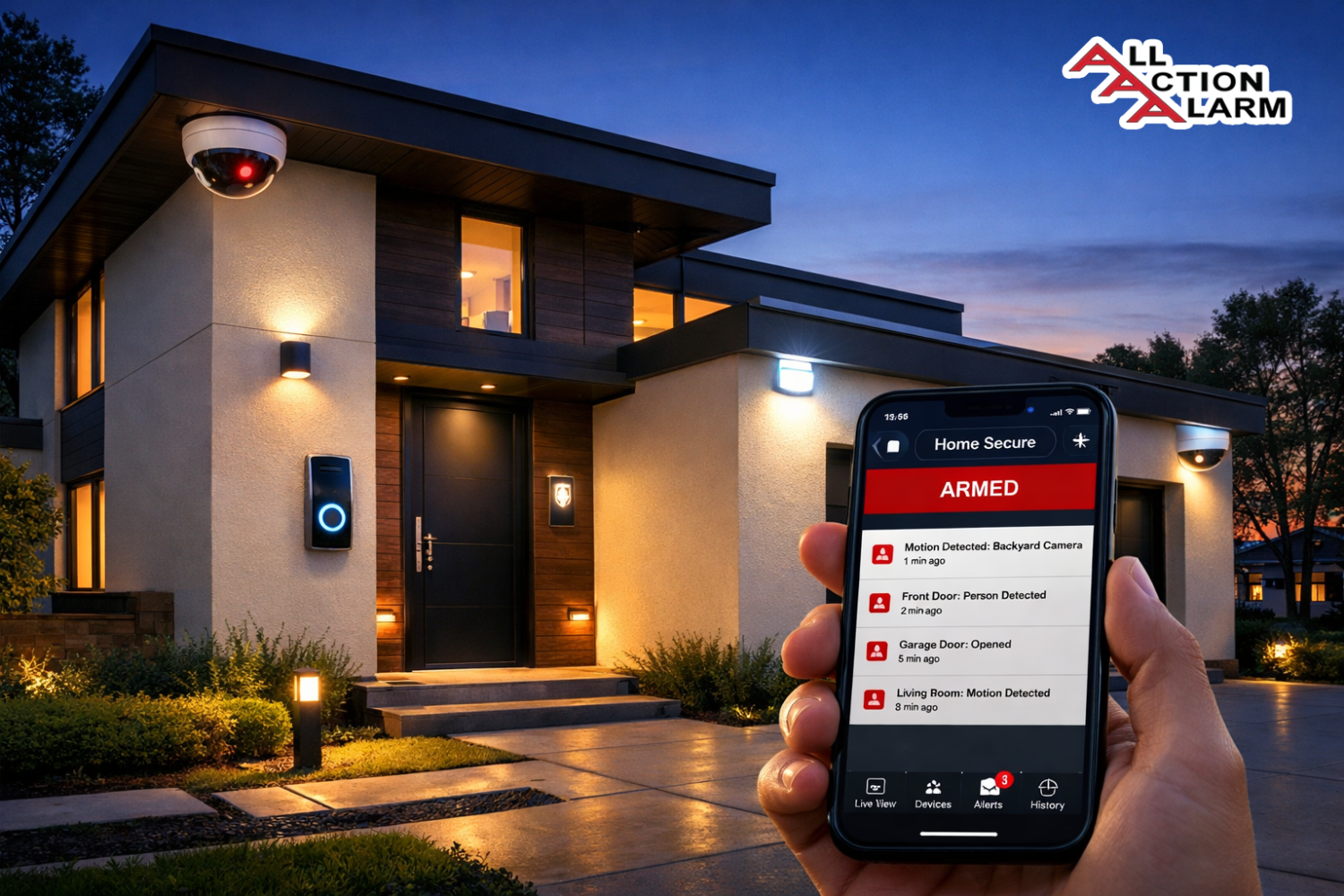
A smart home alarm system is a modernized version of the traditional security setup—but with a twist. Instead of just ringing a siren when a door opens or a window breaks, these systems connect to your home’s Wi-Fi and communicate with your smartphone, tablet, or smart hub.
Here’s what makes them “smart”:
-
Remote Control: You can arm, disarm, and monitor your system from anywhere using a mobile app.
-
Real-Time Alerts: Get push notifications or even live video feeds the moment a sensor is triggered.
-
Smart Integrations: Pair with voice assistants like Alexa, Google Assistant, or Apple HomeKit.
-
Customization: Set up routines, like turning on lights when motion is detected at night.
Unlike traditional systems that rely on a landline or require a technician for installation, smart systems are often wireless, self-installable, and much easier to expand as your needs grow.
Whether you live in an apartment or a large home, there’s a smart alarm system designed to fit your lifestyle.
Why You Need a Smart Alarm System Today
Let’s face it: we live in unpredictable times. From package theft to break-ins, smart alarm systems offer a powerful defense against both crime and uncertainty.
Here’s why investing in one is a smart move right now:
-
Peace of Mind: Whether you’re home or away, you’ll always know what’s going on.
-
Fast Response: Many systems connect directly to emergency services when threats are detected.
-
Remote Access: Forgot to arm your system? No worries—you can do it from your phone.
-
Package Protection: Video doorbells and smart locks can safeguard deliveries from porch pirates.
-
Cost Savings: Some insurance companies offer discounts for homes with monitored alarm systems.
Plus, smart alarm systems evolve with you. Moving to a bigger place? Add more sensors. Got a new pet? Adjust motion sensitivity. Want to integrate lights and locks? Most systems make it easy.
Key Features to Look for in a Smart Home Alarm System
Shopping for a smart alarm system can be overwhelming. There are dozens of options out there, each claiming to be “the best.” So how do you separate the fluff from what truly matters?
Here are the must-have features to look out for:
-
Wireless Technology
-
No drilling or complicated wiring required.
-
Easy to install and move if you change homes.
-
-
Mobile App Control
-
Should be intuitive, with quick access to arm/disarm, view cameras, and receive alerts.
-
Look for apps with high ratings and regular updates.
-
-
Motion and Entry Sensors
-
Detect when doors or windows are opened.
-
Some use AI to distinguish between pets and people.
-
-
Cameras (Indoor/Outdoor)
-
Look for HD resolution, night vision, two-way audio, and cloud/local storage options.
-
-
Smart Assistant Integration
-
Compatible with Amazon Alexa, Google Home, or Apple HomeKit.
-
Allows voice control and automation with other smart devices.
-
-
Backup Options
-
Battery backup is essential for power outages.
-
Cellular backup ensures alerts still go out when Wi-Fi fails.
-
-
Monitoring Services
-
Some systems offer professional 24/7 monitoring.
-
Self-monitoring can work too, but isn’t ideal for everyone.
-
-
Custom Alerts and Scheduling
-
Set specific times to arm/disarm.
-
Get notified only about the things that matter to you.
-
A system that checks all these boxes isn’t just smart—it’s brilliant.
If you’re still on the fence about investing in a smart home alarm system, let’s break down exactly what you’re getting. It’s not just about deterring burglars—these systems are designed to make your entire living experience more secure, efficient, and convenient.
Here’s how a smart alarm system benefits you:
1. Proactive Security Instead of Reactive Measures
Traditional alarm systems typically only alert you after something bad has happened. Smart systems, on the other hand, are built to be proactive:
-
Motion alerts when someone approaches your property
-
Live camera feeds to identify potential intruders
-
Two-way audio to scare off strangers before they enter
This early-warning approach means you can respond before the damage is done.
2. Real-Time Notifications Anywhere, Anytime
Got a phone? That’s all you need. Smart alarm systems send real-time push notifications to your device for events like:
-
Doors or windows being opened
-
Motion detected in a specific zone
-
A family member disarming the system
-
A fire alarm or carbon monoxide alert
This gives you full control no matter where you are—in the office, on vacation, or just upstairs binge-watching Netflix.
3. Seamless Integration With Other Smart Devices
Want your hallway light to turn on when motion is detected? Or your thermostat to switch to “Away” mode when you arm the alarm? You can set that up easily with integrations like:
-
Smart bulbs (Philips Hue, LIFX)
-
Thermostats (Nest, Ecobee)
-
Smart locks (August, Yale)
-
Voice assistants (Alexa, Siri, Google Assistant)
This kind of automation creates a home that not only protects you but also adapts to your lifestyle.
4. Cost-Effective Security With More Control
While professional security systems can be expensive and inflexible, smart alarms give you:
-
Lower monthly fees or no fees at all
-
No long-term contracts
-
DIY installation options to save on setup costs
And because you’re in control, you’re not paying for features you don’t use.
Types of Smart Home Alarm Systems
Not all smart alarm systems are built the same. Depending on your living situation, budget, and preferences, you’ll want to choose the right type that meets your needs.
Let’s break down the main categories:
1. DIY vs. Professionally Installed Systems
DIY Systems:
-
Designed for easy self-installation
-
No technician needed
-
Often less expensive
-
Best for renters or small homes
-
Example: SimpliSafe, Ring Alarm
Professionally Installed Systems:
-
Installed by trained technicians
-
May include more complex sensors, hardwiring
-
Usually come with long-term contracts
-
Better for large properties or custom needs
-
Example: ADT, Vivint
2. Self-Monitored vs. Professionally Monitored
Self-Monitored:
-
You receive alerts directly on your phone
-
No monthly fee
-
You decide how to respond (call police, etc.)
-
Great for tech-savvy users or tight budgets
Professionally Monitored:
-
A dedicated service monitors your system 24/7
-
Emergency services are automatically contacted if needed
-
Usually involves a subscription fee ($10–$30/month)
-
Best for busy homeowners or those who travel frequently
3. Indoor vs. Outdoor Alarm Systems
Indoor Systems:
-
Focus on securing the inside of your home
-
Use door/window sensors, motion detectors, and indoor cameras
-
Typically more discreet
Outdoor Systems:
-
Monitor driveways, yards, entry points
-
Use weatherproof cameras, spotlights, and sirens
-
Great for deterring intruders before they reach your door
The best systems usually combine elements of all three: DIY installation, optional monitoring, and both indoor and outdoor coverage.
Best Smart Home Alarm Systems in 2025 (Reviewed & Compared)
With so many options on the market, finding the best system for your home can feel overwhelming. Don’t worry—we’ve done the research for you. Below are the top 5 smart alarm systems of 2025, ranked based on reliability, features, ease of use, and value.
1. SimpliSafe – Best Overall
Pros:
-
Super easy to install
-
Great mobile app experience
-
No contracts required
-
Works with Alexa and Google Assistant
Cons:
-
Limited smart home integrations
-
Cameras are decent but not the best
Price: Starts at $249 for the basic kit
Monitoring: Optional, starts at $0.66/day
SimpliSafe stands out for being truly beginner-friendly. The sensors are pre-programmed, so setup takes less than 30 minutes. And the app is intuitive—even your grandma could use it.
2. Ring Alarm Pro – Best for Smart Home Integration
Pros:
-
Built-in eero Wi-Fi 6 router
-
Seamless integration with Alexa
-
Expandable with Ring cameras and doorbells
Cons:
-
Requires Amazon account
-
Privacy concerns (owned by Amazon)
Price: Starts at $299
Monitoring: $20/month with Ring Protect Pro
If you already have Ring cameras or doorbells, adding Ring Alarm Pro makes your system complete. Plus, the built-in Wi-Fi router improves your home network—a bonus few competitors offer.
3. ADT Smart Home Security – Best for Professional Monitoring
Pros:
-
Established brand with decades of experience
-
24/7 professional monitoring included
-
Highly customizable setups
Cons:
-
Long-term contracts
-
More expensive overall
Price: Custom quote required
Monitoring: Starts around $28/month
ADT is a solid choice if you want zero headaches. Their team installs and manages everything, and their response times are among the fastest in the industry.
4. Abode Iota – Best for Apple Users & Renters
Pros:
-
Works with Apple HomeKit
-
No contracts
-
Compact all-in-one hub with camera and siren
Cons:
-
Camera quality is average
-
App interface needs improvement
Price: Starts at $279
Monitoring: Optional, starts at $6/month
Perfect for apartments or smaller homes, Abode’s Iota system is stylish, secure, and supports a wide range of smart home platforms including Z-Wave and Zigbee.
5. Arlo Home Security System – Best Camera-Focused Security
Pros:
-
Industry-leading cameras
-
Wireless, sleek design
-
Environmental monitoring (air quality, temperature)
Cons:
-
Expensive camera upgrades
-
Some features behind subscription
Price: $199+
Monitoring: Optional, Arlo Secure plan starts at $12/month
Arlo is best for those who want top-tier video surveillance. The cameras deliver sharp images, even in low light, and the system includes unique features like smoke and leak detection.
Comparison Table
| Brand | Best For | Starting Price | Monitoring Fee | Works With | Installation |
|---|---|---|---|---|---|
| SimpliSafe | Easy Setup | $249 | Optional | Alexa, Google Assistant | DIY |
| Ring Alarm Pro | Smart Integration | $299 | $20/month | Alexa | DIY |
| ADT | Professional Monitoring | Varies | $28/month | Alexa, Google, Z-Wave | Professional |
| Abode Iota | Renters & Apple Users | $279 | $6/month | HomeKit, Alexa, Google | DIY |
| Arlo | Video Surveillance | $199 | $12/month | Alexa, Google | DIY |
DIY vs. Professional Installation: Which Is Right for You?
When it comes to setting up your smart home alarm system, one of the first decisions you’ll face is whether to go the DIY route or hire a professional installer. Both have their merits, and the right choice really depends on your lifestyle, budget, and how comfortable you are with technology.
DIY Installation: For the Tech-Savvy and Budget-Conscious
DIY systems have become incredibly popular in recent years—and for good reason. They’re not only affordable but also surprisingly easy to set up. You don’t need to be a tech wizard; most come with detailed instructions, pre-programmed sensors, and an intuitive mobile app that walks you through the entire process.
Benefits of DIY:
-
Lower costs – No labor or service fees
-
Quick setup – Install in under an hour
-
Flexible – Move the system if you change apartments or houses
-
No pressure sales – You choose what to buy and when
Downsides of DIY:
-
May lack the polish of a professionally installed system
-
You’re responsible for troubleshooting
-
Some setups (like hardwired door sensors) can be tricky
DIY is perfect if you live in an apartment, are comfortable with smartphones, and want a flexible system without being locked into contracts.
Professional Installation: Peace of Mind and Hands-Free Setup
For those who prefer to “set it and forget it,” professional installation is the way to go. This option is typically offered by larger brands like ADT or Vivint, where a technician will come to your home, assess your needs, and handle all the hard work.
Benefits of Professional Installation:
-
Expert advice – Pros will design a system tailored to your space
-
Flawless installation – Especially useful for larger homes
-
Integrated system – Often includes more complex components like glass-break detectors, flood sensors, or wired panels
Downsides of Professional Installation:
-
Higher costs – Installation and equipment fees can add up
-
Contractual obligations – Often requires 1–3 year contracts
-
Less flexibility – You may not be able to move the system easily
If you’re a homeowner with a large property or simply don’t want to mess with setup, professional installation is worth considering.
Smart Home Integration: Why It Matters
One of the most exciting things about smart alarm systems is how they play well with the rest of your connected devices. We’re talking full-blown smart home harmony—not just security.
Connecting the Dots Across Your Smart Ecosystem
When your alarm system integrates with your existing tech, you unlock powerful automation options like:
-
“Goodnight” mode: Arming the system, locking all doors, turning off lights, and lowering the thermostat—all with a single voice command.
-
Vacation mode: Lights and TVs turn on and off randomly to simulate someone being home.
-
Instant camera activation: Motion detected = lights on + camera records.
The best systems work with platforms like:
-
Amazon Alexa
-
Google Assistant
-
Apple HomeKit
-
IFTTT (If This Then That)
-
Z-Wave and Zigbee devices
Voice Assistant Integration
Being able to say “Alexa, arm the house” or “Hey Siri, check the front door” isn’t just cool—it’s super convenient. Most leading systems integrate voice controls, and this hands-free interaction adds a new level of comfort, especially when you’re in bed or cooking dinner.
Security and Convenience in One Package
Smart integration isn’t just about automation—it also enhances safety:
-
Automatically lock doors if the alarm is triggered
-
Receive camera snapshots when someone rings the doorbell
-
Sync indoor lights to flash during an emergency
If you already use smart lights, thermostats, or locks, choosing an alarm system that’s compatible will let you take full advantage of a truly connected home.
Mobile App Experience: Controlling Your Home from Anywhere
The mobile app is the control center of your smart alarm system. It’s what separates a “smart” system from a regular one. A great app lets you keep an eye on your home, get real-time alerts, and manage every aspect of your system on the go.
What to Expect from a Good App:
-
Remote Arm/Disarm: Forgot to arm the system before heading to work? Do it from your phone.
-
Custom Notifications: Get alerts for doors left open, low batteries, or detected motion.
-
Live Video Feeds: View what’s happening around your home in real time.
-
Smart Automations: Set up schedules or conditions for your system to follow.
User Interface Matters
Apps from brands like SimpliSafe and Ring are known for their clean design and ease of use. On the other hand, older systems (like some ADT versions) may feel clunky or outdated.
Security Features Within the App
-
Two-factor authentication for extra login protection
-
User access control to limit who can arm/disarm the system
-
Event history logs to track what’s happened over time
The mobile experience is more than just a convenience—it’s the heartbeat of your smart home security.
Costs and Subscriptions: What to Expect
Let’s talk money. While smart alarm systems can be more affordable than traditional setups, costs can vary significantly depending on how fancy you get.
Upfront Costs
This typically includes the main hub, sensors, and maybe a camera or two.
-
Basic kits: $150–$300
-
Mid-tier kits: $300–$600
-
Advanced kits: $600+ (often includes cameras, extra sensors, smart locks)
You can often customize your kit based on how many doors, windows, or rooms you want to cover.
Ongoing Monitoring Fees
If you choose professional monitoring, expect to pay monthly fees:
-
Ring Protect Pro: $20/month
-
SimpliSafe Monitoring: $17.99–$27.99/month
-
ADT: $28–$60+/month
-
Abode: Optional, starts at $6/month
Self-monitoring? No monthly fees, but you’ll need to act on alerts yourself.
Cloud Storage and Extras
-
Cloud video storage for cameras: $3–$15/month
-
Optional cellular backup: $5–$10/month
-
Smart assistant integrations: Often free, but some features may require premium plans
The key is to choose a plan that fits your needs—don’t overpay for features you won’t use.
Privacy and Security Concerns
It’s ironic that the very systems we use to protect our homes can sometimes be vulnerable themselves. That’s why privacy and cybersecurity are huge concerns when choosing a smart alarm system.
Common Threats
-
Hacking: If your Wi-Fi isn’t secure, bad actors can gain access to your system.
-
Data breaches: Your personal data could be compromised if a company doesn’t safeguard its servers.
-
Unauthorized access: Weak passwords or shared logins can lead to privacy issues.
How to Protect Yourself
-
Use strong, unique passwords for your smart home apps.
-
Enable two-factor authentication (2FA).
-
Regularly update your system’s firmware to patch vulnerabilities.
-
Choose a reputable brand with a clear privacy policy and security track record.
Read the Fine Print
Some systems (like Ring) have faced criticism for sharing footage with law enforcement without user consent. Always check how your data is handled and whether it’s shared with third parties.
Smart home security shouldn’t mean giving up your digital privacy. Choose a provider that values both.
Battery Backup and Power Outage Performance
A smart alarm system is only as reliable as its ability to operate when everything else fails—especially during power outages. Whether it’s a storm, a blackout, or even deliberate tampering, your system needs to stay online and functional when it’s most needed.
Why Battery Backup Matters
Imagine this: you lose power in the middle of the night, and your home is completely dark. Without a battery backup, your alarm system could go completely offline, leaving your home vulnerable. With a proper backup in place, the system stays armed, sensors stay active, and alerts still get sent.
Here’s what battery backup typically covers:
-
The main hub or control panel
-
Some security cameras (if battery-powered or have internal backup)
-
Sensors (most are battery-powered by default)
Most top-rated systems, like SimpliSafe, Ring, and Abode, offer battery backup ranging from 12 to 24 hours. Some even last up to 72 hours, depending on usage and model.
Cellular Backup: The Secret Weapon
If your Wi-Fi goes down—either from a power outage or someone cutting your internet line—a cellular backup becomes essential. This keeps your system connected via a cellular signal (like LTE), ensuring that alerts and emergency signals still get out.
Brands like ADT, Ring, and SimpliSafe offer optional or built-in cellular backup as part of their professional monitoring plans.
Real-Life Scenarios Where Backup Saved the Day
-
Winter storm knocks out power for 18 hours? Your system keeps sending alerts.
-
Internet goes offline during a vacation? Cellular backup ensures cameras still record and notify you.
-
Burglars try to cut your router cables? The system keeps running via battery and cellular.
It’s these moments when you’ll be glad your system didn’t go dark with the lights.
Pro Tip: Always test your system’s battery and cellular functions quarterly. It’s better to be safe than sorry.
How to Choose the Right System for Your Home
Every home is unique—so your alarm system should be, too. Whether you live in a high-rise apartment, a cozy cottage, or a sprawling suburban home, you’ll need to tailor your setup to match your layout, lifestyle, and specific concerns.
For Apartment Dwellers
-
Compact systems like Abode or SimpliSafe are perfect
-
Look for systems with easy peel-and-stick installation
-
Focus on door sensors, a video doorbell, and perhaps a motion sensor
-
Choose self-monitoring if your building already has a doorman or security team
For Homeowners in Suburban or Rural Areas
-
Consider full-scale kits with door, window, motion sensors, cameras, and environmental sensors
-
Opt for professional monitoring for peace of mind, especially during vacations
-
Systems like Ring Alarm Pro or ADT offer comprehensive coverage and automation
-
Include smart locks and garage door sensors for complete access control
Large Homes or Multi-Level Properties
-
Invest in a scalable system with Z-Wave or Zigbee compatibility
-
Use multiple motion sensors and cameras to cover blind spots
-
Choose systems that allow zone configuration (e.g., arm just the basement or upstairs at night)
-
Ensure robust Wi-Fi coverage or consider a system like Ring Alarm Pro that includes a Wi-Fi extender
Pet Owners Need Special Considerations
-
Choose pet-immune motion detectors that won’t go off every time your dog moves
-
Indoor cameras with AI person detection can reduce false alarms
-
Adjust sensitivity settings through your mobile app to fine-tune your system
Think About the Future
Ask yourself:
-
Will I move in the next 1–2 years? (Choose a system that’s easy to move.)
-
Am I planning to add more smart devices? (Choose a brand with wide compatibility.)
-
Do I want to avoid monthly fees? (Pick a self-monitored or hybrid option.)
Choosing the right system is about finding the balance between protection, convenience, and budget—without compromising on safety.
Future Trends in Smart Alarm Technology
The world of smart home alarms is advancing at lightning speed. We’re not far from systems that can predict intrusions before they happen or learn your behavior to detect abnormalities in real-time.
Let’s peek into what’s coming:
1. AI-Powered Threat Detection
Future systems are leveraging artificial intelligence to:
-
Analyze behavior patterns (e.g., someone pacing near your door every day at 2 p.m.)
-
Differentiate between real threats and false alarms
-
Self-learn from your habits to improve accuracy over time
Brands like Vivint and Arlo are already testing these capabilities in beta.
2. Integrated Emergency Response
Instead of waiting for police to arrive, future systems may:
-
Deploy drone cameras to follow an intruder
-
Auto-notify your emergency contacts based on who’s home
-
Connect to city-wide security grids for faster coordination
This means a faster, smarter, and more community-based response system.
3. Health and Safety Monitoring
Systems are evolving beyond break-ins to monitor:
-
Air quality (e.g., detecting CO2 or toxic chemicals)
-
Water leaks or flooding
-
Temperature changes that might indicate a fire or HVAC failure
Expect your smart alarm to become your home’s health monitor, not just a security guard.
4. Smarter Neighborhood Networks
Companies are experimenting with community-based security, where:
-
Cameras on different houses share suspicious activity alerts
-
Neighbors can opt-in to monitor shared spaces like alleys or parking lots
-
Systems work together for a shared defense
This “neighborhood watch 2.0” is already in early use through apps like Nextdoor and Ring Neighbors.
5. Voice and Gesture Controls
We’re getting closer to controlling alarm systems with gestures or even biometrics, like:
-
Face recognition to disarm systems
-
Hand gestures to activate a panic alarm
-
Voice profiles for multi-user voice authentication
The future is voice-activated, AI-powered, and more personalized than ever.
Conclusion
Your home is more than four walls—it’s where you sleep, raise your family, and keep your memories. Protecting it shouldn’t feel complicated or outdated. With the best smart home alarm systems, you get protection that’s intelligent, flexible, and easy to control from anywhere.
Whether you go for a DIY system like SimpliSafe, an integrated smart setup like Ring Alarm Pro, or a professionally monitored system like ADT, the most important thing is that you take action. In today’s connected world, smart home security is no longer a luxury—it’s a necessity.
Take the time to assess your home, consider your needs, and choose a system that gives you the peace of mind you deserve.
FAQs
1. Can I install a smart home alarm system myself?
Yes! Most smart alarm systems are designed for easy DIY installation with peel-and-stick sensors and step-by-step app instructions. No tools or wiring required in most cases.
2. What happens if the Wi-Fi goes down?
If your Wi-Fi goes out, systems with cellular backup will still send alerts. Devices with built-in storage or battery backup will also continue functioning offline until the internet returns.
3. Is professional monitoring necessary?
Not necessarily. Many systems offer self-monitoring at no cost, but if you want emergency services contacted automatically, professional monitoring adds that extra layer of protection.
4. Are smart alarm systems secure from hackers?
Generally yes, but it depends on your setup. Use strong passwords, enable two-factor authentication, and choose reputable brands to minimize risk.
5. Do smart alarms work without internet?
They can work in a limited capacity. Most sensors and alarms will still trigger, but you won’t get remote alerts or camera access unless there’s a cellular backup in place.
About All Action Alarm: Your Trusted Partner in Home Security Solutions
When it comes to protecting your home and loved ones, there’s no room for compromise. At All Action Alarm, we take home security to the next level by offering top-tier protection with cutting-edge technology and expert monitoring services that you can rely on. As a leader in the security industry, we’re committed to keeping homes and businesses safe, providing peace of mind 24/7.
Check out Benefits of a Home Alarm System and Get Started with All Action Alarm Today!
Don’t wait for an emergency to take action. Protect your home and family with the best in the business. Call (631) 549-7225 to schedule your consultation, or visit allactionalarm.com to learn more about our services.
Your safety is our top priority.
SOURCES:
https://www.consumerreports.org/cro/home-security-systems.htm
https://www.safewise.com/best-home-security-systems/
https://www.pcmag.com/picks/the-best-smart-home-security-systems
https://www.cnet.com/home/security/best-home-security-systems/


 Ca.garcia.s, CC BY-SA 4.0
