
Commercial Door Access Control

- Understanding Smart Video Clips in Home Surveillance - March 5, 2026
- Access Control Installation - March 2, 2026
- Fire Alarm Systems - February 27, 2026
What is Commercial Door Access Control?
Commercial door access control is no longer just a buzzword in the security world—it’s a must-have for businesses of all sizes. Think of it as your company’s first line of defense against unauthorized access. Gone are the days of handing out physical keys and worrying about lost copies. With access control systems, you decide who gets in, when they get in, and where they’re allowed to go.
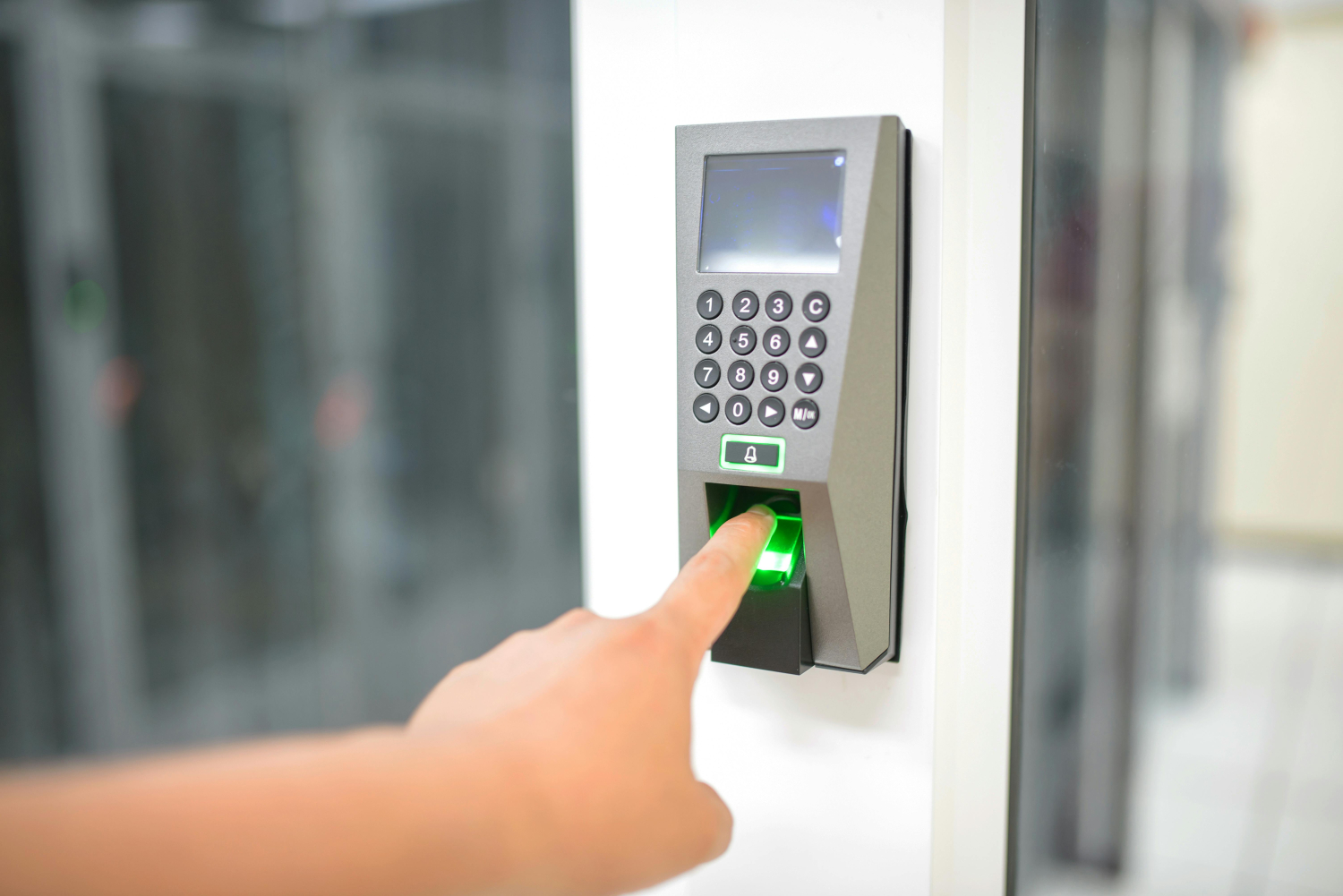
In simple terms, a commercial door access control system is a method that restricts or grants entry to buildings, rooms, or secure zones using technology rather than traditional locks and keys. These systems can be as simple as a keypad or as advanced as biometric scanners and cloud-connected software.
For businesses, it’s about control, accountability, and peace of mind. Whether you’re managing a bustling office building, a medical facility, or a warehouse, you need to ensure that only authorized individuals have access to specific areas. Access control helps protect physical assets, sensitive data, and, most importantly, your people.
Also, it’s not just about security. Access control systems offer convenience. Imagine managing employee access remotely, setting up temporary credentials for contractors, or receiving real-time alerts when someone tries to enter a restricted area. That level of control gives businesses the upper hand in security and operations.
It’s not an exaggeration to say that your access control strategy can make or break your entire security infrastructure. And with threats constantly evolving—from theft to data breaches—staying ahead means implementing systems that are smart, scalable, and secure.
So, why do businesses truly need access control? Because security isn’t optional anymore—it’s foundational. Whether you run a small office or a multi-location enterprise, having control over who enters your space is critical to maintaining order, efficiency, and safety.
How Commercial Door Access Control Systems Work
Understanding how these systems function is key to choosing the right one. A commercial door access control system operates by verifying the identity of a person before granting entry. At its core, the system is designed to ensure that only those who are authorized can access specific areas.
Here’s how it usually works:
-
User Request: A person attempts to enter a door using a credential—this could be a card, a smartphone, a fingerprint, or a code.
-
Credential Reading: The credential is scanned by a reader installed near the door.
-
Verification: The reader sends the credential information to a control panel or cloud system that checks if the credential is valid.
-
Decision Making: If the credential is approved, the system sends a signal to the door lock to open. If not, access is denied and an alert can be triggered.
Most modern systems allow for detailed configuration. For example, employees can be granted access to certain areas only during business hours, or only on specific days. The system logs every entry attempt, successful or not, creating an audit trail that’s incredibly valuable for investigations and compliance.
What makes these systems so powerful is their ability to integrate. A commercial access control system can work seamlessly with video surveillance, alarm systems, visitor management software, and even building automation systems. That means when someone enters the building, you can not only verify their identity but also monitor their activity and ensure compliance with protocols.
Another advantage? Remote management. Today’s cloud-based systems allow you to control everything from your smartphone or laptop. Whether you’re on-site or across the country, you can lock or unlock doors, assign access permissions, and monitor real-time activity. It’s like being everywhere at once.
Types of Commercial Door Access Control Systems
There’s no one-size-fits-all when it comes to access control. Different businesses have different needs, which is why manufacturers offer a variety of systems. The key is knowing what’s out there so you can choose what best suits your business.
Let’s break down the most common types:
-
Standalone Systems
These are perfect for small businesses or single-door applications. Everything—from the reader to the controller—is built into one device. You’ll find them often in small offices or storage rooms. They’re affordable and easy to install, but they have limitations. For instance, you can’t manage them remotely or scale them to other locations. -
Networked Systems
These are more robust and allow central management of multiple doors across different facilities. The system is connected via a local network or Wi-Fi, enabling administrators to manage user permissions, monitor activity, and respond to incidents in real time. This is the go-to for medium to large businesses that need centralized control. -
Cloud-Based Systems
Cloud access control systems are the future. They offer remote access, real-time updates, and seamless scalability. All data is stored securely in the cloud, meaning you don’t need on-site servers or complex IT setups. Updates can be pushed instantly, and you can manage access from anywhere—whether that’s your laptop at home or your phone while on the road. -
Mobile-Based Access Systems
These are built with convenience in mind. Instead of using physical cards or fobs, users gain entry using a smartphone app or digital credential. These systems are growing in popularity due to their contactless nature and ease of management, especially post-COVID. -
Biometric Systems
If you need high security, biometric access control is the way to go. These systems verify a user’s identity using unique biological traits like fingerprints, facial features, or iris patterns. They’re nearly impossible to spoof, making them ideal for sensitive areas like data centers or labs.
Each of these systems has its pros and cons. The right choice depends on your budget, the size of your business, your security needs, and how tech-savvy your team is. One thing’s for sure: modern systems are smarter, more flexible, and more user-friendly than ever before.
Key Components of a Door Access Control System
Let’s zoom into the building blocks that make these systems tick. Think of your access control system like a symphony—it only works if all the instruments (components) play in harmony.
-
Access Control Panel (Controller)
This is the system’s brain. It receives data from credential readers, verifies the credentials, and sends signals to the door locks. It stores the access rules, user permissions, and audit logs. In cloud-based systems, this function is often moved to secure cloud servers. -
Access Reader
This device is placed at each access point. It scans or reads the credential—like a keycard, biometric, or smartphone signal. There are different types of readers: magnetic stripe, RFID, NFC, Bluetooth-enabled, and biometric scanners. -
Electronic or Magnetic Door Locks
Once access is approved, the controller sends a signal to unlock the door. These locks can be electromagnetic, electric strike, or smart locks. Each has its own benefits depending on the type of door and level of security required. -
Credentials
These are the digital “keys” users present to gain access. They come in various forms:-
Key cards or fobs
-
Smartphone credentials via app or Bluetooth
-
Biometric data (fingerprints, face)
-
PIN codes or passwords
-
-
Management Software
This is where all the magic happens behind the scenes. The software allows administrators to:-
Add/remove users
-
Set access levels and schedules
-
Generate reports and audit trails
-
Monitor real-time activity
-
Integrate with other security systems like cameras and alarms
-
-
Power Supply & Backup
A reliable power source keeps the system running 24/7. Most commercial systems include battery backups to ensure functionality during outages.
When all these components are correctly configured and integrated, your access control system becomes a powerful tool—not just for keeping people out, but for managing who’s allowed in and when.
Authentication Methods Used in Access Control
How do you make sure the person trying to enter is who they say they are? That’s where authentication methods come into play. The strength of your access control lies in how securely it authenticates users.
Let’s explore the most common methods:
-
Key Cards and Fobs
This is the most widely used method in commercial buildings. Users carry a card or key fob embedded with an RFID chip. They simply wave it in front of a reader to unlock the door. It’s fast and convenient—but easy to lose or duplicate without proper encryption. -
PIN Codes
Old school but still effective. Users type in a numeric code on a keypad. PINs are affordable and simple to implement, but they come with risks—like being shared or guessed. -
Biometric Authentication
This is where security gets personal. Biometric systems scan something unique to the user, like:-
Fingerprint
-
Facial recognition
-
Retina or iris scan
-
Voice recognition
These methods are tough to fake and don’t require users to carry anything. However, they can be expensive and may raise privacy concerns.
-
-
Mobile Credentials
With mobile access, your smartphone becomes your key. Using Bluetooth, NFC, or cloud-based apps, users can unlock doors just by being near them. This method is convenient, secure, and perfect for contactless access. -
Multi-Factor Authentication (MFA)
Want the best of all worlds? Combine methods. For example, require both a key card and a PIN, or a fingerprint and a smartphone. MFA adds layers of security and is often used in high-security areas.
The best systems let you mix and match based on your needs. For example, you might use mobile access for regular employees, PINs for temporary contractors, and biometrics for sensitive areas.
Wired vs Wireless Access Control Systems
Choosing between wired and wireless access control systems can feel like picking between a landline and a smartphone—it really depends on your needs. Both have their pros and cons, and the right decision usually comes down to your facility size, infrastructure, and future plans.
Wired Access Control Systems
Wired systems are the traditional choice. These systems use physical cabling to connect all devices—readers, controllers, locks, and software.
Pros:
-
Reliability: Once installed, wired systems offer a stable and interference-free connection.
-
Speed: Data transmission is faster and more secure over physical connections.
-
Security: It’s harder to hack or disrupt a wired system compared to wireless.
-
Power over Ethernet (PoE): In many setups, you can power devices and transmit data through one cable, reducing clutter.
Cons:
-
Installation Cost: Running cables throughout a building, especially older ones, can be expensive and time-consuming.
-
Inflexibility: Once cables are installed, reconfiguring the system or expanding to new areas is difficult.
-
Disruption: Installation may require drilling, pulling wires through walls, and downtime in certain parts of your building.
Wireless Access Control Systems
Wireless systems use Wi-Fi, Bluetooth, or proprietary signals to communicate between devices. These are growing in popularity, especially for retrofits or temporary setups.
Pros:
-
Easy Installation: No need for complex wiring, which means faster, cleaner setups—especially in existing buildings.
-
Flexibility: It’s easy to move or add components without major construction.
-
Scalability: Perfect for growing businesses that want to expand access control over time.
-
Remote Access: Most wireless systems are cloud-based, meaning you can manage them from anywhere.
Cons:
-
Signal Interference: Wi-Fi or Bluetooth signals can be interrupted by physical barriers or other devices.
-
Battery Dependency: Wireless locks and devices need regular battery replacement or charging.
-
Potential Vulnerabilities: Without proper encryption and updates, wireless systems may be more susceptible to hacking.
Which One Is Better?
It’s not about one being better than the other—it’s about what works best for your business. A wired system might be perfect for a new construction project where everything can be planned from the ground up. On the other hand, wireless systems shine in older buildings, temporary installations, or when you need to move fast.
Many modern systems actually offer a hybrid approach, allowing businesses to enjoy the stability of wired access in critical areas and the flexibility of wireless in less secure or temporary zones.
The takeaway? Don’t be afraid to mix and match. Technology has made it easier than ever to create custom access solutions tailored to your building, your team, and your workflow.
Cloud-Based Access Control: A Game Changer
Let’s face it—cloud technology has flipped the script on traditional access control. What used to be clunky, on-site systems with limited access and maintenance headaches has evolved into sleek, efficient, and highly accessible cloud-based solutions.
Why Cloud-Based Access Rocks
-
Remote Management
Whether you’re sipping coffee at a café or halfway across the country, you can manage your access control system right from your laptop or smartphone. Grant or revoke access instantly, lock or unlock doors remotely, or monitor who’s coming and going in real time. -
Automatic Updates
No more waiting for IT to install security patches. Cloud-based systems receive automatic updates, keeping your system safe from emerging threats without you lifting a finger. -
Scalability
Growing business? No problem. Add new doors, users, or even entire locations with just a few clicks. No need for additional servers or rewiring—just connect and go. -
Reduced IT Burden
Forget about maintaining local servers or dealing with complex software setups. Cloud providers handle the heavy lifting, freeing up your in-house team for more important tasks. -
Data Backup & Recovery
Everything is stored off-site in secure data centers with redundant backups. If there’s a disaster at your location, your data and settings are safe and recoverable.
Are There Drawbacks?
Sure, but they’re manageable:
-
You’ll need a reliable internet connection. If your network goes down, local fail-safes can keep things running, but full functionality may be paused.
-
Subscription Costs: Cloud access control often operates on a monthly or annual subscription model. While this reduces upfront costs, it’s an ongoing expense.
Cloud Integration: The Bigger Picture
Cloud-based access systems don’t work in isolation—they’re designed to integrate with other cloud tools you may already use. Want to sync with Microsoft 365, Google Workspace, or Slack? You can. Want alerts when someone accesses a room after hours? Set up an integration with your preferred notification system.
That level of connectivity means better insights, better efficiency, and better security—all from one central hub.
Benefits of Installing a Commercial Access Control System
Let’s talk about what really matters—why should you even invest in a commercial door access control system in the first place? The benefits go way beyond locking doors.
1. Enhanced Security
This one’s obvious but critical. You control who enters your building, when they can enter, and where they can go. No unauthorized visitors. No after-hours sneak-ins. Access control dramatically reduces the risk of internal theft, vandalism, and security breaches.
2. Audit Trails and Reporting
Access control logs every entry and exit. That means you always know who was where and when. Need to track employee time? Investigate a security incident? You’ve got detailed records at your fingertips.
3. Improved Employee Safety
You can limit access to certain areas—like equipment rooms or server closets—to trained personnel only. Plus, if a crisis happens (like a fire or lockdown), you can use the system to track who’s still inside.
4. No More Lost Keys
Let’s be real—physical keys are a liability. People lose them. They make copies. And when someone leaves the company, it’s a whole ordeal to change locks. With access control, you just revoke their credentials—done.
5. Remote Management & Convenience
Whether you’re managing one site or twenty, modern access control lets you do it all from a central dashboard. Need to give a vendor temporary access? Just send a digital key to their phone.
6. Professional Image
A sleek access control system makes your business look modern and trustworthy to employees, clients, and visitors. First impressions matter, and a keyless entry system sets the tone.
7. Regulatory Compliance
Many industries—healthcare, finance, education—are required to limit and log access to sensitive data and spaces. Access control helps you stay compliant with HIPAA, GDPR, and other regulations.
Industries That Benefit Most from Access Control
While every business can benefit from door access control, certain industries rely on it not just for security, but also for compliance, efficiency, and operations. Let’s look at how various industries use access control in very specific and powerful ways.
1. Healthcare Facilities
Hospitals, clinics, and research labs need strict access management. With sensitive patient data, expensive equipment, and controlled substances at risk, healthcare institutions often face the double challenge of HIPAA compliance and maintaining a secure environment.
-
Limit access to medication storage
-
Control entry to operating rooms or labs
-
Track who accesses patient records
-
Manage shift-based access for doctors and nurses
2. Educational Institutions
From K-12 schools to universities, access control is essential for student and staff safety. Schools use these systems to:
-
Secure dormitories, libraries, and classrooms
-
Prevent unauthorized entry to school grounds
-
Integrate with student ID systems
-
Lock down buildings during emergencies
Also, schools can control visitor access and ensure only authorized individuals are allowed into specific areas during certain hours.
3. Corporate Offices
In today’s hybrid work world, access control is more important than ever. Corporate buildings use these systems to:
-
Manage employee access by department or location
-
Enable secure guest entry via mobile credentials
-
Track attendance and building occupancy
-
Prevent internal data leaks by restricting access to server rooms or archives
Plus, cloud systems make it easy for IT or HR departments to manage permissions without needing to be on-site.
4. Warehouses and Logistics
Inventory theft and unauthorized entry are major risks in logistics. With access control, warehouse managers can:
-
Restrict access to storage zones
-
Use time-based access for shift workers
-
Track activity around high-value inventory
-
Prevent accidents by limiting access to hazardous zones
In industries where speed and accuracy are vital, access control systems ensure operations are smooth, safe, and accountable.
5. Government & Military
Needless to say, these sectors require high-security access controls with multi-factor authentication and layered protocols. These systems must also meet compliance standards such as FIPS 201 and NIST guidelines.
6. Retail Businesses
Retail stores use access control mainly to:
-
Limit staff access to stockrooms
-
Secure offices and cash-handling areas
-
Monitor entries and exits outside business hours
-
Prevent shoplifting or internal theft
No matter the industry, access control isn’t just about security—it’s about control, insight, and peace of mind.
Top Features to Look For in an Access Control System
You’ve decided to invest in a commercial access control system—great! But not all systems are created equal. When comparing options, it’s easy to get overwhelmed by buzzwords and sales pitches. Let’s cut through the noise and focus on features that actually matter.
1. Real-Time Monitoring & Alerts
You should be able to see who is entering your building—as it happens. Look for systems with real-time dashboards and alert notifications for events like:
-
Unauthorized access attempts
-
Door held open too long
-
Access outside of scheduled times
2. Remote Access Management
The ability to manage access remotely isn’t a luxury—it’s a necessity. Whether you’re at a different location or managing multiple sites, remote capabilities save time and increase flexibility.
-
Grant/revoke access instantly
-
Lock/unlock doors via mobile or web
-
View activity logs from anywhere
3. Integration with Other Systems
A great access control system should play well with others. Look for integration with:
-
CCTV systems – Link entry events with video footage
-
Alarm systems – Trigger alarms during unauthorized access
-
HR or directory systems – Sync with employee data
-
Visitor management software – Control guest access easily
4. Mobile Credential Support
Ditch the plastic cards. More businesses are shifting to smartphone-based access, and for good reason:
-
More secure and harder to duplicate
-
Contactless and hygienic
-
Convenient for users—no extra device to carry
5. User Access Scheduling
Granular control is key. Look for systems that let you:
-
Set access hours by user group or individual
-
Assign temporary credentials for visitors or contractors
-
Limit access to specific days or times
6. Scalability
Your access control system should grow with your business. Whether you expand to another floor or another city, adding new doors or users should be simple and cost-effective.
7. Detailed Reporting and Audit Trails
Reports should be easy to generate and understand. Useful for:
-
Internal reviews
-
Compliance audits
-
Investigations
Having access to historical data—who accessed which door, when—can make or break your response to a security incident.
The bottom line? Don’t just buy what’s popular—buy what works for you. Consider your current needs, future goals, and the features that truly support your operations.
Common Mistakes to Avoid When Choosing a System
Let’s be honest—investing in a commercial door access control system isn’t cheap. So, the last thing you want is to pour money into something that doesn’t deliver. Unfortunately, many businesses make mistakes that can lead to inefficiency, overspending, or even security vulnerabilities.
Here are the most common pitfalls—and how to avoid them:
1. Ignoring Scalability
One of the biggest mistakes is buying a system that works for now but not for the future. Maybe you only need access control for five doors today—but what about next year when you move to a bigger facility or open a second location?
Tip: Choose a system that allows for easy expansion without needing a complete overhaul.
2. Overlooking Integration
If your access control system can’t talk to your other security systems, you’re going to miss out on some serious benefits. For example, you want it to integrate with:
-
Surveillance cameras
-
Alarm systems
-
HR software
-
Visitor management tools
Tip: Ask vendors upfront about integration capabilities and compatibility with your current tools.
3. Focusing Only on Price
Sure, everyone wants to save money. But buying the cheapest system often means sacrificing features, support, or long-term value. Many low-cost systems lack crucial features like mobile access, real-time monitoring, or adequate encryption.
Tip: Look for value, not just price. A system that saves time, enhances security, and reduces admin work will pay for itself.
4. Not Prioritizing User Experience
A clunky system can frustrate employees and slow down operations. If people hate using it—or don’t understand how—it defeats the whole purpose.
Tip: Choose a system with an intuitive user interface and provide training during rollout.
5. Skipping Proper Planning
Installing access control isn’t just about slapping readers on doors. You need to assess your building, define access policies, plan user permissions, and think through emergency protocols.
Tip: Work with a professional installer or consultant to ensure proper setup and avoid future headaches.
6. Neglecting Security Best Practices
Ironically, some access control systems are installed in ways that create vulnerabilities:
-
Using weak PINs
-
Reusing credentials
-
Not changing access after an employee leaves
-
Failing to update firmware/software
Tip: Implement strict policies for password hygiene, regular audits, and automatic software updates.
7. No Plan for Power or Connectivity Issues
What happens if the power goes out? Or your Wi-Fi crashes?
Tip: Invest in battery backups and fail-safes, and make sure your system has offline functionality for emergencies.
Avoiding these mistakes can save you time, money, and a whole lot of stress. A thoughtful, well-executed access control strategy sets the foundation for a secure and efficient workplace.
Cost of Commercial Door Access Control Systems
So, how much will it set you back? That’s probably the question on everyone’s mind. Unfortunately, there’s no one-size-fits-all answer—costs vary widely depending on your needs, the size of your facility, the features you choose, and whether you go wired or wireless, cloud or on-premise.
But let’s break it down so you have a clear picture.
1. Hardware Costs
This includes things like:
-
Door readers: $200–$1,200 each
-
Electronic/magnetic locks: $150–$500 per door
-
Access control panels/controllers: $500–$2,000
-
Power supplies and backup batteries: $50–$300
2. Credential Costs
Depending on the method you use:
-
Key cards/fobs: $2–$10 per user
-
Biometric scanners: $300–$1,000 each
-
Mobile credentials: Usually included in software subscription
3. Software & Licensing
-
On-premise systems: One-time licenses may cost $1,000–$5,000+
-
Cloud-based systems: Subscription fees range from $20 to $100+ per door per month
Some cloud services also charge per user, while others offer unlimited users.
4. Installation Costs
Labor costs vary by location and complexity:
-
Simple installs (1–2 doors): $500–$1,500
-
Large installations (10+ doors): $5,000–$20,000+
This includes wiring, configuration, testing, and sometimes employee training.
5. Ongoing Maintenance
-
Annual maintenance contracts: $300–$1,000 per year
-
Software updates: Included with cloud systems; sometimes extra for on-premise
Cost-Saving Tips:
-
Choose scalable systems that let you start small and add features later.
-
Consider cloud-based options to reduce upfront costs.
-
Don’t overspend on fancy features you won’t use—prioritize what matters.
When budgeting, remember: a good access control system isn’t a cost—it’s an investment. It pays off in security, efficiency, and peace of mind.
Choosing the Right Access Control Provider
You can have the best hardware and the most advanced software, but if your provider is unreliable or shady, it can all fall apart. Choosing the right vendor or installer is just as important as picking the right system.
What to Look For:
-
Proven Track Record
Look for companies with experience in your industry. Ask for case studies, references, or client testimonials. -
24/7 Support
Access control issues can be time-sensitive. You need a provider who offers fast, reliable customer support. -
Transparent Pricing
Beware of hidden fees—like expensive user licenses, surprise maintenance charges, or hardware markups. -
Security Compliance
Make sure your provider understands and supports security standards like GDPR, HIPAA, or SOC 2, depending on your industry. -
Customization Options
No two businesses are alike. Your provider should offer flexible setups tailored to your needs—not just cookie-cutter solutions.
Questions to Ask Before You Buy:
-
Can the system scale as our business grows?
-
Does it support mobile credentials and cloud access?
-
What integrations are available?
-
Is training included in the installation?
-
How is data stored and protected?
-
What happens if the internet or power goes out?
Take your time with this decision. A great provider doesn’t just install a system—they become a long-term security partner.
Installation Tips and Best Practices
Once you’ve selected the right commercial door access control system, the next big step is installation—and trust me, this is where many people mess up. A bad install can lead to malfunctions, security loopholes, or even costly rework down the line. But when done right, installation sets your system up for years of smooth operation.
Here’s how to ensure a solid, headache-free setup from day one.
1. Start With a Thorough Site Assessment
Before anything is drilled, wired, or mounted, take time to walk through the site with a security expert or installer. Identify:
-
Entry and exit points
-
Sensitive areas that need restricted access
-
Cabling pathways (if wired)
-
Server or control panel locations
Pro Tip: Don’t forget lesser-used doors like fire exits, loading docks, or side entrances—these are often the most vulnerable.
2. Plan User Access Groups Early
Figure out who needs access to what—and when. Categorize your staff into logical groups (e.g., HR, IT, custodial, C-suite) and map out access levels for each.
-
Who needs 24/7 access?
-
Who only needs entry during business hours?
-
Should some doors remain locked on weekends?
Having this sorted beforehand makes the software setup way easier later on.
3. Coordinate With IT and Facilities Teams
If you’re going with a cloud-based system, you’ll likely need coordination with IT to:
-
Set up network permissions
-
Connect software to your domain or directory
-
Configure alerts, user logins, and backups
If it’s an on-premise solution, you’ll need physical space for the servers and controllers, plus backup power planning.
4. Use Professional Installers
Unless you’re managing a super basic setup, hire certified pros. A proper installer will:
-
Ensure clean, concealed cabling
-
Install locks and readers at correct heights
-
Test system performance across all doors
-
Help integrate with other security hardware
Bonus: Most professionals offer support contracts or warranties if you go through them.
5. Test Extensively Before Launch
Don’t wait for day one to find out your door won’t unlock.
-
Test every credential type
-
Simulate access at different times
-
Try unauthorized access attempts
-
Run fire alarm or power failure simulations to ensure emergency procedures work
6. Train Your Team
Even the best access system can become a pain if your team doesn’t know how to use it. Host a short training session for staff covering:
-
How to use their credentials
-
What to do if they lose access
-
How to request temporary access
-
Emergency protocols (e.g., what happens in a fire)
Also, ensure your administrators (HR, Security, IT) know how to:
-
Add/remove users
-
Pull access reports
-
Lock/unlock doors manually
Installation isn’t just about the physical hardware—it’s about setting up your whole business to run smarter and safer. Done right, it’s a one-time effort with long-term rewards.
Future Trends in Commercial Access Control
The security industry is evolving fast—and commercial door access control systems are right at the center of it. If you’re thinking about future-proofing your business, these are the trends you’ll want to keep on your radar.
1. Touchless & Mobile-First Access
The pandemic accelerated the demand for contactless entry, and it’s not going anywhere. Businesses now prefer solutions where employees use smartphones, facial recognition, or wave-to-enter gestures.
-
NFC and Bluetooth: Let users unlock doors by simply approaching them.
-
Mobile apps: Replace badges with digital IDs stored on phones or smartwatches.
Expect more offices to eliminate plastic cards altogether in favor of mobile credentials.
2. AI-Powered Analytics
AI isn’t just for tech giants anymore. Modern access systems are beginning to use machine learning for:
-
Predictive threat detection
-
Identifying unusual access patterns
-
Suggesting access rule changes based on usage
This means smarter security—automated alerts and insights that help you act before an issue escalates.
3. Biometric Advancements
Biometric access is already popular, but future systems will get even more precise and less invasive:
-
Contactless fingerprint scanners
-
Iris and retina recognition
-
Multi-biometric systems (face + voice)
Also, biometrics will soon be integrated with blockchain-based identity platforms, adding extra layers of verification.
4. Cloud & Edge Computing Integration
While cloud access control is booming, edge computing is also making waves. That means data processing happens closer to the hardware (at the “edge”), reducing latency and improving real-time responses.
-
Faster access decisions
-
Enhanced data security
-
Lower dependence on constant internet connectivity
This hybrid cloud-edge approach is ideal for large enterprises needing both speed and scalability.
5. Smart Building Integration
Access control is no longer a standalone feature. It’s part of an entire smart building ecosystem.
Imagine:
-
Lights turn on automatically when someone enters a room
-
HVAC systems adjust based on occupancy
-
Fire systems trigger automatic door releases
These integrations make buildings not just safer—but more efficient, sustainable, and intelligent.
6. Decentralized Identity Management
With privacy becoming a bigger concern, expect more systems to adopt decentralized credentials. That means employees own their identity on their device and only share data temporarily during access checks—no more central storage of personal data.
Conclusion
Access control is so much more than just unlocking a door—it’s about protecting your people, property, and data in a world that’s only getting more complex. From the technology powering it to the benefits it brings across industries, it’s clear that commercial door access control is no longer optional—it’s essential.
Whether you’re managing a warehouse, running a healthcare clinic, or leading a startup in a shared office space, the right system helps you stay secure, stay compliant, and stay in control.
The key to success? Make smart decisions early. Choose scalable systems, avoid common mistakes, invest in the right features, and plan for the future. With a well-designed and properly implemented access control strategy, you don’t just lock doors—you unlock potential.
FAQs
1. What is the best access control system for small businesses?
Cloud-based and mobile-ready systems like Openpath or Kisi are great for small businesses. They’re affordable, easy to manage, and scalable as you grow.
2. Can access control systems integrate with my existing security setup?
Absolutely. Most modern systems can integrate with CCTV, alarms, intercoms, and even visitor management software. Be sure to check compatibility before purchase.
3. Are mobile credentials secure?
Yes, especially when encrypted and managed properly. Mobile credentials can actually be more secure than physical cards because they’re harder to clone or steal—and can be revoked instantly.
4. How long does it take to install a commercial access system?
For a basic system (1–3 doors), installation can take 1–2 days. Larger installations can take up to several weeks depending on complexity and building structure.
5. What happens if there’s a power or internet outage?
Most systems have battery backups and offline modes. You’ll still be able to use credentials, though real-time monitoring may be paused until the system reconnects.
Sources:
Security Industry Association (SIA)
About All Action Alarm: Your Trusted Partner in Commercial Security Solutions
AllActionAlarm.com is Long Island’s top choice for state-of-the-art commercial security systems, providing unmatched protection and peace of mind for businesses of all sizes. With years of expertise, we specialize in creating customized security solutions, combining cutting-edge technology with seamless installation and 24/7 monitoring. Whether it’s high-definition surveillance, advanced access control, or intrusion detection, we deliver systems designed to safeguard your assets and personnel.
Our team of certified professionals is committed to offering the best security systems in Long Island, New York. We understand the unique challenges businesses face and work closely with you to develop a comprehensive security plan that fits your needs. We don’t just sell equipment; we partner with you for the long haul, ensuring your business remains protected against any threat.
Don’t leave your business’s safety to chance—contact us at (631) 549-7225 today for a free consultation and experience the AllActionAlarm difference!


 Ca.garcia.s, CC BY-SA 4.0
