
Indoor CCTV Camera: The Ultimate Guide to Safer Homes in 2026

- Understanding Smart Video Clips in Home Surveillance - March 5, 2026
- Access Control Installation - March 2, 2026
- Fire Alarm Systems - February 27, 2026
Introduction
Imagine leaving your home and still being able to see what’s happening in your living room in real time. That peace of mind? It’s all thanks to indoor CCTV cameras. In 2026, securing our homes and workplaces isn’t just a luxury—it’s a necessity. With crime rates fluctuating and our busy lives keeping us away from home, indoor surveillance systems have become an essential part of modern living.
Indoor CCTV cameras aren’t just about catching the bad guys anymore—they’ve evolved into smart companions that help monitor pets, keep an eye on kids, and even alert you to movement while you’re halfway across the globe. As technology has advanced, these cameras have become more affordable, compact, and incredibly smart. They now offer features like two-way talk, night vision, motion sensors, and even AI-powered alerts.
But choosing the right indoor camera isn’t as simple as grabbing the first one you find online. Whether you’re a tech newbie or a smart home enthusiast, you need to understand what makes a good indoor CCTV system and how to make the most of it.
So, let’s dive deep into the world of indoor CCTV cameras and help you secure what matters most.
What is an Indoor CCTV Camera?
An indoor CCTV (Closed-Circuit Television) camera is a surveillance device designed specifically for monitoring the interior of a building. Unlike outdoor cameras built to withstand harsh weather, indoor models are typically more compact, aesthetically pleasing, and optimized for indoor conditions. They’re often placed in corners of rooms, on shelves, or mounted to ceilings to provide a wide-angle view of the interior space.
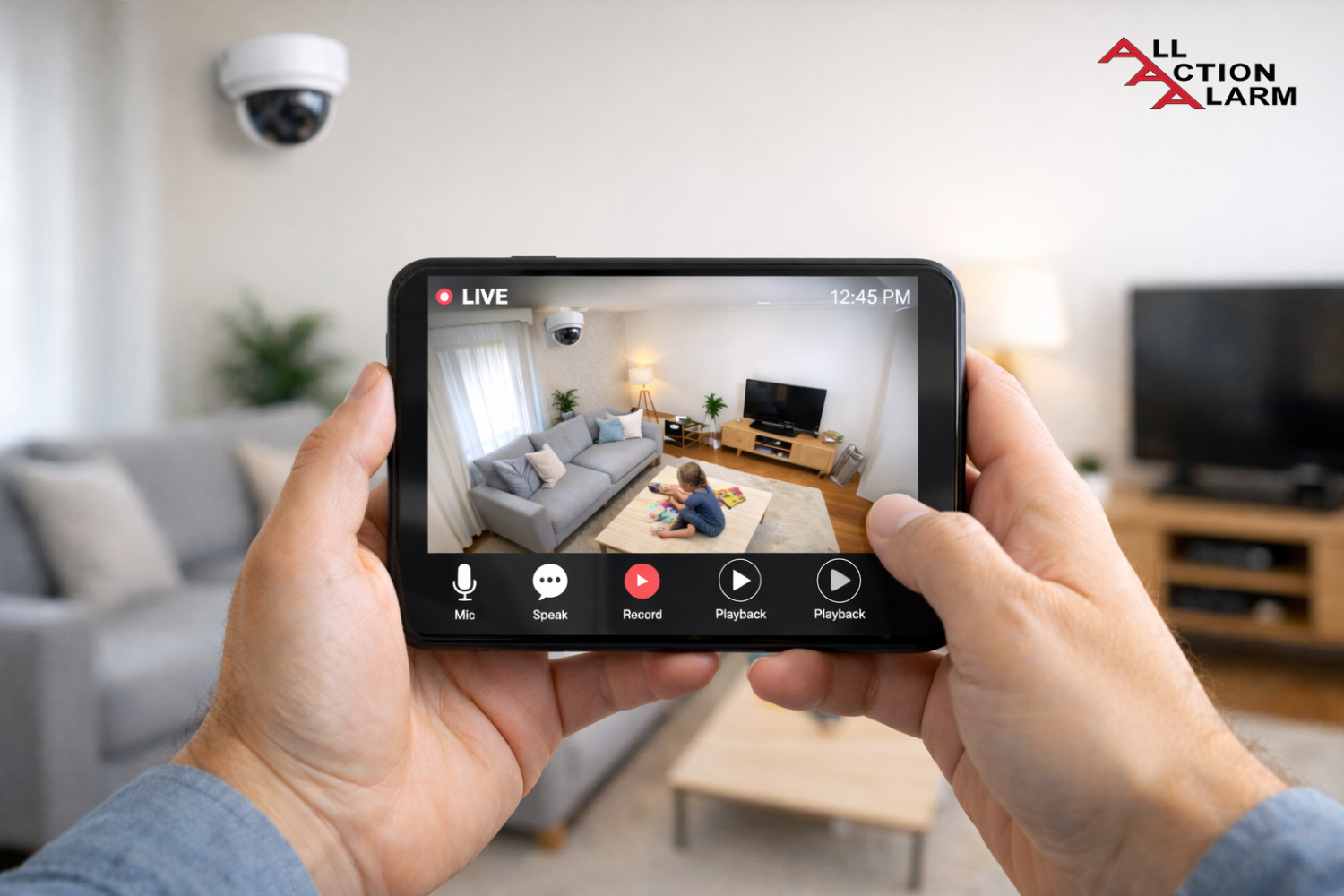
The primary function of an indoor CCTV camera is to capture video footage that can either be recorded for later viewing or streamed live to a smartphone or computer. Most modern indoor cameras come equipped with Wi-Fi capabilities, allowing for easy remote access and cloud storage options.
So, what sets indoor CCTV cameras apart from their outdoor counterparts? First, they are usually not weatherproof. That’s fine because they don’t need to be. They’re also often designed to blend in with home interiors, sometimes even doubling as functional objects like clocks or light fixtures.
You’ll find indoor cameras in various styles—some that can pan and tilt to cover more area, others that are fixed but offer higher resolution or better night vision. Some even come in disguise to act as hidden cameras for discreet surveillance.
Types of Indoor CCTV Cameras
Not all indoor cameras are created equal. Depending on your needs, budget, and space, one type might suit you better than another. Let’s break down the most popular types available:
-
Dome Cameras: These are the classic ceiling-mounted cameras with a dome-shaped casing. They offer wide-angle views and are often used in commercial settings but are gaining popularity for home use due to their discreet appearance.
-
Bullet Cameras: These have a more cylindrical shape and are typically mounted on walls. They’re ideal for focusing on a specific area, like a doorway or hallway.
-
PTZ (Pan-Tilt-Zoom) Cameras: These high-tech cams can rotate horizontally (pan), tilt vertically, and zoom in for more detailed images. Perfect for large rooms where you need more coverage with a single device.
-
Hidden/Spy Cameras: Designed for discretion, these cameras are often disguised as everyday items like clocks, picture frames, or USB chargers. Great for covert surveillance, but their use can raise ethical concerns.
-
Wi-Fi/IP Cameras: These are the most common indoor cams today. They connect to your Wi-Fi network and allow remote access via smartphone apps. Features like motion detection, night vision, and two-way audio are standard here.
Choosing the right type depends on what you need—are you monitoring a nursery? Watching over pets? Or securing a home office? Each type has its own strengths.
Key Features to Look for in an Indoor CCTV Camera
Shopping for an indoor CCTV camera? Here’s what to pay close attention to:
-
Resolution Quality: This is a biggie. Go for at least 1080p HD for clear footage. Higher resolutions (like 2K or 4K) are even better if you want sharp images for identification.
-
Night Vision: Because not all intrusions happen during the day. Look for cameras with infrared (IR) night vision or color night vision for crisp images even in darkness.
-
Motion Detection: Modern cameras use sensors or AI to detect movement. Some even distinguish between people, pets, and objects, reducing false alarms.
-
Two-Way Audio: Want to talk to your pet or warn an intruder? This feature allows you to speak through the camera using your phone.
-
Storage Options: You’ll need a place for all that footage. Choose between local (microSD cards, NVRs) and cloud storage. Cloud is great for backup but usually comes with a subscription.
-
Field of View: A wider field of view means fewer cameras are needed. Look for 120° or wider for covering whole rooms.
The right features make all the difference in both usability and effectiveness. Don’t just go by brand—go by what you actually need.
Benefits of Using Indoor CCTV Cameras
Indoor CCTV cameras aren’t just fancy gadgets—they’re powerful tools that bring real value to your daily life. Whether it’s protecting your valuables or simply checking if your dog chewed up the couch again, these cameras offer multiple benefits that make them a worthy investment.
First and foremost, enhanced home security is the obvious perk. Indoor cameras act as an extra set of eyes when you’re not around. If there’s a break-in, you’ll have real-time footage to provide to law enforcement. But the presence of cameras alone can deter intruders—knowing they’re being watched is enough to make most criminals think twice.
Another big advantage? Monitoring children or elderly family members. Whether you’ve got a toddler or an aging parent at home, having the ability to check in remotely provides peace of mind. Baby monitors have now evolved into high-definition CCTV systems that allow two-way communication and instant alerts when motion is detected.
Got pets? Indoor CCTV cameras are the ultimate pet nanny. They let you keep tabs on your furry friends during the day. Some even allow you to talk to them or dispense treats remotely!
And don’t forget about work-from-home setups or home businesses. If you store equipment, cash, or important documents at home, having surveillance adds an extra layer of protection.
Lastly, there’s the convenience of capturing evidence in case of disputes. Whether it’s a neighbor issue, a dispute with a cleaner, or confirming that your delivery actually arrived, having footage can be a lifesaver.
In short, these cameras aren’t just about catching the bad guys—they’re about staying connected, safe, and in control of your environment.
Top Use Cases of Indoor CCTV Cameras
So where exactly can indoor CCTV cameras make the most impact? Let’s explore some practical, real-world applications:
-
Home Surveillance: This is the most common use case. Placing cameras in key areas like entryways, living rooms, and hallways gives you a complete picture of what’s happening when you’re not home. It also helps if you have roommates or frequent visitors.
-
Office Monitoring: For small business owners or those working remotely, indoor cameras can be invaluable. Monitor who enters and leaves, ensure productivity, and safeguard important assets without hiring extra security staff.
-
Baby Monitoring: Modern baby cams are actually indoor CCTV cameras with added features like temperature sensors, lullabies, and even heart rate tracking. These offer much more than traditional baby monitors and integrate with your smartphone for anytime access.
-
Elderly Care: Families with aging parents can use indoor cameras to ensure safety, monitor daily activities, and respond to emergencies quickly. You can even set up alerts if there’s no movement for an extended period.
-
Rental Property Security: If you’re an Airbnb host or rent out part of your home, using indoor cameras in common areas can help you keep track of guests (as long as you disclose their presence, of course).
-
Pet Surveillance: Whether your dog is barking excessively, or your cat is being mischievous, indoor cameras let you check in from work or vacation. Some cams even have laser toys or treat dispensers built in!
These practical uses make indoor CCTV cameras more than just security tools—they’re lifestyle upgrades.
How Indoor CCTV Cameras Work
Let’s demystify the tech behind these smart eyes. At their core, indoor CCTV cameras consist of a lens, image sensor, processor, and storage system. Here’s how it all works, step-by-step:
-
Capture: The lens captures visual data and directs it to the sensor. The quality of this lens affects how sharp your footage is.
-
Processing: The image sensor (CMOS or CCD) converts the light into digital signals. Then, a processor compresses this data for storage or live streaming.
-
Storage/Streaming: Depending on the camera’s setup, the footage is either saved to a microSD card, uploaded to cloud storage, or streamed live to an app or web interface.
-
Alerts & Smart Features: If your camera has motion detection or AI, it’ll analyze footage in real-time. When unusual movement is detected, it sends alerts to your device instantly.
-
Accessing Footage: Most cameras have companion apps. You simply open the app, view the live stream, or browse stored clips by date or time.
Many indoor cameras today are powered by Wi-Fi, making them easy to install without professional help. However, they still need a power source, unless they’re battery-operated models.
And if you’re wondering how secure they are—don’t worry, we’ll get to privacy soon.
Wired vs. Wireless Indoor CCTV Cameras
Here’s a common dilemma—should you go wired or wireless? Both options come with their own set of pros and cons.
Wired Cameras:
-
Pros:
-
More reliable, especially in areas with weak Wi-Fi
-
No battery issues—just continuous power
-
Usually have better video quality and storage options
-
-
Cons:
-
Complex installation (may require drilling or cable management)
-
Less flexibility in placement
-
Not portable
-
Wireless Cameras:
-
Pros:
-
Easy to install (just plug in or mount)
-
Portable—move it from one room to another
-
Syncs with smart home devices and apps
-
-
Cons:
-
Dependent on Wi-Fi; may suffer lag or disconnections
-
Needs recharging (if battery-powered)
-
Some require cloud subscriptions for full functionality
-
For renters or tech-savvy homeowners, wireless cameras are often the go-to. But if you want a rock-solid, permanent system, wired may be the better bet.
Installation Tips for Indoor CCTV Cameras
Installing your indoor CCTV camera correctly makes a huge difference. Here’s how to do it right:
-
Pick the Right Spots: Think entry points, main hallways, living rooms, and places where valuables are stored. Avoid overly private areas like bathrooms.
-
Mind the Height: Mount cameras at least 7-8 feet high and angle them downward. This gives a wider field of view and makes them harder to tamper with.
-
Avoid Direct Light: Don’t point cameras directly at windows or bright lights. It causes glare and affects image quality.
-
Cover Blind Spots: Walk around and identify areas that aren’t visible from your chosen camera spot. Add more cameras if needed.
-
Cable Management: For wired cameras, run cables neatly along walls or through conduits. Use cable clips or raceways to keep things tidy.
-
Test Before Finalizing: Once installed, check the live feed on your phone or computer. Adjust angles or settings if something’s off.
-
Label and Backup Settings: If your system supports multiple cameras, name each one for easy identification. Also, backup your settings in the app.
A few hours of smart setup now can save you days of frustration later.
Privacy Concerns with Indoor CCTV Cameras
Here’s the elephant in the room—privacy. While indoor CCTV cameras provide security and convenience, they also raise important questions: Who’s watching? Where is the footage going? How safe is your data?
Let’s get real—any camera that connects to the internet is a potential entry point for hackers. That’s why choosing a reputable brand is non-negotiable. Well-known brands usually include end-to-end encryption, regular firmware updates, and secure servers for cloud storage. Avoid no-name or suspiciously cheap options that may compromise your privacy.
If you’re placing cameras in shared living spaces or rental properties, make sure to disclose their presence. It’s not just ethical—it’s often required by law. Installing hidden cameras in areas where people expect privacy (like bedrooms or bathrooms) can be illegal and morally questionable.
To safeguard your personal footage:
-
Use strong, unique passwords for camera accounts.
-
Enable two-factor authentication for added protection.
-
Keep your firmware updated—manufacturers often fix known security holes through updates.
-
Secure your Wi-Fi network with WPA3 encryption and avoid using public networks.
Also, know where your data is stored. Is it going to a secure U.S.-based cloud, or a foreign server with lax privacy laws? Always read the fine print.
While indoor CCTV cameras can feel like digital bodyguards, they shouldn’t turn into digital spies. With smart placement and strong security, you can enjoy the benefits without losing your peace of mind.
Smart Features and AI Integration
Welcome to 2026—indoor CCTV cameras have grown brains! Today’s models are more than just silent observers; they’re smart assistants powered by AI.
Facial recognition is now a common feature in mid-to-high-end cameras. Instead of just alerting you when “someone” is seen, it can identify who it is. This is especially handy for families—you won’t get pinged every time your spouse or kids walk by.
Smart alerts take things a step further. Instead of flooding your phone with notifications, cameras can now tell the difference between a human, a pet, or even falling objects. Some systems even allow custom activity zones, so you’ll only get alerts for movement in certain areas.
Want to go full Jetsons-style? Most indoor CCTV cameras now integrate seamlessly with smart home ecosystems like Alexa, Google Home, and Apple HomeKit. You can ask your smart speaker to show the living room feed, or get verbal alerts when motion is detected.
AI also helps with automatic tracking. PTZ cameras can follow movement, zoom in on a face, or shift angles automatically. It’s like having a mini cameraman in your house.
Voice control, scene recognition, and even emergency response integration (automatically calling a contact or emergency services) are now possible with high-end systems.
These features not only make surveillance more accurate but also more proactive—preventing problems before they escalate.
Best Indoor CCTV Camera Brands in 2026
Not all brands are created equal. Here are the most trusted names in indoor CCTV cameras in 2026, known for security, innovation, and user-friendly features:
| Brand | Key Features | Price Range |
|---|---|---|
| Arlo | 2K & 4K video, AI detection, smart alerts | $$$ |
| Google Nest | Integration with Google Home, facial recognition | $$$ |
| Ring | Two-way talk, motion alerts, Amazon integration | $$ |
| Wyze | Budget-friendly, HD video, smart motion detection | $ |
| TP-Link Kasa | Affordable, smart home compatibility | $ |
| Eufy | Local storage, no subscription, AI notifications | $$ |
| Blink | Amazon-owned, battery-operated, good app support | $ |
Each of these brands caters to different users. Arlo and Nest are ideal for tech enthusiasts wanting premium features. Wyze and Blink are excellent for budget shoppers. Eufy stands out for privacy with local storage options.
Pro tip: Always check for app reviews and customer support reputation when choosing a brand. A camera is only as good as the app that runs it.
Budget vs. Premium Indoor CCTV Cameras
What’s the difference between a $30 camera and a $300 one? Quite a lot.
Budget Cameras:
-
Typically have 720p or 1080p resolution
-
Limited night vision range
-
Fewer smart features
-
May require cloud subscriptions for storage
-
Build quality is often lower
-
Good for basic use (watching pets, checking a room)
Premium Cameras:
-
Offer 2K or even 4K resolution
-
Advanced AI features like facial recognition and object tracking
-
Seamless integration with smart homes
-
Better app experience and customer support
-
Usually include free local storage or trial cloud options
-
Ideal for complete home security systems
That said, a well-reviewed $50 camera can still offer excellent performance if you just need the basics. But if security is critical—like for elderly monitoring or protecting sensitive data—go premium.
In the end, you’re not just paying for hardware. You’re investing in ease of use, data protection, and long-term reliability.
Troubleshooting Common Indoor CCTV Camera Issues
Even the best systems hiccup. Here are some common issues users face—and how to fix them:
-
Camera Not Connecting to Wi-Fi
-
Make sure you’re on a 2.4GHz network (many cameras don’t support 5GHz).
-
Check the distance from your router—move closer if needed.
-
Restart the camera and router.
-
-
Poor Video Quality
-
Clean the lens!
-
Adjust resolution settings in the app.
-
Ensure your internet upload speed is fast enough.
-
-
App Not Showing Live Feed
-
Update the app.
-
Make sure your phone has internet access.
-
Reboot the camera and try again.
-
-
Camera Keeps Going Offline
-
Check for power supply issues.
-
Ensure the firmware is up to date.
-
Consider upgrading your router or adding a Wi-Fi extender.
-
-
Motion Detection Isn’t Working
-
Check if the feature is enabled in the app.
-
Adjust motion sensitivity settings.
-
Ensure nothing is blocking the camera’s sensor.
-
-
False Alerts
-
Use activity zones to limit monitored areas.
-
Lower motion sensitivity to reduce triggers.
-
Make sure it’s not pointed at moving curtains or fans.
-
Cameras are only useful when they’re working properly, so regular checks and updates go a long way.
Future of Indoor CCTV Cameras
What does the future hold for indoor surveillance? Spoiler alert: it’s going to get even smarter.
We’re talking fully autonomous security systems that integrate not just with your smart home, but with emergency services, facial databases, and even emotional recognition. Cameras will soon be able to detect distress based on voice or facial cues.
Other upcoming innovations:
-
360° panoramic cameras replacing multi-camera setups
-
Edge computing, where data is processed directly on the device for better privacy
-
Biometric access control integrated into home surveillance (face, voice, even retina)
-
Energy-efficient, solar-powered indoor cams
-
Decentralized cloud storage (blockchain-based) for ultra-secure footage
And with advancements in machine learning, cameras will not just react to events—they’ll predict them.
The line between security, convenience, and automation is blurring fast, and the next five years will completely redefine how we see indoor monitoring.
Conclusion
Indoor CCTV cameras have come a long way from grainy, black-and-white footage locked in an old-school VCR. They’ve become smart, accessible, and crucial parts of modern life. Whether you’re a parent, pet owner, traveler, or business owner, having an extra set of eyes inside your home or office provides peace of mind that’s hard to put a price on.
With a mix of affordability and cutting-edge features, there’s an indoor camera for every need and budget. Just remember to prioritize features that matter most to you—like motion detection, night vision, or smart alerts—and always be mindful of privacy.
So go ahead, take control of your space. Because your home should always feel like home—even when you’re not in it.
FAQs
1. Can indoor CCTV cameras record without Wi-Fi?
Yes, some indoor cameras offer local storage on SD cards and can record without Wi-Fi. However, features like remote viewing and alerts won’t work without an internet connection.
2. Is it legal to install CCTV in your home?
Absolutely. You can install CCTV in your own home. However, you must avoid recording areas where people expect privacy (like bathrooms or bedrooms), especially in shared or rented spaces.
3. Do indoor cameras work during power outages?
Only if they have a backup power source (battery) or are connected to an uninterruptible power supply (UPS). Most Wi-Fi cameras go offline during outages.
4. How long do CCTV recordings last?
That depends on your storage type and settings. Cloud storage may keep footage for 7–30 days. Local storage depends on SD card size (e.g., 32GB can hold 2–3 days of HD footage).
5. Are indoor CCTV cameras safe from hackers?
If set up properly—yes. Use strong passwords, enable two-factor authentication, and keep firmware updated to reduce risk. Always buy from trusted brands.
About All Action Alarm: Your Trusted Partner in Home Security Solutions
When it comes to protecting your home and loved ones, there’s no room for compromise. At All Action Alarm, we take home security to the next level by offering top-tier protection with cutting-edge technology and expert monitoring services that you can rely on. As a leader in the security industry, we’re committed to keeping homes and businesses safe, providing peace of mind 24/7.
Check out Home Automation Systems and Get Started with All Action Alarm Today!
Don’t wait for an emergency to take action. Protect your home and family with the best in the business. Call (631) 549-7225 to schedule your consultation, or visit allactionalarm.com to learn more about our services.
Your safety is our top priority.
Sources:
The Ultimate Guide to Home Security Cameras
https://www.pcmag.com/picks/the-best-indoor-home-security-cameras
https://www.kaspersky.com/resource-center/threats/how-to-secure-your-home-security-cameras


 Ca.garcia.s, CC BY-SA 4.0
