
Outdoor Cameras – The Ultimate Guide to Security & Surveillance
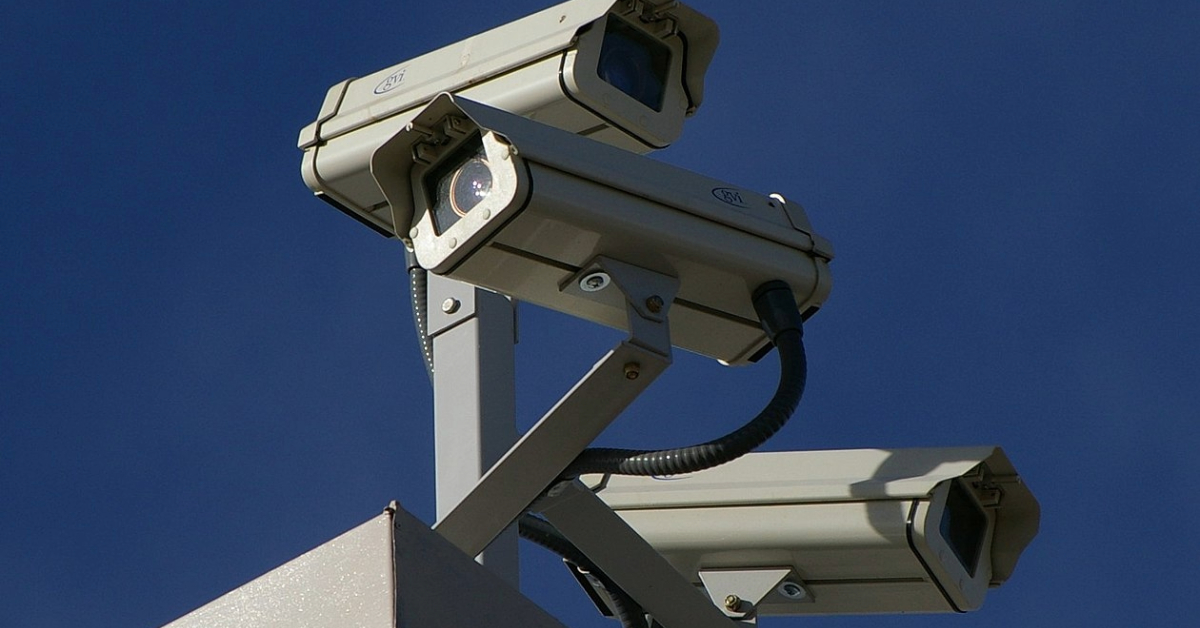
Outdoor Cameras
Mark Camello
Latest posts by Mark Camello (see all)

Introduction to Outdoor Cameras

In today’s fast-paced world, security has become a top priority for homeowners and businesses alike. Outdoor cameras play a crucial role in keeping properties safe by providing real-time surveillance and recording potential threats. Whether you’re monitoring your front yard, driveway, or backyard, these cameras offer peace of mind and enhance overall safety.

With technological advancements, outdoor cameras have evolved from simple CCTV systems to smart, AI-powered security solutions. They now come with high-definition video, motion detection, night vision, and even two-way audio communication. But with so many options available, how do you choose the best one?

This ultimate guide will walk you through everything you need to know about outdoor cameras—from types and features to installation and security considerations. Whether you’re a homeowner looking for budget-friendly security or a business owner needing high-end surveillance, this guide has got you covered.


Types of Outdoor Cameras

Wired vs. Wireless Outdoor Cameras

One of the first decisions you’ll face when buying an outdoor camera is choosing between wired and wireless models.

Wired Outdoor Cameras:

  • Require physical cables for power and video transmission
  • Offer stable and uninterrupted footage
  • Ideal for long-term installations
  • May involve professional installation

Wireless Outdoor Cameras:

  • Use Wi-Fi or cellular connections for data transmission
  • Easier to install and relocate
  • More susceptible to connectivity issues
  • Ideal for renters or temporary setups

If you prefer reliability and don’t mind a complex installation, wired cameras might be your best bet. On the other hand, wireless cameras provide more flexibility, especially for those who don’t want to drill holes or run long cables.

Battery-Powered Outdoor Cameras

For those who need a completely wire-free solution, battery-powered outdoor cameras are an excellent choice. These cameras typically offer:

  • Rechargeable or replaceable batteries
  • Flexible placement without worrying about power outlets
  • Smart power management to extend battery life

However, the downside is that batteries need recharging, which may not be ideal for busy homeowners.

Solar-Powered Outdoor Cameras

Solar-powered outdoor cameras are becoming increasingly popular due to their eco-friendly design and low maintenance needs. These cameras:

  • Use built-in or external solar panels for power
  • Reduce the need for battery replacements or recharging
  • Work best in areas with sufficient sunlight

They are perfect for remote locations where running power cables is impractical.

PTZ (Pan-Tilt-Zoom) Cameras

For people who want a more advanced surveillance system, PTZ cameras offer:

  • Remote-controlled movement (pan, tilt, and zoom)
  • 360-degree field of view
  • Optical zoom for detailed footage

These cameras are ideal for large properties, commercial spaces, or areas where you need flexible monitoring.


Key Features to Consider When Buying an Outdoor Camera

Video Resolution and Quality

When it comes to outdoor surveillance, video quality is everything. Most modern cameras come with:

  • 1080p HD resolution – Clear footage for most security needs
  • 2K or 4K resolution – Higher clarity, better zoom capabilities

A higher resolution camera ensures better identification of faces, license plates, and other crucial details.

Night Vision Capabilities

Outdoor cameras must perform well in low-light conditions. There are two main types of night vision:

  • Infrared (IR) Night Vision: Uses infrared LEDs for black-and-white images
  • Color Night Vision: Uses low-light sensors and built-in lights for colored images at night

For enhanced nighttime security, consider a camera with color night vision.

Weather Resistance and Durability

Outdoor cameras must withstand various weather conditions, including rain, snow, and extreme temperatures. Look for:

  • IP65/IP66/IP67 ratings for waterproof and dustproof protection
  • Durable housings made from metal or weather-resistant plastic

Motion Detection & Alerts

Advanced cameras come with AI-based motion detection that can differentiate between people, animals, and vehicles. This feature:

  • Reduces false alerts
  • Sends instant notifications to your smartphone
  • Allows you to customize motion detection zones

Storage Options: Cloud vs. Local

Cameras store footage in two ways:

  • Cloud Storage: Requires a subscription; accessible from anywhere
  • Local Storage: Uses microSD cards, DVRs, or NVRs; no ongoing costs

Consider your budget and privacy preferences when choosing between the two.


Best Outdoor Camera Brands & Models

When it comes to choosing the best outdoor camera, several brands stand out for their reliability, features, and customer support. Let’s take a look at some of the top options available on the market.

1. Ring Outdoor Cameras

Ring is one of the most popular names in the smart home security industry, offering a range of outdoor cameras with excellent features.

  • Popular Models: Ring Stick Up Cam, Ring Floodlight Cam, Ring Spotlight Cam
  • Key Features:
    • Two-way audio communication
    • Motion-activated recording and alerts
    • Integration with Amazon Alexa
    • Cloud storage with a subscription plan

2. Arlo Outdoor Cameras

Arlo is known for its high-quality wireless security cameras that offer advanced features.

  • Popular Models: Arlo Pro 4, Arlo Ultra 2, Arlo Essential Spotlight
  • Key Features:
    • 2K and 4K video quality options
    • Color night vision
    • AI-powered motion detection
    • Weather-resistant design

3. Reolink Outdoor Cameras

Reolink provides budget-friendly yet feature-rich security cameras suitable for both home and business use.

  • Popular Models: Reolink Argus 3 Pro, Reolink RLC-810A, Reolink Go PT
  • Key Features:
    • Local storage with microSD cards or NVR systems
    • No mandatory subscription fees
    • Wired and wireless models available
    • Solar-powered options for remote locations

4. Eufy Outdoor Cameras

Eufy, a brand by Anker, focuses on providing high-quality security cameras with no subscription fees.

  • Popular Models: EufyCam 2 Pro, Eufy SoloCam E40, Eufy Floodlight Cam
  • Key Features:
    • 2K resolution with clear image quality
    • AI-powered human detection
    • Long battery life
    • Secure local storage

5. Google Nest Outdoor Cameras

Google Nest offers smart security cameras that integrate seamlessly with Google Home.

  • Popular Models: Nest Cam Outdoor, Nest Cam with Floodlight
  • Key Features:
    • AI-based event detection
    • Smart alerts for people, animals, and vehicles
    • Cloud storage options with Nest Aware
    • Continuous 24/7 recording (with subscription)

Each of these brands has its own advantages, and the best choice depends on your specific security needs, budget, and preference for cloud vs. local storage. Know more about best wireless outdoor home security cameras.


Installation & Setup Guide

Setting up an outdoor security camera may seem complex, but with proper planning, it can be done efficiently. Here’s a step-by-step guide to installing your camera.

Choosing the Best Location

Placement is key for maximizing security coverage. Consider these tips:

  • Install cameras at entry points (front door, back door, garage).
  • Mount cameras at least 8-10 feet high to prevent tampering.
  • Position cameras to cover blind spots and high-traffic areas.
  • Ensure the camera isn’t facing direct sunlight, which can cause glare.

Wiring & Power Considerations

If you’re installing a wired camera, you may need to drill holes and run cables through walls. Wireless cameras, on the other hand, only need a stable Wi-Fi connection. Consider:

  • Using extension cables for wired cameras if the power source is far away.
  • Checking battery life for battery-operated cameras and charging them regularly.
  • Installing a solar panel if you opt for a solar-powered camera.

Connecting to Wi-Fi & Mobile Apps

Most modern outdoor cameras come with mobile app support, allowing you to view live footage and receive alerts. To set up:

  1. Download the app associated with your camera brand.
  2. Connect the camera to Wi-Fi (ensure a strong signal).
  3. Adjust motion detection settings for customized alerts.
  4. Test the camera feed to make sure it’s capturing the right areas.

Smart Home Integration with Outdoor Cameras

If you have a smart home setup, you may want to integrate your outdoor camera with other smart devices for better automation.

  • Amazon Alexa: Enables voice commands to view the live feed on Echo Show.
  • Google Home: Works with Nest and other compatible cameras for smart alerts.
  • Apple HomeKit: Limited compatibility, but some brands like Eufy and Arlo support it.
  • IFTTT (If This Then That): Allows automation with lights, alarms, and more.

For example, you can program your smart lights to turn on when your camera detects motion, adding an extra layer of security.


Outdoor Camera Security & Privacy Tips

With smart security cameras connected to the internet, privacy concerns arise. Here’s how to secure your outdoor camera from hacking or unauthorized access:

  • Use Strong Passwords: Avoid default passwords; create a unique and strong password.
  • Enable Two-Factor Authentication (2FA): Adds an extra layer of protection.
  • Keep Firmware Updated: Regular updates fix vulnerabilities and improve security.
  • Secure Your Wi-Fi Network: Use WPA3 encryption and avoid using public networks.
  • Disable Unnecessary Features: If you don’t need cloud storage, turn it off.

Cost & Budget Considerations

Budget vs. Premium Cameras

Outdoor cameras come in different price ranges. Here’s what you can expect:

Price Range Features Best For
Under $100 Basic 1080p resolution, motion detection Small homes, budget users
$100-$250 2K resolution, night vision, smart alerts Homeowners needing better quality
$250+ 4K resolution, AI detection, PTZ Businesses, high-security areas

Subscription Plans for Cloud Storage

Some cameras require a subscription for cloud storage and additional features. Here’s a quick breakdown:

Brand Free Plan Paid Plan Features
Ring No free storage $3-$10/month Video history, smart alerts
Arlo Limited free trial $2.99-$9.99/month 30-day cloud storage
Eufy Free local storage Optional plan AI detection, cloud backup
Google Nest No free recording $6-$12/month 24/7 video history

Consider whether cloud storage is necessary for your security needs or if local storage is sufficient.


Advantages & Disadvantages of Outdoor Cameras

Advantages

✅ Provides real-time monitoring and crime prevention
✅ Increases property security and peace of mind
✅ Acts as evidence in case of criminal activities
✅ Can integrate with smart home systems
✅ Offers remote access via mobile apps

Disadvantages

❌ Some require monthly subscriptions for full functionality
❌ Privacy concerns if hacked or misused
❌ Wireless cameras may suffer from connectivity issues
❌ Battery-powered cameras require frequent charging


Conclusion

Outdoor security cameras have become an essential tool for home and business security. With various types, features, and price ranges available, it’s important to choose a camera that fits your specific needs. Whether you opt for a wired, wireless, or solar-powered model, investing in a good-quality outdoor camera can greatly enhance your security and provide peace of mind.


FAQs

1. Do outdoor cameras need Wi-Fi to work?

Not always. Some cameras offer local storage options, while others use cellular networks for remote access.

2. Can outdoor cameras work without electricity?

Battery-powered and solar-powered cameras can function without a direct power source.

3. Are outdoor cameras legal to install in residential areas?

Yes, but it’s important to avoid pointing them at private areas like a neighbor’s backyard.

4. How long do outdoor cameras last?

Most outdoor cameras last 3-5 years, depending on the brand and weather conditions.

5. Do outdoor cameras record 24/7?

Some cameras offer continuous recording, but most use motion-activated recording to save storage.


SOURCES:

  1. ConsumerReports.org
  2. CNET.com
  3. NYTimes.com
  4. PCMag.com


About All Action Alarm: Your Trusted Partner in Home Security Solutions

When it comes to protecting your home and loved ones, there’s no room for compromise. At All Action Alarm, we take home security to the next level by offering top-tier protection with cutting-edge technology and expert monitoring services that you can rely on. As a leader in the security industry, we’re committed to keeping homes and businesses safe, providing peace of mind 24/7.

Check out Wireless Security Camera System and Get Started with All Action Alarm Today! Check out also this articles:

Don’t wait for an emergency to take action. Protect your home and family with the best in the business.  Call (631) 549-7225 to schedule your consultation, or visit allactionalarm.com to learn more about our services.

Your safety is our top priority.