
Smart Camera

- Understanding Smart Video Clips in Home Surveillance - March 5, 2026
- Access Control Installation - March 2, 2026
- Fire Alarm Systems - February 27, 2026
Introduction to Smart Cameras
What is a Smart Camera?
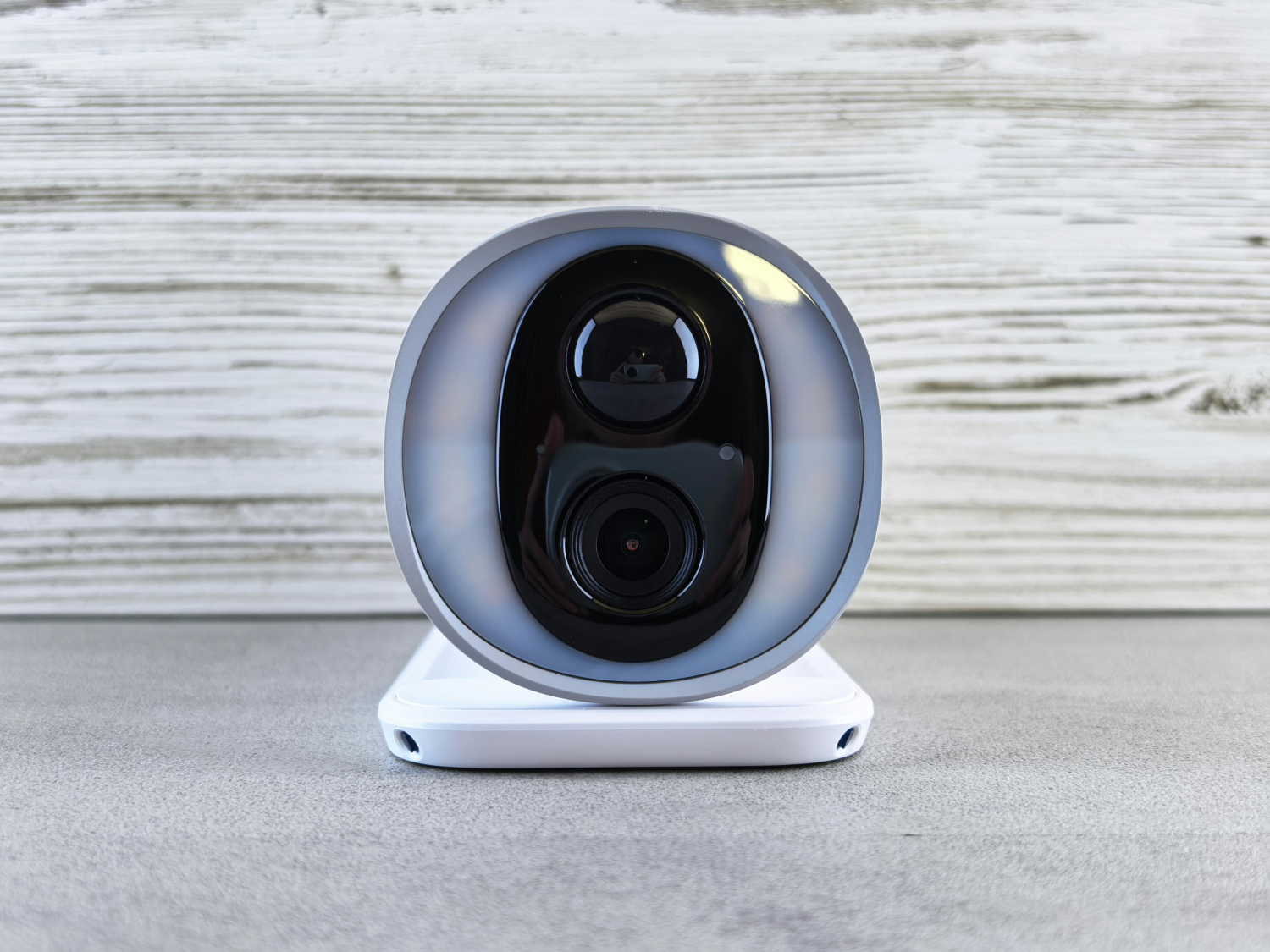
Imagine a camera that not only records what’s happening but also understands it. That’s the magic of a smart camera. Unlike traditional surveillance systems that simply capture footage, smart cameras come embedded with advanced technologies like artificial intelligence (AI), machine learning, and real-time data processing. These devices can detect motion, recognize faces, differentiate between people, animals, or vehicles, and even alert you in real-time—all without you lifting a finger.
Smart cameras are a key component in modern smart homes and connected businesses. They bridge the gap between passive recording and proactive security. Whether you’re watching over your pets while you’re at work or keeping your home safe while on vacation, these cameras offer peace of mind and control right from your smartphone.
What sets them apart isn’t just their connectivity but their intelligence. They learn from patterns, reduce false alarms, and can even notify emergency services automatically in some setups. So, whether you’re tech-savvy or not, smart cameras are designed to make life easier and safer.
Evolution of Camera Technology
Cameras have come a long way from their analog roots. Remember the days of grainy CCTV footage and VHS tapes? That era is long gone. First came digital cameras, then IP (Internet Protocol) cameras, and now smart cameras that combine optics with AI.
The evolution began with the transition from analog to digital, allowing for clearer images and easier storage. IP cameras added networking capabilities, letting users stream footage online. But the game truly changed with the introduction of AI and cloud computing. These advancements turned cameras into smart devices that don’t just see—they interpret.
Now, cameras can track objects, identify license plates, recognize familiar faces, and even distinguish between regular and suspicious activity. With each leap in tech, cameras became more proactive, automated, and integrated with other smart systems.
As AI continues to evolve, we can expect future smart cameras to not only recognize events but predict them—turning surveillance into a truly intelligent system.
Key Features of Smart Cameras
AI Integration and Object Detection
The heart of any smart camera lies in its AI capabilities. AI is what allows the camera to detect motion, recognize objects, and differentiate between a squirrel running across your yard and a human intruder. This intelligence drastically reduces false alarms and ensures you’re only notified when it truly matters.
Advanced object detection systems can tell the difference between a car, a person, a pet, and even packages. This is especially useful for smart doorbells and outdoor cameras where you only want alerts for specific events. Some cameras even allow you to set custom detection zones—say, just your driveway or front porch—so you’re not flooded with irrelevant notifications.
And then there’s facial recognition. Premium models can recognize individual family members, friends, or delivery personnel and alert you accordingly. Want to know when your kids get home from school? Or be alerted when an unknown face is detected? Smart cameras with AI make it possible.
AI also powers features like behavioral analysis and learning. Over time, your camera can adapt to daily patterns, making it even smarter in filtering out normal activity from something truly suspicious.
Motion Detection and Facial Recognition
Motion detection has been around for a while, but smart cameras take it to a whole new level. Instead of reacting to every movement—like trees blowing in the wind—they analyze motion intelligently. They use advanced sensors and algorithms to determine if the motion is relevant.
Smart cameras with facial recognition take security a step further. This tech allows the device to “learn” the faces of frequent visitors, family members, or authorized personnel. With every scan, the system gets better, minimizing errors and ensuring precision.
Imagine getting a push notification that says, “John is at the door” instead of a generic “Motion detected.” That’s the difference smart tech makes. For businesses, this means better access control. For homes, it adds a personal touch to security.
Privacy-focused users can usually manage facial data via their apps—adding or deleting profiles, or turning off recognition entirely. It’s powerful, but also optional for those who value discretion.
Connectivity: Wi-Fi, Bluetooth, and Cloud
Smart cameras rely heavily on connectivity. Most modern models use Wi-Fi to sync with your home network and apps. Some even support dual-band Wi-Fi (2.4GHz and 5GHz) for more stable streaming and faster updates.
Bluetooth is often used for initial setup, making it easier to connect your camera to your phone or router. Once connected, everything runs through the cloud. That’s where your footage gets stored (unless you’re using local SD cards), and where AI processes the data.
Cloud connectivity has its pros—like accessing your camera feed from anywhere and receiving alerts in real time. It also allows for regular firmware updates, ensuring your device stays secure and functional.
That said, internet speed matters. A slow connection can result in choppy footage or delays. And while many smart cameras offer free basic cloud storage, advanced plans with longer history or higher resolution often require a subscription.
Types of Smart Cameras
Indoor Smart Cameras
Indoor smart cameras are perfect for keeping an eye on the inside of your home. Whether you’re monitoring your living room, checking in on your pets, or watching over a sleeping baby, indoor smart cams offer versatile surveillance in a compact package. Most indoor models come with wide-angle lenses, night vision, and two-way audio, so you can see and communicate in real-time.
What makes indoor smart cameras stand out is their discreet design. They’re often small enough to blend with your home décor and can sit on shelves, countertops, or even mount on the wall. And thanks to AI features, you can receive alerts if your camera detects unusual movement, like a child getting out of bed at night or your dog jumping on the couch.
You can also integrate them into your smart home ecosystem. For example, set the camera to turn off automatically when you’re home and switch back on when you leave. This privacy-friendly feature ensures you’re not being recorded unnecessarily.
Outdoor Smart Cameras
Outdoor smart cameras are built tough. They’re designed to withstand the elements—rain, snow, heat, or dust—while keeping your property safe. These models are usually weatherproof, equipped with IR or full-color night vision, and have a wider field of view to cover more ground.
One key feature in outdoor cameras is advanced motion detection with activity zones. You can define specific areas like your driveway or gate so you’re not alerted every time a car passes by. Some models also come with floodlights or sirens that activate when suspicious activity is detected.
Another growing trend in outdoor cameras is solar power. Many newer models come with built-in solar panels, eliminating the need for wiring or frequent charging. Combined with cloud connectivity, outdoor smart cameras allow you to monitor your property from anywhere at any time.
Security doesn’t stop at the front door, and outdoor cameras ensure you’re protected from all angles, 24/7.
Doorbell Cameras
Doorbell cameras are a smart home staple. They combine a video camera, intercom, and motion sensor in one sleek device that replaces your standard doorbell. Whenever someone approaches your door—whether they ring the bell or not—you’ll get a notification on your phone.
With live video and two-way audio, you can see and talk to visitors from anywhere. This is particularly useful for deliveries—you can instruct couriers where to leave packages—or screen unknown guests without opening the door.
Advanced models even support facial recognition, package detection, and integration with smart locks. That means you can unlock your door remotely for a trusted visitor or family member. And since footage is usually stored in the cloud, you have a video log of everyone who came to your door, even if you weren’t home.
Doorbell cameras also serve as a strong deterrent. The visible lens and LED ring often make potential intruders think twice.
Baby and Pet Monitors
If you’re a parent or pet owner, smart cameras designed for indoor monitoring offer peace of mind like never before. Baby monitors now feature real-time HD video, temperature and humidity sensors, lullabies, and even cry detection. Some premium models use AI to analyze sleep patterns and breathing motion.
Pet cameras, on the other hand, often include interactive features like treat dispensers, laser toys, and two-way audio so you can call out to your furry friends or watch their antics while you’re away. Some even support barking or meowing alerts that let you know when your pet is distressed.
These cameras help you stay connected to your loved ones—whether they walk on two legs or four—giving you the freedom to go about your day while staying informed.
Applications of Smart Cameras
Home Security
Home security is by far the most common use for smart cameras. Whether you’re looking to prevent theft, keep an eye on deliveries, or just monitor who comes and goes, these devices make it all incredibly easy. You can install indoor, outdoor, and doorbell cameras to cover every access point.
Smart cameras not only alert you when something’s wrong but often deter crime before it happens. Studies show that homes with visible security cameras are far less likely to be targeted. The real-time alerts and video recordings provide crucial evidence if an incident does occur.
Moreover, you can automate routines—like turning on outdoor lights when motion is detected—to enhance your home’s safety even more. Integration with smart locks, alarm systems, and voice assistants like Alexa or Google Assistant takes your security game to the next level.
No more guessing who’s at the door or what’s happening while you’re away. With smart cameras, your home is always within sight.
Business Surveillance
Businesses, both big and small, benefit enormously from smart surveillance. In retail, they help reduce theft and monitor customer behavior. In offices and warehouses, they improve safety and accountability. With cloud-based systems, owners can access live feeds from multiple locations on a single dashboard.
Smart features like facial recognition, access control, and activity logging are particularly useful in professional settings. Want to know who entered the office and when? Or get alerts if someone is in a restricted area? Smart cameras handle all that with minimal oversight.
And since these systems often integrate with other security solutions like alarms and sensors, you get a comprehensive surveillance setup that’s both intelligent and scalable.
With real-time monitoring and detailed analytics, businesses can make better security decisions and improve operational efficiency.
Smart Cities and Traffic Monitoring
Smart cameras are playing a major role in developing smart cities. From traffic flow management to law enforcement, these AI-powered devices are at the core of urban safety infrastructure.
In traffic systems, they monitor congestion, detect violations, and even identify license plates for automated toll collection. Cities can use real-time data to adjust traffic signals, reduce accidents, and improve commute times.
Law enforcement uses smart surveillance to monitor public spaces, detect suspicious behavior, and respond to emergencies faster. And because these cameras can store data on the cloud, incidents can be reviewed and analyzed to enhance city planning.
The goal is not just safety, but smarter, more responsive urban environments that adapt to the needs of their citizens.
Healthcare and Elderly Care
Smart cameras have found a niche in healthcare, especially in elderly care. Monitoring patients or aging loved ones remotely ensures their well-being without intruding on their privacy.
These cameras can detect falls, unusual movements, or prolonged inactivity and alert caregivers immediately. Some models come with audio capabilities, allowing families or staff to speak with patients directly. Others are equipped with health-tracking sensors to monitor vitals or activity levels.
For those living independently, smart cameras offer a safety net—ensuring help is always within reach. Combined with motion sensors and smart assistants, they can create a truly intelligent caregiving environment that promotes safety, independence, and peace of mind.
Advantages of Using Smart Cameras
Real-Time Alerts and Monitoring
Gone are the days when you had to rewind hours of footage to find out what happened. With smart cameras, you’re in the loop the moment something occurs. Real-time alerts are one of the most valuable features these devices offer.
You get instant notifications on your phone for motion, sound, or face detection. Some systems even allow you to trigger actions—like turning on lights or sounding an alarm—right from the app. Whether you’re at work, on vacation, or just upstairs, you’re always connected to your camera.
And because you can stream live footage from anywhere, you never have to worry about what’s going on at home. It’s like having eyes everywhere—without actually being there.
This level of awareness can help prevent crimes, respond to emergencies, or simply keep you informed about everyday events. Whether it’s the kids coming home or a package being delivered, you’ll always know what’s happening in real time.
Cloud Storage and Remote Access
One of the most transformative advantages of smart cameras is cloud storage. In the past, you needed DVRs or SD cards to save footage, but now, everything can be stored in the cloud, accessible anytime and from anywhere.
This means no more worrying about someone stealing or damaging the camera to get rid of evidence—your videos are safe, secure, and retrievable with a few taps on your phone. Most smart cameras come with free cloud storage for a limited time or offer affordable subscription plans with longer video history and more features.
And then there’s remote access. Whether you’re traveling across the globe or simply running errands, you can log into your camera’s app and check in live. Want to see if the kids are home from school? Or if the delivery driver left your package in the right spot? It’s all possible.
Cloud and remote capabilities also mean you can share footage with family, friends, or authorities in seconds. Some platforms even offer automatic event tagging, so you don’t have to scrub through hours of footage to find what you’re looking for.
It’s security without boundaries.
Integration with Smart Home Devices
The true power of smart cameras shines when they’re part of a larger smart ecosystem. These devices don’t just operate in isolation—they talk to your lights, locks, thermostats, and virtual assistants like Alexa, Google Assistant, or Siri.
For example, your camera can trigger lights to turn on when motion is detected at night, or send you a voice alert through your smart speaker if someone’s at the door. You can even create automation routines like “Arm cameras and lock doors when I leave home.”
This level of integration enhances convenience, safety, and energy efficiency. It also reduces false alarms and gives you control over your entire environment from one app or dashboard.
And with IFTTT (If This Then That) support, the possibilities are endless. You can create custom automations tailored to your exact needs—turning your home into a responsive, intelligent space that truly works for you.
Factors to Consider Before Buying a Smart Camera
Resolution and Image Quality
Let’s talk about clarity. Image quality is one of the first things you should look at when choosing a smart camera. After all, what good is surveillance footage if it’s too blurry to identify a face or a license plate?
Most smart cameras today offer at least 1080p Full HD resolution, which is decent for home use. But if you want crisp, zoomable footage, especially for outdoor areas, consider cameras that shoot in 2K or even 4K Ultra HD.
It’s not just about resolution either—look at other aspects like frame rate (how smooth the video looks), low-light performance, HDR (for dealing with bright and dark areas), and the field of view. A wider lens lets you see more of your space with fewer blind spots.
If night vision is important (and it usually is), make sure your camera uses infrared LEDs or has color night vision. These features can make a huge difference in low-light conditions, allowing you to see what’s happening even in total darkness.
Storage Options
Smart cameras typically offer three types of storage: local, cloud, or hybrid. Local storage uses microSD cards or external drives, while cloud storage saves your footage online. Hybrid systems give you both for maximum flexibility.
Each has its pros and cons. Local storage is free and doesn’t rely on the internet, but it can be lost or damaged. Cloud storage is convenient and secure but often comes with monthly fees. Some cameras only record when motion is detected to save space and bandwidth, while others record continuously.
Think about how long you want to store footage and whether you need easy remote access. Also, check if the camera encrypts your data—especially important for cloud options.
Compatibility and App Support
Smart cameras are only as good as the apps they work with. Before buying, check if the camera is compatible with your phone (iOS or Android), voice assistants, and other smart devices you already use.
Read reviews on the app’s ease of use, features, and stability. A well-designed app should allow you to customize alerts, create detection zones, view live and recorded footage, and share clips with others.
Some platforms also offer web access, letting you monitor cameras from a desktop. This can be especially useful for businesses or users who manage multiple locations.
Finally, if you use home automation systems like Apple HomeKit, SmartThings, or Alexa Routines, make sure your camera integrates smoothly. Compatibility can make or break your smart home experience.
Power Source and Installation
Smart cameras can be wired, battery-powered, or solar-powered. Each option has trade-offs. Wired cameras usually offer constant power and recording but require more complex installation. Battery-powered ones are easy to set up but need recharging every few weeks or months. Solar-powered models strike a balance, especially for outdoor use.
Consider your camera’s location. Is there access to an outlet? Do you need flexibility in positioning? Some cameras even use PoE (Power over Ethernet), ideal for larger setups.
Also, look at mounting options. Can it be placed on a shelf, or does it need drilling? Some models come with magnetic bases or adhesive strips for easy setup.
Don’t forget firmware updates and long-term support. A smart camera is an investment, so choose a brand known for maintaining its devices and improving features over time.
Top Brands and Models in 2025
Google Nest Cam
The Google Nest Cam continues to be a top choice in 2025, thanks to its excellent AI, clean design, and tight integration with the Google ecosystem. It’s available in indoor, outdoor, and battery-powered models.
Nest Cam’s best feature is its smart detection—it can tell the difference between people, pets, and vehicles. It also stores up to three hours of event history for free and offers continuous video recording (CVR) with a Nest Aware subscription.
Voice control, facial recognition, and smart alerts make it a premium but worthy investment.
Arlo Pro Series
Arlo’s Pro line is known for its versatility and performance. The Arlo Pro 5S, for instance, delivers 2K video, color night vision, and dual-band Wi-Fi connectivity. Its wire-free setup makes installation a breeze.
Arlo offers advanced features like object detection, package tracking, and cloud or local storage via the SmartHub. You can even create smart rules, like sounding a siren when motion is detected at night.
While it’s one of the pricier options, Arlo stands out with its professional-grade features and flexible ecosystem.
Ring Cameras
Backed by Amazon, Ring cameras are best known for their doorbells, but their indoor and outdoor cams are just as powerful. They integrate seamlessly with Alexa, allowing voice commands and announcements.
The Ring Protect subscription unlocks features like video history, person alerts, and snapshot capture. Their neighborhood alert network also adds a community-focused angle to home security.
Ring’s design is simple, reliable, and affordable, making it perfect for beginners.
Wyze Cam
Wyze is the go-to brand for budget-friendly smart cameras. Don’t let the price fool you—models like the Wyze Cam v4 offer 2K resolution, smart alerts, color night vision, and cloud/local storage.
While you don’t get the same polish as premium brands, Wyze constantly updates its features and keeps its products compatible with popular smart assistants.
It’s ideal for users who want good performance without breaking the bank.
How to Set Up a Smart Camera
Step-by-Step Installation Guide
Setting up a smart camera isn’t rocket science—most manufacturers have made it so simple that you can do it in under 15 minutes. Whether you’re mounting it on a wall or placing it on a shelf, here’s a typical step-by-step guide to get you started:
-
Download the App: First, download the companion app for your smart camera from the App Store or Google Play.
-
Create an Account: Sign up or log in using your email address. This account will be used to manage your camera and view your footage.
-
Connect to Power: Plug in your camera or insert the batteries. For wired models, make sure you position it near a power source.
-
Pair via Bluetooth or Wi-Fi: Open the app, follow the on-screen instructions to connect your camera to your home Wi-Fi. Some use Bluetooth first for a quicker setup.
-
Update Firmware: Let the device update itself to the latest firmware for security patches and new features.
-
Position and Mount: Use the camera’s mounting kit (brackets, screws, or adhesive strips) to place it where you need coverage. Make sure you test the viewing angle before finalizing the mount.
-
Configure Settings: Set up motion zones, notification preferences, detection sensitivity, and AI features like facial recognition.
-
Test It Out: Walk in front of the camera to see how it responds. Make any final adjustments.
Setup is straightforward, but always refer to the manufacturer’s manual for model-specific instructions. Some advanced systems may also support Ethernet connections, local servers, or integration with third-party platforms like Home Assistant.
Configuring Smart Features and Apps
Once the camera is up and running, it’s time to dive into the features. This is where smart cameras show their real power. Inside the app, you’ll find options to:
-
Set activity zones: Only receive alerts when something moves in a specific area.
-
Adjust sensitivity: Reduce false alarms by tweaking detection levels.
-
Enable two-way audio: Use the mic and speaker to talk to visitors or pets.
-
Connect to smart home devices: Link the camera to Alexa, Google Home, or Apple HomeKit.
-
Subscribe to cloud storage: Access premium features like event history and continuous recording.
-
Create automation routines: For instance, set your camera to switch off when you get home or start recording when a door opens.
Take time to explore the app. Most offer tutorials, user communities, and regular updates that add even more capabilities.
Privacy Concerns and Security Tips
Risks of Hacking and Data Breaches
Smart cameras, like all connected devices, can be a double-edged sword if not secured properly. While they provide tremendous value, they can also be vulnerable to hacking, snooping, and data theft if not configured correctly.
Some common risks include:
-
Weak passwords: Using default login credentials makes it easy for hackers to gain access.
-
Unsecured Wi-Fi: A poorly protected network is an open invitation for cybercriminals.
-
Unencrypted footage: If your camera doesn’t use encryption, data can be intercepted.
-
Outdated firmware: Older software can have known vulnerabilities.
There have been real-world cases of hackers accessing baby monitors and home cameras to spy on users. It’s creepy, and preventable.
How to Secure Your Smart Camera
Here are smart tips to keep your smart camera… well, smart and secure:
-
Change Default Credentials: The first thing you should do is set a strong, unique password for both your camera and the app.
-
Enable Two-Factor Authentication (2FA): This adds an extra layer of protection even if someone gets your password.
-
Secure Your Network: Use a strong WPA3 password for your Wi-Fi and avoid public networks for access.
-
Keep Firmware Updated: Manufacturers regularly release security patches—don’t ignore them.
-
Turn Off When Not in Use: Some cameras have privacy shutters or settings that let you disable recording when you’re home.
-
Monitor Device Logs: Check for unauthorized logins or access history within the app.
-
Avoid Unknown Brands: Stick with reputable companies that offer ongoing support and take security seriously.
When used responsibly, smart cameras can be a safe and secure addition to your home.
Future Trends in Smart Camera Technology
AI Advancements and Automation
The future of smart cameras is, well, smarter. AI is evolving rapidly, and cameras will soon be able to predict behavior based on patterns. For example, your system might alert you that someone is loitering outside too long or behaving suspiciously—even if they haven’t done anything yet.
Other advancements include:
-
Emotion detection: Some systems can analyze facial expressions to determine stress or aggression.
-
Behavioral learning: Cameras will learn your routines and detect deviations.
-
Predictive analytics: Expect your camera to notify you before a package theft occurs based on common scenarios.
Automation will become deeper, allowing cameras to interact seamlessly with other AI systems. Imagine your home locking itself and turning on all exterior cameras automatically when you’re away and a stranger approaches.
AI is moving from reactive to proactive—and smart cameras are leading the charge.
5G Connectivity and Edge Computing
Another game-changer is 5G. With its ultra-fast speeds and low latency, 5G will enable smart cameras to stream in 4K, communicate faster with cloud services, and handle more complex tasks in real-time.
Even more important is the rise of edge computing. This means more processing will happen directly on the camera rather than in the cloud. The result? Faster response times, reduced bandwidth usage, and better privacy.
These trends will allow for smarter, faster, and more secure surveillance. Think real-time object recognition, offline storage with cloud backup, and lightning-fast alerts—all powered by the next-gen network infrastructure.
Conclusion
Smart cameras have truly redefined how we think about security, convenience, and connected living. No longer just passive eyes in the sky, these devices are intelligent, proactive, and deeply integrated into our everyday environments.
From keeping an eye on your kids and pets to protecting your home or managing your business, the applications are vast. With advancements in AI, connectivity, and smart home integration, smart cameras are becoming indispensable tools for modern life.
Choosing the right one comes down to your needs—whether it’s indoor or outdoor use, cloud or local storage, or smart feature integration. And with the proper setup and privacy measures in place, you can enjoy all the benefits without the risks.
So, if you haven’t yet invested in a smart camera, now’s the time. The technology is here, and it’s smarter than ever.
FAQs
Can smart cameras work without Wi-Fi?
Some smart cameras support local storage via SD cards and can operate without Wi-Fi, but most features like real-time alerts and remote access require an internet connection.
How long do smart cameras store footage?
It depends on the model and your storage plan. Free plans often store 24–72 hours of events, while paid plans can store up to 60 days or more.
Are smart cameras worth it for small apartments?
Absolutely. Even in small spaces, smart cameras can help you monitor visitors, detect motion, and enhance security. Plus, indoor models are very affordable and easy to install.
Can I use a smart camera without a subscription?
Yes, many cameras offer local storage or limited cloud access without a subscription. However, features like AI detection, event history, and advanced alerts may require a monthly fee.
Do smart cameras record sound?
Most smart cameras come with built-in microphones and speakers for two-way audio. You can usually turn sound recording on or off based on your privacy preferences.
SOURCES:
2025 Guide to AI Security Camera Systems
Smart Security, Zero Subscriptions: Reolink launches Elite Floodlight
Tom’s Guide Review of AI Home Security Cameras
About All Action Alarm: Your Trusted Partner in Home Security Solutions
When it comes to protecting your home and loved ones, there’s no room for compromise. At All Action Alarm, we take home security to the next level by offering top-tier protection with cutting-edge technology and expert monitoring services that you can rely on. As a leader in the security industry, we’re committed to keeping homes and businesses safe, providing peace of mind 24/7.
Check out HD Security Cameras for Home and Get Started with All Action Alarm Today! Check out also this articles:
Don’t wait for an emergency to take action. Protect your home and family with the best in the business. Call (631) 549-7225 to schedule your consultation, or visit allactionalarm.com to learn more about our services.
Your safety is our top priority.


 Ca.garcia.s, CC BY-SA 4.0
