
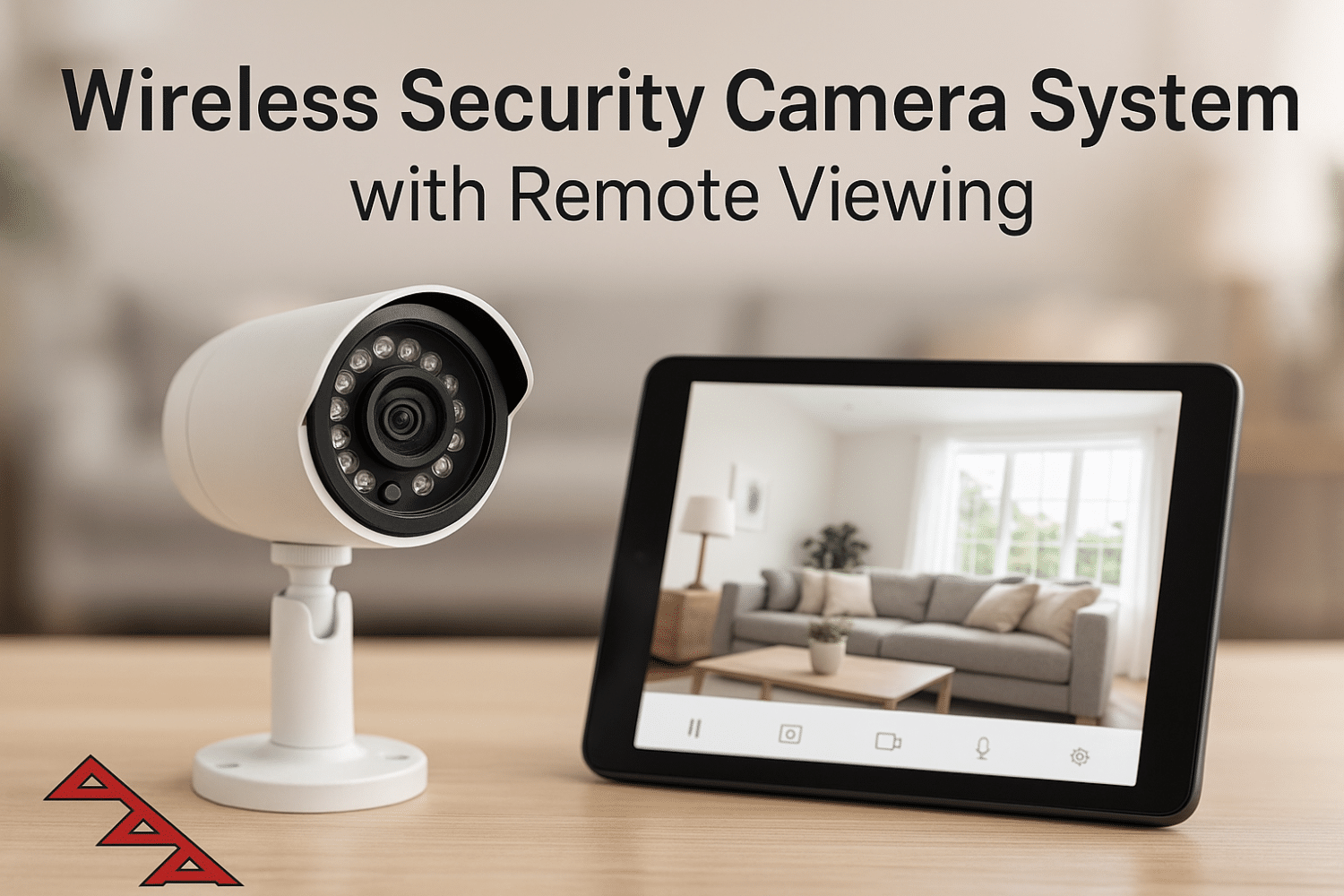
Wireless Security Camera System with Remote Viewing

- Understanding Smart Video Clips in Home Surveillance - March 5, 2026
- Access Control Installation - March 2, 2026
- Fire Alarm Systems - February 27, 2026
Introduction to Wireless Security Camera Systems
What is a Wireless Security Camera?
In today’s digital age, a wireless security camera isn’t just a luxury—it’s practically a necessity. These cameras function without physical cables for video transmission, relying instead on Wi-Fi or other wireless technologies. This makes them far more flexible than their wired counterparts. But don’t confuse “wireless” with “wire-free.” Most wireless cameras still require a power source unless they’re battery-operated or solar-powered.
These smart surveillance tools come in all shapes and sizes—from sleek, modern designs that blend into your home decor to rugged, weatherproof models built for outdoor use. Most importantly, they allow you to keep an eye on what matters most, even when you’re miles away.
Many wireless security cameras also come equipped with built-in microphones, speakers, and even AI-powered features like facial recognition and package detection. With a few taps on your smartphone, you can check in on your home, speak through your camera, or even alert local authorities in case of an emergency.
How Does Remote Viewing Work?
Remote viewing is the crown jewel of modern security systems. It allows you to access live and recorded footage from your cameras through your smartphone, tablet, or computer—anytime and from anywhere. This functionality is usually available through a dedicated mobile app or web portal provided by the camera’s manufacturer.
Here’s how it works: the camera captures footage and transmits it wirelessly to a central hub or cloud storage server. From there, it syncs with an app that gives you remote access. Some apps allow for multiple user logins, voice control integration (like Alexa or Google Assistant), and real-time alerts when motion is detected.
The beauty of remote viewing is the convenience. You’re at work? Check the front porch. On vacation? Monitor the backyard. Waiting for a package? Get a ping when someone approaches your door. It’s like having eyes everywhere—without needing to be physically present.
Benefits of Wireless Security Camera Systems
No Complex Wiring
One of the most obvious perks of going wireless is, well, skipping the wires. Traditional wired systems often require drilling through walls, running cables through ceilings, and hiring a professional for installation. Wireless cameras? Not so much. You can mount them just about anywhere—on a shelf, wall, fence, or even a tree branch—and power them up with a battery or nearby outlet.
Eliminating complex wiring not only saves time and labor costs but also makes your security setup look cleaner. No unsightly cables snaking across your home or office. And if you decide to move the camera? Just unplug and remount it elsewhere. It’s a level of flexibility wired systems can’t match.
Easy Installation and Portability
Another game-changing benefit is how incredibly easy it is to install a wireless system. Most cameras are plug-and-play or require minimal setup via a mobile app. You won’t need specialized tools or tech knowledge to get started. Simply follow the prompts, connect to Wi-Fi, and boom—you’re live.
Portability is another big win. Renters, frequent movers, or even businesses that shift layouts often will appreciate how effortlessly these cameras can be relocated. And because there are no permanent changes to the property, they’re a favorite among landlords and property managers.
Whether it’s a small apartment, a sprawling home, or a retail space, wireless cameras adapt to your environment. This portability makes them not just convenient but cost-effective in the long run.
Access Footage Anytime, Anywhere
Perhaps the biggest reason wireless security systems are flying off shelves is their remote access capability. Whether you’re at work, running errands, or on vacation, you can pull out your phone and view live footage or even rewind to past recordings.
Most camera systems come with mobile apps that allow 24/7 access. Some even offer customizable alerts so you’re notified instantly if something unusual happens—like movement in a restricted zone or the sound of glass breaking.
Remote access puts the power of security in your pocket. You’re no longer tied to a monitor or dependent on local DVRs. Everything is at your fingertips, making it easier than ever to keep tabs on your home, loved ones, or business.
Key Features to Look For in a Wireless Security Camera System
Resolution and Video Quality
When it comes to surveillance, clarity is everything. A camera’s resolution directly impacts the quality of the footage. The higher the resolution, the better you’ll be able to identify faces, license plates, or small movements. Most modern wireless cameras offer at least 1080p Full HD, but many now come with 2K or even 4K Ultra HD options.
Keep in mind that higher resolution footage consumes more bandwidth and storage. If your internet connection is on the slower side, you might experience lag or buffering. That said, many systems now offer dynamic resolution scaling to adjust video quality based on your bandwidth.
If you plan to use the footage as evidence in case of a crime or dispute, high-resolution video can make or break your case. So never compromise on video quality—it’s your first line of defense.
Night Vision Capabilities
When the sun goes down, security threats don’t sleep—and neither should your camera. Night vision is one of the most crucial features to consider when choosing a wireless security camera system. It allows your camera to continue monitoring and recording in low-light or complete darkness, ensuring 24/7 protection.
Most modern wireless cameras use infrared (IR) LEDs to illuminate the area in front of the lens without visible light. These IR lights can capture black-and-white footage up to a certain range, typically between 20 to 100 feet, depending on the camera’s specs. Some advanced models even offer color night vision, which uses ambient lighting and advanced sensors to provide full-color video at night.
Having a solid night vision feature means you won’t miss important details like faces or license plates in nighttime footage. If you live in a neighborhood with minimal street lighting or need outdoor surveillance in rural areas, night vision becomes absolutely essential.
Furthermore, many cameras are equipped with IR cut filters that automatically switch between day and night modes to ensure accurate color representation during the day and clear visibility at night. It’s one of those features you won’t think much about—until you really need it.
Motion Detection and Alerts
Let’s face it: you don’t want to be glued to your security camera feed all day. That’s where motion detection comes in. This smart feature alerts you the moment it senses movement within a defined field of view. It’s like having a digital watchdog that never sleeps.
Modern wireless security systems come with adjustable motion zones, sensitivity levels, and even AI capabilities to distinguish between humans, pets, vehicles, and environmental triggers like rain or wind-blown branches. This drastically reduces false alarms and ensures you’re only notified when it truly matters.
When motion is detected, you’ll receive a real-time alert via your smartphone, tablet, or email. Some systems even let you customize alert sounds, schedule alert times, or automatically activate other smart devices—like turning on lights or triggering an alarm.
Motion detection also helps conserve storage. Instead of recording 24/7, cameras can be set to only record when movement is detected, saving both storage space and bandwidth. It’s a smarter, more efficient way to monitor your property without drowning in unnecessary footage.
Cloud Storage vs Local Storage
Storage is the backbone of any good security system. Where your footage is stored can affect how accessible, secure, and scalable your surveillance setup is.
Cloud storage uploads your video footage to remote servers, allowing you to access recordings from anywhere with an internet connection. It’s convenient and usually comes with features like automatic updates, encryption, and easy sharing. The downside? Most services charge a monthly or annual subscription fee, and long-term storage may be limited unless you upgrade to a premium plan.
Local storage, on the other hand, saves footage to an SD card in the camera or a connected DVR/NVR device. This option avoids ongoing fees and gives you full control over your data. However, it’s vulnerable to theft or damage—if someone steals the camera or recorder, the footage goes with it.
Some camera systems offer hybrid solutions, combining both cloud and local storage for redundancy and flexibility. The choice depends on your priorities: If you want access from anywhere and are okay with recurring costs, go for cloud. If you want to keep things local and private, local storage is the way to go.
Remote Viewing – The Game Changer
Mobile App Integration
Mobile app integration is what transforms a regular security system into a smart one. Most leading wireless camera brands offer their own apps, which act as your command center for all connected cameras. These apps let you view live feeds, watch past recordings, receive alerts, control camera angles (if supported), and even speak through the camera if it includes two-way audio.
The real magic lies in the app’s interface and ease of use. A well-designed app will allow you to organize multiple cameras, customize settings, schedule alerts, and even integrate with third-party smart devices like Google Nest, Amazon Alexa, or Apple HomeKit. Some apps also support biometric logins, adding an extra layer of security to your feed.
A strong mobile app experience not only enhances usability but also ensures you can respond quickly to security threats. Whether you’re at home, at work, or abroad, the app keeps you connected to your camera system 24/7.
Multi-Camera Access from a Single App
If you’re serious about security, chances are you’ll be monitoring more than one area—like front door, backyard, driveway, and inside the home. That’s where multi-camera access becomes vital.
The best wireless security camera systems let you connect and control multiple cameras through a single app interface. You can view them simultaneously in a grid format or switch between individual views. Some even let you name each camera and assign it to specific locations for better organization.
This is particularly useful for businesses or large properties where having full visibility is critical. And because everything’s accessible from one screen, you’re not jumping between apps or feeds, making it much easier to keep track of what’s happening.
For homeowners, multi-camera integration means you can check on the kids in the backyard, see who’s ringing the doorbell, and monitor your garage—all in one place. It’s complete control, simplified.
Real-Time Notifications and Streaming
Nothing beats the peace of mind that comes from instant, real-time notifications. As soon as something unusual happens, your system can ping your phone with a notification, stream a live feed, or even sound an alarm—letting you take immediate action.
Streaming is equally seamless with modern systems. Tap a notification, and you’re instantly watching a live feed from the camera. Whether it’s a suspicious person lurking near your property or your pet tearing up the living room, you’ll know about it instantly.
For added convenience, some systems offer video previews with the notification itself—no need to open the app. This speed and accessibility can make all the difference in preventing theft, damage, or even helping authorities respond more effectively.
Best Wireless Security Camera Systems with Remote Viewing (2025 Picks)
Top-Rated Indoor Cameras
When it comes to indoor surveillance, your top priorities are video quality, discreet design, and reliable app connectivity. The market in 2025 offers some stellar options that combine all three.
Top-rated indoor cameras like the Arlo Essential Indoor Cam, Google Nest Cam (2nd Gen), and Wyze Cam v4 dominate the scene for good reason. They offer crisp 1080p or 2K video, two-way audio, infrared night vision, and AI-powered motion detection. Most importantly, these cameras seamlessly connect with mobile apps and smart home ecosystems, giving you full remote access and control.
For families, indoor cameras provide the reassurance of checking in on pets, kids, or elderly family members. Some models include pan and tilt capabilities, which allow for broader coverage inside the room. Others offer privacy shutters, ensuring the lens is physically blocked when not in use—a fantastic feature for privacy-conscious users.
If you want a simple plug-and-play indoor camera, choose one with cloud and local storage options, responsive mobile alerts, and decent low-light performance. While premium models offer more bells and whistles, even budget-friendly options now come with AI features and reliable remote access.
Best Outdoor Cameras
Outdoor cameras need to be tougher. They face rain, snow, blazing sun, and potential tampering—so you want something weatherproof, high-resolution, and equipped with solid night vision. In 2025, the EufyCam 3, Ring Spotlight Cam Pro, and Reolink Argus 3 Ultra stand out for outdoor use.
These systems offer 2K or 4K video, long-lasting battery life (or solar charging options), color night vision, and smart motion alerts that differentiate between humans, animals, and cars. With IP65 or IP67 waterproof ratings, they’re built to withstand harsh environments.
For added functionality, some outdoor cameras come with integrated floodlights, sirens, and two-way talk features to actively deter intruders. You can monitor multiple angles like driveways, gates, backyards, or alleyways—all from your phone or PC.
Whether you live in a busy urban area or a secluded rural property, outdoor cameras give you a first line of defense and peace of mind. And with remote viewing, you’re never too far from home.
Budget-Friendly Options
Don’t want to break the bank? Good news: you don’t have to. Budget-friendly wireless camera systems are better than ever, offering features that used to be exclusive to premium models.
The Wyze Cam Pan v3, Blink Outdoor 4, and TP-Link Tapo C210 deliver strong value with 1080p or 2K resolution, app connectivity, and customizable alerts. While you might sacrifice things like built-in floodlights or advanced AI detection, these cameras still provide solid performance and easy remote access for under $100 per unit.
These are great for small apartments, student housing, rental properties, or anyone just starting their home security journey. You can scale your system later by adding more cameras or upgrading to higher-end models as your needs evolve.
When shopping on a budget, look for key essentials: motion detection, mobile app integration, decent night vision, and at least some form of storage—cloud or SD card. The goal is to strike the right balance between cost and reliability without compromising your peace of mind.
How to Set Up a Wireless Security Camera System
Step-by-Step Installation Guide
Installing a wireless security camera system might sound intimidating, but it’s actually quite straightforward—especially compared to wired systems. Here’s a step-by-step process to get you up and running:
-
Choose your camera locations – Identify key areas you want to monitor (e.g., entryways, living rooms, driveways). Ensure you have access to a power source or adequate sunlight for solar models.
-
Mount the cameras – Most models come with wall mounts or magnetic bases. Use a drill for permanent fixtures or adhesive mounts for temporary setups.
-
Power up the cameras – Plug them in or insert batteries. Some models require initial charging before installation.
-
Download the mobile app – Scan the QR code provided or find the app in your app store. Common apps include Arlo Secure, Ring, Nest, or Reolink.
-
Sync your cameras to Wi-Fi – Follow the app’s pairing instructions to connect your camera to your home network.
-
Customize settings – Set motion detection zones, alert preferences, and storage options.
-
Test everything – Walk past your cameras to trigger alerts and ensure footage is being saved correctly.
You’re now ready to monitor your property from anywhere!
Connecting to the Internet and Apps
Once your cameras are physically installed, internet connectivity is what brings the system to life. Most cameras use 2.4GHz Wi-Fi networks for stable long-range transmission. Some high-end models support 5GHz for faster data rates, but make sure your router is compatible.
Using the app, connect each camera to your Wi-Fi network. Many apps guide you with voice prompts, LED light indicators, and QR code scanning for pairing. Once paired, the camera will appear in your dashboard, where you can manage live feeds, recordings, and notification settings.
Also, ensure your router has sufficient bandwidth to handle multiple cameras streaming simultaneously. For larger systems, a mesh Wi-Fi network or signal extender can help prevent dead zones and ensure smooth performance.
Cloud integration usually requires account registration. From there, you can view past recordings, set retention periods, or download clips. And if your camera supports local storage, format your SD card within the app for optimal compatibility.
Troubleshooting Common Issues
No tech setup is perfect. If your camera isn’t working as expected, here are some common issues and fixes:
-
Camera won’t connect to Wi-Fi: Ensure it’s within signal range, your router is on 2.4GHz (if required), and the password is correct. Restart both the camera and router.
-
Live feed is lagging: Check internet speed and reduce other streaming activity. Switch to a lower resolution in the app if necessary.
-
Motion alerts not working: Double-check motion zone settings and sensitivity levels. Ensure notifications are enabled on both the app and your phone.
-
Footage not recording: Confirm your cloud subscription is active or that the SD card is properly inserted and formatted.
-
Camera offline: Try rebooting the device or checking power sources. If battery-operated, it might need a recharge.
If all else fails, most brands offer online troubleshooting guides, community forums, and live support. Don’t hesitate to reach out—security isn’t something you want to leave to chance.
Privacy and Security Concerns
Securing Your Feed from Hackers
With the convenience of wireless security systems comes the responsibility of keeping your footage safe from cyber threats. Hackers are becoming more sophisticated, and unsecured cameras can be easy targets. If someone gains access to your feed, they could spy on your home or even disable your system remotely.
To prevent unauthorized access, always change default usernames and passwords immediately after setup. Avoid using easily guessed passwords like “admin” or “123456.” Instead, use a unique combination of letters, numbers, and special characters. Many systems now support password generators to help create secure credentials.
Also, make sure your home Wi-Fi network is locked down with WPA3 encryption. If your router is outdated or doesn’t support this level of security, consider upgrading. Disabling remote access features that you don’t use can also reduce your exposure.
Lastly, monitor your system’s login activity if possible. Some apps allow you to see where and when your system was accessed. Unrecognized devices or odd times could indicate a breach—and catching it early is key.
Two-Factor Authentication
Two-factor authentication (2FA) is a simple yet powerful way to add an extra layer of security. It works by requiring two pieces of information to access your system: your password and a one-time code sent to your phone or email.
Most top-tier security camera brands now offer 2FA in their apps, and enabling it should be one of your first steps after setup. Even if someone guesses your password, they won’t be able to log in without access to your second device.
Using 2FA helps you protect your cameras, stored footage, and personal data from unauthorized access. And considering it only takes a minute to activate, it’s a no-brainer for anyone serious about security.
Importance of Encryption
Encryption is like having a personal translator for your video data—it scrambles the footage into unreadable code as it travels from your camera to your phone or cloud server. Without the right decryption key, hackers can’t make sense of it.
Reputable brands encrypt their video feeds using protocols like SSL/TLS and AES-256—the same standards used in banking and government systems. This ensures that even if someone intercepts your data mid-transmission, they can’t access the content.
Always check the product specs or user manual to verify whether the camera uses encrypted video transmission and secure cloud storage. Don’t just assume it’s there—because when it comes to your security footage, peace of mind starts with data protection.
Use Cases and Applications
Home Security
Wireless cameras are becoming household staples, especially with remote viewing options. They let you monitor your home in real-time, whether you’re at work, out shopping, or on vacation. From watching over your front door to checking if your garage door is shut, a good camera system gives you full visibility.
Many homeowners also use cameras as doorbell replacements. These units come with two-way audio and push notifications, letting you speak to visitors or delivery personnel without opening the door.
Plus, the ability to access footage remotely adds a strong deterrent against package theft, vandalism, or break-ins. And if anything does happen, you’ve got evidence ready to send to law enforcement.
Business Surveillance
Whether you own a small boutique or a large warehouse, wireless camera systems offer an efficient way to protect your assets and monitor employee activity. Thanks to mobile apps, business owners can check in on multiple locations without needing to be on-site.
Cameras placed in entry points, cash registers, and storage rooms can help reduce theft and ensure compliance with workplace policies. And because these systems are scalable, you can add or remove cameras as your needs change.
For businesses that operate around the clock, features like night vision, motion-triggered alerts, and cloud-based storage are invaluable. Even during off-hours, you’ll know exactly what’s happening—without needing to pay for on-site security.
Monitoring Elderly or Pets
Wireless cameras also serve as digital caretakers. If you’re looking after aging parents or have pets at home, a camera system can give you peace of mind. You can quickly check in via remote viewing and even use two-way talk to communicate.
Some indoor models now offer features like sound alerts (for crying, coughing, or barking) and temperature monitoring—useful for keeping tabs on your loved ones’ well-being. It’s not about spying; it’s about making sure everything is okay when you’re not there.
Parents with young kids can use cameras as digital baby monitors, while pet owners can see if their dog is chewing the couch or napping peacefully. In both cases, remote viewing adds a sense of connection that makes separation a little easier.
Cost Breakdown and Value
Initial Investment
Your upfront costs will depend on how many cameras you need and what features matter most to you. A single indoor camera can cost as little as $30, while high-end 4K systems with advanced AI can exceed $500 per camera. Outdoor models with floodlights or solar panels usually cost more due to added durability and accessories.
Starter kits with two or more cameras, a base station, and app access generally range from $200 to $800. Some include free cloud storage for a limited time, while others require you to subscribe immediately.
When planning your budget, factor in mounting equipment, optional solar panels, or extended batteries if needed. Most brands offer bundles that help you save when buying multiple units.
Subscription Fees for Cloud Storage
Cloud storage plans are where ongoing costs come into play. While some systems offer free cloud storage for a limited number of clips or days, most charge a monthly or annual fee for full access.
For example:
-
Basic plans (7-day storage, 1-2 cameras): $3–$6/month
-
Mid-tier plans (30-day storage, up to 5 cameras): $10–$15/month
-
Premium plans (60-day+ storage, unlimited cameras): $20+/month
These subscriptions often include extra features like smart alerts, facial recognition, and extended video history. Some users find the added benefits well worth the cost, while others prefer local storage to avoid recurring fees.
Always check what’s included before committing. If you’re on a budget, look for systems with optional local storage via SD cards or external hard drives.
Cost vs Features Comparison
So what’s the best bang for your buck? It depends on your priorities.
| Feature | Budget Cameras | Mid-Range Cameras | Premium Cameras |
|---|---|---|---|
| Video Resolution | 1080p | 2K | 4K |
| Night Vision | IR (monochrome) | Color IR | Full-color night vision |
| Motion Detection | Basic | AI with zones | Smart detection (people, pets, vehicles) |
| Storage Options | Local (SD) | Cloud + Local | Encrypted cloud with AI tools |
| Remote Access | Yes | Yes | Yes + Multi-device login |
| Price Range (per camera) | $30–$70 | $80–$150 | $200–$500+ |
Your ideal system lies at the intersection of affordability, ease of use, and feature richness. Think of it as an investment—one that protects not just your property but your peace of mind.
Future of Wireless Security Cameras
AI Integration and Smart Detection
The future of wireless security cameras is undeniably smarter. Artificial Intelligence (AI) is revolutionizing how these systems operate by improving their accuracy, functionality, and efficiency. With AI integration, cameras can now detect specific types of motion—like distinguishing between a person, an animal, or a vehicle—dramatically reducing false alerts.
Some advanced systems can even recognize familiar faces using facial recognition technology. Imagine your camera alerting you not just that someone’s at the door, but that it’s your friend or family member. Others use AI to detect unusual activity, such as someone loitering or pacing near your property, and will notify you before any potential threat escalates.
Voice assistant integration is also becoming standard. Cameras now work seamlessly with Alexa, Google Assistant, and Siri, allowing you to control them using voice commands. Want to see the backyard? Just ask your smart speaker to show the live feed.
AI also plays a role in automated event tagging and smarter storage management—highlighting only significant activity so you don’t waste time scanning through hours of uneventful footage.
Battery Technology and Solar Power
Another game-changer in the future of wireless cameras is power management. The latest models are pushing the boundaries with longer-lasting batteries and energy-efficient technology that reduces the need for frequent recharging.
Battery-operated cameras today can run for months on a single charge, and newer lithium-ion technologies are extending that even further. This is especially useful in remote or hard-to-wire locations where traditional power sources aren’t available.
Solar-powered cameras are also gaining popularity. These systems come with compact solar panels that continuously charge the camera during daylight, essentially making them maintenance-free. No wires, no recharging—just mount, connect, and go.
As battery and solar tech evolve, we’ll see more sustainable and self-reliant systems that are easier to install and run with minimal upkeep. Perfect for off-grid properties, cabins, farms, and anywhere you want hassle-free security.
Comparison Between Wired and Wireless Security Systems
Performance and Reliability
When it comes to performance, wired systems traditionally held the upper hand. They offer stable connections, no reliance on Wi-Fi, and uninterrupted power. But the gap is closing fast. Today’s wireless systems are fast, reliable, and packed with features that match—if not exceed—the capabilities of wired setups.
Wireless cameras do rely on your internet speed and signal strength. However, with the rise of mesh networks and faster broadband speeds, lag and connection issues are becoming a thing of the past. Most users find modern wireless systems more than adequate for everyday security needs.
Wired systems are still favored in environments that demand 24/7, ultra-high-definition surveillance with zero downtime—like banks, warehouses, or casinos. But for most homes and small businesses, the convenience and adaptability of wireless tech win the race.
Installation and Maintenance
The difference in installation is stark. Wired systems often require professional installation, especially if cables need to be hidden behind walls or run over long distances. This adds to the initial cost and time investment.
Wireless cameras, on the other hand, can be set up in minutes with minimal tools. They’re ideal for renters, homeowners, and anyone who values portability. If you ever need to move, just unmount the camera and set it up again elsewhere.
Maintenance is also easier with wireless systems. Software updates are pushed automatically through the app, and battery-powered units typically notify you when they need a recharge. Wired systems may require checking cable integrity, managing a DVR/NVR, and possibly troubleshooting complex connections.
Ultimately, wireless security systems deliver simplicity, flexibility, and ease of maintenance—making them the go-to choice for the average consumer.
How to Choose the Right System for You
Assessing Your Needs and Budget
Choosing the best wireless security camera system starts with understanding your unique needs. Are you securing a small apartment or a sprawling estate? Do you need indoor, outdoor, or both? How many cameras will give you full coverage?
Once you’ve mapped out your coverage zones, think about key features you want. Is two-way audio important? What about facial recognition, sirens, or built-in spotlights? Knowing your must-haves helps you avoid paying for extras you don’t need.
Your budget will also shape your decision. High-end systems offer impressive features, but mid-range or budget-friendly models may be more than sufficient for everyday use. Start with essential cameras, then scale up as your needs grow.
Don’t forget to account for recurring costs. Subscription plans for cloud storage, added accessories, or app features can add up. Factor these into your total cost of ownership to avoid surprises down the road.
Compatibility with Smart Home Devices
If you already have a smart home setup, your security system should play nicely with it. The best wireless cameras integrate seamlessly with ecosystems like Google Home, Amazon Alexa, and Apple HomeKit.
This integration allows for voice commands (“Show me the front door camera”), automated routines (like turning on lights when motion is detected), and centralized control through a single app or dashboard.
Check for IFTTT support too. This adds a layer of automation that lets you create custom rules—like pausing motion alerts when you’re home or saving footage only when an alarm is triggered.
Compatibility with your existing tech stack ensures a smoother user experience and lets you build a cohesive, interconnected home security ecosystem.
Tips for Maximizing Your Security System
Camera Placement Strategies
Good camera placement is the secret sauce to an effective security system. Even the most advanced camera can’t protect you if it’s pointed at the wrong spot.
Start with the main entry points—front and back doors, garage, and any ground-floor windows. Place cameras high enough to avoid tampering but low enough to capture faces clearly. Angling your camera slightly downward helps prevent glare and improves focus.
For outdoor areas, place cameras under eaves or awnings to protect them from the elements. If using motion detection, make sure the field of view isn’t blocked by plants or furniture. Indoors, position cameras in corners for wide coverage, and avoid pointing them directly at windows to prevent backlighting issues.
Also, consider camera overlap. Having multiple cameras with overlapping views can eliminate blind spots and ensure you catch incidents from multiple angles.
Maintenance and Updates
Just like any tech device, your cameras need regular upkeep to perform at their best. Clean the lenses monthly to remove dust, dirt, or spider webs that can distort footage. For outdoor cameras, check for weather damage or corrosion around mounts and housing.
Make it a habit to log into the app and check for firmware updates. These often include bug fixes, security patches, and new features that enhance performance and safety.
Replace batteries or recharge cameras as needed, and test motion detection sensitivity every few weeks. Periodic checks ensure your system doesn’t fail you when you need it most.
Set reminders if necessary—because when it comes to security, it’s better to stay one step ahead.
Conclusion
Wireless security camera systems with remote viewing have transformed the way we protect our homes and businesses. They combine modern technology with ease of use, allowing anyone—from tech newbies to seasoned pros—to keep an eye on what matters most.
With features like HD video, night vision, motion alerts, mobile app integration, and cloud storage, these systems offer a level of convenience and control that was unthinkable just a few years ago. Whether you’re securing a family home, a storefront, or keeping tabs on pets while at work, there’s a wireless camera setup that fits your needs and budget.
The future only promises more innovation—with AI, solar power, and even smarter integrations making security more accessible, efficient, and reliable.
So if you’ve been on the fence, now is the time. A few cameras and a strong app might be all it takes to bring you peace of mind—anytime, anywhere.
FAQs
1. Are wireless security cameras reliable?
Yes, today’s wireless security cameras are highly reliable with strong connectivity, HD video, and robust app support. Just ensure you have a stable internet connection and regular updates.
2. Can I view my cameras remotely without a subscription?
Many cameras allow remote viewing without a subscription. However, features like cloud storage and advanced alerts often require a paid plan.
3. How far can wireless security cameras transmit video?
Most wireless cameras have a range of 100–300 feet in open space, but walls and other obstructions can reduce that. Using Wi-Fi extenders or mesh networks can help extend range.
4. Do wireless security cameras work without internet?
Some models work without internet for local storage and real-time viewing via a direct connection. However, remote access and cloud storage generally require an internet connection.
5. Are there any hidden costs with wireless security cameras?
Beyond the initial purchase, you may need to budget for cloud storage subscriptions, batteries, or solar panels. Always check what’s included in the box.
Sources Cited in the Article
Recommended Technical & Market References
Below are high-quality, up‑to‑date sources that align with topics discussed in the article:
| Topic | Source Description | Citation |
|---|---|---|
| AI in Video Surveillance (Industry Trends) | Eagle Eye Networks 2025 report on AI trends in video surveillance and smart monitoring. | protrendingpicks.com+1Wikipedia+1Facilities Management Advisor+5SourceSecurity+5Fusion Chat+5 |
| Next‑Gen Smart Cameras and AI Integration | NextTechWorld review of what 2025 systems can do: facial recognition, cloud AI, smart alerts. | NextTechWorld |
| AI-Enabled Home Security Camera Reviews | Tom’s Guide hands‑on comparison of four AI‑enabled cameras with real‑world testing. | Tom’s Guide |
| General Market Outlook & Features List | Vector Security and Wired reviews of top wireless cameras and what to look for in 2025. | vectorsecurity.comWIREDSafeWise |
| Privacy & Edge‑AI Architectures | Academic and industry discussions on edge AI for video analytics, behavioral detection, and anomaly detection. | WikipediaarXivarXiv |
| Future Surveillance Technologies | JER Technology forecast of smart AI cameras, behavioral analytics, hybrid models for 2025. | jer-tech.comaccuranetwork.com |
| Apple’s Planned Camera Entry & Ecosystem Integration | Rumor report on Apple developing its own smart security camera with deep HomeKit and AI ties in 2026. | The Verge |
| Reolink’s New Subscription-Free Floodlight Camera | Reolink’s Elite Floodlight Wi‑Fi camera with built-in AI, local search, and no subscription required. | New York Post |
? Additional External References
These sources offer deeper insight into both consumer and technical aspects:
-
SafeWise / Security.org — Best wireless cameras of 2025, comparing features, storage plans, and providers. Fusion Chat+3SourceSecurity+3Edge AI and Vision Alliance+3protrendingpicks.com+6SafeWise+6Security.org+6
-
FixThePhoto — “7 Best Security Camera Systems for Remote Viewing in 2025” with specs and remote‑access detail. FixThePhoto.com
-
HomeBuilding UK — Independent review of the Eufy S3 Pro solar‑powered, subscription‑free system in real farm use. Homebuilding+1WIRED+1
Academic & Technical Research
-
Networking Systems for Video Anomaly Detection (NSVAD) — Deep dive into video analytics, edge processing, and AI-driven detection frameworks. arXiv+1Wikipedia+1
-
Edge AI for 6G and Security Systems — Research into integrating AI at network edge for intelligent connected devices. arXiv+3arXiv+3arXiv+3
-
Generative AI for IoT Security — Emerging potential of AI-generated models to enhance IoT and surveillance device privacy and security. arXiv
About All Action Alarm: Your Trusted Partner in Home Security Solutions
When it comes to protecting your home and loved ones, there’s no room for compromise. At All Action Alarm, we take home security to the next level by offering top-tier protection with cutting-edge technology and expert monitoring services that you can rely on. As a leader in the security industry, we’re committed to keeping homes and businesses safe, providing peace of mind 24/7.
Check out Home Automation Systems and Get Started with All Action Alarm Today!
Don’t wait for an emergency to take action. Protect your home and family with the best in the business. Call (631) 549-7225 to schedule your consultation, or visit allactionalarm.com to learn more about our services.
Your safety is our top priority.
-




 Ca.garcia.s, CC BY-SA 4.0
