
Security Camera Installation

- Understanding Smart Video Clips in Home Surveillance - March 5, 2026
- Access Control Installation - March 2, 2026
- Fire Alarm Systems - February 27, 2026
Introduction to Security Camera Installation
Why Security Cameras Matter in 2025
Security isn’t a luxury anymore—it’s a necessity. With rising concerns about burglary, vandalism, and property damage, both homeowners and business owners are investing more than ever in surveillance systems. But in 2025, security cameras aren’t just about preventing crime; they’re about peace of mind. Whether you’re checking on your kids, monitoring package deliveries, or keeping an eye on your storefront, these little lenses are becoming essential.
The global market for security cameras has exploded, driven by technological innovations like AI-based motion detection, real-time mobile alerts, and even facial recognition. And with more people working from home or running businesses from their residence, having real-time surveillance is as important as locking your front door.
So, whether you’re a DIY enthusiast or planning to hire a professional, knowing how to install a camera system the right way is key to maximizing your investment—and keeping what matters safe.
Growing Importance of Home and Business Surveillance
Here’s the truth: criminals don’t take days off, and you shouldn’t either when it comes to your security. Surveillance systems are no longer just tools for mega-corporations or wealthy homeowners. In fact, even small apartments and family-run shops are getting outfitted with smart security systems.
Think about the rise of porch piracy alone—Amazon packages disappearing from doorsteps has become so common that many homeowners have turned to doorbell cameras just to catch the culprits in the act. In commercial settings, security cameras help prevent employee theft, monitor customer interactions, and provide invaluable evidence if something goes wrong.
Even insurance companies are starting to offer discounts to policyholders who install verified surveillance systems. In short: installing security cameras is a smart move on all fronts—safety, savings, and security.
Types of Security Cameras
Wired vs. Wireless Cameras
When it comes to picking a camera system, your first big decision is between wired and wireless. Wired systems offer reliable power and constant data transmission. They’re ideal for large properties or commercial use where signal dropouts can’t be tolerated. But there’s a catch—they require drilling, cabling, and a more complex installation process.
Wireless cameras, on the other hand, are a breeze to install. They connect via Wi-Fi and are often powered by batteries or solar panels. They’re perfect for renters or people who prefer a cleaner setup. However, they depend heavily on a strong network connection, and their battery life may limit continuous recording.
Both have their pros and cons, but your choice should depend on your property’s layout, your budget, and your tech comfort level.
Indoor vs. Outdoor Cameras
Another key decision? Indoor or outdoor. Indoor cameras are often sleeker, more discreet, and easier to install. They’re used to monitor pets, kids, or elderly family members. Most of them don’t need weatherproofing, which keeps costs lower.
Outdoor cameras, however, are rugged. They’re built to survive rain, snow, and intense heat. These come with additional features like infrared night vision, higher resolution, motion detection, and protective housing to deter vandalism.
Pro tip: Even if you think your entire focus should be on the exterior, don’t ignore indoor coverage—break-ins often involve multiple entry points, and capturing a suspect from different angles increases the odds of identifying them.
Bullet, Dome, and PTZ Cameras
This is where things get fun. Not all cameras are built the same. The most popular styles are:
-
Bullet Cameras: These are long and cylindrical, great for long-distance viewing. They’re usually mounted on walls and are quite visible—perfect as a deterrent.
-
Dome Cameras: Shaped like a dome, these are often used indoors and provide a wider field of view. Their discreet design makes them less noticeable.
-
PTZ Cameras (Pan-Tilt-Zoom): These high-end cameras can rotate 360°, zoom in, and follow moving objects. They’re perfect for large properties or areas requiring active monitoring.
Each type serves a specific purpose. Your job is to match the design with your surveillance goals.
Choosing the Right Camera for Your Needs
Factors to Consider Before Buying
Buying a security camera isn’t just about grabbing the first one you see on Amazon. There are several factors to consider that will determine whether your purchase is worth it or not.
Start with location: Where exactly do you plan to install your cameras? Front porch, backyard, driveway, living room? Your answer affects the type of camera, mount, and even resolution you’ll need.
Next, think about lighting. Some cameras work great in well-lit areas but falter in low light. If you need 24/7 coverage, invest in cameras with infrared or color night vision.
Finally, assess your Wi-Fi strength. If your wireless camera is going in the garage but your router’s upstairs behind a concrete wall, you’re likely to face connection issues. Always do a signal test first.
Also worth considering:
-
Budget
-
DIY vs professional setup
-
Subscription fees for cloud storage
-
Brand reputation and customer support
These little decisions now can save you hours of headache later.
Resolution, Field of View, and Night Vision
Not all pixels are created equal. You’ve probably seen cameras labeled as 720p, 1080p, or even 4K. Resolution determines image clarity, and if you ever need to identify a face or license plate, higher is better.
Field of view (FOV) is another critical factor. A wider angle captures more area, reducing the need for multiple cameras. Most standard cameras offer a 90–120° FOV, but some fish-eye or wide-angle models go up to 180° or more.
Night vision is non-negotiable. Intruders love the dark, but you won’t. Look for infrared (IR) or low-light sensors. Some advanced models now offer color night vision, giving you clearer, more useful footage even at night.
Smart Features: AI, Motion Detection, and Cloud Storage
2025 is all about smart tech. Today’s cameras come loaded with intelligent features designed to make your life easier.
-
AI Detection: Some cameras can now differentiate between a person, vehicle, animal, or random object. This means fewer false alarms.
-
Motion Zones: Customize areas within the camera view that trigger alerts—like your front porch but not the busy street behind it.
-
Cloud vs Local Storage: Cloud storage allows remote access and off-site backups, but usually requires a monthly fee. Local storage (microSD cards, DVRs) is subscription-free but can be stolen or damaged.
Look for features that match your lifestyle. Not everyone needs facial recognition, but almost everyone benefits from real-time mobile alerts.
Pre-Installation Planning
Site Survey: Analyzing Key Points
Before you grab your drill or ladder, stop. Planning is everything. A site survey helps you identify high-risk zones and optimal camera positions.
Ask yourself:
-
What are the most common entry points?
-
Are there dark corners or blind spots?
-
Where do valuables stay stored?
Mark these areas, map your property, and test camera placement before final installation. You’ll also want to ensure that power outlets or network cables are within reach (or plan to extend them).
A well-planned setup saves you time and ensures full property coverage without overlap or gaps.
Step-by-Step Installation Process
Installing Wired Cameras: Drilling, Cabling, and Connecting
Wired cameras might seem intimidating at first, but if you’re aiming for reliability and 24/7 uninterrupted power, they’re the way to go. The installation process starts with a solid plan. Begin by mapping out the route for the cables—both power and video (usually Ethernet or coaxial). You’ll want to minimize drilling through walls, so use existing holes, vents, or conduits whenever possible.
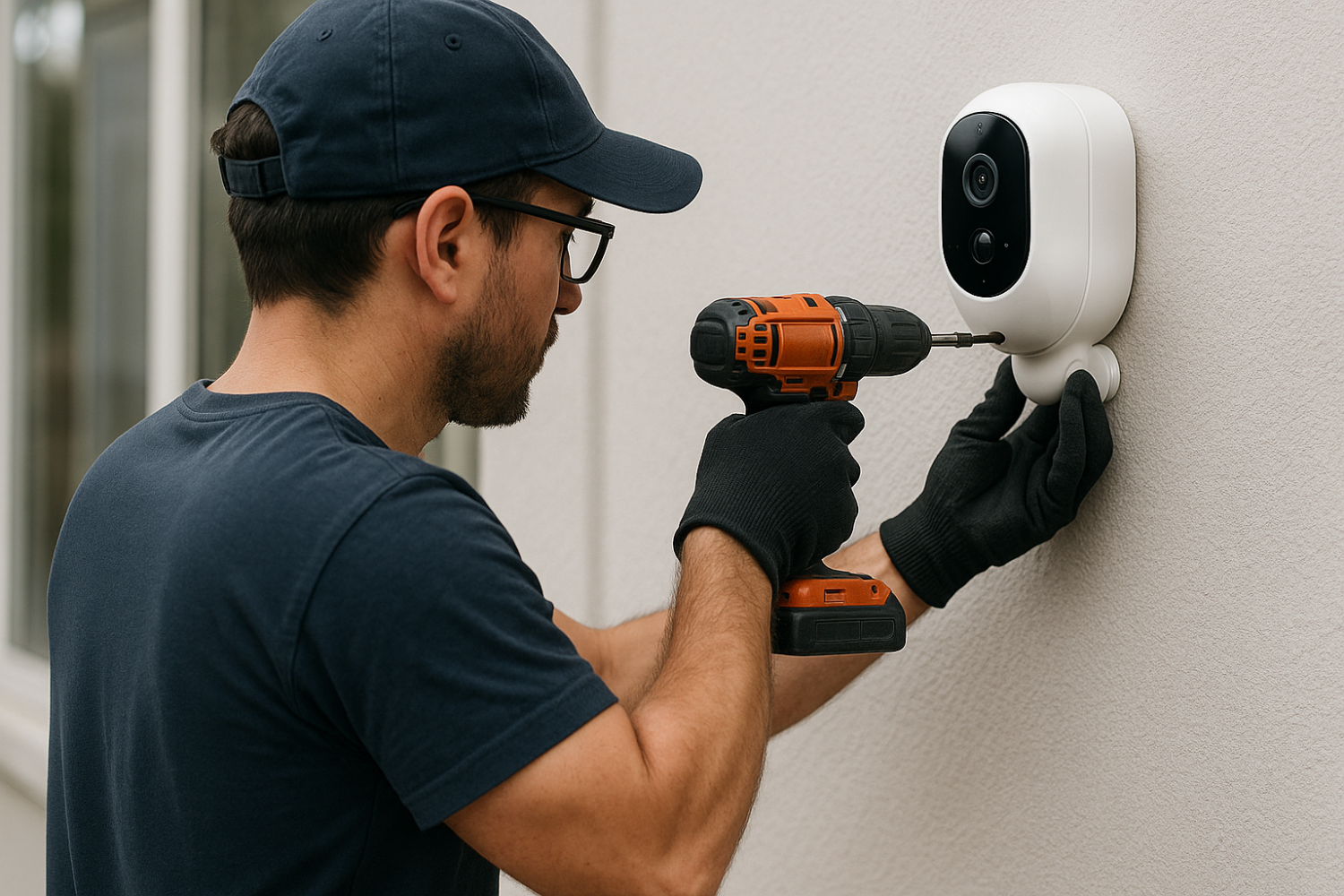
Start with mounting the camera brackets using screws and wall plugs. Most wired cameras come with a mounting template, so line it up with your chosen spot. Use a power drill to make precise holes, then screw the brackets in place.
Next comes cabling. Feed your cables through walls, ceilings, or crawlspaces. For outdoor runs, make sure to use weatherproof cables and protect connectors with waterproof junction boxes or silicone seals. Always label each cable to avoid confusion during setup.
Once everything is in place, connect the video cable to a DVR or NVR, and plug the power adapter into a secure outlet. Then, configure your system using the display monitor. Most DVRs come with a setup wizard, making it fairly straightforward—even for beginners.
This process might take time, but wired setups often deliver higher image quality, more stable connections, and are harder to tamper with compared to wireless models.
Installing Wireless Cameras: Setup and Configuration
Wireless cameras are the go-to choice for renters, apartment dwellers, or anyone who doesn’t want to deal with cables. These cameras run on batteries or solar power and connect via Wi-Fi, making them super easy to set up.
Start by downloading the manufacturer’s app. This will guide you through syncing the camera with your home network. In most cases, you’ll scan a QR code on the camera, connect it to your Wi-Fi, and name the device.
When placing the camera, think in terms of Wi-Fi strength. Use a speed test app to ensure you have at least 5 Mbps upload speed at the camera location. If not, consider a Wi-Fi extender.
Mounting the camera is as easy as securing it to a wall using screws or adhesive mounts. Position it about 8–10 feet off the ground and angle it downward for a full view. Avoid pointing directly at light sources like the sun or outdoor lamps, which can cause lens flare or overexposure.
After mounting, use the app to check the live view, adjust motion sensitivity, and set activity zones. That’s it—you’re live and secure.
Mounting Tips for Indoor and Outdoor Cameras
Mounting your cameras right makes all the difference in performance and coverage. Here are some top tips to get it right:
Indoor Mounting Tips:
-
Place cameras near high-traffic entry points like hallways, staircases, or living room access.
-
Use corners to get a wider field of view.
-
Mount at eye-level (about 6 feet) for better facial recognition.
-
Avoid placing near reflective surfaces like windows or mirrors.
Outdoor Mounting Tips:
-
Install cameras 8–10 feet high to avoid vandalism while still capturing detail.
-
Use weatherproof mounts and sealants to prevent moisture damage.
-
Don’t point cameras at direct sunlight. Instead, install under eaves or rooflines for shade.
-
Overlap camera views for complete coverage, especially around doors and driveways.
And don’t forget to test each camera after mounting—adjust the angle, zoom if available, and ensure your camera covers what matters most.
Setting Up the Camera System
Connecting to DVR/NVR or Cloud Platform
Once your cameras are mounted, it’s time to connect them to your recording and storage system. For wired cameras, this typically involves a DVR (Digital Video Recorder) or NVR (Network Video Recorder). DVRs work with analog cameras using coaxial cables, while NVRs are for IP cameras using Ethernet.
For a DVR:
-
Connect each camera’s coaxial cable to a BNC port on the DVR.
-
Plug in the power supply for both the DVR and the cameras.
-
Connect the DVR to a monitor using an HDMI or VGA cable.
-
Turn on the system and follow the on-screen setup wizard.
For an NVR:
-
Use a PoE switch or router to connect IP cameras via Ethernet cables.
-
Most NVRs auto-detect connected cameras and add them to the interface.
If you’re using a wireless or smart camera, setup happens in the cloud. Use the manufacturer’s app to connect your camera to your home Wi-Fi and assign it to a cloud account. Most systems allow you to stream footage, adjust settings, and download recordings directly from your smartphone or browser.
Make sure your devices have updated firmware before completing setup. It’ll save you time and future headaches.
Configuring Network Settings
Getting your cameras on the network is only half the job. You’ll need to ensure proper settings to guarantee smooth operation, fast alerts, and secure access.
Here’s what to configure:
-
IP Address Assignment: Assign a static IP to your cameras so they don’t change on reboot or router resets.
-
Port Forwarding: For remote access via DVR/NVR, you’ll need to forward specific ports on your router.
-
Bandwidth Optimization: Set resolution and bitrate settings to avoid straining your internet.
-
Wi-Fi Channel Management: Use less crowded channels (like 5GHz) to reduce interference.
Also, always use strong passwords for camera login and avoid default usernames like “admin.” Enable encryption if available and use VPNs for remote access whenever possible.
Mobile and PC Access: Remote Monitoring Setup
The best part of modern surveillance systems is remote monitoring. Whether you’re in your office or on vacation, you can pull out your phone and check what’s happening at home.
Start by downloading the manufacturer’s mobile app. These apps allow you to:
-
View live footage
-
Access recordings
-
Receive motion alerts
-
Adjust camera settings
-
Share access with family or team members
For PC access, many systems come with dedicated software or web portals. Log in using your credentials, and you can monitor all connected devices from a single dashboard.
Some systems even support voice assistants like Alexa or Google Home. Just say “Show me the backyard” and your smart display will switch to the live feed.
Just make sure your cameras and recording system are properly linked to your cloud account or IP address, and you’re good to go.
Troubleshooting Common Issues
Connectivity and Signal Problems
Connectivity issues are the most common—and frustrating—problems users face. For wireless cameras, the culprit is almost always poor Wi-Fi signal. If you’re seeing constant buffering or offline messages, check the signal strength first.
Solutions:
-
Reposition the router or camera
-
Add a Wi-Fi extender
-
Switch from 2.4GHz to 5GHz if supported
For wired systems, check your cables. Damaged coaxial or Ethernet cables can disrupt the feed. Test with a different cable or port to isolate the problem.
Also, rebooting the camera, router, and recording system often resolves temporary hiccups.
Video Quality and Recording Glitches
Blurry or frozen footage? Missing recordings? These issues often stem from settings or storage problems.
Here’s what to check:
-
Set camera resolution to match storage capacity
-
Use high-speed memory cards or HDDs for smoother recording
-
Clean the camera lens regularly
-
Adjust focus if your camera allows it
-
Update firmware to fix bugs
Keep an eye on FPS (frames per second) settings too. A high FPS uses more storage and bandwidth but gives smoother video. A lower FPS can make your feed choppy.
Power Supply and Weather Protection
If your cameras randomly shut off or don’t power on at all, power supply is the likely issue. For wired cameras, check the adapter, power splitter, or fuse. For battery-powered units, ensure they’re fully charged and the battery is functioning correctly.
Outdoor cameras face weather damage. Even weatherproof models need maintenance:
-
Check seals and gaskets
-
Protect with weather covers
-
Avoid mounting in direct rain flow
Investing in surge protectors and waterproof enclosures can prevent long-term damage from weather or power fluctuations.
Maintenance and Upkeep
Regular Cleaning and Inspection
Security cameras are not a “set-it-and-forget-it” kind of investment. Like any other tech, they require regular maintenance to perform at their best. One of the simplest—yet most overlooked—tasks is cleaning. Dust, cobwebs, pollen, bird droppings, or even a light drizzle can cloud the lens and reduce image clarity.
To maintain a clear view:
-
Wipe lenses monthly using a microfiber cloth and lens cleaner.
-
Avoid harsh chemicals that can scratch or fog the lens.
-
Clean the camera housing to prevent overheating or sensor malfunction.
-
Check that the camera hasn’t shifted due to wind, vibration, or accidental bumps.
Additionally, inspect cabling and connections for wear and tear. Outdoor units should be checked after every major weather event. Indoor cameras can collect dust too, which affects image sensors over time. A simple 10-minute inspection every month can add years to your camera’s life.
Firmware Updates and Security Patches
Neglecting firmware updates is like leaving your front door unlocked. Hackers constantly look for vulnerabilities in IoT devices, and security cameras are high on their list. Manufacturers routinely release updates to fix bugs, patch security holes, and even add new features.
Here’s how to stay on top of it:
-
Enable auto-updates if available.
-
Regularly check the manufacturer’s website or app.
-
Schedule a monthly reminder to update all your devices.
Outdated firmware can also cause performance issues like recording failures, poor motion detection, or app glitches. Don’t assume just because your feed looks fine that everything is okay. Updates are essential for both performance and protection.
Storage Management: HDD vs Cloud
Where your footage gets stored is just as important as capturing it in the first place. If you’re using local storage—like a hard drive connected to a DVR or NVR—you’ll need to manage disk space regularly. Most systems auto-overwrite old footage once the drive is full, but it’s still smart to review and export important clips before they’re gone.
Pro tips for HDD users:
-
Use a dedicated surveillance-grade hard drive (they’re built to run 24/7).
-
Monitor disk health using built-in tools.
-
Clean up unneeded footage monthly.
Cloud storage, on the other hand, offers convenience and off-site security. You can access clips anytime, from anywhere. But cloud options often come with fees and limited storage quotas unless you upgrade to premium plans.
Whether you go local, cloud, or hybrid—just make sure you know how long your data is being saved and how to retrieve it when needed.
Advanced Tips for Maximum Security
Blind Spot Elimination Strategies
Even the best security camera system can be rendered useless by a few strategic blind spots. Intruders know where to hide, and it’s your job to make sure they can’t.
Tips to eliminate blind spots:
-
Overlap camera views at entry points.
-
Place cameras at angles, not just straight-on.
-
Use wide-angle lenses in tight corners.
-
Regularly test and view playback to check for coverage gaps.
-
Add mirrors or reflective surfaces in odd corners if a second camera isn’t feasible.
It’s better to slightly over-cover an area than leave a weak point exposed. Don’t assume—you need to verify.
Integrating with Alarm Systems and IoT Devices
Standalone cameras are good. But integrated systems are great. Imagine this: a motion sensor triggers, your lights turn on, your cameras start recording, and your phone gets an instant notification—all within a second. That’s the power of integration.
Here’s how to make it happen:
-
Use platforms like SmartThings, Alexa, Google Home, or Apple HomeKit.
-
Link your security system with smart doorbells, locks, lights, and alarms.
-
Set up automation routines like “Away Mode” to arm everything at once.
This creates a layered defense system that doesn’t just react—but anticipates.
Using AI for Smart Surveillance
Artificial intelligence is changing the game. Cameras can now distinguish between a person, a dog, a car, or just moving shadows. That means fewer false alarms and more relevant notifications.
Advanced AI features include:
-
Facial recognition to detect known or unknown individuals
-
License plate recognition for driveway cameras
-
Behavior analysis (e.g., loitering alerts, people counting)
-
Voice command integrations
AI surveillance also learns over time—adjusting sensitivity, optimizing detection zones, and fine-tuning alerts. This tech is no longer future talk—it’s here and surprisingly affordable.
Cost Breakdown and Budget Planning
DIY vs. Professional Installation Costs
Cost is a big factor when planning your surveillance setup. DIY systems are becoming more user-friendly, and for many, a basic system can be installed over a weekend with minimal tools.
DIY Installation Costs:
-
Cameras: $50–$300 each
-
NVR/DVR: $100–$500
-
Accessories (cables, mounts, extenders): $50–$200
-
Cloud storage: $0–$20/month
Professional Installation Costs:
-
Labor: $100–$200 per camera
-
Consultation/site survey: $50–$150
-
Advanced configuration: $100+
-
Maintenance contracts: Optional, but extra
While going pro may seem expensive, it ensures optimal placement, configuration, and future support. If you’re dealing with a large property or business, professional setup can save time and increase security effectiveness.
Equipment Pricing and Subscription Fees
Cameras aren’t a one-time purchase—especially not in 2025. While you can grab a budget cam for under $100, the true cost lies in features, subscriptions, and upgrades.
Here’s a rough pricing breakdown:
| Equipment Type | Price Range |
|---|---|
| Basic Indoor Camera | $50–$150 |
| Outdoor Bullet Camera | $100–$300 |
| PTZ Camera | $250–$600+ |
| DVR/NVR Systems | $150–$800 |
| Hard Drive Storage | $50–$200 |
| Cloud Subscription | $3–$30/month |
Keep in mind: some “cheap” cameras require cloud storage to function. Always read the fine print to avoid surprise fees.
Long-term Investment vs. Short-Term Fix
Buying a camera for a quick fix might give you temporary peace of mind, but a long-term investment brings sustained protection, better value, and scalability.
Short-term fixes (like standalone indoor cams) may seem cheaper upfront, but lack:
-
Expandability
-
Advanced features
-
Integration capabilities
Long-term systems cost more initially but provide:
-
Higher resolution and reliability
-
Remote access and real-time alerts
-
Integration with home automation and alarms
-
Potential insurance discounts
Think of it like choosing between renting a lock or buying a safe. One protects your stuff temporarily; the other secures it for the long haul.
Best Security Camera Brands in 2025
Top Rated Brands for Home Use
When it comes to home surveillance, user-friendliness, reliability, and mobile app performance are top priorities. In 2025, several brands have stepped up with innovative features and strong customer support. Here are the top contenders:
-
Arlo – Known for their sleek, wireless designs, Arlo offers exceptional 2K and 4K video quality, advanced AI detection, and seamless smart home integration.
-
Eufy Security – With no monthly fees and strong local storage options, Eufy is a favorite among privacy-conscious users.
-
Ring – Popular for doorbell cameras, Ring also provides comprehensive home security systems that integrate with Alexa.
-
Google Nest Cam – Google’s AI-powered cameras offer intelligent alerts, face recognition, and flawless integration with Google Home.
-
Blink – An affordable Amazon-owned brand, Blink is great for beginners or those on a tighter budget.
These brands balance simplicity and effectiveness, and most offer flexible storage options with both cloud and local support.
Best for Commercial and Industrial Use
For businesses, security cameras must be robust, scalable, and often integrated with access control or alarms. The top brands leading the way in commercial surveillance include:
-
Hikvision – A global leader in video surveillance, known for high-resolution cameras, thermal imaging, and AI-powered analytics.
-
Dahua – Offers excellent value with advanced features like people counting, heat mapping, and face detection.
-
Bosch Security Systems – Known for enterprise-grade reliability, Bosch is a top choice for industrial or governmental facilities.
-
Axis Communications – Specializes in IP cameras and offers solutions for everything from retail to transportation security.
-
Lorex – Great for small to mid-sized businesses, Lorex combines ease of use with high-quality video and local storage.
Business needs vary widely, so choosing the right brand should be based on specific goals, scale, and integration needs.
Real-World Case Studies
Homeowner Success Story
Meet Sarah, a homeowner in a suburban neighborhood who recently installed a five-camera wireless system around her home. Her setup included two outdoor cameras, one doorbell cam, and two indoor monitors for the garage and hallway.
Within a month, her cameras captured a package thief in broad daylight. With clear 1080p footage and timestamped video, Sarah shared the footage with local authorities and her community group. The thief was identified and arrested within a week.
Sarah now uses her system daily—checking on deliveries, monitoring her dog, and even speaking with visitors through two-way audio. Her only regret? Not installing the cameras sooner.
Small Business Surveillance Upgrade
Carlos owns a small convenience store that had experienced multiple shoplifting incidents. He invested in a professional-grade DVR system with eight wired cameras, covering the entrance, cashier area, aisles, and back room.
After installation, theft incidents dropped by 70%. The real-time monitoring allowed his staff to respond quicker, and recorded footage helped identify a repeat offender. Carlos later added a panic button and integrated the system with local police alerts.
His investment not only increased security but boosted employee morale and customer trust.
Safety and Legal Guidelines
Recording Laws by Region
Security laws vary by country, state, and even city. Recording someone without their knowledge can get you into legal trouble—even if it’s on your own property.
-
United States: Most states allow video surveillance in public spaces but require consent for audio recording in two-party consent states.
-
UK: Home CCTV is legal, but you must follow data protection laws if footage captures public areas.
-
Canada: You can monitor your property, but not places where people expect privacy (e.g., bathrooms, inside other people’s homes).
Before installing, check local laws about where cameras can point, if audio is allowed, and whether you need to display warning signs.
Signage and Disclosure Requirements
Even if you’re allowed to record, you may be required to inform people that they’re being recorded—especially in businesses or rental properties.
-
Use clear signage at entry points stating “CCTV in Operation.”
-
If you own a rental property, inform tenants in writing about surveillance locations.
-
In workplaces, employee consent might be required, especially for audio recording.
These simple steps help you stay legally compliant and avoid potential lawsuits.
Future of Security Camera Technology
AI and Facial Recognition
Security cameras are evolving faster than ever. AI now powers facial recognition, predictive analytics, and even emotion detection. Some systems can detect if someone is loitering, behaving suspiciously, or entering restricted zones.
While powerful, facial recognition raises ethical and privacy concerns. Still, in controlled environments like offices or gated communities, it’s a game-changer—streamlining access and boosting safety.
In 2025, AI-powered cameras are becoming smarter by the minute—learning habits, predicting risks, and making surveillance more proactive than reactive.
Integration with Smart Cities and Law Enforcement
Security cameras are no longer isolated tools. They’re becoming part of smart city ecosystems—integrated with traffic management, emergency response, and public safety systems.
In some cities, businesses can opt-in to share their footage with law enforcement via cloud platforms. While controversial, this collaboration can accelerate investigations and improve urban safety.
Expect future systems to blend seamlessly with drones, public alert systems, and AI-driven traffic monitoring. It’s not science fiction—it’s happening right now.
Conclusion and Final Thoughts
Security camera installation has evolved from bulky, grainy CCTV systems to sleek, AI-powered guardians of our homes and businesses. Whether you’re a homeowner trying to secure your front porch or a business owner protecting valuable assets, the right system can make all the difference.
From choosing between wired or wireless, navigating storage options, to integrating with smart devices—there’s a lot to consider. But with the right planning and tools, installation doesn’t have to be intimidating.
In 2025, surveillance is smarter, sharper, and more accessible than ever. Investing in a quality system today isn’t just about deterring crime—it’s about taking control, creating peace of mind, and future-proofing your safety.
FAQs
1. What’s the best place to install a camera at home?
Install cameras at entry points like front/back doors, garages, driveways, and ground-floor windows. Indoors, cover hallways, staircases, and main gathering areas. Aim for maximum visibility and minimal blind spots.
2. Can I install a security camera by myself?
Yes! Many modern systems are designed for DIY installation, especially wireless models. With basic tools and the camera app, most setups can be completed in under an hour. Just ensure good Wi-Fi and follow safety practices.
3. How long does footage stay stored?
This depends on your storage method. Local DVR/NVR systems typically overwrite old footage when full (7–30 days). Cloud plans offer various retention periods, from 24 hours up to 60+ days, depending on your subscription.
4. Are wireless cameras secure?
Wireless cameras can be secure if properly configured. Always change default passwords, enable encryption, and update firmware regularly. For added security, use two-factor authentication and a separate guest network for your cameras.
5. How can I prevent my cameras from being hacked?
Use strong, unique passwords and update firmware regularly. Avoid public Wi-Fi for remote access, and disable remote sharing features you don’t use. Invest in cameras from reputable brands with strong cybersecurity practices.
SOURCES:
https://www.pelco.com/blog/cctv-and-video-security-camera-trends
https://www.eufy.com/uk/blogs/security-camera/cctv-rules-and-regulations-uk
https://legalvision.co.uk/data-privacy-it/audio-recording-cctv-gdpr-dpa-ico
About All Action Alarm: Your Trusted Partner in Home Security Solutions
When it comes to protecting your home and loved ones, there’s no room for compromise. At All Action Alarm, we take home security to the next level by offering top-tier protection with cutting-edge technology and expert monitoring services that you can rely on. As a leader in the security industry, we’re committed to keeping homes and businesses safe, providing peace of mind 24/7.
Check out Home Automation Systems and Get Started with All Action Alarm Today!
Don’t wait for an emergency to take action. Protect your home and family with the best in the business. Call (631) 549-7225 to schedule your consultation, or visit allactionalarm.com to learn more about our services.
Your safety is our top priority.


 Ca.garcia.s, CC BY-SA 4.0
