
Security Card Door Access Systems

- Access Control Installation - March 2, 2026
- Fire Alarm Systems - February 27, 2026
- Alarm Alerts and Notification System - February 27, 2026
What Are Security Card Access Systems?
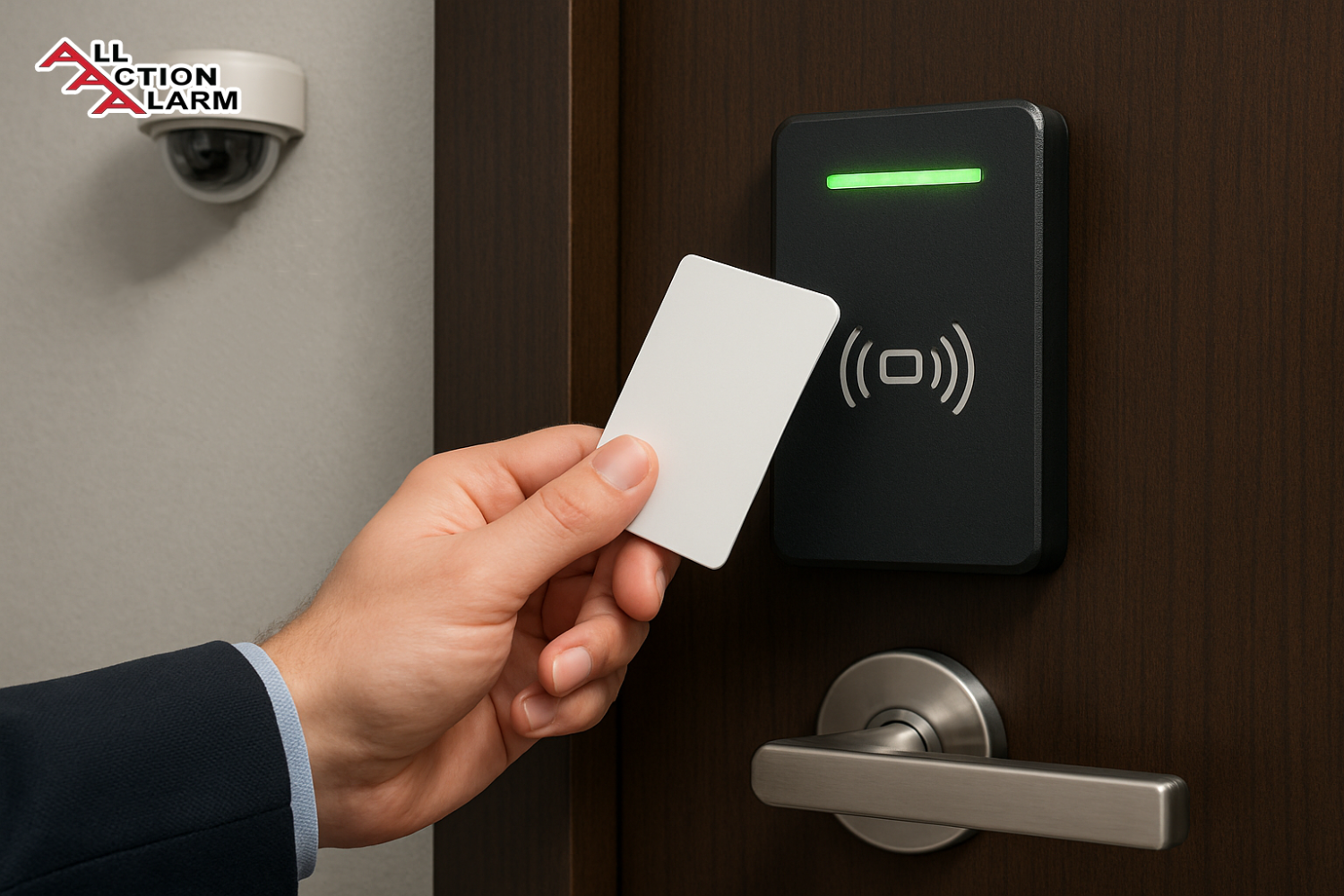
Imagine a building where only the right people can walk through specific doors—no keys, no manual checks, just a simple card swipe. That’s the essence of a security card door access system. These systems use encoded cards to allow or deny entry into secured spaces. Think of them as the modern-day version of a lock and key—but much smarter and far more flexible.
Each user is issued a personalized access card, which may contain a magnetic stripe, RFID chip, or smart chip, depending on the system in place. When the card is presented to a reader device (usually mounted near the door), the system checks if the cardholder is authorized to enter. If yes, the door unlocks electronically for a limited time, allowing entry.
From small offices to sprawling corporate campuses and even government facilities, card access systems are becoming the norm due to their convenience, audit capabilities, and security benefits.
Why Are They So Widely Used Today?
Let’s face it—keys are outdated. Lose a key and you’re rekeying a whole building. Security card systems fix that. Lose a card? Just deactivate it and issue a new one. Easy.
They also offer precise control. You can allow access only during certain hours, to certain floors, or to specific rooms. And with digital logs, you know exactly who accessed what and when—a dream come true for security teams.
Additionally, many organizations are moving toward touchless or contactless environments—especially post-pandemic. Security card systems, particularly those using RFID or mobile credentials, fit this new standard perfectly. They’re efficient, cleaner, and safer.
In essence, these systems offer a level of control, scalability, and convenience that old-school locks simply can’t match. It’s no wonder so many industries are making the switch.
Types of Security Card Access Systems
Magnetic Stripe Cards
These are the classic types you might have seen in older hotels or early access control setups. They have a magnetic stripe on the back, similar to your debit or credit card. When swiped through a reader, the card sends its data for verification.
Pros:
-
Cheap to produce
-
Easy to use
Cons:
-
Wear and tear over time
-
Vulnerable to cloning
-
Require physical contact (not touchless)
Despite their flaws, magnetic stripe cards are still in use today in low-security environments or legacy systems. They’re simple and serve basic access control needs but are gradually being phased out for more advanced options.
Proximity Cards (RFID)
These use radio frequency identification (RFID) technology and are the most common today. You just wave the card near the reader—no need to swipe or touch. These cards typically operate at a frequency of 125 kHz and are known for their convenience and reliability.
Pros:
-
Contactless entry
-
Faster access
-
Less wear and tear
Cons:
-
Still susceptible to cloning with the right tools
-
Limited data capacity compared to smart cards
Because of their balance between cost and security, RFID proximity cards are the go-to option for many businesses and schools.
Smart Cards
These are the advanced cousins of proximity cards. Smart cards contain a microprocessor chip that can store and process data. This means they can carry more complex credentials and support encrypted communication between the card and the reader.
Pros:
-
High security
-
Supports encryption
-
Can be used for multiple functions (access, payments, identity verification)
Cons:
-
More expensive
-
Require compatible readers and software
Smart cards are commonly used in environments where data privacy and security are paramount—like banks, government agencies, and high-tech companies.
Biometric-Integrated Card Systems
Some systems take it up a notch by combining card access with biometrics—like fingerprint scanning or facial recognition. The card grants partial access, but the biometric check seals the deal.
Pros:
-
Maximum security
-
Prevents stolen or shared card misuse
Cons:
-
Higher installation and maintenance costs
-
Potential user resistance to biometric data collection
This combo is typically used in high-risk environments like military bases, labs, or research centers where layered security is non-negotiable.
How Security Card Door Access Systems Work
Components of a Typical Card Access System
To understand how these systems work, you need to know their core components:
-
Access Cards – The key. Carries the unique user credentials.
-
Card Readers – Reads the data from the card and sends it to the controller.
-
Access Control Panel – The brain. Verifies if access should be granted based on the card data.
-
Electronic Door Lock – The muscle. Unlocks the door if the user is verified.
-
Software Platform – Allows administrators to manage users, access levels, and logs.
Together, these components create a seamless security process—from card swipe to door unlock—in a matter of seconds.
Step-by-Step Access Process
Here’s what happens when someone tries to access a secured area:
-
User presents their card to the reader.
-
Reader transmits the card’s data to the control panel.
-
Control panel checks if the card is valid and authorized for that door and time.
-
If approved, the panel signals the door lock to open.
-
The event is logged in the system for tracking.
This entire process is nearly instantaneous, and the system can handle multiple entries across multiple doors without delay.
Role of Software in Card Access Control
Think of the software as the control center. It’s where all user permissions are set, access schedules are created, doors are grouped into zones, and reports are generated.
Admins can:
-
Add or revoke user access
-
Set time-based restrictions
-
Monitor door activity in real-time
-
Generate audit logs for compliance
Modern software platforms even offer remote access via mobile apps or cloud portals, making management easier than ever.
Key Benefits of Using Security Card Access Systems
Enhanced Security
Card access systems provide a significant upgrade from traditional lock-and-key setups. Why? Because you’re not just locking a door—you’re controlling who, when, and where. You can customize access permissions down to the minute, monitor who enters in real-time, and deactivate access with a few clicks.
Lost a card? No need to change the locks—just deactivate it instantly. That alone saves time, money, and hassle.
Plus, modern systems use encryption and multi-factor authentication to prevent hacking or cloning, adding an extra layer of protection.
Access Management & Tracking
One of the most underrated advantages of these systems is the ability to track access. Every card swipe is logged, meaning you know exactly who entered a space and when.
This is a game-changer for:
-
Incident investigations
-
HR accountability
-
Compliance with security audits
It also allows you to set different access levels. For instance, interns can only access shared spaces, while executives can access sensitive areas.
Integration with Other Security Systems
Today’s systems don’t work in silos. Most security card access platforms can integrate with:
-
CCTV cameras
-
Alarm systems
-
Visitor management systems
-
Fire alarm and emergency protocols
For example, if someone tries to access a restricted area, the system can trigger a camera to record the event and send an alert to security staff.
Integrated systems offer a more holistic, automated, and responsive security infrastructure. That’s the kind of intelligence traditional locks can’t compete with.
Industries That Use Security Card Access Systems
Corporate Offices
Corporate environments are among the top users of security card access systems, and for good reason. In today’s competitive landscape, protecting intellectual property, customer data, and employee safety is non-negotiable.
Here’s how corporations benefit:
-
Controlled Access Zones: Only authorized employees can access certain departments like HR, Finance, or IT.
-
Visitor Management: Temporary cards can be issued to guests, allowing limited-time access.
-
Employee Tracking: Attendance can be monitored using access logs, making it easier to manage timekeeping and accountability.
What makes these systems indispensable is their ability to scale. Whether it’s a startup with 20 employees or a multinational with thousands across regions, access systems can be centrally managed. With cloud-based control, a security officer in New York can manage a cardholder in Tokyo with ease.
Another perk is post-pandemic flexibility. As hybrid work models become the norm, companies can adjust access levels remotely—granting or revoking entry as needed without calling in employees.
Educational Institutions
Schools, colleges, and universities are embracing card-based access control not just for security, but for efficiency. These institutions are often open spaces with a mix of students, staff, and visitors—making access control critical.
Common uses include:
-
Dormitory Access: Only residents can enter housing units.
-
Lab Security: Only certain students or staff can enter high-value labs.
-
Cafeteria and Library Use: Access cards can double as payment cards or entry passes.
Most importantly, student safety is a top priority. In the event of an emergency, administrators can instantly lock down buildings or track the last known location of students via access logs. This level of control and information is invaluable during a crisis.
Healthcare Facilities
Hospitals and clinics have a dual responsibility—protecting patients and safeguarding sensitive health information. Security card door access systems provide a seamless solution for both.
Use cases in healthcare:
-
Pharmacy Control: Only licensed professionals can enter medication storage areas.
-
Patient Ward Restriction: Access to ICUs, maternity wards, and isolation units is controlled.
-
HIPAA Compliance: Restricting access to medical records rooms and ensuring audit trails for who viewed what, and when.
The integration of access control with emergency response protocols means healthcare staff can continue functioning effectively during emergencies while still keeping critical zones protected.
Government Buildings
Government facilities are often high-security environments, whether it’s a local DMV or a federal agency. Security card access systems help maintain layers of authorization without slowing down operations.
Here’s what sets their use apart:
-
Multi-Level Security Clearance: Employees are only granted access based on their clearance level.
-
Visitor Vetting: Temporary badges can be tracked and deactivated once expired.
-
System Redundancy: Systems are often backed up and hardened to withstand cyber threats or physical tampering.
In agencies handling sensitive or classified data, card access is often paired with biometrics, ensuring that cards alone cannot be misused even if stolen or lost.
How to Choose the Right System for Your Needs
Evaluating Security Requirements
The first step in choosing the right system is understanding what you’re trying to protect. Are you safeguarding data? Physical equipment? People? Each objective will shape your system.
For example:
-
A retail store may prioritize preventing shoplifting or staff-only area breaches.
-
A data center might need layers of security, including smart cards and two-factor authentication.
-
A school could focus on managing student access to different buildings.
Also consider your risk level. Have there been past incidents? Is the area high-crime or high-value? Use these insights to decide if you need a basic proximity system or an advanced smart card setup.
Understanding Building Layout
The design of your facility impacts system choice significantly. How many entry points are there? Are there zones within the building that need different levels of security?
Other layout considerations:
-
Multiple Doors: You’ll need a system that supports multiple readers and can handle concurrent access requests.
-
Shared Entrances: In multi-tenant buildings, you may require a system that segregates access among different companies.
-
Elevators and Parking: Don’t forget about these areas—they also need access control integration.
Mapping your layout in advance helps you avoid overpaying for features you don’t need or, worse, under-securing critical zones.
Budget Considerations
Access control systems range from a few hundred to tens of thousands of dollars, depending on features. Your budget should include:
-
Hardware Costs: Readers, control panels, access cards, door locks.
-
Software Licensing: Cloud-based vs on-premises software can significantly affect cost.
-
Installation Fees: Depending on complexity and size of the site.
-
Ongoing Maintenance: Regular updates, card replacements, tech support.
A common mistake is focusing too much on upfront costs and ignoring long-term expenses. Cheaper systems may lack the flexibility or support needed for future expansion.
Scalability and Future-Proofing
Your needs today aren’t your needs tomorrow. Make sure the system you choose can grow with your organization.
Look for:
-
Modular Systems: Add readers or doors without redoing the entire system.
-
Cloud Integration: Manage the system remotely and update credentials on the fly.
-
Support for New Technologies: NFC, mobile credentials, biometric upgrades.
Choosing a flexible, scalable solution ensures you’re not replacing your system every few years. It’s an investment—make sure it’s built to last.
Common Challenges and How to Overcome Them
Card Cloning and Theft
One of the biggest risks in card-based systems is the possibility of cloning. Some older cards, especially low-frequency RFID ones, are vulnerable to duplication with tools that are shockingly easy to find online.
How to combat cloning:
-
Use encrypted smart cards – These are much harder to duplicate.
-
Enable two-factor authentication – Combine cards with a PIN or biometric input.
-
Update firmware regularly – Manufacturers often release security patches that help guard against vulnerabilities.
If a card is lost or stolen, the fix is simple: deactivate it immediately via the management software. That’s the power of digital security—instant response without changing locks or disrupting access for others.
Technical Malfunctions
Like any electronic system, card access systems can face glitches. Readers may fail, cards might not scan, or a power outage can disrupt service.
Here’s how to keep things running smoothly:
-
Implement backup power (UPS systems) – Ensure readers and locks work even during blackouts.
-
Regular maintenance checks – Clean readers and inspect hardware at least quarterly.
-
Redundant entry methods – For critical doors, allow a backup access option such as keypads or manual keys.
Training your staff to recognize and report issues early can also prevent small glitches from becoming security holes.
User Mismanagement
What happens when employees share cards? Or when HR forgets to deactivate access for someone who left the company?
These are human problems—and they require a human + system solution:
-
Use personalized cards only – Assign a unique card to each person.
-
Set expiration rules – Make access temporary unless renewed.
-
Automate HR integrations – Link your card system with employee onboarding/offboarding tools.
You can even generate reports to flag inactive cards or track unusual activity—helping security teams stay ahead of potential breaches.
Installation Process and Best Practices
Professional vs DIY Installation
While DIY systems exist and are tempting for small offices, professional installation is recommended for most businesses. Why?
Pros of professional installation:
-
Expert layout planning
-
Secure wiring and reader mounting
-
Integration with fire alarms and emergency systems
DIY kits might be cheaper upfront but can lead to poor coverage or security gaps. If you choose DIY, make sure you follow local codes and consult guides from trusted sources.
Ideal Placement of Readers
Placement matters—a lot. Putting a reader too far from a door confuses users. Putting it near corners can lead to wear-and-tear or misuse.
Best practices include:
-
Mount readers at shoulder height (around 48–52 inches).
-
Keep them on the handle side of the door.
-
Use weather-resistant models for outdoor entry points.
-
Place readers before bottlenecks to reduce congestion during peak hours.
You’ll also want to position card readers so they’re visible but not easily accessible to tampering. Some high-security zones even place secondary readers on the inside to confirm exit logs.
Testing and Troubleshooting Tips
Before rolling out the system company-wide, test it thoroughly. Here’s a quick checklist:
-
Does the door unlock within 1–2 seconds?
-
Are access logs recorded correctly?
-
Can the system detect unauthorized access attempts?
-
Are emergency override features functional?
Simulate real-world use cases—lost cards, unauthorized swipes, power outages—to ensure everything functions as expected.
Post-installation, create a maintenance schedule. Assign someone to test readers monthly, update firmware quarterly, and review access logs weekly.
Maintenance and System Updates
Routine Maintenance Tips
Security systems are only as good as their upkeep. Dusty readers, outdated cards, or loose wiring can all become liabilities.
Make maintenance part of your security routine:
-
Inspect readers monthly – Check for damage, wear, or exposure to the elements.
-
Clean contact surfaces – Especially for magnetic stripe or touch readers.
-
Test door locks – Ensure the locking mechanism engages/disengages smoothly.
It’s also smart to keep extra access cards on hand for replacements or emergencies. Card printers, if you use them in-house, should be cleaned regularly to avoid misprints or encoding errors.
Importance of Software Updates
Your access control software needs just as much love as the hardware. Manufacturers roll out updates to patch security flaws, add features, and improve performance.
Tips for staying up-to-date:
-
Enable automatic updates if supported
-
Schedule downtime for upgrades during off-hours
-
Read changelogs to understand new features or fixes
Failing to update software can leave your system open to exploitation—even if the hardware is top-notch.
Keeping User Access Logs Clean
Access logs can be gold mines of information—or a mess. Clean, organized logs help you:
-
Monitor employee movement
-
Investigate incidents
-
Meet compliance standards
To maintain quality logs:
-
Purge old/inactive user data periodically
-
Tag and label user accounts clearly
-
Use reporting tools to highlight anomalies, such as access outside work hours
Some systems offer automated log archiving and reporting features, which can help security teams stay audit-ready 24/7.
Costs Involved in Implementing Access Card Systems
Initial Setup Costs
When planning your access control system, it’s important to understand the upfront investment. Costs can vary significantly depending on system complexity, number of doors, and card technology.
Typical initial costs include:
-
Card Readers: $150–$600 per unit depending on features (RFID, smart card, biometric combo).
-
Access Cards: $2–$10 per card for RFID; smart cards can cost more.
-
Control Panels: $500–$2,500 based on scalability.
-
Electronic Door Locks: $100–$800 per door.
-
Installation Fees: $500–$5,000 or more depending on the size and complexity of the building.
Don’t forget software licensing or subscription fees, especially if you’re opting for cloud-based systems.
For small offices, a basic system might start around $1,500–$2,500. Larger organizations with multi-door access and integrations can expect to spend tens of thousands.
Ongoing Maintenance and Licensing
While the initial investment is substantial, ongoing costs are equally important to consider.
These may include:
-
Software Subscriptions: $10–$100/month per door (cloud-based systems)
-
Card Replacements: Lost or worn-out cards
-
Hardware Repairs: Locks, readers, control panels
-
Support Services: Optional but recommended for troubleshooting and upgrades
Also, as you expand, adding new doors or users can trigger additional licensing fees. Be sure to choose a system that scales affordably with your growth.
Return on Investment (ROI)
You might wonder, “Is this really worth it?” The answer, in most cases, is yes. The ROI of a well-implemented access control system includes:
-
Reduced Theft or Unauthorized Access
-
Fewer Re-keying Costs
-
Time-Saving on Manual Supervision
-
Improved Emergency Response Capabilities
-
Better Compliance for Audits
Over time, these systems save organizations thousands by preventing incidents, streamlining operations, and reducing liability.
Future Trends in Card Access Technology
Mobile Credentialing and NFC
One of the hottest trends is replacing plastic cards with smartphones. Mobile credentials use NFC (Near Field Communication) or Bluetooth to allow users to unlock doors with a tap or proximity signal.
Benefits include:
-
No physical card required
-
Easier to manage remotely
-
Reduced risk of cloning (data is often encrypted)
Plus, mobile credentials are eco-friendly—no more plastic cards piling up.
Cloud-Based Access Control
Cloud-based systems are revolutionizing access control. These platforms offer:
-
Remote Management: Admins can add or revoke access from anywhere
-
Real-Time Updates: Instantly reflect changes without waiting for on-site syncing
-
Data Backup and Redundancy: Enhanced disaster recovery
Cloud systems also simplify multi-site management, ideal for growing businesses or distributed teams.
AI and Predictive Security Features
Artificial intelligence is beginning to reshape access control. Imagine a system that learns patterns of user behavior and flags anomalies—like someone accessing the building late at night or entering from an unusual location.
AI can also help:
-
Predict access risks
-
Auto-lock doors based on threat detection
-
Integrate facial recognition for added security layers
We’re heading toward a future where access control systems aren’t just reactive—they’re proactive.
Comparison With Other Access Control Systems
Keypad Systems
Keypad entry systems use numeric PINs instead of cards. They’re cheap and easy to install but have major downsides:
-
Codes can be shared
-
No access tracking
-
Security compromised if someone watches you enter a code
While useful for low-risk areas, they lack the flexibility and audit capabilities of card-based systems.
Biometric-Only Systems
Biometric systems like fingerprint or facial scanners provide unmatched individual authentication. However, they can be:
-
Expensive
-
Privacy-sensitive
-
Susceptible to environment issues (wet fingers, poor lighting)
They’re best used in combination with card systems for areas requiring high-security clearance.
Hybrid Access Control Systems
Why choose just one? Hybrid systems combine cards, biometrics, keypads, and mobile credentials. This multi-layered approach gives businesses maximum security and flexibility.
Use case:
-
Card + biometric for data centers
-
Card + PIN for executive offices
-
Mobile-only for general staff access
Hybrids provide redundancy—if one method fails, another picks up the slack.
Case Studies: Real-World Applications
Tech Company Enhancing Data Security
A mid-sized software firm in Austin, Texas, upgraded from magnetic stripe cards to smart cards with biometric integration. Result?
-
70% reduction in unauthorized access attempts
-
Real-time monitoring helped identify internal misuse
-
Helped pass ISO 27001 compliance with ease
They reported better employee confidence in workplace safety and found it easier to onboard new hires.
Hospital Reducing Unauthorized Access
A large metropolitan hospital installed RFID card readers in critical care units. Access was limited to licensed personnel and monitored through cloud software.
Benefits included:
-
Fewer medication theft incidents
-
Improved HIPAA compliance
-
Streamlined shift changes with auto-log of staff movement
Administrators noted that integrating with surveillance cameras gave even better visibility during disputes or emergencies.
Legal and Compliance Aspects
GDPR and Data Privacy
If your business is in the EU or handles data from EU citizens, you must ensure your access control system is GDPR-compliant.
Tips:
-
Store user data securely with encryption
-
Get user consent for storing and processing data
-
Provide transparency about what data is collected and why
Violation of GDPR can result in severe fines—so make privacy a top concern.
Building and Safety Codes
Your card access system must comply with local fire codes and safety regulations. For example:
-
Doors must unlock during fire alarms
-
Emergency exits cannot be fully secured
-
ADA compliance for accessible entry
Work with licensed professionals and consult your local building authority to ensure full compliance.
Final Thoughts
Security card door access systems are no longer optional—they’re essential. Whether you’re running a small business, managing a university, or securing a healthcare facility, these systems offer the control, safety, and efficiency that modern security demands.
From magnetic stripe cards to encrypted smart cards and mobile credentials, the options are diverse and evolving. The key is selecting a system that aligns with your unique needs, budget, and growth plans.
Implement it right, and you’ll gain peace of mind knowing your people, assets, and spaces are secure—24/7.
FAQs
Can card access systems be hacked?
Yes, especially older systems using low-frequency RFID or magnetic stripes. To prevent hacking, choose encrypted smart cards and keep your software updated.
How long do access cards typically last?
Most cards last 2–5 years depending on usage and handling. Proximity and smart cards tend to have longer lifespans than magnetic stripe cards.
Is it possible to deactivate a lost card remotely?
Absolutely. Most modern systems allow admins to deactivate or block cards instantly through cloud or local software.
Are these systems suitable for small businesses?
Yes. Many affordable, scalable options are available specifically designed for small businesses, including cloud-managed systems with mobile apps.
What happens during a power outage?
Critical doors can be equipped with battery backups or fail-safe locks that unlock automatically during outages for safety compliance.
About All Action Alarm: Your Trusted Partner in Home Security Solutions
When it comes to protecting your home and loved ones, there’s no room for compromise. At All Action Alarm, we take home security to the next level by offering top-tier protection with cutting-edge technology and expert monitoring services that you can rely on. As a leader in the security industry, we’re committed to keeping homes and businesses safe, providing peace of mind 24/7.
Check out Home Automation Systems and Get Started with All Action Alarm Today!
Don’t wait for an emergency to take action. Protect your home and family with the best in the business. Call (631) 549-7225 to schedule your consultation, or visit allactionalarm.com to learn more about our services.
Your safety is our top priority.
SOURCES:
https://www.avigilon.com/blog/key-card-entry-systems
https://www.sdmmag.com/articles/104137-access-control-trends-moving-the-market-forward
https://www.grandviewresearch.com/industry-analysis/access-control-market-report
https://www.avigilon.com/blog/access-control-security-trend
https://www.adt.com/business/access-control

 Ca.garcia.s, CC BY-SA 4.0
  Image by
