
Smart Lighting System for Home

- Understanding Smart Video Clips in Home Surveillance - March 5, 2026
- Access Control Installation - March 2, 2026
- Fire Alarm Systems - February 27, 2026
Smart Lighting System for Home
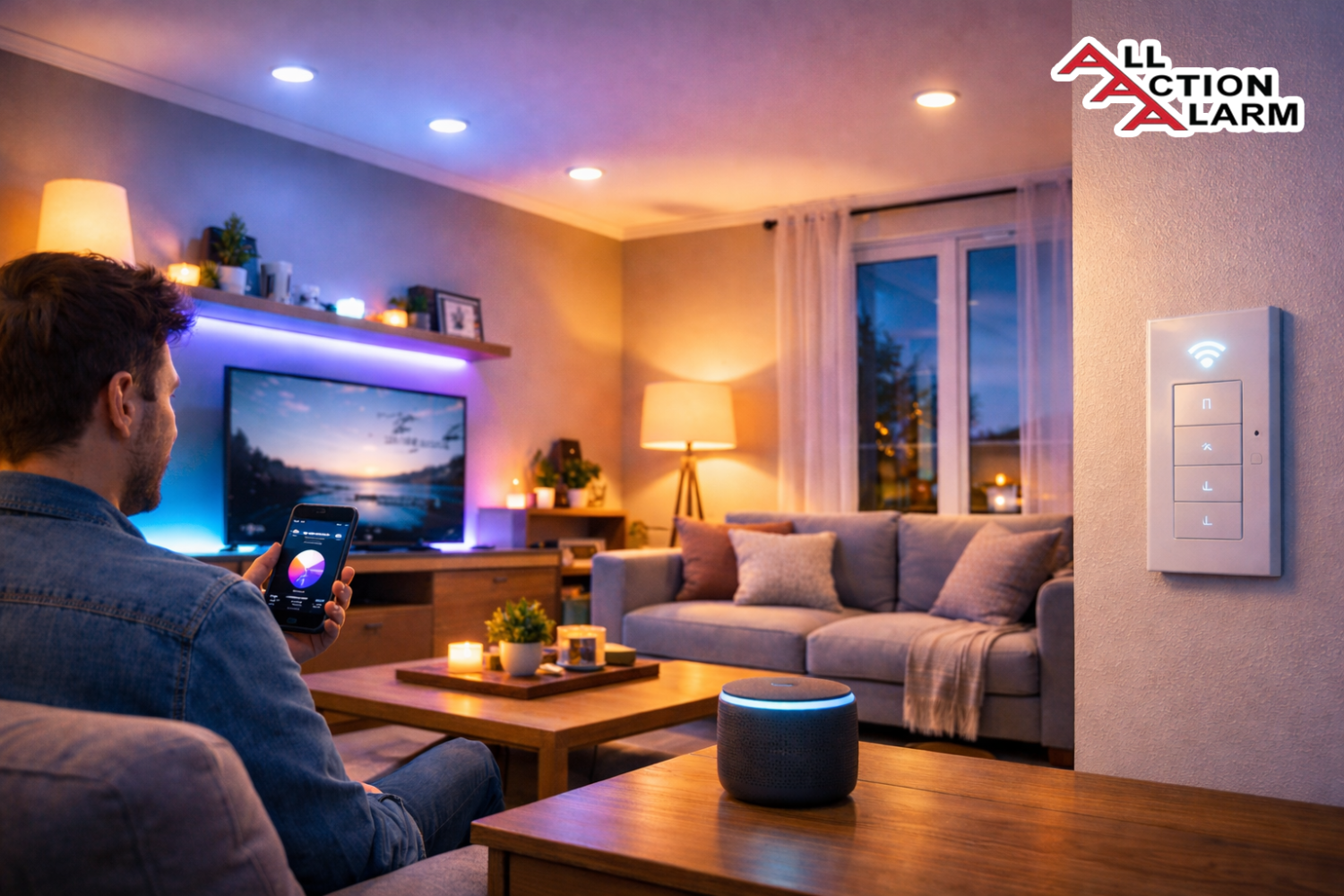
Imagine walking into your home and the lights turn on automatically, adjusting perfectly to your mood or the time of day. No switches, no fumbling around in the dark—just smooth, seamless illumination. That’s the beauty of a smart lighting system for your home. It’s not just about convenience; it’s about creating a personalized environment that responds to your lifestyle.
Smart lighting systems are one of the easiest ways to upgrade your home into a smart one. Whether you’re a tech enthusiast or just someone looking to save on electricity, these systems offer unmatched control and flexibility. With smart bulbs, switches, and even motion sensors, you can tailor your lighting experience like never before.
In this in-depth guide, we’ll explore everything you need to know—from the basics and benefits to installation tips, top brands, and how to make your home brighter, smarter, and more energy-efficient.
What Is a Smart Lighting System?
A smart lighting system is a network of light fixtures and bulbs that you can control remotely via a smartphone app, voice commands, or through automation settings. Unlike traditional lighting, which requires manual switches, smart lights give you the power to adjust brightness, color temperature, scheduling, and even integration with other smart devices.
Smart lights can be as simple as a single bulb connected to Wi-Fi, or as complex as a fully automated network that syncs with your home security system, thermostat, and more. They’re typically powered via Wi-Fi, Bluetooth, Zigbee, or Z-Wave—wireless communication protocols that connect them to your smartphone or smart home hub.
The beauty of smart lighting lies in its versatility. Want your lights to gradually brighten as you wake up? Or dim automatically during your movie night? A smart lighting system makes it happen with minimal effort.
How Does Smart Lighting Work?
At its core, smart lighting relies on wireless communication. Each smart bulb or fixture has a chip that connects it to a network—either directly to your home’s Wi-Fi or to a central hub that communicates with all your devices.
Wireless Connectivity
There are several ways smart lights connect to your home network:
-
Wi-Fi: Most plug-and-play smart bulbs use your home Wi-Fi network to communicate. This is the easiest setup but can strain your bandwidth if you have many devices.
-
Bluetooth: Offers direct control without a hub or internet, but limited to range (around 30 feet).
-
Zigbee/Z-Wave: These are mesh networking protocols. They require a hub, but provide stronger, more reliable connections, especially for larger homes.
Smart Hubs and Voice Assistants
Some systems require a central hub—like the Philips Hue Bridge or Samsung SmartThings—while others work standalone with just your smartphone. Hubs allow for better automation, more device integrations, and quicker response times.
Voice assistants like Amazon Alexa, Google Assistant, or Apple Siri can also control your lights through simple commands like:
-
“Hey Google, turn off the bedroom lights.”
-
“Alexa, set the kitchen lights to warm white.”
Smart lighting systems shine brightest (pun intended) when integrated with your smart home ecosystem.
Benefits of a Smart Lighting System
If you’re wondering whether upgrading your home lighting is worth the investment, here are the top benefits that might change your mind:
Energy Efficiency
Smart lights use LED technology, which consumes far less electricity than traditional incandescent bulbs. Combine that with automation—lights that turn off when you leave a room or dim based on daylight—and you’re looking at noticeable savings on your utility bills.
Plus, most systems track energy usage, helping you understand and reduce your consumption patterns.
Convenience and Automation
Imagine controlling every light in your house without getting off the couch—or better yet, without thinking about it at all. Set your porch light to turn on at sunset. Schedule your living room lights to mimic presence while you’re on vacation. These are small touches that make a huge difference.
Automation isn’t just about scheduling; it’s about context-aware responses. Lights can adjust based on:
-
Time of day
-
Occupancy
-
Natural light levels
-
Personal preferences
Enhanced Home Security
Lighting is a critical part of any home security plan. Smart systems can:
-
Turn on lights when motion is detected.
-
Simulate your presence when you’re away.
-
Sync with security cameras and alarm systems for full-spectrum safety.
You can even receive alerts on your phone if suspicious activity is detected.
Types of Smart Lighting Solutions
Smart lighting isn’t a one-size-fits-all setup. Depending on your budget, preferences, and existing home wiring, you’ve got a few major options to consider. Let’s break them down:
Smart Bulbs
These are the most popular and easiest entry point into smart lighting. Smart bulbs screw into standard sockets but offer a world of features:
-
Adjustable brightness and color (millions of hues or tunable whites)
-
Scheduling and automation
-
Remote control via mobile apps
-
Voice assistant integration
They’re great for renters since no wiring is needed—just swap out the old bulb, connect via app, and you’re good to go. Some popular examples include Philips Hue, LIFX, and Wyze Bulbs.
The downside? If your light switch is off, the smart bulb won’t work. So it’s important to use them in places where you’ll use voice or app control, not traditional switches.
Smart Switches and Dimmers
Smart switches replace your existing wall switches and give you control over any light fixture connected to them—even dumb bulbs. Advantages include:
-
Control multiple lights on a circuit
-
Maintain traditional switch control
-
Great for ceiling lights and fixtures
They require installation (and sometimes a neutral wire), but they’re perfect for homeowners or anyone doing a renovation.
Smart dimmers take it a step further by letting you set the exact light level, enhancing mood and saving energy.
Smart Plugs
Want to control a lamp or string lights without changing bulbs or switches? Plug them into a smart plug. You can:
-
Turn non-smart lamps into smart ones
-
Set timers or schedules
-
Control via voice or app
These are affordable, portable, and super easy to install—just plug in, connect, and start automating.
Top Smart Lighting Brands in 2025
There’s no shortage of smart lighting brands, but here are the standout names in 2025 based on reliability, features, and integration:
Philips Hue
Arguably the king of smart lighting, Philips Hue offers an extensive range of bulbs, light strips, outdoor fixtures, and accessories. Their Hue Bridge allows seamless integration with Alexa, Google Assistant, Apple HomeKit, and Samsung SmartThings.
Pros:
-
Excellent color accuracy and brightness
-
Huge ecosystem
-
Reliable app and software updates
Cons:
-
Higher price point
-
Some features require the hub
LIFX
Known for its hub-free operation, LIFX bulbs connect directly to Wi-Fi and offer vibrant colors and brightness. The app is intuitive, and their Scenes feature makes it easy to personalize lighting.
Pros:
-
No hub required
-
Super bright and colorful
-
Great third-party integrations
Cons:
-
More expensive than basic Wi-Fi bulbs
-
Occasional connectivity hiccups
TP-Link Kasa
For budget-conscious users, TP-Link Kasa offers high-value smart bulbs and plugs. They’re simple, dependable, and easy to use.
Pros:
-
Affordable
-
Works with Alexa and Google Assistant
-
Reliable performance
Cons:
-
Limited color options (for cheaper models)
-
App interface isn’t as sleek
Govee and Other Budget-Friendly Options
Govee has gained popularity with fun, affordable smart lighting—especially light strips and ambience lighting for gaming setups, bedrooms, or behind TVs.
Pros:
-
Extremely affordable
-
Vibrant, colorful lighting
-
Creative effects and music sync
Cons:
-
Doesn’t work with Apple HomeKit
-
Limited ecosystem compared to Hue or LIFX
How to Choose the Right Smart Lighting System
Before you go all-in, it’s smart (pun intended) to evaluate what system fits your home and lifestyle best.
Compatibility with Existing Devices
If you already have smart devices—like Amazon Echo, Google Nest, or Apple HomeKit—choose lighting that integrates easily. For example:
-
Philips Hue for HomeKit users
-
Kasa or Govee for Alexa/Google-only users
Also, check for hub requirements. Some bulbs need a bridge (like Zigbee lights), while others connect directly to Wi-Fi.
Ease of Installation
Ask yourself:
-
Are you comfortable replacing switches or just want a plug-and-play bulb?
-
Do you rent or own your home?
-
Do you have a neutral wire (needed for some switches)?
Your answers will help guide whether to go for smart bulbs, switches, or plugs.
App and Ecosystem Support
Apps matter more than you’d think. A clunky interface can ruin the experience. Look for:
-
Easy grouping of rooms/devices
-
Scene creation and scheduling
-
Integration with other smart devices (thermostats, security, etc.)
Check reviews and screenshots of the app before committing.
Installation Guide: Setting Up Smart Lights at Home
Setting up smart lighting might sound intimidating at first, but it’s actually a smooth process—especially if you go the bulb or plug route. Whether you’re upgrading your whole home or starting in one room, here’s how to get started.
Step-by-Step Setup
-
Choose Your Device Type
Decide whether you want smart bulbs, switches, or plugs. If you’re just testing the waters, start with one smart bulb or a plug-in lamp and expand from there. -
Download the Manufacturer’s App
Each brand—whether it’s Philips Hue, TP-Link Kasa, LIFX, or Govee—has its own mobile app. This app will be your control center for adding, grouping, scheduling, and automating your lights. -
Power On and Connect
Screw in the smart bulb or plug in your smart plug. Most devices will flash or blink when ready to pair. -
Follow In-App Instructions
Open the app and follow the guided setup to connect your device. This usually involves:-
Selecting your Wi-Fi network
-
Naming your light (e.g., “Living Room Lamp”)
-
Adding it to a group or room
-
-
Integrate With Voice Assistant (Optional but Recommended)
Want to use voice commands? Connect the app to Amazon Alexa, Google Assistant, or Apple HomeKit. This usually requires:-
Enabling a skill or integration
-
Logging into your account
-
Discovering new devices
-
-
Create Schedules or Automations
Use the app to automate when lights turn on/off. Examples:-
Wake-up light that gradually brightens at 7 AM
-
Porch light that turns on at sunset
-
-
Test Your Setup
Try turning the lights on/off via your app and voice assistant. Make adjustments as needed.
Common Mistakes to Avoid
-
Skipping the app update: Always update the app and firmware—this can solve connectivity or pairing issues.
-
Wrong Wi-Fi band: Most devices require 2.4GHz Wi-Fi, not 5GHz.
-
Switching off the physical light switch: If you use smart bulbs, always leave the switch on. Otherwise, they’ll lose power and won’t respond to commands.
-
Overloading your Wi-Fi: If you’re installing many Wi-Fi bulbs, your router might get overloaded. In that case, consider Zigbee-based lights with a hub for better performance.
Voice Control and Smart Lighting
Once your smart lights are set up, controlling them with your voice is the most fun—and convenient—part. Whether you’re cooking, watching a movie, or just too comfy in bed, voice commands let you manage your lighting instantly.
Using Alexa, Google Assistant, and Siri
Here’s how voice assistants work with smart lighting:
-
Alexa: You can say “Alexa, turn off the kitchen lights” or “Alexa, dim the living room lights to 40%.” The Alexa app lets you group lights, create routines, and sync devices across brands.
-
Google Assistant: Commands like “Hey Google, turn on the bedroom lamp” or “Hey Google, set reading lights to cool white” work flawlessly. Google Home app is intuitive and great for multi-user households.
-
Siri (Apple HomeKit): Use phrases like “Hey Siri, turn on the hallway light.” Siri integrates beautifully with other Apple devices like iPhone, Apple Watch, and HomePod.
Best Voice Commands for Lighting
Try these commands once your system is connected:
-
“Turn off all the lights.”
-
“Dim the lights to 30%.”
-
“Set the lights to warm white.”
-
“Good morning” to trigger a scene (e.g., bedroom lights on, kitchen lights bright).
-
“Movie time” to activate low, cozy lighting.
You can also create custom routines like:
-
“Dinner time” dims dining lights.
-
“Party mode” changes colors in the living room.
It’s like being the DJ of your own lighting system.
Creating Lighting Schedules and Scenes
Automation is where smart lighting truly shines. By setting up schedules and scenes, you’re not just turning lights on and off—you’re orchestrating an atmosphere that matches your day-to-day life.
Automating Morning and Night Routines
With scheduling, you can have lights behave differently depending on the time of day. For instance:
-
Morning: Lights gradually brighten over 30 minutes to simulate sunrise.
-
Evening: Lights dim automatically to help wind down.
-
Bedtime: All non-essential lights turn off at 11 PM.
You can create custom routines like:
-
“Wake Up”: Bedroom lights on low brightness, kitchen lights bright, bathroom mirror lights on.
-
“Leave Home”: All lights off except porch lights.
This doesn’t just add convenience—it supports better sleep hygiene and productivity.
Mood Lighting for Different Activities
You can also create scenes based on activities or moods. For example:
-
Reading: Warm white light focused in a reading nook.
-
Relaxation: Dimmed, amber lighting in the living room.
-
Dinner Time: Low, intimate lighting over the dining table.
-
Workout: Bright white lighting in your home gym.
-
Party: Color-changing lights synced to music.
Most apps let you save and name these scenes. You can trigger them manually, via voice, or as part of a routine.
Smart lighting is no longer about “light” alone—it’s a lifestyle enhancer.
Smart Lighting for Home Security
Security might not be the first thing that comes to mind when thinking of smart lighting—but it’s one of its biggest advantages. A well-planned smart lighting system adds an invisible layer of protection that can deter intruders and give you peace of mind when you’re not home.
Simulating Presence While Away
One of the oldest tricks in the book to prevent break-ins is making it look like someone’s home—even when they’re not. Smart lighting takes this concept to the next level with randomized lighting routines and scheduling.
Features like “Away Mode” or “Vacation Mode” found in apps like Philips Hue or TP-Link Kasa automatically turn lights on and off in different rooms, mimicking natural human behavior. This makes it much harder for would-be intruders to tell whether a house is empty.
You can also set:
-
Bedroom lights to turn on in the evening
-
Porch and hallway lights to activate at sunset
-
Kitchen or living room lights to come on for a few hours in the evening
All of this can happen without you touching a single switch.
Motion-Activated Lighting
Another powerful security tool is motion detection. Many smart outdoor lights, and even some indoor ones, can detect movement and respond instantly. You can:
-
Light up the driveway when someone walks up
-
Trigger all outdoor lights if motion is detected in the backyard
-
Send push notifications to your phone when activity is detected
These features can be integrated with other devices too. For example:
-
When a motion sensor detects movement, it can trigger smart cameras to start recording
-
Door sensors can turn on entryway lights when opened
This integration turns your home into a smart fortress—quietly and efficiently deterring intruders without the need for loud alarms or expensive systems.
Smart Outdoor Lighting Options
Don’t limit smart lighting to your interior. The outside of your home deserves the same tech-savvy treatment. Smart outdoor lights not only make your house look amazing but also boost curb appeal and security.
Weatherproof and Durable Picks
Outdoor smart lighting needs to be rugged and weather-resistant. Look for IP65 or higher ratings to ensure protection from rain, dust, and snow.
Popular options include:
-
Philips Hue Outdoor Range: Includes wall lights, pathway lights, and floodlights—all controllable via the Hue app.
-
Ring Floodlight Cam: Combines smart lighting with motion detection and video surveillance.
-
TP-Link Kasa Smart Outdoor Plug: Great for controlling holiday lights or garden features.
These lights can be automated to:
-
Turn on at sunset and off at sunrise
-
Respond to motion or activity
-
Sync with your indoor lights for coordinated lighting themes
Garden and Driveway Lighting Ideas
Smart lighting isn’t just functional—it can be artistic too. Use it to:
-
Highlight landscaping: Accent lighting can bring trees, shrubs, and garden beds to life at night.
-
Illuminate walkways: Avoid trip hazards and guide guests safely with low-voltage path lights.
-
Set the mood for outdoor entertaining: Use string lights or color-changing bulbs to create a cozy or festive vibe on your patio or deck.
The ability to control these lights from your phone—or set them to run on a schedule—means your outdoor spaces will always be inviting, safe, and Instagram-worthy.
Cost Breakdown: Is Smart Lighting Worth It?
Let’s talk dollars. One of the most common concerns about smart lighting is cost. While the upfront investment is higher than regular bulbs or switches, the long-term benefits often outweigh the price tag.
Initial Investment vs Long-Term Savings
Here’s a rough estimate of costs:
| Product Type | Average Cost (Per Unit) | Lifespan | Energy Efficiency |
|---|---|---|---|
| Smart LED Bulb | $15–$50 | 15,000+ hrs | High |
| Smart Switch | $25–$60 | 10+ years | Very High |
| Smart Plug | $10–$25 | 10+ years | Depends on device |
| Hub (if needed) | $40–$70 | One-time | N/A |
Now factor in energy savings. Smart LEDs consume up to 80% less power than incandescent bulbs and can significantly reduce your electricity bill—especially with features like:
-
Motion-activated lights
-
Timers and schedules
-
Dimming capabilities
You’ll also replace bulbs less often, saving money over time.
DIY vs Professional Installation
Most smart bulbs and plugs are DIY-friendly. If you’re handy with basic wiring, smart switches aren’t too hard either. However, if you’re dealing with older wiring, multiple switch circuits, or whole-home setups, a professional might be worth the investment.
Pros of DIY:
-
Cheaper
-
Faster setup
-
More control
Pros of Pro Installation:
-
Cleaner finish
-
Proper integration with electrical panel or smart hub
-
Peace of mind for complex installations
If you’re doing a full remodel or upgrading your breaker panel anyway, definitely consider integrating smart lighting throughout.
Even the smartest lighting systems can act up now and then. Maybe your bulb won’t connect, your lights are unresponsive, or your app refuses to update. Don’t worry—these hiccups are common and usually easy to fix. Here’s how to troubleshoot the most frequent smart lighting problems like a pro.
Connectivity Problems
This is the most reported issue across all brands. If your lights are not responding, laggy, or completely disconnected, try the following:
-
Check your Wi-Fi connection
Most smart bulbs need a strong 2.4GHz Wi-Fi signal. Many newer routers use dual-band technology (2.4GHz and 5GHz). Make sure your device isn’t trying to connect over 5GHz. -
Reboot your router and device
A simple power cycle fixes many problems. Unplug your router for 10 seconds, plug it back in, and wait for your internet to fully restore before reconnecting your lights. -
Reduce Wi-Fi congestion
If you have dozens of connected devices, your router may be overwhelmed. Use Zigbee or Z-Wave bulbs with a hub to relieve your network, or upgrade to a mesh router system. -
Check for interference
Microwaves, thick walls, or cordless phones can mess with signals. Try relocating your smart hub or router to improve range and reliability.
Firmware and App Glitches
-
Update your app and firmware
Manufacturers regularly release updates to fix bugs and improve performance. Always run the latest versions of both the mobile app and bulb/switch firmware. -
Reinstall the app
If the app keeps crashing or showing incorrect statuses, uninstall and reinstall it. This often clears up corrupted settings. -
Factory reset your bulbs or switches
Still having issues? Most smart bulbs have a reset method (e.g., turning the light off and on several times quickly). Refer to the manufacturer’s guide for exact steps.
Scene or Routine Not Working
-
Double-check time zones
If automations are triggering at weird times, your time zone setting in the app may be off. -
Ensure lights are online
Scenes won’t run if devices are offline. Check device status in the app. -
Test automation manually
Run the routine manually first. If it fails, recreate the scene from scratch—it may be a corrupted trigger.
Smart lighting problems can be frustrating, but most are minor and easy to fix once you know what to look for. Don’t give up—your perfectly automated home is just a few taps away.
The Future of Smart Lighting in Homes
Smart lighting has already transformed how we interact with our homes, but the future promises even more exciting advancements. Think beyond timers and voice control—imagine lighting that knows your mood, adapts in real time, and even improves your health.
AI Integration and Learning Preferences
Future smart lighting systems will integrate more deeply with AI assistants and use machine learning to predict and respond to your habits automatically. Your system might notice:
-
You dim the lights at 9 PM every night — and start doing it for you.
-
You prefer cool white in the morning and warm in the evening — and adapt accordingly.
-
You watch movies on Friday nights — and automatically trigger “cinema mode.”
These systems will become more intuitive, removing the need for manual input altogether.
Sustainability and Green Technology
Smart lighting also has a big role to play in the green tech revolution. In the coming years, expect innovations like:
-
Self-powered smart switches (no batteries or wires needed)
-
Integration with solar energy systems
-
Carbon footprint tracking in lighting apps
There’s a strong push toward reducing energy waste, and smart lighting will lead the charge with smarter sensors, more efficient LEDs, and adaptive brightness that adjusts to daylight levels.
Imagine homes that aren’t just smart, but eco-smart—automatically reducing power usage without sacrificing comfort.
Conclusion
Smart lighting systems are more than just a modern convenience—they’re a total lifestyle upgrade. From customizing ambiance and increasing security to saving money and energy, these systems are redefining how we light our homes. Whether you’re just getting started with a single bulb or planning a whole-home automation setup, there’s a smart lighting solution for every budget and need.
Yes, there’s a bit of a learning curve. Yes, the initial costs are higher than regular lights. But once you experience the magic of lights that respond to your voice, schedule, or mood—it’s hard to go back.
So if you’re still on the fence, here’s your sign: take the first step. Swap out a single bulb, try a routine, and get a taste of what a truly intelligent home feels like.
You won’t regret it.
FAQs
1. Can smart lighting help reduce my energy bill?
Absolutely. Smart lighting systems use LED bulbs that consume significantly less energy than traditional incandescent or fluorescent ones. With features like auto-off timers, motion sensors, and dimming, you can easily reduce unnecessary usage and cut down your electricity bills.
2. Do I need Wi-Fi for smart lighting to work?
Most smart lighting systems require Wi-Fi to function, especially those that use mobile apps for control. However, some options use Bluetooth or Zigbee, which don’t need direct internet but may require a hub or bridge.
3. What’s the difference between smart bulbs and smart switches?
Smart bulbs are installed in regular sockets and are controlled individually. Smart switches replace your existing wall switches and control any connected lights, smart or not. Switches are great for rooms with multiple bulbs or built-in lighting fixtures.
4. Can I control smart lighting when I’m not at home?
Yes, with Wi-Fi-enabled systems or those connected to a hub, you can control your lighting remotely using your smartphone—whether you’re at work, on vacation, or anywhere with an internet connection.
5. Is smart lighting safe from hacking?
While smart lights are generally safe, any internet-connected device carries some risk. To stay protected:
-
Use strong passwords
-
Keep your apps and firmware updated
-
Avoid using public Wi-Fi to control your home system
Choosing reputable brands with strong security protocols is also a smart move.
About All Action Alarm: Your Trusted Partner in Home Security Solutions
When it comes to protecting your home and loved ones, there’s no room for compromise. At All Action Alarm, we take home security to the next level by offering top-tier protection with cutting-edge technology and expert monitoring services that you can rely on. As a leader in the security industry, we’re committed to keeping homes and businesses safe, providing peace of mind 24/7.
Check out Home Automation Systems and Get Started with All Action Alarm Today!
Don’t wait for an emergency to take action. Protect your home and family with the best in the business. Call (631) 549-7225 to schedule your consultation, or visit allactionalarm.com to learn more about our services.
Your safety is our top priority.
SOURCES:
https://www.tp-link.com/us/kasa-smart/
https://www.amazon.com/alexa-smart-home/
https://store.google.com/us/category/google_nest


 Ca.garcia.s, CC BY-SA 4.0
