
Swipe Card Door Access Control Systems: A Complete Guide

- Understanding Smart Video Clips in Home Surveillance - March 5, 2026
- Access Control Installation - March 2, 2026
- Fire Alarm Systems - February 27, 2026
Security is no longer optional—it’s essential. Whether you’re managing a corporate office, a hospital, or a university, controlling who comes in and out of your premises is critical. One of the most efficient ways to do this is through swipe card door access control systems. In this guide, we’ll walk you through everything you need to know about swipe card systems—from how they work to their pros, cons, and future trends.
So, if you’re looking to improve your security, streamline employee access, or simply explore better building control methods, this is the ultimate deep dive you’ve been looking for.
Introduction to Swipe Card Access Control
What is a Swipe Card Door Access Control System?
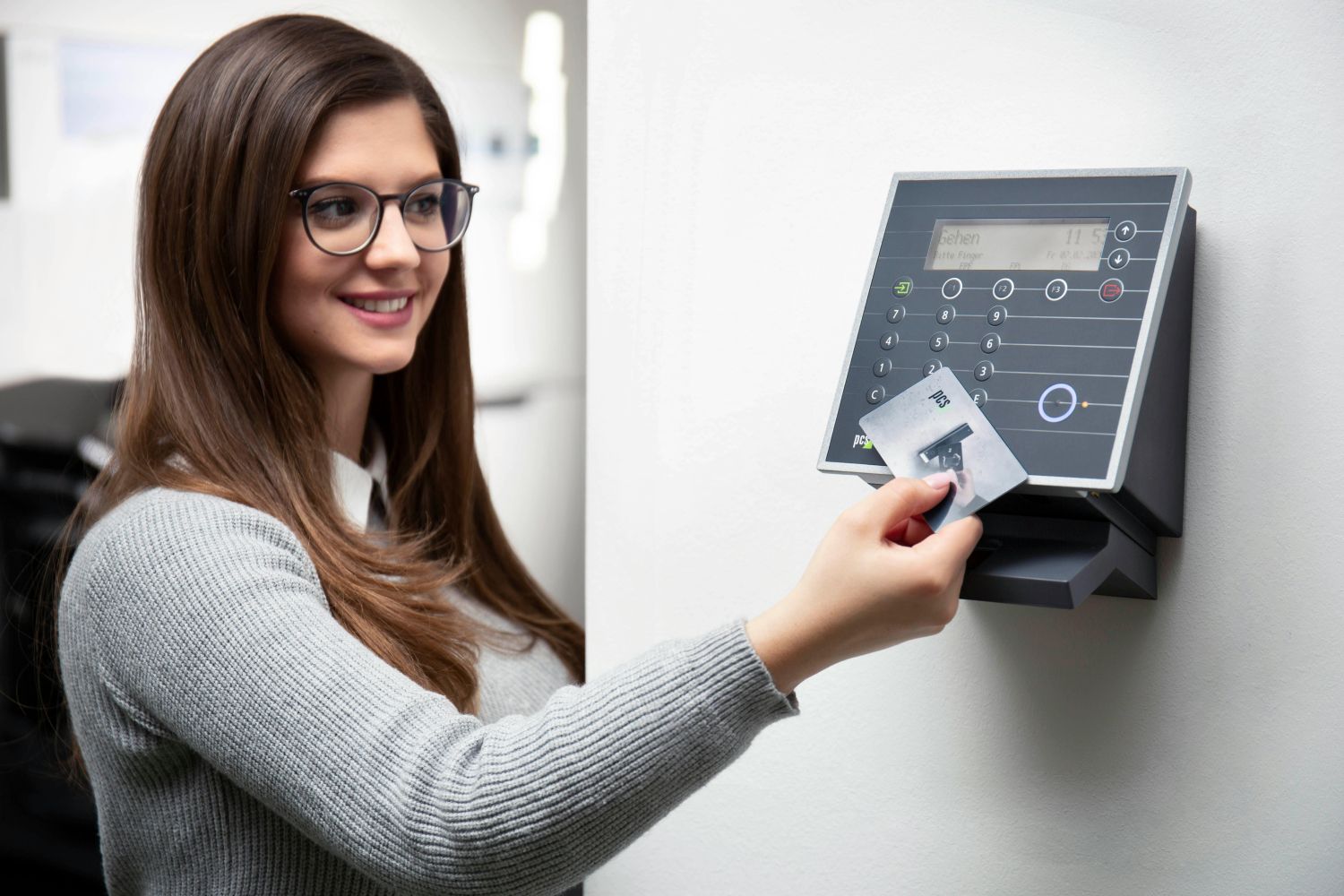
At its core, a swipe card access control system is a method of restricting entry to a building or area using magnetically encoded cards. These cards, also called magnetic stripe cards, store information that is read by a card reader when the card is swiped. If the credentials match the system’s permissions, access is granted. If not, the door stays locked.
Unlike traditional keys, swipe cards offer digital flexibility. You can grant or revoke access in real time, monitor who entered and when, and set different levels of access depending on roles within your organization.
Swipe cards are used across a wide range of industries—from office buildings and schools to hospitals and hotels. They’ve become a staple in physical security systems, not only because they’re easy to use, but also because they integrate well with broader security infrastructure.
Importance of Access Control in Modern Security
In today’s world, relying on just a lock and key is outdated and risky. Keys can be duplicated, lost, or stolen. Worse, they don’t provide any record of who accessed a door or when. This is where access control systems step in.
Swipe card systems help organizations maintain tighter control over their physical spaces. With detailed access logs, administrators can trace activity in real time and after the fact. This can be vital in cases of theft, data breaches, or unauthorized access attempts.
Moreover, in industries dealing with sensitive data or hazardous environments—like healthcare or manufacturing—access control isn’t just a convenience. It’s a legal and safety requirement.
When combined with other systems like surveillance cameras, alarms, and time-tracking tools, swipe card systems become part of a comprehensive security solution. They enable centralized control over your property, provide peace of mind, and offer the ability to scale as your organization grows.
How Swipe Card Access Systems Work
Components of a Swipe Card System
A typical swipe card access system is made up of several core components:
-
Swipe Cards: Usually the size of a credit card, these contain a magnetic stripe that stores user credentials.
-
Card Reader: Installed near entry points. This device reads the magnetic data when a card is swiped.
-
Control Panel: Acts as the “brain” of the system. It compares the card’s data to its internal database and decides whether to unlock the door.
-
Electronic Door Lock: When the control panel verifies the swipe card, it sends a signal to the door lock to grant access.
-
Access Management Software: Allows administrators to manage user credentials, set permissions, generate reports, and integrate with other systems.
These components work together seamlessly to create an efficient access ecosystem that can scale with your organization’s needs.
The Role of Magnetic Stripe Cards in Access Control
Magnetic stripe cards are embedded with a strip made of tiny iron-based magnetic particles. When swiped through a reader, the reader detects changes in magnetism that translate into digital data. This data is then authenticated against a system database.
There are typically three tracks on the magnetic stripe, but most access control systems use only one or two. One major advantage of magnetic stripe cards is their affordability—they’re cheap to produce and replace.
However, they do wear out over time. The magnetic stripe can degrade or become demagnetized, especially if exposed to magnets or frequent friction. This is one of the reasons many businesses eventually upgrade to contactless or RFID-based systems.
Reader and Control Panel Interaction
Here’s a simplified step-by-step breakdown of how the system works:
-
Card Swipe: An employee swipes their card through the reader.
-
Data Read: The reader captures the card’s encoded data.
-
Data Transfer: The reader sends this data to the control panel.
-
Authorization Check: The control panel checks whether this card ID has access to the specific door at that specific time.
-
Access Decision: If approved, the door lock disengages. If not, the door stays locked, and the attempt is logged.
The entire process takes just a second or two but involves sophisticated behind-the-scenes coordination.
Types of Swipe Card Systems
Standalone Swipe Card Systems
Standalone systems are exactly what they sound like—independent systems that manage access for a single door or location. These systems don’t require network integration and are best suited for small businesses or single-room access.
Advantages of standalone systems include:
-
Lower cost
-
Simple installation
-
No need for complex IT infrastructure
But the drawbacks are significant too:
-
No centralized control
-
Difficult to manage access for larger teams
-
No remote access or tracking
Standalone systems are great for storage rooms, server rooms, or any area that needs basic, local-level access control without full building integration.
Networked or IP-Based Systems
Networked swipe card systems are connected to a central server or cloud platform. This allows admins to manage access rights, monitor activity, and generate reports—all from a centralized dashboard.
These systems are ideal for larger organizations because they offer:
-
Centralized control of multiple doors and buildings
-
Real-time monitoring and alerts
-
Integration with HR and security systems
-
Remote access and management
However, they do require more complex infrastructure, including network setup, software management, and often professional installation.
Benefits of Swipe Card Access Control Systems
Enhanced Security and Monitoring
Security is the most obvious benefit of using swipe card access control systems. Traditional keys can be copied, lost, or stolen—and if a key falls into the wrong hands, it’s impossible to track who used it. Swipe cards, on the other hand, are digital keys that leave behind a footprint.
Every time someone uses a swipe card, the system logs the activity—date, time, and location. This audit trail helps security teams monitor usage patterns and detect unusual behavior, such as after-hours entries or repeated failed access attempts.
Plus, swipe cards are easy to deactivate if they’re lost or stolen. You don’t need to replace an entire lock—just remove the card’s permissions from the system. This instant control adds a layer of safety, especially in sensitive environments like labs, data centers, or secure government buildings.
Swipe systems also work well in emergencies. Integrated with fire alarms or lockdown protocols, the doors can automatically unlock or lock based on the situation, ensuring safety and compliance with local regulations.
Customization and User Access Levels
Not all employees need access to all areas. A swipe card system lets you create customized user roles. For example:
-
General employees may access the front door and shared office spaces.
-
IT staff can have additional access to server rooms.
-
Executives may be allowed into high-security zones like financial records or confidential boardrooms.
You can also set time-based restrictions. Maybe cleaning staff should only access certain doors after 6 PM. Or interns should only be allowed in during business hours. Swipe card systems give you that level of precision.
Even better, you can update or revoke permissions in seconds through centralized software. No need to reissue cards—just adjust the settings from your admin dashboard.
This flexibility makes swipe card systems perfect for businesses that experience staff turnover, seasonal workers, or shifting internal roles.
Cost-Effectiveness and Scalability
Swipe card systems are relatively affordable compared to high-end biometric or facial recognition systems. While magnetic stripe cards do wear out over time, they are cheap to replace—often costing less than a dollar per card.
Installation costs can vary, but compared to other digital systems, swipe card setups are usually on the lower end. And because they’re modular, you can expand the system as your organization grows—add more doors, more users, and integrate with other platforms.
Long term, swipe systems also reduce the cost of lost keys, rekeying locks, and manual tracking. When properly maintained, they provide a reliable, cost-efficient way to secure your property while offering powerful administrative tools.
Limitations and Challenges
Physical Wear and Tear of Cards
One of the most common issues with swipe card systems is the durability of the cards themselves. Since they require physical swiping, the magnetic stripe gradually deteriorates due to friction. This leads to failed swipes, employee frustration, and increased replacement needs.
Additionally, these cards are vulnerable to magnetic interference. Storing them near magnets or electronic devices can erase the stored data, rendering the card useless. Over time, this becomes an operational headache—especially in organizations with a large number of employees or frequent visitors.
Also, the readers themselves aren’t immune to wear and tear. Dust, dirt, or improper swiping techniques can reduce the lifespan of the readers, requiring periodic cleaning or replacement.
Risk of Unauthorized Access via Lost or Stolen Cards
Another major concern is the security loophole caused by misplaced or stolen cards. If someone finds or steals a valid swipe card, they can potentially gain unauthorized access—especially if the organization doesn’t notice or deactivate the card quickly.
This risk increases in environments with poor administrative controls or where cards aren’t routinely audited. Unlike biometric systems, which tie access to a unique physical trait, swipe cards don’t inherently verify the person using them.
While access logs can help detect unusual activity, damage might already be done by the time it’s noticed. Therefore, it’s crucial to pair swipe card systems with monitoring tools, security cameras, or two-factor authentication in high-security areas.
Technology Obsolescence
Technology is evolving rapidly, and swipe card systems—particularly magnetic stripe types—are gradually becoming outdated. Many organizations are shifting to RFID, NFC, or biometric-based systems that offer contactless convenience and more advanced security features.
Moreover, software and hardware for swipe card systems might not always keep pace with cybersecurity demands. Legacy systems might lack the encryption or cloud capabilities found in newer setups, increasing vulnerability to hacking or breaches.
That said, for many businesses, the affordability and simplicity of swipe cards still make them a viable option—especially when paired with good security practices and modern software upgrades.
Installation and Setup
Choosing the Right Access Control System
Before you dive into installation, you need to evaluate your security goals, building layout, and budget. Ask yourself:
-
How many doors need to be secured?
-
How many users will access the system?
-
Will it be a standalone system or part of a network?
-
Do you need real-time monitoring or cloud-based access?
For small offices, a basic standalone swipe system may be enough. But for larger businesses or multi-building campuses, you’ll likely need a centralized, networked solution.
It’s also important to consider scalability. Your system should grow with your needs, supporting future integrations like mobile access, remote control, or visitor management.
Steps to Install a Swipe Card Access System
Installation generally involves these steps:
-
Site Survey and Planning: Map out which doors need to be secured and how the wiring will run. Assess power sources, internet access (if needed), and control panel placement.
-
Hardware Installation: Mount the card readers near entry points and install electronic locks on doors.
-
Control Panel Setup: Connect all readers and locks to the central control panel.
-
Software Configuration: Install the access control software on a local server or cloud platform. Configure user profiles, permissions, and time zones.
-
Card Issuance: Distribute swipe cards to employees and link each one to individual user profiles in the system.
-
Testing: Perform test runs to ensure the system works properly and logs all activity accurately.
-
Training: Train administrators and users on how to use the system correctly.
Professional vs. DIY Installation
If you’re tech-savvy and working with a small property, a DIY installation might work. Many manufacturers sell swipe card kits that include readers, locks, and instructions.
However, for anything more complex—multi-door access, network integration, or compliance requirements—a professional installer is recommended. They’ll ensure proper wiring, optimal reader placement, software security, and future-proof configurations.
Investing in professional setup can also reduce troubleshooting headaches later, ensuring smooth operations from day one.
Integration with Other Security Systems
CCTV and Surveillance Integration
Swipe card systems alone don’t deter intruders—they only restrict access. But when integrated with CCTV, they become significantly more powerful. Every time a card is swiped, the camera can record the user, adding a visual verification layer.
This integration allows security teams to:
-
Verify the person using the card matches the authorized user.
-
Monitor access attempts in real time.
-
Investigate incidents with timestamped footage.
Some advanced systems even offer event-based recording, where cameras automatically focus on the door when a card is swiped, saving storage space and improving incident response.
Alarm and Emergency System Compatibility
Swipe card systems can also connect to alarms and emergency response systems. For instance:
-
If a door is forced open without swiping a card, an alarm is triggered.
-
In case of fire or lockdown, doors can automatically unlock or lock as per emergency protocols.
This ensures compliance with building codes and improves safety during critical situations. Integration with panic buttons or duress alarms also enhances protection for staff working in isolated or high-risk environments.
Smart Building and IoT Connectivity
Modern office buildings are becoming smarter—and swipe card systems can be part of that transformation. Through IoT (Internet of Things) integration, swipe card systems can trigger other smart actions:
-
Turn on lights when a room is accessed.
-
Adjust HVAC settings based on occupancy.
-
Update attendance records or employee logins.
With APIs and cloud platforms, these systems can talk to everything from lighting to scheduling software, transforming swipe cards into tools for productivity, not just security.
Cost Considerations
Initial Setup Costs
When implementing a swipe card door access control system, the initial investment can vary widely depending on the scale and complexity of the setup. For small offices or single-door installations, basic systems can cost between $300 to $1,000, including a reader, control panel, electronic lock, and a limited number of cards.
However, for larger buildings or businesses requiring multi-door access, networked integration, and software licenses, the price can escalate to $5,000 to $20,000 or more. Additional costs may include:
-
Control servers
-
Backup power supplies
-
Cables and wiring
-
Access management software licenses
Customizing user roles, creating a secure database, and setting up remote access capabilities also add to upfront expenses, especially if professional services are used.
Maintenance and Replacement Expenses
One of the ongoing expenses with swipe card systems is the replacement of worn-out cards. On average, magnetic stripe cards need replacement every 12–24 months due to wear and tear. Although each card only costs $0.50 to $2, the costs add up in large organizations.
Reader devices and electronic door locks may also need periodic maintenance or replacement every 3–5 years, depending on usage and environmental factors.
Software maintenance is another crucial factor. Many vendors charge annual fees for software updates, cloud hosting, or support services. This might range from $100 to $500 per year per door, depending on the level of service.
Regular system audits, firmware updates, and battery replacements (in wireless locks) also contribute to operational expenses.
Cost Comparison with Other Access Control Systems
Let’s break down the cost comparison of swipe card systems versus other common access control technologies:
| System Type | Initial Cost | Card/Device Cost | Maintenance | Security Level |
|---|---|---|---|---|
| Swipe Card System | Low | Low | Moderate | Medium |
| RFID/NFC System | Medium | Low-Medium | Low | Medium-High |
| Biometric System | High | None (no cards) | High (sensor upkeep) | High |
| Keypad Entry | Low | None | Low | Low-Medium |
Swipe card systems sit in the sweet spot for many businesses—they’re affordable, easy to manage, and provide decent security when used properly.
Industries That Use Swipe Card Access Systems
Commercial Buildings and Offices
In the commercial sector, swipe card systems are practically standard. Office buildings use them to secure:
-
Entrances and exits
-
Server and data rooms
-
Executive floors
-
Conference or boardrooms
Businesses value the ability to control access at scale, monitor time logs for compliance, and manage employees across departments. They also use access logs for attendance tracking, time billing, and HR documentation.
Moreover, integrating access control with lighting and climate control enhances workplace efficiency—an essential feature for modern “smart offices.”
Educational Institutions
Schools, colleges, and universities face unique challenges when it comes to access control. They need to secure:
-
Dormitories
-
Laboratories
-
Libraries
-
Administrative offices
Swipe card systems help manage student, faculty, and guest access in real time. They’re also useful for:
-
Tracking attendance
-
Managing visitor entry
-
Issuing temporary cards to guests or substitute teachers
Some institutions even integrate meal plans, library usage, and transportation access into the same swipe card system, giving students a one-card-for-all experience.
Healthcare Facilities and Hospitals
Hospitals and healthcare centers require heightened security due to sensitive patient data, expensive equipment, and pharmaceuticals.
Swipe card systems are used to secure:
-
Patient wards
-
Medical storage rooms
-
Staff-only areas
-
Laboratories and operating rooms
In addition to regulating access, swipe systems help maintain compliance with HIPAA, OSHA, and other healthcare regulations. Access logs provide valuable records during audits or investigations.
Swipe cards also play a role in time-sensitive emergencies—ensuring that only authorized staff can access critical areas swiftly and safely.
Swipe Card vs Other Access Control Systems
Swipe Cards vs Keypad Entry
Keypad entry systems require users to input a numerical code to gain access. They are simple and cost-effective but come with serious security drawbacks:
-
PINs can be shared or guessed.
-
No user-specific tracking unless integrated with unique codes per user.
-
Codes need to be changed frequently for security.
Swipe cards, on the other hand:
-
Provide individual access credentials
-
Allow for access logs and audits
-
Are easier to manage remotely
Overall, swipe cards are more secure and scalable than basic keypad systems, though keypad systems may work well in smaller settings with fewer users.
Swipe Cards vs RFID/NFC Systems
RFID (Radio-Frequency Identification) and NFC (Near Field Communication) systems are contactless alternatives to swipe cards. Instead of swiping, users simply tap or wave their card near a reader.
Pros of RFID/NFC:
-
No physical contact = less wear and tear
-
Faster access time
-
Better for high-traffic environments
However, RFID cards tend to cost more, and the readers are more expensive to install. Despite that, they’re becoming the industry standard due to convenience and durability.
Swipe cards still have a cost advantage, making them appealing for budget-conscious organizations.
Swipe Cards vs Biometric Access Control
Biometric systems use physical characteristics—like fingerprints, facial recognition, or iris scans—for identity verification.
They offer superior security and eliminate the problem of lost or shared credentials. However:
-
They are expensive to install and maintain.
-
Biometric readers can malfunction or be affected by environmental factors.
-
Privacy concerns exist regarding biometric data storage.
Swipe cards provide a balance between cost and control. While not as secure as biometrics, they’re more than adequate for most business use cases and easier to implement at scale.
Security Best Practices
Regular Card and System Audits
Don’t treat your swipe card system as a “set it and forget it” solution. Regular audits are essential for maintaining security and efficiency.
-
Review who has access to what.
-
Deactivate cards for former employees immediately.
-
Check logs for unusual access attempts or patterns.
Schedule monthly or quarterly audits to ensure compliance, especially in regulated industries.
Employee Training and Access Protocols
Your system is only as secure as the people using it. Train your staff to:
-
Report lost or stolen cards immediately
-
Never share their swipe cards
-
Follow access protocols strictly
Consider using short refresher training sessions or digital signage near entry points to remind users of best practices.
Clear policies create a security-first culture and reduce vulnerabilities.
Updating Software and Firmware
Outdated software can expose your access control system to hackers or malfunctions. Always:
-
Install updates and patches as soon as they’re available
-
Upgrade your firmware to prevent compatibility issues
-
Use encrypted communication if managing the system remotely
Modern swipe systems often include automatic updates—make sure they’re enabled and monitored regularly.
Future Trends in Swipe Card Technology
Transition to Contactless Smart Cards
While traditional swipe cards are still widely used, the future is undeniably shifting toward contactless smart cards. These cards combine the familiarity of swipe access with the enhanced durability and convenience of RFID or NFC technologies.
Unlike magnetic stripes, contactless cards don’t require physical contact with a reader. Instead, they communicate via radio signals when held near a compatible reader. This reduces wear and tear, speeds up entry, and provides a more hygienic access solution—especially relevant in post-pandemic workplaces.
Smart cards also support multi-application features, such as:
-
Parking access
-
Cafeteria payments
-
Public transport passes
-
Time tracking
Businesses are increasingly embracing these all-in-one cards to reduce card clutter and improve user experience.
AI and Machine Learning Integration
Swipe card systems are evolving with the help of AI (Artificial Intelligence) and machine learning. By analyzing access data, these technologies can:
-
Detect unusual behavior (e.g., repeated failed attempts, access at odd hours)
-
Trigger alerts based on anomalies
-
Predict potential threats before they occur
For example, if an employee accesses an area they normally don’t, or logs in at unusual times, the system can flag it automatically.
AI can also optimize system efficiency—suggesting changes to access levels based on usage patterns or employee roles. This not only improves security but also enhances operational productivity.
Cloud-Based Access Control Systems
The shift to the cloud is one of the biggest trends in security. Cloud-based swipe card systems offer several key advantages:
-
Remote access and management from anywhere
-
Real-time software updates
-
Scalability across multiple locations
-
Reduced reliance on local servers
Cloud systems also offer data redundancy and automated backups, which protect your access data from loss or corruption.
With increasing demand for hybrid work environments and mobile workforce management, cloud-based access control systems are no longer just an upgrade—they’re becoming a necessity.
Regulatory and Compliance Considerations
GDPR and Data Privacy
If your organization operates in or serves the European Union, you’re required to comply with GDPR (General Data Protection Regulation). This includes how you store, manage, and process personal data—like employee access logs.
Swipe card systems, which collect identifiable data (who accessed what and when), must ensure:
-
Data is encrypted and securely stored
-
Access logs are only kept as long as necessary
-
Users can request data access or deletion
Failure to comply can result in hefty fines and legal repercussions. Choose systems with GDPR-compliant infrastructure and transparent data policies.
Building and Fire Safety Regulations
Access control systems must comply with local building codes, especially concerning emergency exits and fire safety. This typically includes:
-
Automatic unlocking of doors during a fire or power outage
-
Easy manual override options
-
Clearly marked emergency egress paths
Make sure your swipe card system integrates with fire alarm panels and meets any NFPA (National Fire Protection Association) or OSHA (Occupational Safety and Health Administration) standards.
Industry-Specific Compliance Standards
Certain industries have their own compliance requirements:
-
Healthcare (HIPAA)
-
Finance (PCI-DSS)
-
Government (FISMA, NIST)
Your swipe card access system must meet these standards to avoid penalties and maintain accreditation. Always check that the provider you choose understands the compliance landscape of your industry and offers auditable reporting features.
Maintenance and Troubleshooting
Common Swipe Card Issues and Fixes
Even the best systems run into hiccups. Here are some of the most common problems and how to fix them:
-
Card Not Reading
-
Cause: Worn-out magnetic stripe or dirty reader
-
Fix: Clean the card/reader or issue a new card
-
-
Access Denied Message
-
Cause: Incorrect permissions
-
Fix: Update access settings in the software
-
-
Reader Not Responding
-
Cause: Power failure or loose wiring
-
Fix: Check connections and power supply
-
-
Duplicate Access Logs
-
Cause: Software glitch or user error
-
Fix: Reboot the system and ensure firmware is updated
-
Routine maintenance avoids these problems altogether and ensures uninterrupted access control.
Routine Maintenance Checklist
To keep your system in top shape, follow this monthly or quarterly checklist:
-
Clean readers and card slots
-
Test emergency release functions
-
Review and remove inactive users
-
Backup access logs
-
Update firmware and software
-
Inspect wiring and locks
Document each maintenance session and set reminders to ensure consistency.
When to Replace or Upgrade the System
You should consider upgrading if:
-
Cards are frequently failing
-
The system is over 5–7 years old
-
You require mobile or cloud capabilities
-
You’re expanding or relocating
-
Compliance standards have changed
Modern systems are more secure, flexible, and compatible with other platforms—making upgrades a smart long-term investment.
Choosing the Right Provider
What to Look for in a Security Vendor
Not all access control vendors are created equal. When choosing a provider, look for:
-
A strong reputation and verified reviews
-
Certified hardware and software products
-
Responsive customer support
-
Regular system updates and patches
-
Industry-specific expertise
A provider should offer scalable solutions that grow with your needs, and their technology should integrate easily with your existing systems.
Questions to Ask Before Buying
Before signing a contract or making a purchase, ask:
-
Is the system cloud-based or on-premise?
-
What is the lifespan of the hardware?
-
How secure is the data transmission?
-
What support is available post-installation?
-
Are there hidden fees or maintenance charges?
These questions ensure transparency and help you make an informed, long-term investment.
Top Brands and Providers in the Market
Some of the leading brands in the swipe card access control space include:
-
HID Global
-
Honeywell
-
LenelS2
-
Kisi
-
Salto Systems
-
ZKTeco
Each offers unique features, so compare based on your business size, budget, and security needs.
Conclusion and Final Thoughts
Swipe card door access control systems continue to be a cornerstone of modern building security. They offer a practical, scalable, and affordable solution for managing who can enter your premises—and when.
While they aren’t without challenges, proper setup, routine maintenance, and thoughtful integrations make them a powerful tool in your overall security ecosystem.
From small offices to sprawling campuses, swipe card systems help organizations enhance security, streamline operations, and ensure compliance with legal standards. As technology evolves, we’ll likely see them blend further with AI, cloud, and mobile ecosystems—bringing smarter, safer, and more connected workplaces.
If you’re planning to install or upgrade your system, make sure to assess your specific needs, budget, and long-term goals. With the right provider and a clear strategy, a swipe card system can protect your property and people efficiently for years to come.
FAQs
1. What is the average lifespan of a swipe card access system?
Most swipe card systems last between 5 to 10 years, depending on usage and maintenance. Magnetic stripe cards usually need replacement every 12–24 months.
2. Can swipe card systems be hacked?
Yes, older or unencrypted systems are vulnerable. Use encrypted software, strong passwords, and frequent updates to reduce risks.
3. How do I deactivate a lost swipe card?
You can easily deactivate a card using the access control software. Just find the user profile and revoke their permissions in seconds.
4. Are swipe card systems suitable for residential use?
Yes, especially for apartment buildings or gated communities. They’re great for shared access and offer better control than traditional keys.
5. What’s the difference between swipe and proximity cards?
Swipe cards need to be physically swiped through a reader, while proximity (RFID/NFC) cards just need to be held near a reader for contactless access.
About All Action Alarm: Your Trusted Partner in Home Security Solutions
When it comes to protecting your home and loved ones, there’s no room for compromise. At All Action Alarm, we take home security to the next level by offering top-tier protection with cutting-edge technology and expert monitoring services that you can rely on. As a leader in the security industry, we’re committed to keeping homes and businesses safe, providing peace of mind 24/7.
Check out Security Card Door Access Systems and Get Started with All Action Alarm Today! Check out also this articles:
Don’t wait for an emergency to take action. Protect your home and family with the best in the business. Call (631) 549-7225 to schedule your consultation, or visit allactionalarm.com to learn more about our services.
Your safety is our top priority.
SOURCES:
https://identisys.com/solutions/physical-security/access-control-system/mag-stripe
https://www.avigilon.com/blog/key-card-entry-systems
https://butterflymx.com/blog/swipe-card-access-control-systems
GetGenea – A Guide to Key Card Entry Systems for 2025
https://onfra.io/blogs/access-control-10-trends-shaping-the-future
https://ict.co/blog/2025-security-access-control-trends
https://www.securityinformed.com/access-control-readers/reader-type–card-swipe.html
https://www.sciencedirect.com/science/article/pii/S2772918423000036


 Ca.garcia.s, CC BY-SA 4.0
