
Swipe Card Door Entry Systems

- Access Control Installation - March 2, 2026
- Fire Alarm Systems - February 27, 2026
- Alarm Alerts and Notification System - February 27, 2026
What Is a Swipe Card Door Entry System?
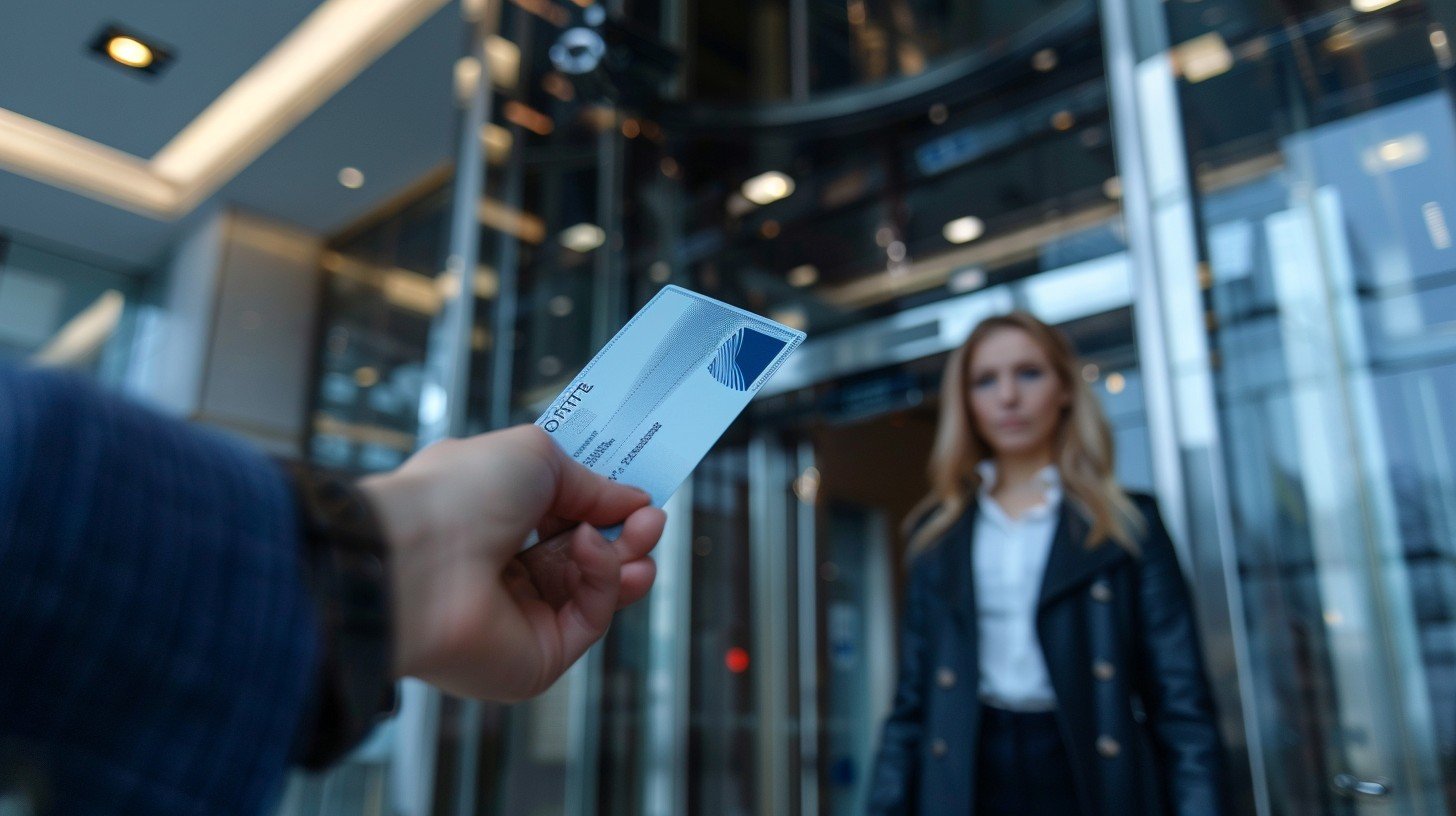
Imagine walking into a high-rise office building, pulling a card from your wallet, swiping it against a reader, and with a quiet click, the door unlocks. That’s the swipe card door entry system in action. It’s a form of access control that uses a card embedded with information to grant or deny access to secured areas. These systems are staples in modern security infrastructure—from corporate offices to healthcare facilities and educational campuses.
Swipe card systems work on a simple premise: identification + authorization = access. The card typically contains data encoded in a magnetic stripe or chip. When swiped or tapped against a reader, the system checks the credentials against its database. If it finds a match and the user has appropriate access rights, it opens the door.
Over time, these systems have grown from simple magnetic stripe readers to more sophisticated RFID or smart card setups that offer enhanced encryption, faster scanning, and better integration with modern technologies.
Whether you’re a business owner looking to upgrade your security, or just curious about how these systems operate, understanding the core concepts of swipe card entry systems is a must.
Brief History and Evolution
The roots of swipe card technology date back to the 1960s when magnetic stripe cards were first used in banking and financial services. By the 1980s, the technology was being repurposed for physical access control, especially in corporate and government buildings.
Initially, swipe card systems were quite basic—usually consisting of a card with a magnetic stripe and a wall-mounted reader. They were easily susceptible to wear and tear and offered minimal security, often limited to “yes or no” entry permissions.
Fast-forward to the 2000s and beyond, and the technology has evolved immensely. RFID (Radio Frequency Identification) emerged, allowing for contactless access. Smart cards introduced embedded microprocessors, enabling complex encryption and multi-factor authentication.
Today’s systems offer real-time monitoring, cloud-based access management, and mobile integration. You can now track who entered a building, when, and even receive alerts on unauthorized access attempts. With innovations continuing at a rapid pace, the humble swipe card is no longer just a plastic key—it’s a powerful tool in the access control ecosystem.
How Swipe Card Entry Systems Work
Core Components of the System
At a glance, a swipe card entry system might seem straightforward. But under the hood, it’s a coordinated dance between several key components:
-
Access Card (Credential): This is what the user carries. It might be a magnetic stripe card, RFID card, or a smart card with embedded chips.
-
Card Reader: Mounted near doors or entry points, the reader scans or reads the card’s data. Depending on the system, it might require a swipe, tap, or proximity scan.
-
Control Panel (Access Controller): This is the brain of the operation. It receives input from the card reader and checks it against a central database. If the credentials are valid and permissions match, it triggers the door to unlock.
-
Electronic Lock/Strike: This mechanism physically locks and unlocks the door. It’s connected to the control panel and responds to its commands.
-
Software Interface: Admins use this to set permissions, monitor access, generate reports, and integrate the system with other security tools like surveillance cameras or alarm systems.
Together, these components form a seamless security process that ensures only authorized personnel gain access to sensitive areas.
How Authentication Works Behind the Scenes
When a card is swiped or tapped, the reader captures its encoded data and sends it to the control panel. This panel then cross-checks the data with its database. If a match is found, and the access time and location are approved for that user, it sends a signal to unlock the door.
Let’s say John from accounting swipes his card at the office entrance at 8:55 AM. The control panel identifies his card ID, checks the permissions (yes, he’s allowed in the building between 8:00 AM and 6:00 PM), and then unlocks the door. If John tries at 10:00 PM, the system will deny entry and log the attempt.
Some advanced systems add a layer of two-factor authentication (2FA), requiring a PIN or biometric scan along with the card for high-security areas.
Authentication can be local (on-premise server) or cloud-based. Cloud systems offer greater flexibility, allowing admins to modify access rights remotely or receive real-time alerts. They’re also easier to scale across multiple locations.
This invisible but powerful process is what makes swipe card systems reliable and secure for daily use in organizations of all sizes.
Types of Swipe Card Technologies
Magnetic Stripe Cards
The most recognizable form of swipe card, magnetic stripe cards, are inexpensive and easy to produce. They store user data on a thin magnetic band on the back of the card. When swiped through a reader, this stripe transmits the information to the access system.
However, magstripe cards have notable downsides. They wear out over time and are vulnerable to skimming and cloning. A determined hacker with the right equipment could copy the data and use it to gain unauthorized access.
Despite their vulnerabilities, magnetic stripe cards are still used in budget-friendly systems or as backup credentials. Their simplicity makes them useful in less-sensitive environments, but for locations needing high-level security, more advanced card types are preferred.
RFID Cards
Radio Frequency Identification (RFID) cards are a step up from magnetic stripe cards. They don’t require physical contact to work—instead, they transmit data via radio waves when brought near a compatible reader.
This contactless functionality makes RFID cards more durable and faster to use. Plus, they’re harder to clone than magnetic stripe cards. You’ve probably used RFID cards in hotel rooms, office buildings, or transit systems.
RFID technology varies in frequency—low frequency (LF), high frequency (HF), and ultra-high frequency (UHF)—with HF (like MIFARE) being most commonly used in door access systems. Security depends on encryption protocols, which can be robust in premium systems.
Smart Cards
Smart cards take RFID to the next level. These cards contain embedded microchips that can process and store larger amounts of data securely. They often use encryption and even support biometric integration for two-factor authentication.
Used in high-security environments like government buildings, research labs, and enterprise offices, smart cards allow for more dynamic access control. You can program time-sensitive permissions, integrate them with building automation systems, and monitor every swipe in real-time.
These cards are also harder to duplicate, making them an excellent choice for businesses concerned with data integrity and physical security.
Benefits of Using Swipe Card Door Entry Systems
Enhanced Security
One of the standout benefits of swipe card door entry systems is their ability to provide enhanced security without causing disruptions in daily operations. Unlike traditional lock-and-key setups, which can be compromised easily or duplicated without authorization, swipe card systems offer a controlled and monitored method of access.
Each card is assigned to a specific individual, which means you always know who is coming in and when. Most systems log every entry attempt, providing a digital footprint for all access events—successful or denied. This is invaluable during investigations or audits.
Also, access rights can be tailored. An employee from the marketing team might only have access to the third floor, while the IT admin has access to all floors including the server room. If someone leaves the company or loses their card, their access can be revoked instantly without needing to rekey locks.
Advanced systems offer even more: automatic lockdowns, scheduled access permissions, remote control from smartphones, and integration with surveillance and alarm systems. The system doesn’t just let people in; it also keeps threats out.
Easy Access Control Management
Managing access rights manually—handing out keys, retrieving them when employees leave, rekeying doors—is tedious and expensive. Swipe card systems remove this burden by digitizing the entire process.
With a few clicks, administrators can create, update, or revoke access rights. Need to grant a contractor temporary access for two days? Easy. Want to block access after 6 PM? Done.
Most systems come with intuitive software dashboards where you can manage user profiles, monitor activity logs, and even create zones within a building for controlled access. Changes take effect instantly, and you can often manage them remotely.
This flexibility is especially valuable in organizations with high staff turnover, part-time workers, or contractors. Instead of handing over keys, you hand them a card pre-programmed with exact permissions—and once the job is done, disable it instantly.
Cost-Effective Solution
Though swipe card systems might seem like a significant upfront investment, they prove highly cost-effective in the long run. Traditional locks require frequent rekeying and often get damaged over time. If someone loses a key, you may have to change the entire lock for security reasons. That’s not the case with swipe cards.
Replacing a card is inexpensive—just a few dollars per card—and takes minutes. Plus, system maintenance is typically minimal compared to other high-tech access control methods.
And then there’s the reduced manpower. There’s no need for a full-time security guard at every door. Automated access control cuts labor costs significantly while improving security consistency.
Additionally, these systems help reduce internal theft and unauthorized access, which can save businesses thousands in losses annually. Consider it not just a cost but an investment in long-term operational efficiency and peace of mind.
Common Use Cases and Industries
Office Buildings
In office environments, swipe card systems provide seamless access control across multiple departments, floors, and rooms. Employees can move freely where permitted, while sensitive areas like server rooms or finance departments remain restricted.
Managers gain access logs, ensuring full visibility into movement within the building. These records can also aid in time tracking, employee attendance, and even emergency roll calls.
Additionally, integrating the system with time management software can automate clock-in/clock-out functions, reducing administrative workload.
Hospitals and Medical Facilities
Hospitals deal with sensitive data, expensive equipment, and critical infrastructure—all of which require high levels of security. Swipe card systems help control access to various zones such as patient records rooms, drug storage areas, surgical wings, and staff-only areas.
Cards can be assigned based on roles—doctors, nurses, administrative staff, or janitorial teams—ensuring each group accesses only the areas necessary for their work.
Moreover, during emergencies, the system can facilitate instant lockdowns or emergency overrides, enhancing both patient and staff safety.
Educational Institutions
Schools, colleges, and universities are increasingly using swipe card systems to secure their campuses. They allow for controlled access to classrooms, labs, dormitories, libraries, and administrative offices.
Student IDs can double as swipe cards, giving them access based on their schedule or enrolled programs. Teachers and staff can be granted different access levels, and maintenance teams can receive temporary access to specific buildings.
With real-time logs and the ability to revoke access immediately if a card is lost or misused, educational institutions can maintain better safety without appearing overly restrictive.
Installation and Setup Process
Choosing the Right System
Before installing a swipe card system, you need to evaluate your specific needs. Are you a small business with one office or a large enterprise with multiple branches? Do you need basic entry access or full-scale integration with video surveillance, fire alarms, and time tracking?
There are two main categories to consider: standalone systems (for single-door access, no network connection) and networked systems (centralized control over multiple doors and users). Businesses expecting to scale should always go for a networked solution for future-proofing.
Assess the following before making a decision:
-
Number of entry points
-
User access levels required
-
Future scalability
-
Compatibility with existing infrastructure
-
Budget constraints
Getting a system that aligns with your organizational workflow is crucial. Choosing the wrong one could lead to increased costs or security loopholes.
Professional Installation vs. DIY
While DIY installations may save some upfront cost, they come with risks. Misconfigured systems can lead to vulnerabilities, compatibility issues, or limited functionality.
Professional installation ensures:
-
Proper wiring and hardware setup
-
Seamless integration with alarms, surveillance, and fire systems
-
Secure database and software setup
-
Reliable tech support and training
Professionals also conduct site surveys to identify optimal locations for readers, locks, and control panels. This ensures both functionality and aesthetics.
That said, some modern cloud-based systems are designed for easier installation, targeting small businesses. But even in those cases, seeking professional guidance is recommended for critical installations.
Integration with Existing Security Systems
Swipe card entry systems rarely work in isolation. Most modern installations integrate with other security tools for enhanced functionality:
-
CCTV Systems: Log events alongside video footage for enhanced monitoring.
-
Alarm Systems: Trigger alarms if unauthorized access is attempted.
-
Fire Alarms: Auto-unlock doors during a fire for safe evacuation.
-
Time Attendance Software: Track work hours and late arrivals.
Integration adds complexity, but it also multiplies the system’s effectiveness. Imagine receiving an alert that someone used a card after hours, and being able to instantly view CCTV footage of the event.
With proper integration, swipe card systems become a central pillar of your security infrastructure—capable of not just controlling access but actively protecting people and assets.
Maintenance and Troubleshooting
Regular Maintenance Tips
To ensure optimal performance, swipe card systems require regular maintenance. The good news is that upkeep is generally straightforward and low-cost. Here are essential tips:
-
Clean Card Readers: Dust and grime can block sensors. Use electronic-safe cleaners to wipe down readers monthly.
-
Test Backup Power: Most systems come with battery backups; test them quarterly to ensure power during outages.
-
Inspect Wiring and Connections: Check for frayed wires or loose connections to prevent intermittent failures.
-
Update Software/Firmware: Vendors often release updates that patch security vulnerabilities or improve system performance.
-
Reprogram Lost Cards: Promptly revoke access to lost or stolen cards and issue replacements.
Regular check-ups can prevent small issues from becoming system-wide failures. Schedule bi-annual professional audits for comprehensive health checks.
Common Issues and How to Fix Them
Even robust systems can face occasional hiccups. Here are common problems and quick fixes:
-
Reader Not Responding: Check power supply and wiring. Reboot the controller if needed.
-
Card Not Recognized: Could be a demagnetized or damaged card. Try a spare to isolate the issue.
-
Door Won’t Unlock: Ensure the electronic lock is functioning. Test by manually triggering it from the control panel.
-
Access Logs Missing: Likely a software glitch or storage issue. Backup data regularly to prevent loss.
-
System Lag or Freeze: May be due to outdated firmware or overloaded network connections. Update software and clear logs periodically.
Having a quick-reference guide or vendor support contact handy can reduce downtime significantly. Most vendors also offer remote diagnostics and real-time troubleshooting help.
Swipe Cards vs. Other Access Control Methods
Key Fobs
Key fobs are small, portable devices that use RFID or similar wireless technology to grant access. They function much like swipe cards but are often more convenient due to their size and the fact they can attach to keychains.
While key fobs are equally secure when encrypted, they tend to be used in residential settings or small office environments. Their ease of use and portability make them a favorite for access to apartment buildings or parking garages.
However, one downside is that their smaller size makes them easier to misplace. And like cards, they can still be cloned if the system isn’t equipped with proper encryption.
So, which is better—fob or swipe card? That largely depends on the environment. For large-scale enterprise systems that require tracking and permission layering, swipe cards often offer more control and flexibility.
Biometric Systems
Biometric access control systems take security up a notch by identifying individuals based on unique biological traits—like fingerprints, facial recognition, or retina scans. These systems eliminate the need for physical credentials, making them ultra-secure.
The pros? You can’t forget or lose your fingerprint. The cons? Biometric systems are more expensive to install and maintain. They also raise privacy concerns and require meticulous data handling to comply with regulations like GDPR.
Swipe cards remain more practical in scenarios where mass access control is needed, especially in budget-conscious environments. Biometrics are better suited for high-security areas like data centers or research labs.
Mobile Access Systems
Mobile access is the new frontier of access control. It lets users unlock doors using a smartphone app, Bluetooth, or NFC technology. With growing smartphone penetration, this method is gaining traction quickly.
The benefits include:
-
Remote provisioning and deactivation of credentials.
-
Users don’t need to carry an extra device (like a card).
-
Integration with identity verification or two-factor authentication.
However, reliance on smartphones poses its own risks—like battery failure or hacking vulnerabilities.
Swipe cards still have a unique advantage: they offer reliability and ease of use, especially in industries where employees don’t always carry smartphones, or where fast, badge-based entry is necessary (think hospitals or schools).
Security Concerns and How to Mitigate Them
Card Cloning Risks
One of the biggest concerns with older swipe card systems—especially magnetic stripe or low-frequency RFID—is cloning. A cloned card can allow unauthorized access without leaving obvious traces.
How can you prevent this?
-
Upgrade to encrypted smart cards.
-
Use dynamic credentials where the access code changes regularly.
-
Employ multi-factor authentication (card + PIN or biometrics).
-
Monitor access logs for anomalies, such as after-hours usage.
Card cloning tools are cheap and accessible online, so having robust countermeasures is essential.
Physical Theft of Cards
If someone steals a card, they may be able to use it unless the system identifies the mismatch in behavior or location. This is why real-time deactivation is a must.
Best practices include:
-
Encouraging users to report lost or stolen cards immediately.
-
Setting cards to auto-deactivate after a set period of inactivity.
-
Using photo ID cards to verify the holder.
Some systems can detect unusual access patterns and send alerts, adding another layer of protection.
Data Breach Protections
Since swipe card systems store personal access data, they must be secured like any other sensitive database. Data breaches can compromise the entire system and pose legal risks.
Key protection strategies:
-
Use encrypted storage and secure data transmission protocols.
-
Regularly update firmware and security patches.
-
Employ firewall and intrusion detection systems.
-
Limit access to the control dashboard only to authorized personnel.
Compliance with data protection laws like GDPR or HIPAA is also crucial, depending on your industry.
Legal and Compliance Considerations
Data Privacy Regulations
Swipe card systems, especially those connected to a cloud platform, collect personal data—names, IDs, access times, and sometimes even location. That data must be protected under various data privacy laws.
Depending on where you operate, you may be subject to:
-
GDPR (EU): Requires explicit consent and secure data handling.
-
HIPAA (USA): Applies to healthcare providers and mandates strict access to patient-related information.
-
CCPA (California): Governs how businesses collect and use personal information.
Failure to comply can result in hefty fines. Organizations must maintain secure logs, ensure data encryption, and provide clear policies on data use and retention.
Industry Standards for Access Control
Beyond legal compliance, many industries have specific security standards:
-
PCI DSS (for businesses handling payment data)
-
ISO 27001 (for information security management)
-
FISMA/NIST (for federal agencies and contractors in the U.S.)
Swipe card systems should support audit trails, strong encryption, and configurable access levels to meet these benchmarks. Vendors should also provide documentation to demonstrate compliance.
Working with a certified installer and choosing systems with security certifications (like UL 294 or ISO/IEC standards) helps ensure you meet legal and industry expectations.
Costs Involved with Swipe Card Entry Systems
Initial Setup Costs
The initial cost of a swipe card system depends on several factors:
-
Number of doors
-
Type of technology (magstripe, RFID, or smart cards)
-
Software licensing
-
Installation fees
On average, a basic system for a small office might cost anywhere from $1,500 to $5,000. For larger businesses or campuses with multiple access points, costs can rise to $20,000+.
Hardware includes:
-
Readers ($200–$600 each)
-
Control panels ($300–$1,000)
-
Electronic door locks ($100–$500 per door)
-
Cards ($2–$10 per unit)
Don’t forget professional installation, which may add another $500–$1,000 depending on the complexity.
Ongoing Maintenance and Upgrades
Swipe card systems are relatively low-maintenance, but they do incur recurring expenses:
-
Software updates and licensing fees: Often annual.
-
Card replacements: Expect occasional card reissuance due to loss, wear, or role changes.
-
Hardware repairs: Replacing worn-out readers or locks.
-
Tech support and service contracts: These typically range from $300–$1,000/year depending on the provider.
Planning for long-term costs ensures your system stays secure and functional. Cheaper upfront solutions may lack support or become obsolete quickly, leading to higher costs down the line.
Choosing the Right Vendor
Key Features to Look For
Selecting the right vendor is as critical as choosing the right system. You’re not just buying a swipe card system—you’re entering into a long-term relationship that involves ongoing support, maintenance, and system upgrades. So what should you look for?
-
Scalability: Can the system grow with your organization? If you add new locations or more doors, the vendor should provide modular solutions that scale easily.
-
User-Friendly Software: The interface should be intuitive, allowing easy management of users, permissions, and logs without a steep learning curve.
-
Security Features: Look for vendors offering strong encryption, multi-factor authentication options, and protection against cloning or data breaches.
-
Integration Capabilities: Ensure the system can work with your existing infrastructure—like surveillance cameras, time-tracking software, or building management systems.
-
Real-Time Monitoring & Alerts: The best systems offer live monitoring and instant alerts for suspicious access attempts or system malfunctions.
-
Support & Training: A reliable vendor provides installation assistance, staff training, and ongoing support through phone, chat, or on-site service.
-
Customization: The ability to tailor the system to your organization’s unique needs—like specific user groups, scheduling, or access zones—is a huge plus.
Choosing a vendor that checks all these boxes ensures that your swipe card system will deliver value for years to come.
Top Vendors in the Market
While availability and popularity may vary by region, here are some globally trusted swipe card system vendors known for quality and innovation:
-
HID Global: A leader in access control with strong encryption and smart card options.
-
Honeywell Security: Offers integrated solutions combining access control with video surveillance and intrusion detection.
-
Paxton Access: Known for user-friendly software and scalable systems.
-
LenelS2: Used widely in large enterprises, offering powerful access control with analytics.
-
Kisi: A cloud-based provider with excellent mobile and smart card capabilities.
Before choosing a vendor, request a demo, ask for customer references, and review their SLAs (service-level agreements). A good vendor won’t just sell you equipment—they’ll be a partner in your security journey.
Future of Swipe Card Entry Systems
Technological Advancements
Swipe card systems are evolving rapidly, driven by the growing need for smarter, more adaptable security solutions. Some of the most notable advancements include:
-
Cloud-Based Management: Allowing administrators to manage access remotely via mobile or desktop interfaces, reducing IT overhead and enabling real-time changes.
-
AI-Powered Security Analytics: Identifying access anomalies (e.g., someone entering at odd hours) and triggering alerts.
-
Wireless and Bluetooth Readers: Making installations easier and more flexible in older buildings.
-
Encrypted NFC Integration: Enabling safe and fast communication between mobile devices and card readers.
Moreover, modern swipe card systems are integrating machine learning to adapt to user patterns and improve overall security posture.
These advancements not only enhance user convenience but also tighten security controls, offering a blend of flexibility and robustness that old-school systems simply can’t match.
Shifting Toward Mobile and Biometric Access
While swipe cards aren’t going anywhere soon, the industry is steadily moving toward multi-factor and mobile-based access. In many organizations, smartphones are now functioning as swipe cards, using NFC or Bluetooth to authenticate users.
Biometric integrations (like facial recognition and fingerprints) are also on the rise, especially in high-security industries such as finance, healthcare, and tech. They’re often paired with swipe cards in a layered security model.
Ultimately, the future is all about flexibility. Systems will support a range of credentials—from cards and fobs to smartphones and biometrics—giving organizations the freedom to choose the best solution for their needs.
Swipe card systems will likely serve as a baseline or backup option within this more dynamic ecosystem.
Conclusion
Swipe card door entry systems have proven themselves as reliable, scalable, and cost-effective solutions for modern access control. Whether you’re securing a small office or a large enterprise campus, these systems offer a practical way to regulate who comes and goes—without sacrificing convenience or breaking the bank.
From magnetic stripe basics to advanced smart card tech, the evolution of swipe card systems reflects our growing demand for intelligent security. When integrated with surveillance, time-tracking, and building management systems, they become powerful tools in both safety and operations.
As we look toward a future shaped by AI, biometrics, and mobile-first solutions, swipe cards continue to adapt. They may no longer be the flashiest technology on the block, but they remain an essential part of the security conversation—especially when implemented with foresight and the right partners.
Whether you’re upgrading from traditional keys or expanding an existing system, swipe card entry systems are a smart step toward a more secure, efficient, and controlled environment.
FAQs
1. What is the average lifespan of a swipe card system?
Most swipe card systems can last 10–15 years, depending on the hardware quality and maintenance schedule. The cards themselves typically last 3–5 years before needing replacement due to wear.
2. Can swipe card systems be hacked?
Older systems with magnetic stripe cards are more vulnerable to cloning. However, modern encrypted smart card systems are highly secure, especially when paired with multi-factor authentication and proper software updates.
3. How many users can be added to one system?
Most enterprise-grade systems support thousands of users, with some capable of managing access for tens of thousands across multiple locations. Scalability depends on the software and control panel capacity.
4. What happens if a swipe card is lost?
Lost cards can be instantly deactivated from the admin dashboard, and new cards issued. This eliminates the need to change locks or worry about unauthorized access.
5. Is it possible to integrate swipe card systems with time tracking?
Yes! Many modern systems integrate with HR software and time management tools to track clock-ins, attendance, and overtime, reducing manual effort and improving payroll accuracy.
About All Action Alarm: Your Trusted Partner in Home Security Solutions
When it comes to protecting your home and loved ones, there’s no room for compromise. At All Action Alarm, we take home security to the next level by offering top-tier protection with cutting-edge technology and expert monitoring services that you can rely on. As a leader in the security industry, we’re committed to keeping homes and businesses safe, providing peace of mind 24/7.
Check out Home Automation Systems and Get Started with All Action Alarm Today!
Don’t wait for an emergency to take action. Protect your home and family with the best in the business. Call (631) 549-7225 to schedule your consultation, or visit allactionalarm.com to learn more about our services.
Your safety is our top priority.
SOURCES:
https://butterflymx.com/blog/swipe-card-access-control-systems
https://www.avigilon.com/blog/key-card-entry-systems
https://identisys.com/solutions/physical-security/access-control-system/mag-stripe
https://www.assaabloy.com/au/en/stories/blog/swipe-card-door-entry-systems
Key Card Entry Systems — Genea
https://smartrent.com/news/card-access-control-systems

 Ca.garcia.s, CC BY-SA 4.0
  Image by
