
The Ultimate Guide to Business Security Surveillance Systems

- Fire Alarm Systems - February 27, 2026
- Alarm Alerts and Notification System - February 27, 2026
- Best Wireless Indoor Cameras: The Ultimate Guide - February 23, 2026
Introduction to Business Security Surveillance Systems
Business security surveillance systems are no longer a luxury—they’re a necessity. Whether you’re running a small boutique or managing a massive warehouse, security threats lurk in the background. From theft and vandalism to internal fraud and liability claims, having an effective surveillance setup isn’t just smart—it could be a business saver.
In this guide, we’ll break down everything you need to know about security systems for businesses. We’ll dive into the types of systems available, how to choose the right one, legal concerns, smart tech integration, and even how surveillance can boost your business’s performance. So, let’s dig in and give your business the security it deserves.
Why Security Surveillance is Critical for Businesses
Imagine walking into your business one morning only to find the cash register empty, the doors pried open, or worse, a lawsuit from an employee claiming harassment that didn’t happen. A well-placed security surveillance system can stop these nightmares before they begin.
Surveillance systems deter criminal activity by simply existing. Thieves, vandals, and dishonest employees are far less likely to act when they know they’re being watched. But it’s not just about crime—surveillance helps with insurance claims, customer dispute resolution, and even staff training.
When things go wrong—and sometimes they will—having a visual record is priceless. It protects your business, your employees, and your reputation. In a world where lawsuits can bankrupt a business overnight, video proof is your best defense.
The Rise of Modern Security Threats
Gone are the days when a simple lock and key were enough. Today, businesses face a wide array of threats—both physical and digital. Think about shoplifting, employee theft, break-ins, trespassing, data breaches, and even workplace violence. The threats are real and evolving.
Cybercrime adds another layer of complexity. Many modern security systems are connected to the internet, which means if not protected properly, even your surveillance system can be hacked. This makes having up-to-date, encrypted systems essential.
In short, modern threats require modern solutions—and your security system should be part of a bigger, proactive defense strategy.
Business Types That Benefit Most from Surveillance Systems
Not all businesses face the same risks, but every business can benefit from some level of surveillance. Here are a few examples:
-
Retail Stores: High foot traffic and frequent cash handling make retail a prime target for theft and fraud.
-
Warehouses and Manufacturing: Valuable inventory and equipment require 24/7 monitoring.
-
Restaurants and Cafes: Internal theft, customer disputes, and health violations can all be mitigated with cameras.
-
Offices: Monitoring who comes and goes can protect sensitive data and enforce HR policies.
-
Hotels and Hospitality: Guest safety and property protection depend heavily on constant surveillance.
The list goes on. Even solopreneurs with home-based businesses can benefit from a couple of well-placed cameras. Surveillance is no longer optional it’s smart business.
Understanding the Basics of Surveillance Systems
What is a Security Surveillance System?
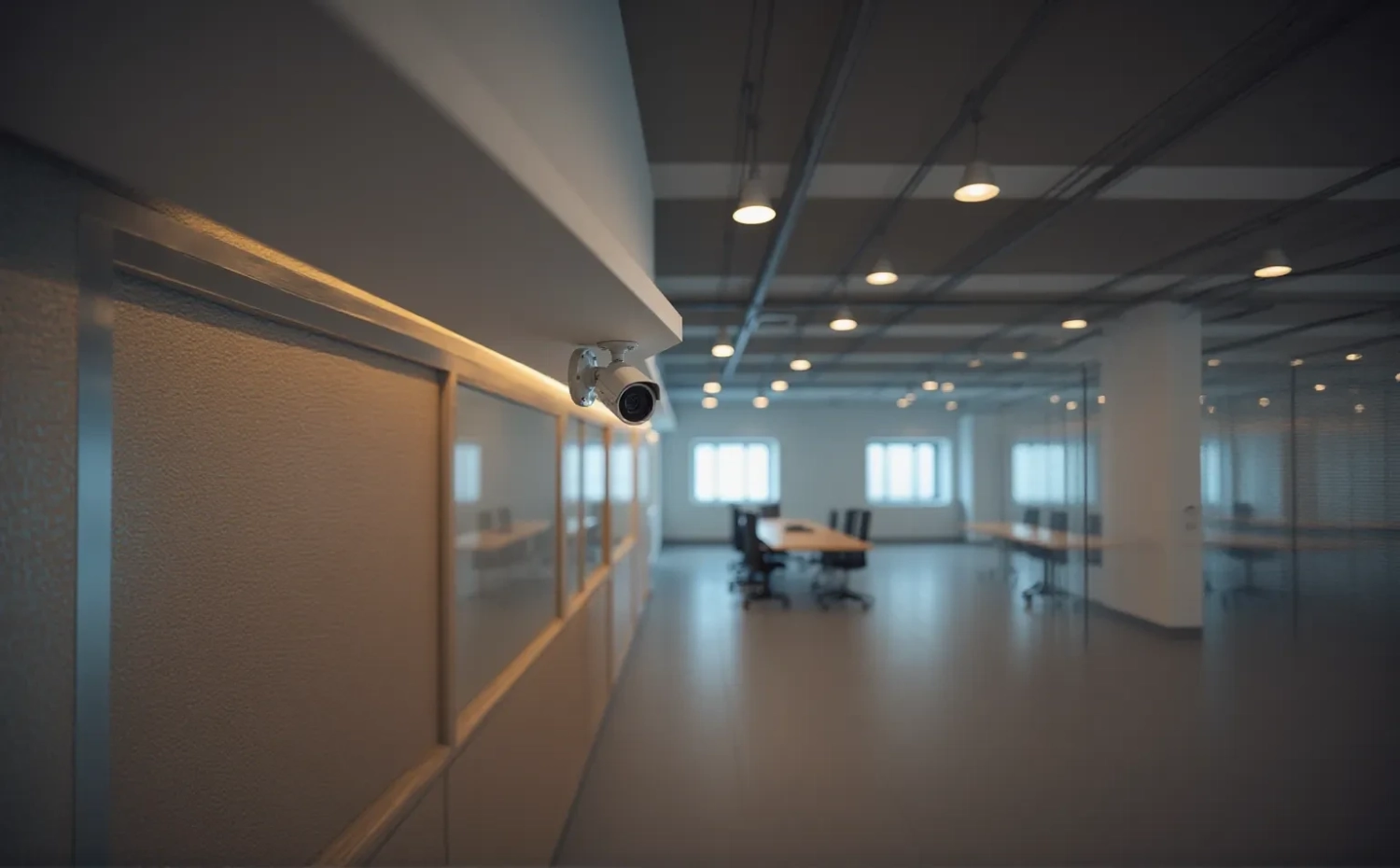
At its core, a security surveillance system is a network of cameras and recording devices designed to monitor, record, and sometimes analyze activity within and around a business. It’s your digital eye, always open, always alert.
Modern surveillance systems aren’t just passive watchers—they’re intelligent. With motion sensors, facial recognition, AI analytics, and mobile app integration, today’s systems do more than record—they help you act in real-time.
From capturing clear images of suspects to notifying you about suspicious activity while you’re sipping coffee across town, a good surveillance system is like having a loyal security guard who never blinks.
Key Components of a Surveillance System
A functional business surveillance setup includes several essential components. Here’s a breakdown:
Cameras
The heart of any system. They come in various types:
-
Bullet Cameras: Long and cylindrical, great for outdoor use.
-
Dome Cameras: Discreet and vandal-resistant, perfect for retail.
-
PTZ Cameras: Pan, tilt, and zoom for wide-area coverage.
-
Hidden Cameras: For covert monitoring.
Choose based on your layout and purpose.
Recording Devices
These include:
-
DVR (Digital Video Recorder): Ideal for analog cameras.
-
NVR (Network Video Recorder): Works with IP cameras and offers better resolution and flexibility.
Your recorder determines how long footage is stored and how easily it can be reviewed.
Software and Analytics
Smart systems come with apps and analytics platforms. Features may include:
-
Motion detection
-
Real-time alerts
-
AI behavior analysis
-
Mobile viewing
These tools let you respond quickly and optimize how your system is used.
Storage Solutions
Where your data lives matters:
-
On-Premise: Hard drives at your business location.
-
Cloud Storage: Accessible from anywhere, more secure from physical threats.
-
Hybrid Systems: Combine both for optimal flexibility.
Types of Business Security Surveillance Systems
Wired vs. Wireless Systems
One of the first decisions you’ll face when setting up a business security surveillance system is choosing between wired and wireless setups. Each option has distinct advantages and drawbacks, and the right choice often depends on the size and layout of your business.
Wired systems are generally more reliable. Since the signal is transmitted through cables, there’s little chance of interference or data loss. They’re great for large businesses or buildings where strong, uninterrupted surveillance is crucial. However, the installation can be invasive and expensive, especially in structures without pre-wired configurations.
Wireless systems, on the other hand, are easier to install and typically more flexible. These are ideal for small businesses, startups, or temporary setups. But they can suffer from signal interference, especially in areas with a lot of Wi-Fi traffic or thick walls.
In short:
-
Choose wired for reliability and long-term setup.
-
Go with wireless for flexibility and ease of installation.
IP Cameras vs. Analog Cameras
Cameras come in two major types: IP (Internet Protocol) and Analog. This choice will directly affect video quality, functionality, and overall system capability.
Analog cameras are traditional and typically cheaper. They connect to a DVR via coaxial cables and offer decent footage quality. But they lack the high-resolution images and advanced features of modern systems.
IP cameras, meanwhile, are the gold standard in modern surveillance. They connect to a network and offer higher resolution, remote access, and smart features like motion detection, facial recognition, and video analytics. Plus, they’re easier to scale and integrate with other systems.
If quality, flexibility, and future-proofing are your priorities, IP cameras are the clear winner.
Indoor vs. Outdoor Surveillance Systems
Different environments require different equipment. An indoor camera isn’t built to handle rain, snow, or extreme heat, just like an outdoor camera might be too bulky or obvious for indoor use.
Outdoor cameras need to be:
-
Weatherproof (IP65 or higher)
-
Vandal-resistant
-
Capable of night vision or low-light recording
Indoor cameras can be more compact, discreet, and optimized for low-light indoor spaces. If you’re monitoring areas like lobbies, hallways, or office interiors, a good indoor camera will do the job without being an eyesore.
Always match your camera to its environment. Don’t risk installing a delicate device outdoors or using a heavy-duty outdoor camera where a subtle solution would suffice.
Cloud-Based vs. Local Storage Systems
Storage plays a crucial role in how surveillance footage is handled. There are two main options: cloud-based and local storage.
Cloud storage offers the flexibility of accessing your footage from anywhere. It’s great for multi-location businesses or managers who are constantly on the move. Most cloud services also come with added features like automatic backups and AI-driven alerts. But they usually require monthly subscriptions and depend on internet reliability.
Local storage, like on-site DVRs or NVRs, offers more control and no monthly fees. However, if the physical hardware is damaged or stolen, you could lose all your data.
A hybrid model that combines the strengths of both is often the best solution: store essential data in the cloud while keeping full backups locally.
Choosing the Right Surveillance System for Your Business
Factors to Consider Before Purchasing
Before throwing money at a surveillance system, ask yourself the following questions:
-
What areas need coverage?
-
Do I want 24/7 recording or motion-triggered?
-
Will I be monitoring remotely?
-
Do I need facial recognition or AI features?
These questions help narrow down your options. For instance, a retail shop might need wide-angle cameras at entrances and checkout points, while a warehouse might require long-range night vision cameras.
Other factors include:
-
Lighting conditions
-
Internet bandwidth
-
Power availability
-
Weather resistance
Failing to consider these could result in wasted investment or poor performance.
Scalability and Integration Options
Think long-term. A surveillance system is not just for today—it should grow with your business.
Choose a system that supports:
-
Additional cameras
-
Integration with access control (e.g., keycards)
-
Smart building features like fire alarms or motion sensors
Also, ensure that software updates are regular and that the system can be integrated into broader security infrastructures like alarm systems or emergency response protocols.
Scalability is crucial—especially if you’re planning to expand, move, or franchise.
Budgeting and Cost Analysis
Let’s talk money—because surveillance isn’t cheap. But it doesn’t have to break the bank either.
Here’s what you’re typically paying for:
-
Hardware (cameras, cables, recorders)
-
Installation (DIY vs. professional)
-
Software licenses
-
Storage (cloud or local)
-
Maintenance and upgrades
Tip: Always factor in ongoing costs like cloud subscriptions and maintenance.
You can start small and build your system over time, but never compromise on quality to save a few bucks—it’ll cost more in the long run. Think of it as an investment, not an expense.
Installation and Setup of Surveillance Systems
DIY Installation vs. Professional Setup
The installation process is where many business owners face their biggest dilemma—do it yourself or hire a pro?
DIY installation has its perks: lower costs and immediate deployment. If your setup is small and you’re tech-savvy, this could be a great option. Many systems today are plug-and-play, especially wireless models.
Professional installation, however, brings expertise. Pros can ensure:
-
Optimal camera placement
-
Cable management
-
Secure system configuration
-
Integration with alarms or access controls
They also troubleshoot and test everything thoroughly. If your business is large, high-traffic, or contains sensitive data or inventory, investing in professional setup is a no-brainer.
Optimal Camera Placement for Maximum Coverage
Placement is everything. Poorly placed cameras miss events, create blind spots, or cause unnecessary footage overload.
Here’s where you must have eyes:
-
Entry and exit points
-
Cash registers
-
Inventory/storage areas
-
Parking lots
-
Hallways and stairwells
-
Customer interaction zones
Use wide-angle cameras for large spaces, and PTZ (pan-tilt-zoom) models for flexible views. Always avoid placing cameras where glare or obstructions can compromise the view.
Pro tip: Walk through your premises pretending to be a thief—where would you hide or enter?
Common Installation Mistakes to Avoid
Even with the best equipment, poor installation can ruin everything. Avoid these pitfalls:
-
Ignoring lighting conditions: Cameras need proper light or IR night vision to function.
-
Poor camera angles: Make sure faces and key actions are visible, not just the tops of heads.
-
Neglecting cable security: Loose or exposed cables can be cut or tampered with.
-
Lack of signage: Posting that your business is under surveillance deters crime.
-
No data backups: Always have redundancy—cloud storage, external drives, or both.
Avoiding these mistakes ensures your system works when you need it most.
Legal and Ethical Considerations
Surveillance and Employee Privacy
Surveillance is a double-edged sword when it comes to employees. On one hand, it protects your business from theft, misconduct, and liability. On the other, it can easily cross the line into invasion of privacy if not handled properly.
Employees need to feel trusted, not watched like hawks. That’s why transparency is key. Inform your team about:
-
Where cameras are placed
-
What’s being recorded
-
How footage will be used
Avoid placing cameras in sensitive areas such as restrooms, locker rooms, or break rooms—this is not only unethical but likely illegal. Surveillance should foster safety, not suspicion. Strike a balance between oversight and trust, and make sure your employees are always in the know.
State and Federal Laws Regarding Video Surveillance
The legality of business surveillance varies by state and country. In the U.S., most states allow video surveillance in public and work areas as long as it doesn’t infringe on a “reasonable expectation of privacy.” That means recording in restrooms or dressing rooms is a clear no-go.
Here’s a quick rundown of what’s generally legal:
-
Recording without audio in public or workspaces
-
Notifying employees and customers of surveillance
-
Using footage for legitimate business purposes (e.g., security, training)
What’s typically not legal:
-
Secret recordings in private spaces
-
Audio recordings without consent (especially in two-party consent states)
-
Sharing footage publicly without permission
When in doubt, consult a lawyer or local regulations. The last thing you want is a lawsuit because your camera placement was off by a few feet.
Notification and Consent Requirements
Even if your state doesn’t require it, getting consent is always good practice. Put up clear signage that states, “This property is under 24-hour surveillance.” This not only covers your legal bases but also acts as a deterrent for shady activity.
In employment contracts or policy documents, include a section about surveillance—what’s monitored, why, and how it’s stored. For businesses dealing with sensitive customer data or confidential information, consent becomes even more critical.
Transparency protects your business legally and builds trust with staff and customers alike.
Leveraging Surveillance for Business Growth
Improving Workplace Safety
Surveillance systems do more than catch thieves—they save lives. Monitoring helps identify and prevent unsafe behaviors in the workplace. Whether it’s someone bypassing safety gear in a factory or slipping hazards in a restaurant kitchen, cameras capture it all.
Footage can be reviewed to create better safety protocols or train employees on what not to do. It’s a powerful tool for compliance with OSHA and other health and safety regulations. Plus, in the event of a workplace accident, video evidence can be crucial in defending against false claims or pinpointing root causes.
A safer workplace equals happier employees and fewer costly accidents or lawsuits.
Monitoring Employee Productivity
This one’s a bit controversial—but incredibly effective when done right. Surveillance, when used ethically, can help monitor workflow, identify bottlenecks, and ensure company policies are followed.
Instead of micromanaging, use footage to:
-
Understand how teams interact with customers
-
Pinpoint delays in processes
-
Identify high performers and reward them
-
Provide training feedback based on real behavior
Just don’t cross the line into constant surveillance that breeds paranoia. Use it as a tool for improvement, not punishment.
Enhancing Customer Experience
Ever watched how customers navigate your store or office? Surveillance gives you that insight.
By reviewing footage, you can:
-
Spot areas with high foot traffic
-
Rearrange displays for better engagement
-
Monitor wait times and improve staffing
-
Resolve customer disputes with clear evidence
These small tweaks can dramatically boost sales, satisfaction, and loyalty. It’s like having a permanent customer behavior study running 24/7.
Integrating AI and Smart Technologies
Motion Detection and Facial Recognition
The age of smart surveillance is here, and it’s changing the game.
Motion detection allows cameras to record only when there’s activity, saving storage and making footage easier to review. Many systems also send real-time alerts to your phone when motion is detected in off-hours.
Facial recognition can identify individuals, track frequent visitors or employees, and even deny access to unauthorized personnel. In high-security businesses like data centers or labs, this is an absolute game-changer.
While powerful, these features come with privacy concerns—so be transparent and compliant with local laws.
Smart Alerts and Real-Time Monitoring
Imagine getting a ping on your phone when someone enters your warehouse at 3 AM. That’s the power of smart alerts.
Today’s systems can:
-
Notify you of suspicious movement
-
Trigger alarms automatically
-
Alert law enforcement in real-time
-
Integrate with smart locks, lights, or doors
You’re no longer tied to a monitor 24/7—AI does the watching, and you react only when needed.
Data Analytics for Proactive Security
Smart surveillance systems can crunch numbers as well as capture footage. With integrated analytics, you can:
-
Track customer movement patterns
-
Count foot traffic
-
Predict peak times
-
Detect unusual behavior or loitering
This turns your system from a defensive tool into a proactive asset that informs business strategy and marketing efforts.
Maintenance and Upgrades
Regular System Checks
Installing your surveillance system is just the beginning. Maintenance is what keeps it effective over time.
Conduct monthly checks to ensure:
-
All cameras are functioning
-
Footage is being recorded and stored properly
-
No blind spots or lens obstructions have developed
-
Cabling and network connections are secure
Neglecting maintenance could mean missing critical footage when you need it most. Schedule regular reviews like clockwork—your system is only as good as its last recording.
Software Updates and Firmware Management
Smart systems need software to run—and software needs updates.
Always install firmware updates and software patches as they’re released. These updates:
-
Fix bugs and glitches
-
Improve performance
-
Add new features
-
Patch security vulnerabilities
Neglecting updates can leave your system exposed to hackers or cause performance issues. Set up automatic updates if possible, and make it part of your maintenance routine.
Planning for System Expansion
Your business will grow—your surveillance should too.
Design your system with expansion in mind:
-
Choose NVRs with extra channels
-
Use modular camera systems
-
Invest in cloud services that scale with your data needs
Whether it’s opening a new location or expanding your current site, having a scalable system saves time, money, and stress.
Cost of Business Surveillance Systems
Initial Investment vs. Long-Term Value
Let’s talk dollars and sense. Setting up a surveillance system isn’t pocket change—but what you gain far outweighs the upfront cost.
Initial costs include:
-
Cameras (anywhere from $50 to $500+ each)
-
Recording devices (DVR/NVR can range $200–$1,000+)
-
Cables, mounting hardware, signage
-
Professional installation (if applicable, $500–$3,000)
While this can feel steep, the long-term value includes:
-
Theft prevention (internal & external)
-
Reduced insurance premiums
-
Lower liability in lawsuits
-
Better productivity and safety
Think of it this way: a $3,000 system that saves you $10,000 in losses or lawsuits pays for itself more than three times over.
Subscription and Cloud Storage Costs
Don’t forget about ongoing costs, especially if you opt for a cloud-based system.
Many providers offer storage plans like:
-
Basic: $5–$10/month per camera (7-day storage)
-
Standard: $15–$30/month per camera (30-day storage, smart alerts)
-
Premium: $50+/month per camera (AI, facial recognition, advanced analytics)
While monthly fees can add up, they’re often more affordable than managing massive local storage infrastructure—especially if you want remote access and auto-backups.
Compare plans across providers and calculate your annual cost before committing.
Hidden Costs to Watch Out For
Sometimes it’s not the system—it’s the surprises that hurt your budget. Be aware of:
-
Licensing fees for management software
-
Higher internet costs for uploading HD video
-
Backup power supply (UPS)
-
Replacement parts or warranty extensions
-
Hidden fees in contracts (watch those fine-print clauses!)
Ask for an all-in breakdown from your provider. A reputable vendor will be upfront about total costs.
Security System Providers: Who to Trust
Top Business Security System Brands
Not all brands are created equal. Here are a few trusted names in the business surveillance space:
-
Hikvision – High-quality cameras, affordable pricing
-
Dahua – Excellent for large-scale installations
-
Arlo – Great for wireless and cloud-based systems
-
Lorex – DIY-friendly and robust
-
ADT Commercial – Full-service packages with monitoring
-
Vivint – Ideal for smart tech integration
Each brand comes with unique strengths. Focus on your business’s needs—don’t just go for the flashiest features.
Comparing Features and Reliability
When comparing systems, look at:
-
Resolution (1080p is minimum, 4K is gold)
-
Night vision range and clarity
-
Mobile app usability
-
Storage flexibility
-
Customer support
-
Warranty and return policy
Also, check uptime and performance reviews—no one wants a camera that quits at 2 AM during a break-in.
Reading Reviews and Client Testimonials
Online reviews can be gold—or garbage. Here’s how to read between the lines:
-
Ignore one-off rants; look for patterns
-
Prioritize business use cases in reviews
-
Look for long-term user feedback
-
Ask for referrals from other businesses
Join forums, read Reddit discussions, and talk to other business owners. Real-world experience always trumps marketing fluff.
Case Studies: Real-World Business Surveillance Success Stories
Retail Store Theft Prevention
A boutique clothing store in Miami installed a 6-camera IP system. Within 3 months, shoplifting incidents dropped by 80%. Employees also became more aware of their surroundings, leading to better customer service and fewer internal mistakes. The owner says the $2,500 spent paid for itself within the first month of recovered merchandise alone.
Office Building Access Control
An IT company in Chicago used video surveillance integrated with facial recognition to monitor employee access. Unauthorized access attempts were flagged and prevented in real-time. Over the course of a year, they identified multiple breaches and stopped potential data theft before it occurred.
Manufacturing Facility Safety Monitoring
A food processing plant in California used their surveillance system not just for theft, but also to improve safety protocols. Reviewing footage helped them identify unsafe behaviors like skipping safety equipment or improper machine use. The result? A 60% reduction in workplace injuries over 18 months.
Future of Business Security Surveillance
AI-Powered Threat Detection
Tomorrow’s systems won’t just record—they’ll think. AI is now capable of:
-
Recognizing weapons
-
Flagging aggressive behavior
-
Learning business patterns and identifying anomalies
This proactive approach means fewer false alarms and faster responses. Your camera won’t just watch—it’ll warn you.
Cybersecurity and Video Data Protection
As more systems go online, cybersecurity becomes just as important as physical security. Future surveillance systems are integrating:
-
End-to-end encryption
-
Blockchain-backed video logs
-
Two-factor access for administrators
This ensures your footage doesn’t fall into the wrong hands or get tampered with.
Trends Shaping the Industry
Watch for these trends in the next 5 years:
-
Edge computing (processing data at the camera itself)
-
5G-enabled surveillance
-
Thermal and biometric scanning
-
Integration with smart cities
Staying ahead of these innovations keeps your business not just secure—but smart.
Conclusion
A business security surveillance system isn’t just about keeping bad guys out—it’s about empowering you to run a safer, smarter, and more efficient operation.
From choosing the right equipment and understanding legal limits to leveraging smart analytics for growth—surveillance is your silent business partner. It watches over your assets, guards your people, and informs your decisions.
Don’t wait for something to go wrong. Invest in a surveillance solution today, and turn your business into a fortress of safety, trust, and progress.
FAQs
What’s the best camera resolution for business surveillance?
1080p is the minimum you should consider, but 2K and 4K offer much clearer images, better facial recognition, and detail in low-light environments.
Can surveillance systems be hacked?
Yes, especially wireless and IP-based systems. Secure your system with strong passwords, updated firmware, firewalls, and encrypted connections to minimize risk.
Do I need audio recording in my surveillance system?
It depends on your state laws. In many areas, audio recording requires two-party consent. Always check local regulations before activating audio features.
Is it legal to monitor employees with security cameras?
Generally, yes, in public or work areas. But avoid private areas and always notify employees. Check both federal and state laws to ensure compliance.
How long is surveillance footage stored?
It varies by system and storage capacity. Some systems overwrite footage after 7 days, while others can keep it for months. Cloud-based plans often allow you to choose the retention period.
Sources:
- Essential Features for Effective Business Video Surveillance – Rhombus Systems (via Rhombus blog) alkglobalsecurity.com+2rhombussystems.com+2westerndigital.com+2
- 25 Reasons and Benefits for Business Security Cameras & Video Surveillance – Cox Blue (with statistics like “64 % of all small businesses fall victim to employee theft…”) mammothsecurity.com+3coxblue.com+3vivint.com+3
-
Benefits of a Security Video Surveillance System – Senstar senstar.com+1en.wikipedia.org+1
-
Benefits of Business Security Cameras – Mammoth Security globaltechnologymagazine.com+4mammothsecurity.com+4coxblue.com+4
-
Benefits of Using Security Cameras in Your Business – Global Technology Magazine vivint.com+2globaltechnologymagazine.com+2360connect.com+2
-
Advantages Video Surveillance Systems Provide… – Aatel aatel.com
About All Action Alarm: Your Trusted Partner in Commercial Security Solutions
AllActionAlarm.com is Long Island’s top choice for state-of-the-art commercial security camera systems, providing unmatched protection and peace of mind for businesses of all sizes. With years of expertise, we specialize in creating customized security solutions, combining cutting-edge technology with seamless installation and 24/7 monitoring. Whether it’s high-definition surveillance, advanced access control, or intrusion detection, we deliver systems designed to safeguard your assets and personnel.
Our team of certified professionals is committed to offering the best security systems in Long Island, New York. We understand the unique challenges businesses face and work closely with you to develop a comprehensive security plan that fits your needs. We don’t just sell equipment; we partner with you for the long haul, ensuring your business remains protected against any threat.
Check out Corporate Security System and Get Started with All Action Alarm Today!
Don’t leave your business’s safety to chance—contact us at (631) 549-7225 today for a free consultation and experience the AllActionAlarm difference!


 Ca.garcia.s, CC BY-SA 4.0
  Image by
