
Touchscreen Control Panel

Mark Camello
Latest posts by Mark Camello (see all)

Introduction to Touchscreen Control Panel
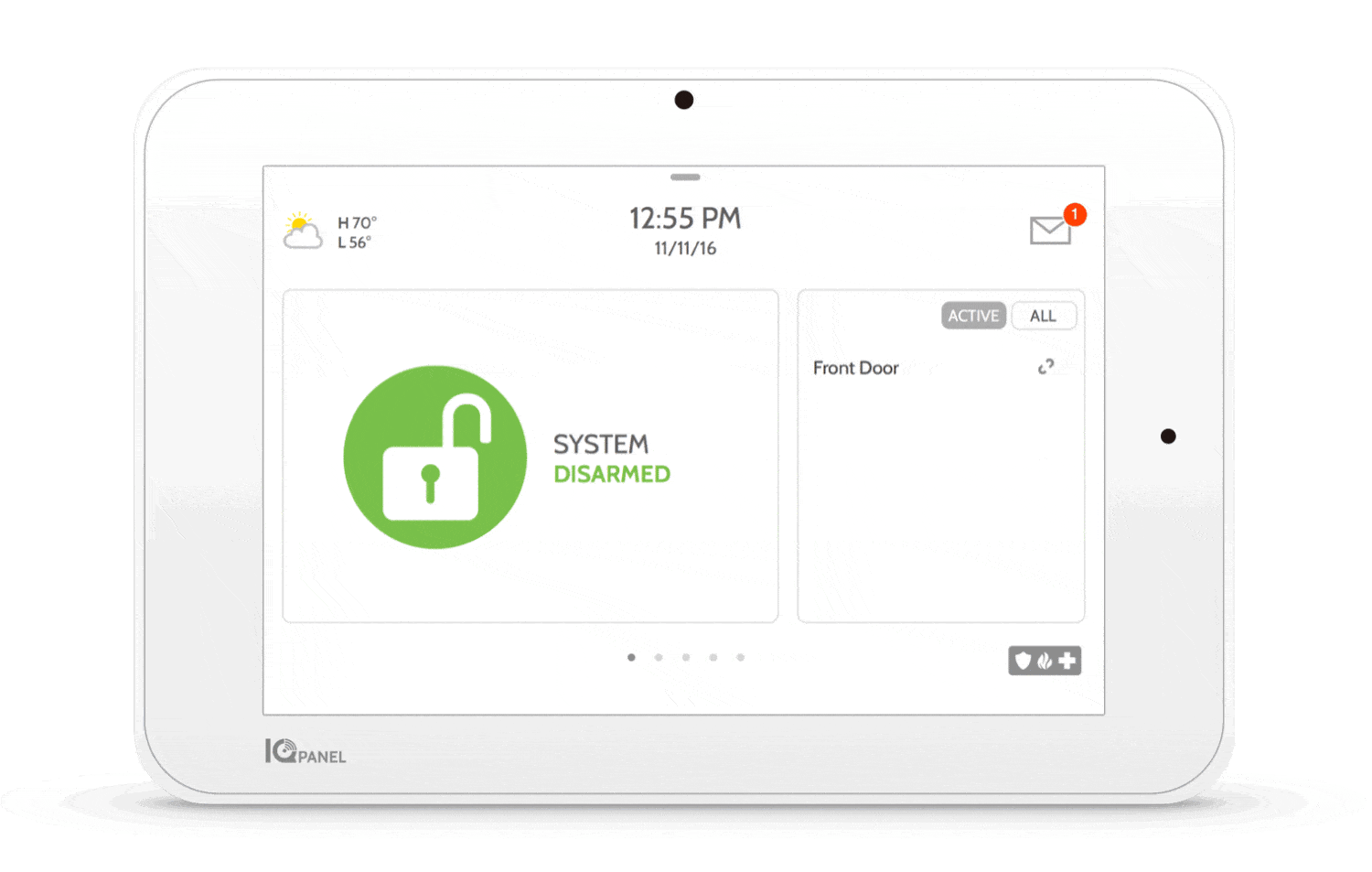
Touch screen control panels have revolutionized the way we interact with machines, devices, and systems across various industries. From home automation and industrial controls to medical equipment and retail kiosks, these panels provide an intuitive and seamless user experience. Their growing popularity is driven by advancements in technology, making them more responsive, durable, and feature-rich.

In today’s digital age, efficiency and ease of use are crucial, and touch screen panels provide both. Unlike traditional control systems that rely on physical buttons and knobs, these panels offer a dynamic interface that can be easily updated or customized. Whether in a smart home or an industrial setting, touch screens enhance productivity while reducing hardware complexity.

What is a Touchscreen Control Panel?

A touch screen control panel is an interactive display that allows users to operate a device or system by touching the screen instead of using external input devices like keyboards or buttons. These panels use sensors to detect and respond to touch gestures, making them ideal for various applications, including automation, entertainment, and security systems.

Key Components:

  • Touch Sensor – Detects touch input and sends signals to the processing unit.
  • Controller – Interprets touch signals and translates them into commands.
  • Display Screen – The interface where users interact with the system.
  • Software – Determines functionality and user experience.

Types of Touchscreen Control Panels

Resistive Touch Panels

  • Work by pressing two layers together when touched.
  • Can be used with gloves or styluses.
  • Affordable but less responsive than capacitive touch screens.

Capacitive Touch Panels

  • Use electrical signals to detect touch.
  • Highly responsive and supports multi-touch gestures.
  • Commonly found in smartphones and tablets.

Infrared & Optical Touch Panels

  • Use infrared beams or optical sensors to detect touch.
  • Durable and suitable for outdoor environments.
  • Less common due to high cost.

Surface Acoustic Wave (SAW) Touch Panels

  • Work by sending sound waves across the screen.
  • High clarity and excellent touch recognition.
  • Used in ATMs and high-end industrial applications.

Applications of Touchscreen Control Panel

Touch screen control panels are widely used across industries, offering improved efficiency and ease of use. Some of their major applications include:

  • Industrial Automation – Used in factories and production lines to monitor and control machinery.
  • Healthcare – Found in medical equipment for easy data entry and monitoring.
  • Smart Homes – Centralized home automation systems control lighting, security, and climate.
  • Retail & Self-Service – Used in POS systems and self-service kiosks.
  • Automotive & Transportation – Integrated into vehicle dashboards and navigation systems.

Advantages of Using Touchscreen Control Panel

  • User-Friendly – Intuitive design makes them easy to operate for all users.
  • Space-Saving – Reduces the need for multiple buttons and dials.
  • Enhanced Productivity – Faster response times lead to increased efficiency.
  • Durability – Advanced panels are built to withstand harsh environments.

Challenges and Limitations of Touchscreen Panels

While touch screen control panels offer numerous benefits, they also come with challenges and limitations that should be considered before implementation.

Cost Considerations

High-quality touch screens with advanced features can be expensive, especially when compared to traditional control panels. Customization and integration with existing systems can also increase costs.

Sensitivity Issues in Extreme Environments

  • In industrial settings, factors like dust, moisture, and extreme temperatures can affect touch panel performance.
  • Gloves or wet hands can sometimes hinder capacitive touch functionality.
  • High humidity may cause condensation on the screen, leading to false inputs.

Maintenance and Durability Concerns

  • Screen Wear & Tear: Constant touching may lead to scratches or reduced sensitivity over time.
  • Software Updates: Some panels require frequent software updates to maintain performance.
  • Power Dependency: Unlike mechanical switches, touch screens require a power source, making them unusable during power failures unless backup systems are in place.

Key Features to Look for in a Touchscreen Control Panel

When choosing a touch screen control panel, consider these key features:

Display Quality and Responsiveness

  • High-resolution screens ensure better visibility and clarity.
  • Responsive touch sensors improve user experience.

Multi-Touch Capabilities

  • Essential for modern applications where users need pinch, zoom, or multi-finger gestures.
  • Commonly found in capacitive and infrared touch panels.

Connectivity Options

  • Wi-Fi & Bluetooth: Allow remote access and wireless control.
  • USB & Ethernet: For wired connections and data transfer.
  • Cloud Integration: Useful for IoT-enabled systems and smart automation.

Customization and Software Compatibility

  • Panels should support multiple software applications and allow UI customization.
  • Industrial and commercial users should check compatibility with SCADA, PLCs, and automation systems.

How to Choose the Right Touchscreen Control Panel

Selecting the best touch screen control panel depends on various factors, including industry requirements, budget, and expected usage.

Industry and Application-Based Selection

  • Manufacturing & Automation: Requires rugged, industrial-grade screens with high durability.
  • Retail & Customer Service: Needs sleek, interactive kiosks for customer engagement.
  • Healthcare & Medical Devices: Must have hygienic, easy-to-clean surfaces.

Budget and Durability Concerns

  • Entry-level resistive touch panels are affordable but may not last long in harsh environments.
  • High-end capacitive and SAW panels provide better durability but come at a higher cost.

User-Friendliness and Customization Needs

  • A well-designed UI enhances user experience.
  • Touch screens with haptic feedback or gesture recognition improve usability.

The Role of Touchscreen Control Panel in Industrial Automation

Industrial automation heavily relies on touch screen control panels to improve efficiency and precision.

How They Streamline Operations

  • Reduce manual errors by providing real-time monitoring and control.
  • Enable quick troubleshooting of machine failures.
  • Allow integration with IoT, providing data-driven insights for better decision-making.

Integration with IoT and Smart Factory Systems

  • IoT-enabled touch screens can connect to cloud-based platforms, allowing remote monitoring.
  • Smart factories use AI-powered panels to automate processes.

Case Studies of Industries Benefiting from Them

  • Automobile Manufacturing: Assembly lines use touch panels for robotic control.
  • Pharmaceutical Industry: Monitors drug manufacturing processes.
  • Energy Sector: Used in power plants to manage electrical grids efficiently.

Future Trends in Touchscreen Control Panels

Technology is constantly evolving, and touch screen control panels are no exception. Some emerging trends include:

AI Integration and Voice Control

  • AI-driven touch screens can predict user behavior and optimize interactions.
  • Voice-enabled controls are being integrated for hands-free operation.

Gesture Recognition Technology

  • Future panels may allow interaction without direct touch, reducing wear and tear.
  • Used in healthcare and clean-room environments where touch-free operation is essential.

Advancements in Haptic Feedback

  • Newer touch panels offer tactile responses to mimic physical buttons.
  • Improves user experience in automotive dashboards and gaming devices.

Installation and Maintenance Tips

Proper installation and regular maintenance of touch screen control panels ensure longevity and optimal performance.

Best Practices for Installation

  • Choose the Right Location: Avoid direct sunlight or extreme temperatures that could affect screen visibility and performance.
  • Secure Mounting: Ensure the panel is firmly installed to prevent accidental movement or damage.
  • Power Supply Considerations: Use a stable power source with surge protection to prevent voltage fluctuations.

Regular Maintenance for Longevity

  • Screen Cleaning: Use a microfiber cloth with a non-abrasive cleaner to prevent scratches.
  • Firmware and Software Updates: Keep the system updated to enhance security and performance.
  • Check for Physical Damage: Regularly inspect for cracks or malfunctions to avoid costly repairs.

Common Troubleshooting Techniques

  • Unresponsive Screen: Restart the device or recalibrate the touch settings.
  • Ghost Touch Issues: Remove static interference or clean the screen.
  • Connectivity Problems: Check network settings and update drivers if necessary.

Security Concerns and Solutions

Since touch screen control panels are widely used in automation, security is a major concern.

Risks of Unauthorized Access

  • Touch screen control panels in critical infrastructure could be vulnerable to hacking attempts.
  • Public-facing touch screens (e.g., kiosks) may be prone to tampering or misuse.

Importance of Encryption and Authentication

  • Implement multi-factor authentication to restrict access.
  • Use encrypted communication protocols for secure data transfer.

Protective Measures for Data Security

  • Install security software to detect vulnerabilities.
  • Regularly update passwords and user permissions.
  • Enable automatic logouts for inactive sessions to prevent unauthorized access.

Comparing Touch Screen vs. Traditional Control Panels

Traditional control panels with mechanical buttons still exist, but how do they compare to touch screens?

Feature TouchScreen Control Panel Traditional Control Panel
Ease of Use Intuitive, interactive Requires manual input
Customization Highly customizable UI Fixed buttons/switches
Durability Can wear out over time More rugged in some cases
Maintenance Requires regular cleaning Minimal maintenance
Cost Higher upfront cost Lower initial investment

Case Studies of Successful Implementation

Many industries have successfully integrated touch screen control panels, improving efficiency and usability.

1. Homes

  • A luxury home automation company replaced traditional wall-mounted switches with touch screen control panels, allowing homeowners to control lighting, security, and HVAC from a single interface.

2. Retail & Self-Service

  • A fast-food chain installed self-order kiosks, reducing wait times and increasing order accuracy.

3. Healthcare

  • Hospitals implemented touch-enabled medical devices, enabling doctors to access patient records instantly.

Conclusion

Touch screen control panels have transformed how industries and consumers interact with technology. Their user-friendly interface, high efficiency, and adaptability make them a preferred choice in automation, healthcare, retail, and beyond. While there are some limitations, ongoing advancements in AI, security, and durability will continue to improve these systems.

As touch screen technology evolves, we can expect even smarter, more intuitive panels that redefine convenience and control in both industrial and consumer applications.


Frequently Asked Questions (FAQs)

1. What is the lifespan of a touchscreen control panel?

The lifespan depends on the type and usage, but most high-quality panels last 5-10 years with proper maintenance.

2. Can touch screen control panels be used outdoors?

Yes, but they require weatherproofing, anti-glare coatings, and protection against temperature extremes.

3. Are touchscreen control panels compatible with gloves?

Resistive screens work with gloves, while capacitive screens may require specialized gloves for conductivity.

4. What industries benefit the most from touchscreen panels?

Industries like automation, healthcare, retail, automotive, and smart homes benefit significantly from touch screen control panels.

5. How do I prevent accidental touches on a touchscreen panel?

Use features like palm rejection, adjustable sensitivity settings, and screen locks to minimize accidental inputs.

SOURCES:

  1. Qolsys.com
  2. Explainthatstuff.com
  3. Alarmgrid.com
  4. Siemens.com
  5. Embedded.com


About All Action Alarm: Your Trusted Partner in Home Security Solutions

When it comes to protecting your home and loved ones, there’s no room for compromise. At AllActionAlarm, we take home security to the next level by offering top-tier protection with cutting-edge technology and expert monitoring services that you can rely on. As a leader in the security industry, we’re committed to keeping homes and businesses safe, providing peace of mind 24/7.

Check out Wireless Burglar Alarm System and Get Started with All Action Alarm Today! Check out also this articles:

Don’t wait for an emergency to take action. Protect your home and family with the best in the business.  Call (631) 549-7225 to schedule your consultation, or visit allactionalarm.com to learn more about our services.

Your safety is our top priority.