
Wireless Door Access System

- Access Control Installation - March 2, 2026
- Fire Alarm Systems - February 27, 2026
- Alarm Alerts and Notification System - February 27, 2026
Let’s face it—traditional keys are outdated. They get lost, copied, or even stolen. In a world that thrives on smart technology, it only makes sense that our door security systems evolve too. Enter the wireless door access system—an innovative solution that offers not just convenience, but also cutting-edge protection for your home or business. Whether you’re managing an apartment complex, running a hotel, or simply want to level up your home’s security, this guide will walk you through everything you need to know about wireless access control.
Unlike the clunky keys and wired systems of the past, wireless access solutions give you remote control, real-time monitoring, and advanced security features—all wrapped up in one smart package. Plus, with the rise of remote work and mobile lifestyles, who doesn’t want the power to open doors from anywhere with just a tap on their phone?
But don’t worry, we’re not just scratching the surface here. This article digs deep into the nuts and bolts of wireless door access systems. We’ll cover how they work, types available, benefits, costs, installation tips, and even what the future holds. So, grab a coffee and let’s unlock this smart solution together.
What Is a Wireless Door Access System?
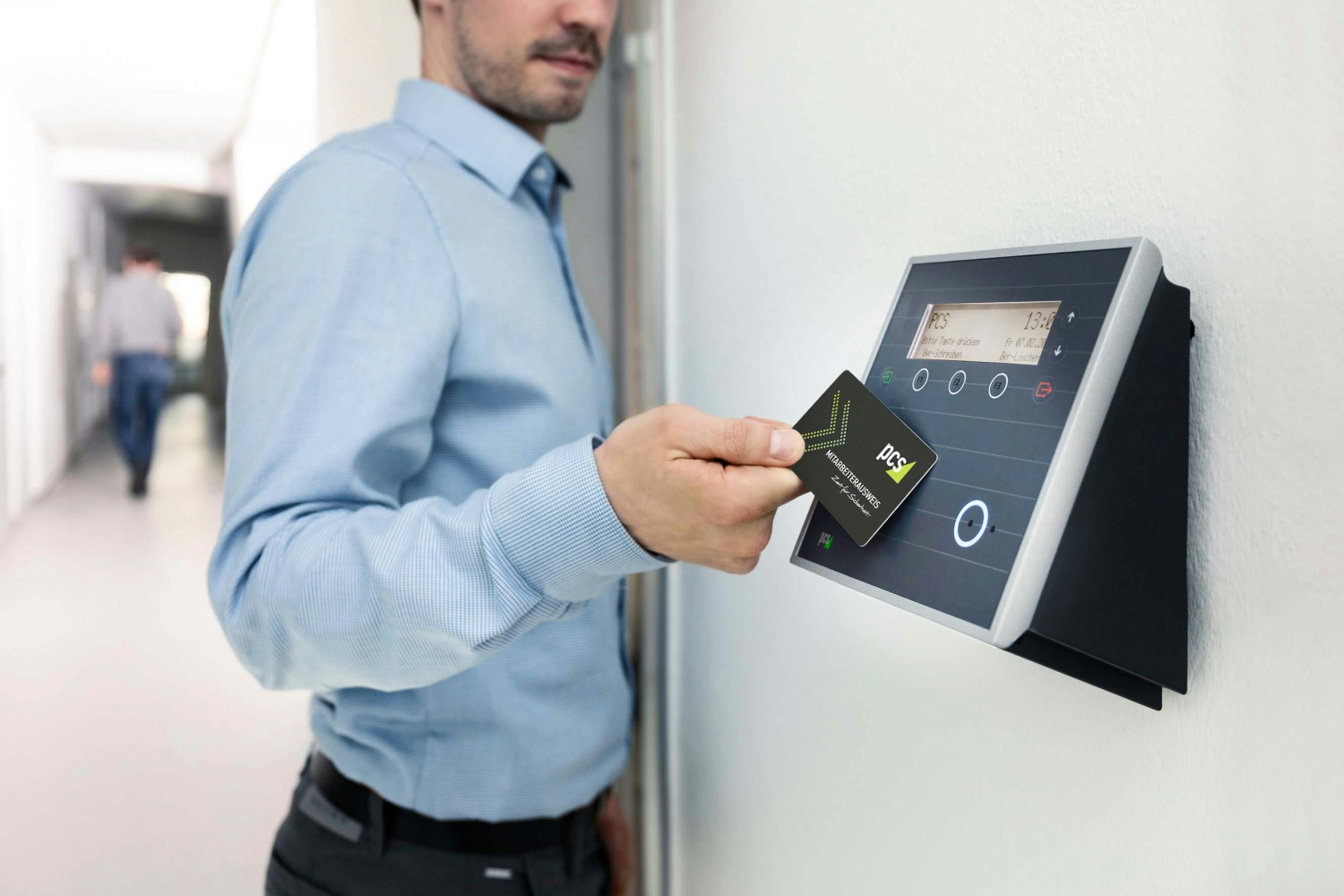
A wireless door access system is a security mechanism that allows authorized users to unlock doors using wireless technology rather than traditional keys or wired systems. These systems typically use Wi-Fi, Bluetooth, RFID (Radio-Frequency Identification), or NFC (Near Field Communication) to transmit access credentials between a user’s device (like a phone, keycard, or fob) and a smart lock or reader installed on the door.
At the core, the system usually consists of three main parts:
-
Access credential device: This could be a smartphone, RFID keycard, or biometric reader.
-
Smart lock or access reader: Installed on the door, this hardware interprets the wireless signal and triggers the locking mechanism.
-
Control software: Typically cloud-based, it manages user permissions, logs entries, and allows administrators to make changes remotely.
The beauty of a wireless system lies in its flexibility. No more running wires through walls or dealing with mechanical failures. Everything can be controlled remotely and configured through apps or web dashboards. Plus, you can receive real-time notifications every time someone opens a door—perfect for monitoring employee check-ins or keeping an eye on who’s coming and going at your rental property.
In essence, a wireless door access system is the keyless future we’ve all been waiting for.
How Wireless Door Access Systems Work
So, how exactly does a wireless door access system function? At a glance, it might seem like magic—but under the hood, it’s a combination of wireless protocols, smart devices, and encrypted communication channels working together seamlessly.
Here’s a simple breakdown of the process:
-
User Requests Access
The process starts when a user tries to open a door using a device—like tapping a smartphone on an NFC reader, entering a PIN, scanning a fingerprint, or even approaching with a Bluetooth-enabled fob. -
Signal Transmission
The credential device sends a signal to the door’s access reader. This signal is usually encrypted and sent over a secure wireless connection such as:-
Wi-Fi (for remote management and cloud features)
-
Bluetooth (short-range authentication)
-
RFID/NFC (proximity-based access)
-
-
Authentication
The access reader or connected control panel authenticates the credentials. It checks if the user has permission to enter at that specific time and location. -
Action Taken
If access is approved, the system sends a command to the smart lock to disengage. If access is denied, the user is blocked and possibly alerted through a notification. -
Logging the Event
Every access attempt is logged in the system’s database, including user identity, time, and outcome (granted or denied). This is crucial for audits, monitoring, and security compliance.
The best part? All of this happens in seconds. You walk up, tap your phone or card, and you’re in.
Types of Wireless Door Access Systems
Wireless door access systems come in all shapes and sizes, each tailored to specific use cases, preferences, and budgets. Let’s break down the main types so you can decide which one makes sense for your home, office, or commercial building.
1. Keycard-Based Systems
These are widely used in hotels, offices, and secure facilities. Each user is given an RFID or magnetic keycard that they simply tap or swipe near a reader to unlock the door.
Pros:
-
Easy to distribute and deactivate
-
Cost-effective for managing many users
-
Great for commercial settings
Cons:
-
Cards can be lost or stolen
-
Not ideal for smaller residential uses
2. Keypad or PIN Entry Systems
Instead of a physical device, users enter a code on a keypad. This is popular in shared spaces or areas with rotating users, like Airbnb rentals.
Pros:
-
No need to carry anything
-
Codes can be changed remotely
Cons:
-
PINs can be shared or guessed
-
Less secure without added layers like 2FA
3. Biometric Access Systems
These use your unique physical traits like fingerprints, facial recognition, or even retina scans to grant access.
Pros:
-
High security—no lost keys or cards
-
Very fast and convenient for users
Cons:
-
Higher upfront cost
-
Some users have privacy concerns
4. Mobile App-Based Systems
Users download a mobile app to unlock doors using Bluetooth, Wi-Fi, or the cloud. Some systems even allow remote unlocking from anywhere in the world.
Pros:
-
Access control from your smartphone
-
Easy to revoke or grant access
-
Integrates well with other smart home systems
Cons:
-
Relies on smartphone battery and app availability
-
Internet issues can cause downtime
5. NFC and RFID Systems
These are contactless systems using radio frequencies. RFID is most common in workplaces, while NFC is integrated into phones and smartwatches.
Pros:
-
Extremely fast and reliable
-
Great for high-traffic areas
Cons:
-
Readers and tags need to be properly configured
-
Limited range can be a constraint
Each type serves a specific need. For a tech-savvy household, app-based or biometric systems are perfect. For businesses managing hundreds of people, RFID or keycards are practical and scalable.
Components of a Wireless Access Control System
A wireless door access system isn’t just a lock and a card reader—it’s a fully integrated security solution. Let’s explore the key components that bring everything together:
1. Smart Locks
These are the heart of the system. They replace traditional locks and are wirelessly controlled. Some models allow remote unlocking, schedule-based locking, and auto-lock timers.
Popular features:
-
Touchscreen keypads
-
Auto-locking mechanisms
-
Voice assistant integrations (like Alexa or Google Assistant)
2. Control Panels or Hubs
These act as the “brains” of the system. The control panel connects to all devices and manages the logic—who gets access, when, and to which doors.
Functions:
-
Manages user credentials
-
Connects to cloud dashboards
-
Handles communication with smart locks
3. Authentication Devices
Depending on your system type, you’ll need:
-
Keycard readers
-
Biometric scanners
-
PIN pads
-
Mobile access points
Each reader verifies the user’s identity and relays the information to the hub or smart lock.
4. Access Management Software
This is the dashboard you’ll use—whether through a web browser or mobile app—to manage the whole system. It’s where you can:
-
Add or remove users
-
Set access schedules
-
Monitor real-time entry logs
-
Receive alerts
Many modern systems are cloud-based, meaning you can access your dashboard from anywhere with an internet connection.
Without these components working together, a wireless system would be incomplete. Think of it like a symphony—each instrument must play in harmony for everything to sound right.
Benefits of Using Wireless Door Access Systems
Alright, let’s get to the fun part—why should you ditch your old keys and make the jump to wireless door access? There’s a laundry list of advantages, but here are the top reasons why it’s a no-brainer for modern security.
1. Remote Access and Control
You can lock or unlock doors from anywhere. Whether you’re halfway across the world or just too lazy to get off the couch, your smartphone becomes your key.
Use case example:
Hosting an Airbnb? Grant temporary access to guests without ever meeting them in person.
2. Enhanced Security
Modern systems come with end-to-end encryption, meaning it’s extremely difficult for hackers to intercept signals. Plus, you can monitor who enters and leaves with precise timestamps.
3. No More Lost Keys or Replacements
Traditional keys are a hassle. Lose one, and you’re calling a locksmith. Wireless systems eliminate that. Just reset the credential and move on.
4. Easy Integration
Many systems work seamlessly with smart home platforms like Alexa, Google Home, and even IFTTT. That means your door can trigger lights, thermostats, or alarms.
5. Scalable for Any Size
Whether it’s a single-family home or a corporate office with 500 employees, wireless access control can grow with you. Adding new users or access points is simple and quick.
6. Detailed Entry Logs
Need to audit who came in and when? The system logs every attempt—successful or not—giving you peace of mind and control.
Common Use Cases and Applications
Wireless door access systems are not just for high-tech corporate offices anymore. These versatile solutions are being adopted across a wide variety of settings—from cozy homes to massive industrial facilities. Let’s take a closer look at where and how these systems are being used effectively.
1. Residential Homes
Smart homeowners are embracing wireless access systems for their:
-
Main doors
-
Garages
-
Gates and fences
With features like remote unlocking, auto-locking, and integration with security cameras, you can manage your home security even while you’re on vacation.
Example:
You can grant a temporary digital key to your dog walker, babysitter, or cleaning service—then revoke it anytime.
2. Office Buildings
In today’s flexible work environment, offices need access control solutions that are just as adaptable. Wireless systems allow you to:
-
Control multiple doors from a central dashboard
-
Grant tiered access (e.g., only managers can enter the server room)
-
Log employee entry/exit times for HR or compliance purposes
Bonus: When employees leave, you simply revoke access—no more chasing down physical keys.
3. Hotels and Airbnb Rentals
Wireless access is a game-changer for hospitality. Guests receive keyless entry through their phones or a code, improving their experience while saving time for staff.
Features for hosts:
-
Auto-expiring access codes
-
Integration with booking platforms
-
Real-time alerts on guest check-in/out
4. Schools and Universities
Security is a huge priority in educational institutions. Wireless access systems help control who can enter buildings like:
-
Dormitories
-
Labs
-
Gyms
-
Administrative offices
Administrators can restrict access after hours and monitor usage to keep students and staff safe.
5. Industrial and Warehouse Facilities
These areas often require strict access control due to the high value of assets or hazardous materials. Wireless access systems provide:
-
Secure entry for authorized personnel
-
Real-time activity logs for compliance
-
Zoning features to limit access to sensitive areas
No matter the use case, wireless door access systems provide a flexible, scalable, and secure solution to fit the needs of modern life and business.
Security Features to Look For
Security is the core reason why people switch to wireless access control in the first place. But not all systems are created equal. So, what should you look for to ensure your setup is rock-solid?
1. End-to-End Encryption
Every signal—from the moment you tap your phone to the moment the door unlocks—should be encrypted. This keeps hackers from intercepting or mimicking credentials.
Look for: AES-128 or AES-256 encryption levels.
2. Multi-Factor Authentication (MFA)
It’s not enough to rely on just one method. MFA combines two or more credentials:
-
Something you know (like a PIN)
-
Something you have (like a smartphone)
-
Something you are (like a fingerprint)
MFA significantly reduces the chances of unauthorized access.
3. Real-Time Alerts and Notifications
Get instantly notified when:
-
Someone enters or exits
-
A failed login attempt occurs
-
A door is left open
Real-time data gives you eyes on your property 24/7.
4. Auto-Lock Timers
Ever forgotten to lock the door? With auto-locking, the system can relock itself after a certain time or when you leave the premises.
Pro tip: Choose a system where you can customize this feature per door.
5. Tamper Detection
Smart locks with tamper sensors can alert you if someone tries to force the door or disable the reader—perfect for crime prevention.
A secure wireless door access system should protect not just your physical space but also your data and digital identity. Don’t compromise—choose features that put your mind at ease.
Installation Process
Installing a wireless door access system might sound complicated, but it’s surprisingly doable—especially with today’s user-friendly technology. Let’s walk through what you can expect.
DIY Installation
Many wireless systems today are designed for the average user. If you’re somewhat handy, you can set it up with a few basic tools.
What’s usually involved:
-
Removing the old lock
-
Mounting the smart lock and reader
-
Connecting it to Wi-Fi or Bluetooth
-
Downloading and configuring the app
Brands like August, Yale, and Schlage offer DIY-friendly products with video tutorials and guided setup.
Professional Installation
If your setup involves multiple doors, access zones, or advanced integrations, it’s worth hiring a pro. Certified installers can:
-
Ensure correct placement and secure mounting
-
Connect your system to an existing network
-
Configure advanced settings like access schedules and MFA
Ideal for:
-
Businesses
-
Multi-unit buildings
-
High-security areas
Software Setup
Once the hardware is installed, you’ll:
-
Create an admin account
-
Add users and define permissions
-
Set up schedules and zones
-
Enable notifications and logging
-
Integrate with other smart devices if needed
Expect to spend a few hours getting everything perfect. But once it’s up and running, you’re in total control.
Best Wireless Door Access Systems in 2025
With so many brands and models on the market, it can be tough to choose the right wireless door access system. To help you narrow it down, here are the top-rated systems of 2025, evaluated based on reliability, features, ease of use, and value for money.
| Brand & Model | Type | Key Features | Ideal For | Price Range |
|---|---|---|---|---|
| August Wi-Fi Smart Lock (4th Gen) | Mobile App / Wi-Fi | Remote access, auto-lock/unlock, DoorSense™ | Residential, Airbnb | $220 – $250 |
| Schlage Encode Plus | Wi-Fi / Keypad | Apple HomeKit, voice assistant integration | Smart homes | $280 – $320 |
| SALTO KS Cloud | RFID / Cloud-Based | Scalable cloud access, mobile keys | Commercial / Enterprise | Custom pricing |
| Yale Assure Lock 2 | Keypad + App | Modular connectivity (Z-Wave, Matter, Wi-Fi) | Homes, small businesses | $180 – $250 |
| Brivo Access Control | Cloud + Mobile | Enterprise-level security, audit logs, MFA | Offices, Warehouses | Custom pricing |
Why These Systems Stand Out
-
August Smart Lock: Super easy to install and works with existing deadbolts. Great for renters and homeowners alike.
-
Schlage Encode Plus: Works seamlessly with Apple HomeKit and Siri. Top-notch for iPhone users.
-
SALTO KS: Best for large-scale operations. Offers centralized control with remote credentialing.
-
Yale Assure 2: Affordable and very flexible with connectivity. Supports a wide range of smart home ecosystems.
-
Brivo: High-security access with advanced reporting and cloud integrations for enterprise-level needs.
When choosing a system, always consider compatibility with your door, required features (e.g., remote unlock, guest access), and how scalable it needs to be in the future.
Cost of Wireless Access Control Systems
Let’s talk numbers—how much does a wireless door access system actually cost? The answer depends on the size of the installation, the technology you choose, and whether you go the DIY or professional route.
1. Hardware Costs
-
Smart locks: $100 – $350 each
-
Card readers: $50 – $200 each
-
Keycards/fobs: $2 – $10 per unit
-
Biometric readers: $200 – $1,000+
-
Control panels/hubs: $150 – $500
2. Software and Subscription Fees
Some systems are free to use with basic features, while others offer subscription-based models for advanced tools.
-
Basic access apps: Often free
-
Cloud access platforms: $10 – $50/month (per door or admin)
-
Enterprise platforms: Custom pricing depending on number of users and doors
3. Installation Costs
-
DIY: Free (unless you buy tools)
-
Professional install: $100 – $500 per door
-
Wiring (if hybrid): Add $100–$300 depending on complexity
Total Setup Cost (Estimated)
| Application Type | Estimated Cost Range |
|---|---|
| Single Smart Lock (DIY) | $150 – $300 |
| Small Office (3–5 doors) | $1,000 – $3,000 |
| Enterprise Building (10+ doors) | $5,000 – $20,000+ |
Always get a few quotes if going with a professional service. Also, factor in long-term costs like battery replacements and possible upgrades down the line.
Wireless vs Wired Access Control Systems
Wondering whether to go wireless or stick to traditional wired systems? Here’s a side-by-side comparison to help you decide:
| Feature | Wireless System | Wired System |
|---|---|---|
| Installation | Easy, quick, often DIY | Time-consuming, requires professional |
| Flexibility | Highly scalable and portable | Fixed once installed |
| Reliability | Depends on battery/internet | Stable, less affected by outages |
| Security | Advanced encryption, remote access | Physically secure, harder to hack |
| Maintenance | Requires regular battery changes | Minimal once set up |
| Cost | Lower upfront, higher long-term costs | Higher upfront, lower ongoing costs |
| Integration | Easily integrates with smart devices | Less compatible with modern tech |
Verdict?
-
Go wireless if you want convenience, flexibility, and smart integration.
-
Stick to wired for critical infrastructure and areas where stability is non-negotiable.
How to Choose the Right System for Your Needs
With so many options, how do you know which wireless door access system is right for you? Here’s a simple checklist to guide your decision:
1. Identify Your Needs
-
Is it for a home, office, or rental property?
-
How many users will need access?
-
Do you need remote management?
2. Prioritize Features
Decide what’s essential:
-
Biometric access?
-
Auto-locking?
-
Guest access?
-
Voice assistant compatibility?
3. Evaluate Budget
Know what you’re willing to spend—not just for setup but also for ongoing maintenance and subscription costs.
4. Consider Future Expansion
Choose a system that can grow with you:
-
Can you add more doors?
-
Can you scale up users easily?
-
Is it compatible with other systems?
5. Research User Reviews
Don’t just rely on the marketing. Look at verified user reviews on Amazon, Reddit, and tech forums to get real-world insights.
The right system is one that fits your security goals, your budget, and your lifestyle.
Troubleshooting and Maintenance Tips
Even the best systems run into hiccups. Here are some common wireless door access issues and how to handle them like a pro:
1. System Not Responding
Fix:
-
Check battery levels
-
Reboot your hub or control panel
-
Ensure your Wi-Fi or Bluetooth signal is strong
2. Access Denied Errors
Fix:
-
Double-check user permissions
-
Ensure the user is within the allowed schedule
-
Try re-issuing credentials
3. Lock Won’t Engage
Fix:
-
Check for door alignment issues
-
Clean debris from lock housing
-
Update firmware
4. Lost Internet Connection
Fix:
-
Most systems have offline mode
-
Use backup keys or PINs temporarily
-
Reconnect via the app once internet is restored
5. Battery Life Concerns
Fix:
-
Use lithium batteries for longer lifespan
-
Set reminders to check battery status monthly
-
Some systems offer battery level alerts
Maintenance Tips
-
Keep software and firmware updated
-
Regularly clean sensors and locks
-
Audit your access logs every 3–6 months
With minimal upkeep, your system can run smoothly for years. Think of it like a digital doorman that just needs a little checkup now and then.
The Future of Wireless Access Control
The tech world never stops evolving, and wireless door access systems are no exception. As we move deeper into the era of smart living and AI-powered security, expect these systems to become even more intuitive, secure, and interconnected.
1. AI-Powered Access Decisions
Imagine your door learning who you are—not just through a PIN or card—but by analyzing patterns in your behavior. That’s exactly where AI and machine learning are taking us.
-
Behavioral biometrics will verify users by how they type a code or hold their phone.
-
Predictive access might unlock your door as you approach, based on your usual schedule.
These systems could even detect suspicious behavior and automatically lock down access or alert authorities.
2. IoT Integration on Steroids
Already, smart locks can link to thermostats, lights, and cameras. But the future will take it further:
-
Unlock your door, and the lights turn on, music starts playing, and AC adjusts to your preferences.
-
Access logs could automatically sync with your HR software or tenant billing system.
-
Smart locks will talk to delivery drones or robots, granting them temporary access.
3. Facial Recognition and Voice Control
We’re heading towards truly hands-free access. Face ID is already being used in phones—soon, your door will recognize your face or voice, unlocking before you even touch it.
Privacy concerns will be tackled with on-device recognition and stronger encryption, ensuring you stay in control of your data.
4. Blockchain-Based Credentialing
Yes, even blockchain has a role. Instead of storing access data in the cloud, it can be securely stored and verified through a blockchain ledger, making it:
-
Tamper-proof
-
Decentralized
-
Highly transparent
This technology could revolutionize access systems in high-security environments like government buildings or data centers.
5. Energy-Harvesting Locks
Future locks may not even need batteries. Kinetic energy (from pressing the keypad) or solar power could make locks completely self-sufficient. That’s not sci-fi—it’s already in development.
Bottom Line?
Wireless access systems aren’t just a trend—they’re the future of security. As tech improves, they’ll only get smarter, faster, and more secure, giving you even more peace of mind and control.
Conclusion
Let’s be real: keys are becoming relics of the past. In a world that thrives on speed, convenience, and security, wireless door access systems offer the perfect solution. They give you control from anywhere, detailed tracking of who comes and goes, and the flexibility to scale as your needs change.
Whether you’re securing a cozy apartment or managing hundreds of access points in a commercial building, there’s a wireless system out there that’s just right for you.
From mobile apps and biometrics to AI-driven automation and blockchain security, these systems are shaping the way we think about physical access in a digital world.
So, if you’re still fumbling for keys or relying on old-school lock-and-key setups—it’s time to upgrade. Step into the future of secure living and working with a wireless door access system that fits your lifestyle, your business, and your budget.
Because security shouldn’t be static. It should be smart, seamless, and always in your hands.
FAQs
1. Can wireless door locks be hacked?
Yes, any connected device has some vulnerability, but high-quality systems use strong encryption, 2FA, and tamper alerts. Choosing a reputable brand and keeping firmware updated greatly reduces risk.
2. Do wireless door access systems work without the internet?
Many systems have offline modes. Local Bluetooth or RFID systems don’t require the internet, but cloud-based features like remote unlocking and activity logs won’t work without a connection.
3. How long do wireless door locks last?
Most battery-powered locks last 6 to 12 months depending on usage. Regular maintenance and using high-quality batteries can extend the life. Hardware itself can last 5 to 10 years or more.
4. Is professional installation necessary?
Not always. Many residential systems are DIY-friendly and can be set up in under an hour. However, complex commercial installations or integrations often require a professional installer.
5. Can I use my smartphone as a key?
Absolutely. Many modern systems use Bluetooth, Wi-Fi, or NFC through mobile apps to let your smartphone function as a key—some even support smartwatch access!
About All Action Alarm: Your Trusted Partner in Commercial Security Solutions
AllActionAlarm.com is Long Island’s top choice for state-of-the-art commercial security systems, providing unmatched protection and peace of mind for businesses of all sizes. With years of expertise, we specialize in creating customized security solutions, combining cutting-edge technology with seamless installation and 24/7 monitoring. Whether it’s high-definition surveillance, advanced access control, or intrusion detection, we deliver systems designed to safeguard your assets and personnel.
Our team of certified professionals is committed to offering the best security systems in Long Island, New York. We understand the unique challenges businesses face and work closely with you to develop a comprehensive security plan that fits your needs. We don’t just sell equipment; we partner with you for the long haul, ensuring your business remains protected against any threat.
Don’t leave your business’s safety to chance—contact us at (631) 549-7225 today for a free consultation and experience the AllActionAlarm difference!
For more info you may want to read this article about Swipe Card Door Access Control Systems.

 Ca.garcia.s, CC BY-SA 4.0
  Image by
