
Wireless Motion Detectors

- Understanding Smart Video Clips in Home Surveillance - March 5, 2026
- Access Control Installation - March 2, 2026
- Fire Alarm Systems - February 27, 2026
Introduction to Wireless Motion Detectors
Imagine leaving your home and feeling totally confident that you’ll be alerted the moment something moves where it shouldn’t. That’s exactly what wireless motion detectors promise—and they deliver. These devices are changing the way we approach home and business security. With the rise of smart homes, they’re no longer just optional add-ons but critical components of any serious security setup.
Wireless motion detectors have exploded in popularity, and it’s easy to see why. They’re easy to install (no drilling or running wires through walls), affordable, and incredibly versatile. Whether you’re looking to protect a small apartment or a sprawling estate, these motion detectors can be tailored to fit your needs without the hassle of traditional wired systems.
Over the next several sections, we’ll dig deep into everything you need to know about wireless motion detectors. We’ll talk about how they work, the types available, what features to look for, and even how to install and maintain them. By the end, you’ll know whether wireless motion detectors are right for you—and how to choose the best one for your setup.
What Is a Wireless Motion Detector?
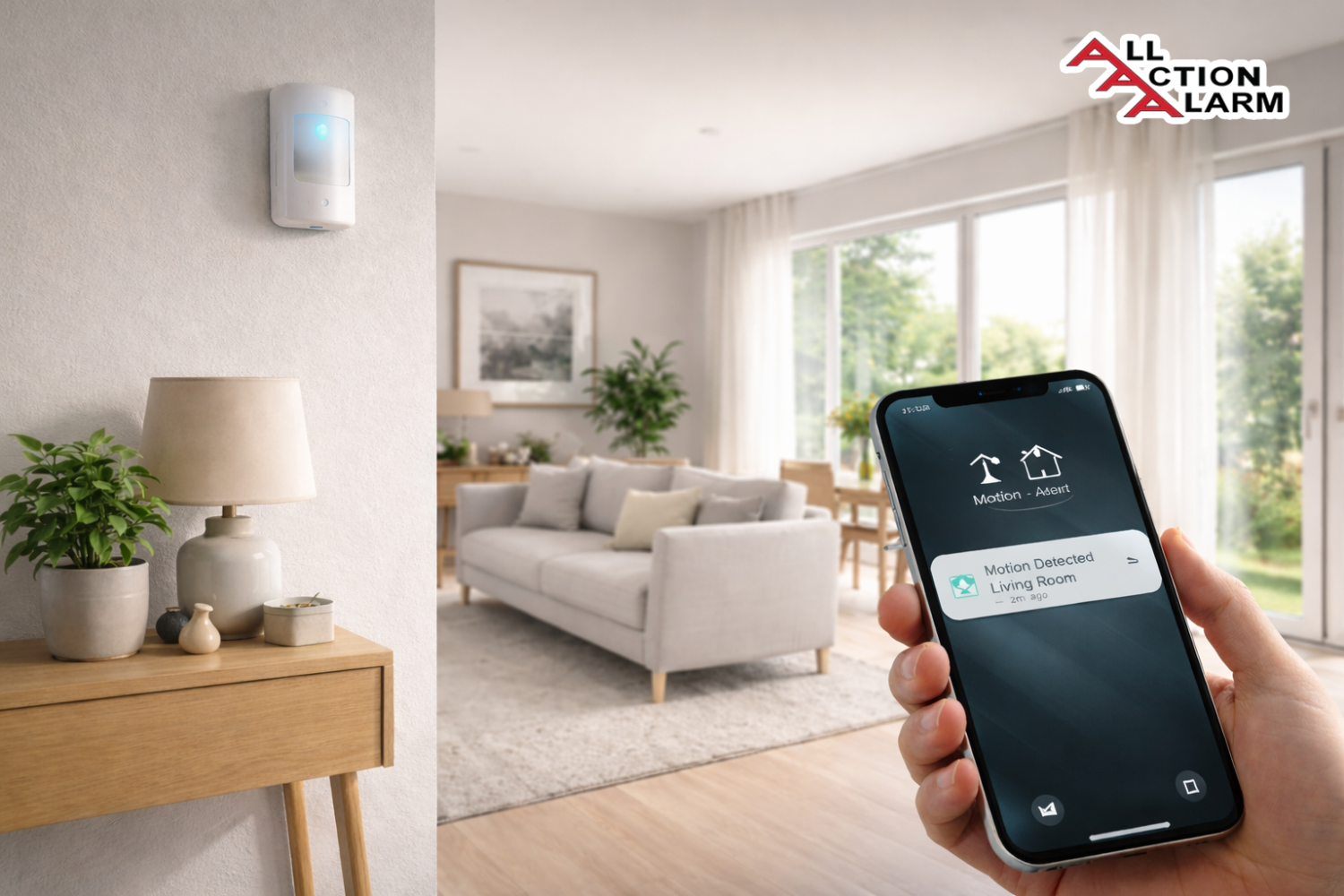
At its core, a wireless motion detector is a smart security device that senses movement in a specific area and sends a wireless signal—usually to a hub, mobile device, or alarm system. Unlike traditional motion sensors that rely on physical wiring for power and communication, wireless motion detectors operate independently, often using batteries and radio frequency (RF) or Wi-Fi to connect with your security system.
These detectors use sensor technologies to track movement and detect changes in the environment—typically, they sense heat (infrared) or movement of objects. When motion is detected, they trigger an alert, which could be a text notification, siren, or even automatic camera recording.
The beauty of a wireless system lies in its flexibility. You’re no longer restricted by walls, distance from your router, or hiring a professional installer. You can mount these detectors anywhere: corners of rooms, entryways, garages, or even in trees for outdoor surveillance.
This convenience makes them especially popular with renters, homeowners who don’t want to tear into their walls, and businesses looking for easy-to-expand security solutions.
Another key benefit? Portability. If you move, take your system with you. That’s a game-changer for people in temporary living situations or frequent movers.
But let’s not overlook the real magic: wireless motion detectors are more than standalone devices. They’re part of the broader Internet of Things (IoT) revolution—syncing with smart home assistants, lights, cameras, and more. You can automate responses, trigger specific actions, and build a truly reactive smart environment.
How Do Wireless Motion Detectors Work?
The science behind wireless motion detectors is actually pretty fascinating. These devices use one or more sensing technologies to detect movement and then transmit that data wirelessly to a hub or your phone. There are three main types of sensing technologies commonly used:
-
Passive Infrared (PIR): The most common type. These detect changes in infrared radiation (aka body heat). When a warm body enters the sensor’s field of view, the infrared energy levels change, triggering an alert.
-
Microwave Sensors: These emit microwave pulses and measure the reflection off moving objects. They cover a larger area than PIR but are more sensitive and can be prone to false alarms (e.g., triggered by moving tree branches outside a window).
-
Dual-Technology Sensors: These combine PIR and microwave detection. Both sensors must be triggered for the alarm to activate, significantly reducing false alarms.
Here’s how a basic wireless motion detector works:
-
Scanning: The sensor is always “watching” its zone.
-
Trigger Event: A movement (such as a person walking into a room) changes the expected readings.
-
Signal Transmission: A wireless signal is sent to the paired receiver, hub, or smartphone.
-
Response: Depending on the setup, the system sends an alert, turns on lights, records video, or triggers an alarm.
Power-wise, most models run on long-lasting lithium batteries. Some can go years without needing a replacement, thanks to energy-efficient circuitry and smart sleep modes.
Wireless communication can occur through various protocols:
-
RF (Radio Frequency): Proprietary signals used in most standalone security systems.
-
Wi-Fi: Allows direct integration with apps and smart home systems.
-
Z-Wave/Zigbee: Common in smart home ecosystems, enabling communication with other smart devices.
The range and reliability of wireless motion detectors depend on the environment and materials in your home—thick walls and heavy metals can reduce range, so placement is key.
Types of Wireless Motion Detectors
Not all motion detectors are created equal. The best one for your needs depends on the environment and the specific security problems you want to solve. Here’s a breakdown of the most common types of wireless motion detectors you’ll encounter:
1. Passive Infrared (PIR) Motion Detectors
These are the most widely used and affordable sensors. They detect infrared radiation (heat) from humans and animals. When a warm body moves into the sensor’s range, the temperature changes, and the sensor sends an alert.
Best for: Indoor use in stable environments (e.g., bedrooms, hallways)
Pros:
-
Low cost
-
Energy efficient
-
Low false alarm rate indoors
Cons:
-
Sensitive to heat fluctuations
-
Can be triggered by sunlight or HVAC drafts
2. Microwave Motion Detectors
Microwave sensors send out pulses and detect motion through the Doppler effect. They can penetrate walls and furniture, making them good for covering large, open spaces.
Best for: Warehouses, garages, outdoor perimeter detection
Pros:
-
Larger coverage area
-
Can detect movement through obstacles
Cons:
-
More expensive
-
Higher risk of false alarms
-
Consumes more battery power
3. Dual-Technology Motion Detectors
These combine PIR and microwave detection. Both sensors must be triggered to activate an alert, reducing the likelihood of false positives.
Best for: High-traffic areas, commercial spaces, places with temperature changes
Pros:
-
Fewer false alarms
-
Greater accuracy
Cons:
-
More expensive than single-technology models
4. Pet-Immune Motion Sensors
These are specially designed to ignore motion from pets under a certain weight (usually under 80 lbs). They use advanced pattern recognition and lower sensitivity for movements close to the ground.
Best for: Homes with dogs or cats
Pros:
-
Reduces false alarms
-
Keeps your furry friends happy
Cons:
-
May miss small intruders
-
Not 100% foolproof
5. Outdoor vs Indoor Motion Detectors
Outdoor detectors are weatherproof and built to withstand rain, snow, and direct sunlight. They often use advanced algorithms to reduce false triggers from natural elements. Indoor detectors are simpler and better suited to climate-controlled areas.
Outdoor Models Should Have:
-
IP65 or higher waterproof rating
-
Tamper-proof casing
-
UV-resistant materials
In a nutshell, picking the right type comes down to location, environment, and specific needs. You may even mix and match types throughout your home or property for maximum protection.
Key Features to Look for in Wireless Motion Detectors
Choosing a wireless motion detector isn’t just about grabbing the first option that pops up on Amazon. There’s a lot under the hood you should consider to make sure you’re getting reliable performance, especially when it comes to home security. Some features can mean the difference between constant false alarms and a system you barely notice—until you need it.
Here are the key features to focus on:
1. Detection Range & Field of View
The range refers to how far the detector can “see” motion, typically ranging from 30 to 80 feet. The field of view is how wide an area it can cover, often between 90° and 180°. If you’re installing a detector in a long hallway or a wide living room, these specs matter. A narrower field of view might leave blind spots, while a short range won’t cover larger spaces.
Pro tip: Look for models that let you adjust the sensitivity or coverage area, especially for tricky spots like entryways or garages.
2. Battery Life
Battery-powered wireless motion detectors are super convenient—until the battery dies and you’re left with a false sense of security. Most good models offer 1 to 5 years of battery life depending on use and quality. Some even notify you via app or email when the battery is low.
Look for:
-
Lithium-ion batteries (longer life)
-
Low-battery notifications
-
Replaceable vs. rechargeable options
3. Alert Types and Notifications
Some motion detectors just trigger a local alarm. Others will send push notifications, SMS alerts, or email alerts. More advanced systems can even trigger smart actions—like turning on lights or starting a camera recording.
Make sure the device:
-
Can send real-time alerts to your phone
-
Is compatible with third-party apps or home automation systems
-
Supports silent modes or schedules
4. Integration With Smart Home Systems
Want your detector to talk to your Alexa, Google Assistant, or Apple HomeKit setup? Then integration is a must. Many newer motion detectors can sync with smart home hubs, letting you build custom automation routines like:
-
Turning on outdoor lights at night when motion is detected
-
Triggering indoor security cameras
-
Alerting you when you’re not home
Compatibility to consider:
-
IFTTT support
-
Z-Wave or Zigbee connectivity
-
API or app integration options
5. Tamper-Proof Design
A motion detector is only useful if it can’t be disabled or removed easily. The best wireless motion detectors come with tamper alerts—so you’re notified if someone tries to disable or remove the sensor.
Look for:
-
Screw-mount or bracket options
-
Tamper detection
-
Encrypted communication
6. Environmental Resistance (for Outdoor Models)
If you’re placing motion detectors outside, weather resistance is crucial. You’ll want models that are rated IP65 or higher to handle rain, snow, dust, and temperature fluctuations.
In short, the ideal wireless motion detector is a mix of strong detection capabilities, easy integration, and long-term reliability. You’re not just buying a sensor—you’re investing in your peace of mind.
Advantages of Wireless Motion Detectors
Wireless motion detectors have taken the security world by storm—and for good reason. The benefits go far beyond just skipping the wires. Let’s break down why more homeowners and businesses are ditching the drill and going wireless.
1. Easy Installation (Seriously)
No need to be an electrician or hire a professional. Most wireless motion detectors are plug-and-play or mount with just a few screws or adhesive strips. You can install them in less than 10 minutes.
-
No holes in walls
-
No tangled wires
-
No complex configuration
This is especially great for renters or anyone who wants a system they can set up and remove quickly.
2. Flexibility and Portability
Wireless means freedom. Want to move a sensor to a different room? Do it. Need to take your security system to a new house? Pack it up and go. Unlike wired systems that are stuck in place, wireless detectors let you adjust as your space and needs change.
3. Cost-Effective Setup
When you go wireless, you avoid the high costs of professional installation and extensive wiring. While the initial unit may cost a bit more than a wired one, the total cost of ownership is usually lower.
Plus, you’re saving on:
-
Labor fees
-
Long cable runs
-
Potential wall repairs
4. Smart Home Ready
Wireless motion detectors are often compatible with smart home ecosystems, making it easier than ever to tie them into:
-
Lighting
-
Cameras
-
Doorbells
-
Voice assistants
This means smarter automation and better control from wherever you are.
5. Scalability
Need to expand your system later? No problem. Adding more sensors to a wireless network is usually as simple as syncing a new device with the hub or app. You can grow your security system over time as your needs evolve.
6. Clean Aesthetic
No visible wires = cleaner look. This is a big deal for people who want security without compromising on home decor. Wireless sensors are sleek, modern, and blend seamlessly into walls, ceilings, and corners.
The bottom line? Wireless motion detectors are not just a convenience—they’re a smart, adaptable, and powerful solution for modern security needs.
While wireless motion detectors come with a long list of perks, it’s only fair to consider the flip side. No technology is perfect, and these devices do have their limitations. Knowing what they are helps you make smarter buying decisions—and prepare for any shortcomings before they become a problem.
Let’s dive into the most common disadvantages of wireless motion detectors:
1. Battery Dependency
One of the biggest drawbacks of wireless motion detectors? Batteries. Unlike their wired counterparts that pull constant power from your home’s electrical system, wireless sensors rely on battery power. If the battery dies—and you don’t realize it—your motion detector becomes a silent decoration.
Risks:
-
Missed alerts due to power loss
-
Manual battery checks (unless you have smart alerts)
-
Inconsistent performance when battery is low
Tip: Always go for models that send low-battery notifications to your app or email, and check them monthly.
2. Signal Interference
Wireless communication can be disrupted by walls, metal objects, electronic appliances, or even your neighbor’s Wi-Fi. Depending on the layout of your home or office, this could result in:
-
Delayed alerts
-
Lost connection to the hub
-
Unreliable detection
Thick concrete walls or dense materials can especially reduce signal strength, so proper placement is critical.
3. Limited Range (in Some Models)
Not all wireless detectors offer long-range coverage. Entry-level models might have a smaller detection area or limited transmission range. This means:
-
You might need more sensors for full coverage
-
Some areas (like basements or large yards) could go unmonitored
Tip: Always check the manufacturer’s specs for max detection range and wireless signal range before buying.
4. False Alarms
While technology has come a long way, false alarms can still be a problem—especially in cheaper models. Things like:
-
Pets
-
Moving curtains
-
HVAC air drafts
-
Sunlight reflecting off a window
…can all trigger an alert if the motion detector isn’t sophisticated enough.
Solution: Use dual-technology sensors (PIR + Microwave) or pet-immune models to cut down on false alarms.
5. Security Risks (If Not Encrypted)
Some older or low-end wireless motion detectors use unsecured radio frequencies, which can potentially be jammed or intercepted by hackers. While this isn’t common with high-quality models, it’s a concern worth noting.
What to look for:
-
Encrypted signal transmission
-
SSL-protected apps
-
Tamper alerts
6. Maintenance Requirement
Because wireless motion detectors are stand-alone units, they need regular maintenance:
-
Battery changes
-
Signal strength checks
-
Firmware updates (if applicable)
While not overly demanding, it’s still more hands-on than a wired system you can “set and forget.”
In summary, wireless motion detectors are incredibly useful—but they’re not flawless. Knowing these limitations helps you choose a system that fits your lifestyle and ensures you don’t get caught off guard by issues later on.
Wireless vs Wired Motion Detectors: Which One is Better?
It’s the age-old debate in home and business security: wired vs wireless. Each has its loyal fans, and both come with unique strengths. If you’re trying to figure out which type is best for your situation, here’s a full breakdown of how they stack up.
| Feature | Wireless Detectors | Wired Detectors |
|---|---|---|
| Installation | Easy, DIY-friendly | Requires professional setup |
| Power Source | Batteries | Direct electrical wiring |
| Reliability | Can face signal issues | Extremely reliable |
| Maintenance | Needs battery changes | Minimal after setup |
| Smart Integration | Often compatible | Limited, unless upgraded |
| Flexibility | Portable & expandable | Fixed locations |
| Cost | Lower upfront | Higher installation costs |
| Security | Encrypted (in good models) | Physically secure |
When to Choose Wireless Motion Detectors:
-
You rent your home or move frequently
-
You want to install it yourself
-
You plan to integrate with a smart home system
-
You need quick setup with minimal mess
When to Choose Wired Motion Detectors:
-
You’re building a new home and can install during construction
-
You don’t want to worry about batteries
-
You need maximum reliability in large or complex buildings
So which one’s better? It depends on your priorities. If you want flexibility, smart features, and easy setup—go wireless. If you’re all about stability and long-term, no-maintenance use—wired might be the way to go.
Top Brands and Models in 2025
With dozens of motion detector options on the market, it can be overwhelming to decide which one is truly reliable, smart, and worth your money. To make it easier, here’s a curated list of some of the best wireless motion detectors in 2025, based on user reviews, performance, smart integration, and long-term reliability.
1. Ring Motion Detector (2nd Gen)
Best For: Homeowners already in the Ring ecosystem
Key Features:
-
Easy integration with Ring Alarm and Ring Cameras
-
Adjustable motion sensitivity
-
Battery lasts up to 3 years
-
Smart alerts via Ring app
Pros:
-
Seamless setup with other Ring devices
-
Affordable and widely available
-
Pet-friendly design
Cons:
-
Requires Ring Base Station
-
Not the best for large, open spaces
2. Arlo Pro 4 Motion Sensor Add-on
Best For: High-end smart homes with video surveillance
Key Features:
-
Works with Arlo smart cameras
-
Custom zones and schedules
-
Smart alerts with AI detection (people, animals, vehicles)
-
Alexa and Google Assistant integration
Pros:
-
Excellent motion detection accuracy
-
Real-time video alerts
-
Sleek, weather-resistant design
Cons:
-
Requires Arlo hub
-
Pricier than basic options
3. SimpliSafe Motion Sensor
Best For: People who want no-frills, effective security
Key Features:
-
30-foot range with 90° field of view
-
Compatible with SimpliSafe security system
-
Pet-friendly (under 50 lbs)
-
Battery life up to 5 years
Pros:
-
Extremely easy to install
-
Very few false alarms
-
Budget-friendly
Cons:
-
Limited smart integration
-
No standalone operation
4. Eufy Security Motion Sensor
Best For: Affordable smart home integration
Key Features:
-
100° coverage, 30 ft range
-
Built-in app notifications
-
Works with Eufy HomeBase and cameras
-
Low-power consumption
Pros:
-
Cheap but reliable
-
No monthly fees
-
Easy-to-use app
Cons:
-
Limited compatibility outside Eufy ecosystem
-
Not ideal for large outdoor spaces
5. Honeywell Home Wireless Motion Detector
Best For: Business and commercial security systems
Key Features:
-
Advanced PIR and microwave sensors
-
Tamper protection
-
Up to 40-foot detection range
-
Professional-grade durability
Pros:
-
Fewer false alarms
-
High-performance in busy areas
-
Ideal for offices and retail spaces
Cons:
-
Requires Honeywell security system
-
More technical to install
Comparison Table: Top Wireless Motion Detectors 2025
| Brand & Model | Detection Range | Smart Home Compatible | Pet Friendly | Battery Life | Price |
|---|---|---|---|---|---|
| Ring Motion Detector | 30 ft | Yes (Ring, Alexa) | Yes (<50 lbs) | 3 years | $$ |
| Arlo Pro 4 Sensor | 40 ft | Yes (Arlo, Alexa, GA) | Yes | 2 years | $$$ |
| SimpliSafe Motion Sensor | 30 ft | Limited | Yes (<50 lbs) | 5 years | $ |
| Eufy Motion Sensor | 30 ft | Yes (Eufy Only) | Yes | 2 years | $ |
| Honeywell Wireless | 40 ft | Limited (Honeywell) | Yes | 4 years | $$$ |
Choosing the right model comes down to your needs, your home layout, and your existing smart systems. If you already use Ring or Arlo, expanding with their motion sensors is a no-brainer. If you’re starting fresh, consider what ecosystem you want to build around—and pick your sensor accordingly.
Installation Guide for Wireless Motion Detectors
Good news: installing wireless motion detectors isn’t rocket science. In fact, most models are designed with DIY installation in mind. No drilling through walls, no crawling through attics, and no hiring an electrician. But that doesn’t mean you should just slap it on the wall and call it a day.
Here’s a step-by-step guide to install your wireless motion detector like a pro:
Step 1: Choose the Right Location
This is the most critical part. The sensor needs to have a clear, unobstructed view of the area you want to monitor. Common placement areas:
-
Front and back doors
-
Main hallways
-
Garages and basements
-
Near large windows
-
Entry points (like staircases)
Avoid:
-
Direct sunlight
-
Facing HVAC vents
-
Pointing at moving curtains or ceiling fans
Step 2: Check the Manufacturer’s Instructions
Always read the manual. Different brands have different mounting requirements. Some may need to be installed a certain number of inches off the ground; others might require pairing with a hub before mounting.
Step 3: Mount the Sensor
Most wireless detectors use:
-
Adhesive tape for temporary or rental setups
-
Screws and wall anchors for permanent installs
Pro tip: Mount at about 6–8 feet high, tilted slightly downward for optimal coverage. Use the test mode (if available) to walk around and check the sensor’s detection zone.
Step 4: Pair With Your Hub or App
Open the associated app and follow the pairing process. Most modern sensors will:
-
Blink or beep to confirm connection
-
Appear on your app with a customizable name (e.g., “Garage Motion Sensor”)
-
Allow you to set detection schedules or alerts
Step 5: Test It Out
Once paired, test the sensor by walking into its range. You should get a notification or see an alert trigger. Make adjustments if necessary to the:
-
Angle
-
Sensitivity
-
Detection range
Extra Tips:
-
Use pet-immune sensors in pet-friendly homes
-
Avoid placing near mirrors or reflective surfaces
-
Clean the lens every few months for clear detection
Bottom line: A well-placed and properly installed sensor is the foundation of a reliable security setup. Spend the extra 5 minutes doing it right—you’ll thank yourself later.
Best Placement Practices for Maximum Efficiency
It’s one thing to install a motion detector—it’s another to install it strategically. The difference between a well-placed motion sensor and a poorly placed one could be the difference between catching a burglar or missing the event entirely.
Here are the most effective placement practices to make sure your wireless motion detectors work like a charm:
1. Cover High-Traffic Areas First
Start with the basics: place sensors where people have to pass through if they’re moving around your home or building. This includes:
-
Main hallways
-
Living room entrances
-
Staircases
-
Entryways and exits
-
Kitchen-to-dining transitions
If you’re on a budget or using limited sensors, these are non-negotiable spots.
2. Position Near Entry Points
Place a motion detector near every door and window that could be used to enter your home. While door/window sensors can help, motion detectors catch intruders who manage to slip in.
Focus on:
-
Front and back doors
-
Patio doors
-
Garage entrances
-
Basement windows
3. Mount at the Right Height and Angle
The sweet spot for most detectors is 6 to 8 feet above the ground, tilted downward at about a 30-degree angle. This allows the sensor to cover a wider horizontal area and accurately pick up movement at floor level.
Why this matters:
-
Too high, and it may miss human-sized motion
-
Too low, and you risk triggering it with pets or furniture
4. Avoid Obstructions
A sensor’s field of vision is easily blocked. Furniture, walls, large plants, or even room dividers can make your detector almost useless if placed incorrectly.
Make sure:
-
There are no bookshelves or decor blocking its view
-
It’s not tucked behind doors or curtains
-
There’s a clear line of sight in the desired detection zone
5. Don’t Point Directly at Windows or Lights
PIR sensors are sensitive to heat changes, and direct sunlight or strong indoor lights can cause false alarms or degrade the sensor over time.
Avoid:
-
Facing windows with sunlight
-
Aiming toward heat-producing appliances
-
Placement near air vents
6. Use Corners for Maximum Coverage
Mounting a detector in the corner of a room gives it a broader view of the area. Most detectors have a wide-angle lens, so placing them in corners takes advantage of their full range.
Bonus Tip: If you have large open rooms, consider using two sensors on opposite corners to eliminate blind spots.
7. Customize for Pet-Friendly Homes
If you have pets, go with pet-immune detectors and place them slightly higher than normal—this helps avoid motion detection from small, ground-level creatures.
Do:
-
Test with your pets during setup
-
Choose models rated for your pet’s weight
-
Adjust the angle to avoid direct floor coverage
By following these tips, you’ll maximize your sensors’ coverage and effectiveness—and minimize false alarms. Think of sensor placement like setting a trap: it only works if it’s in the right place at the right time.
Smart Home Integration
One of the coolest aspects of wireless motion detectors in 2025? Their ability to plug right into your smart home setup. We’re no longer talking about isolated alarms—now we’re talking about smart automation, voice control, and remote management that actually feels futuristic.
1. Alexa, Google Assistant & Apple HomeKit Compatibility
Many top wireless motion detectors today offer voice assistant integration, allowing you to do things like:
-
Arm/disarm sensors with voice commands
-
Ask if motion was detected while you were out
-
Trigger other smart devices (like lights or cameras) when motion is detected
Example:
“Alexa, is the living room motion detector armed?”
“Hey Google, turn on the porch lights if motion is detected.”
2. Integration With Smart Cameras & Alarms
Imagine your motion detector triggering a smart camera, starting a video recording, and sending an alert to your phone—all within seconds. That’s not science fiction. It’s normal today.
Use Cases:
-
Motion detector activates Ring/Arlo/Eufy camera
-
Camera records clip and stores it to cloud
-
System sends mobile notification and optional siren
3. IFTTT and Automation Routines
With platforms like IFTTT (If This Then That), motion detection can trigger just about anything:
-
Turn on indoor lights at night when motion is detected
-
Pause music when someone walks in
-
Notify your smart speaker to say “Intruder alert!” (yes, really)
Automation makes your security system feel alive, like it knows what’s happening and reacts in real-time.
4. Control From Anywhere
Smart home integration also means remote control via mobile apps. You can:
-
Check detection history
-
Adjust sensitivity
-
Create custom schedules
-
Get push alerts instantly
Whether you’re at work, on vacation, or just lounging upstairs, you stay in control.
5. Home Automation Scenarios
-
Night Mode: Arm all detectors and lock doors when you say “Goodnight.”
-
Vacation Mode: Activate all sensors and send alerts to neighbors or family if triggered.
-
Arrival Mode: When motion is detected at the front door, turn on porch light and unlock smart lock.
Integrating wireless motion detectors into your smart home turns simple sensors into highly responsive digital assistants, making your life easier, safer, and way cooler.
Security Applications of Wireless Motion Detectors
Wireless motion detectors aren’t just for catching burglars anymore. Their applications have evolved well beyond basic home security. Thanks to modern tech and smarter integrations, these little devices are now being used for everything from protecting businesses to managing smart environments.
Let’s look at the many use cases of wireless motion detectors in 2025:
1. Home Security
This one’s obvious, but it’s still worth emphasizing. Wireless motion detectors serve as the first line of defense in most home security systems. Whether you’re trying to deter intruders, catch a thief in real-time, or just want peace of mind when you’re asleep—motion sensors make it happen.
Common Applications:
-
Monitoring entry points when doors and windows are closed
-
Activating lights and sirens at night
-
Alerting you via smartphone when movement is detected
Many smart home security systems like SimpliSafe, Ring, and ADT rely on wireless detectors as a core part of their packages.
2. Outdoor Surveillance
Thanks to weather-resistant builds, outdoor wireless motion detectors can guard your perimeter just as well as they protect your living room.
Use Cases:
-
Driveway motion alerts
-
Backyard or garage coverage
-
Protecting sheds or detached buildings
Some detectors can even be paired with spotlights or floodlights, so they light up instantly when movement is detected—great for scaring off unwanted visitors.
3. Business and Commercial Security
Wireless motion detectors are extremely helpful in commercial settings like:
-
Retail shops
-
Office buildings
-
Warehouses
-
Storage units
They help monitor after-hours activity, prevent internal theft, and ensure no one is in restricted zones.
Benefits for Businesses:
-
Easy expansion with no need for rewiring
-
Monitor sensitive areas (cash rooms, supply closets)
-
Integration with access control systems
4. Garage and Basement Protection
These areas are often ignored but are common points of entry for intruders. Wireless motion sensors can protect:
-
Basement windows
-
Garage doors
-
Internal doorways leading into the main house
They can also be tied into lights, so you’re not fumbling around in the dark every time you go to grab a tool or do laundry.
5. Elderly Monitoring and Safety
This is an emerging and incredibly valuable use case. Motion detectors can monitor movement (or the absence of it) in homes of the elderly. They can alert caregivers or family members if:
-
There’s unusual nighttime activity
-
No movement is detected for a prolonged period
-
A fall or medical emergency is suspected
Paired with other smart home devices, it creates a non-intrusive way to care for aging loved ones without needing cameras in private spaces.
6. Child Monitoring and Safety
Motion detectors can also be used as part of childproofing your home:
-
Alerts when kids enter certain rooms (like the kitchen or garage)
-
Notifications if a child leaves their bedroom at night
-
Monitoring play areas to ensure safety
This can be especially helpful for toddlers and special-needs children, giving you more peace of mind without hovering over them 24/7.
7. Temporary Installations & Events
Need a portable, short-term security solution for a party, construction site, or Airbnb property? Wireless motion detectors are perfect.
-
Easy to set up and remove
-
No need for professional installation
-
Alerts for unauthorized access or tampering
Some Airbnb hosts even use motion detectors (non-camera) to monitor how many people are entering the space without violating privacy.
Bottom line: Wireless motion detectors are versatile tools that go way beyond basic alarms. Their growing role in smart environments, commercial security, and personal safety makes them one of the most adaptable devices you can have.
Maintenance Tips and Battery Management
Even the best motion detector won’t help you if it’s dead or malfunctioning. And since most wireless models run on batteries, regular maintenance is crucial to keeping your system reliable.
But don’t worry—it’s not complicated. Here’s how to keep your wireless motion detectors in top shape year-round:
1. Monitor Battery Life
Most modern detectors will notify you via app or LED indicator when the battery is low. But you shouldn’t wait for that.
What to do:
-
Set a reminder to check every 3–6 months
-
Keep spare batteries on hand (usually CR123A or AA lithium)
-
Replace batteries at least once a year, even if they seem fine
Pro Tip: Choose detectors with long battery life (2–5 years) to reduce hassle.
2. Clean the Sensor Lens
Dust, spider webs, or grease can interfere with the motion sensor’s ability to detect movement. Over time, this can reduce sensitivity or cause false alarms.
Steps:
-
Use a microfiber cloth to wipe down the lens
-
Avoid harsh chemicals or abrasive cleaners
-
Check for bugs, nests, or obstructions—especially outdoors
Do this at least once a quarter for best performance.
3. Test Regularly
Your motion detector should be tested just like your smoke alarm.
How to test:
-
Use the “Test Mode” in the app or press the manual test button
-
Walk through the detection zone and watch for alerts
-
Adjust angle or sensitivity if it’s not catching movement properly
Do a quick test monthly and after every battery replacement.
4. Firmware and App Updates
If your motion detector is part of a smart system, make sure:
-
Your app is up to date
-
The device’s firmware gets regular updates (if applicable)
Updates can improve:
-
False alarm filtering
-
Compatibility
-
Battery efficiency
5. Watch for Environmental Changes
Things change. You may add a new couch, move a plant, or adjust lighting—any of which can impact how your sensor behaves.
Keep an eye on:
-
Objects blocking line of sight
-
Heat vents pointed toward sensors
-
Reflective surfaces like mirrors or glass
When in doubt, do a quick walk-through and test again.
In short, maintenance is low-effort but high impact. Just a few minutes every few months can ensure your detector does its job when it really matters.
The world of wireless motion detectors isn’t standing still—it’s sprinting forward at full speed. With rapid advancements in AI, machine learning, and smart home ecosystems, motion detectors are evolving from simple sensors into intelligent, context-aware security tools.
Let’s take a look at what the future holds for this powerful technology:
1. AI-Powered Detection
The biggest game-changer is artificial intelligence. Traditional motion detectors simply alert you to any movement. Future models are already being designed to understand what caused the movement.
Coming soon (and in some cases, already here):
-
Differentiating between human, pet, and vehicle motion
-
Learning from daily patterns to detect anomalies
-
Reducing false alarms caused by trees, light changes, or small animals
How it works: Built-in microprocessors analyze data on the device or via the cloud, allowing real-time interpretation of motion events.
2. Facial and Object Recognition
Imagine your motion detector not only alerts you to someone at the door—but tells you who it is. Some high-end systems are already integrating facial recognition and object tagging with their sensors and cameras.
-
Identify family members vs. strangers
-
Recognize package deliveries vs. suspicious activity
-
Detect unusual objects (e.g., dropped bags or tools)
This adds a whole new layer of contextual security, making alerts far more actionable.
3. Energy-Harvesting Technology
Battery anxiety could soon become a thing of the past. Researchers and brands are exploring energy-harvesting sensors—devices that draw power from:
-
Ambient light (mini solar panels)
-
Movement (kinetic energy)
-
Wi-Fi and radio waves (RF energy)
This could result in self-powered wireless motion detectors with little to no maintenance for years.
4. 360-Degree Motion Coverage
Most motion detectors currently cover a set angle (usually up to 180°), but new designs aim for 360-degree awareness.
Uses:
-
Ceilings for central room coverage
-
Outdoor domes for full-yard visibility
-
Open space surveillance (like gyms or warehouses)
With panoramic detection, you’ll eliminate blind spots entirely—no more guessing if you’ve got the full picture.
5. Full Integration With Smart Cities & IoT
As cities get smarter, expect wireless motion detectors to be part of broader systems that:
-
Monitor public safety in real time
-
Trigger automated street lighting
-
Alert authorities in case of emergencies
-
Connect to AI-driven city-wide security networks
Even homes will become mini smart networks, with detectors sharing data with thermostats, door locks, window sensors, and more.
6. Voice and Gesture Recognition
What if your motion detector could respond to voice commands or recognize hand gestures?
This isn’t sci-fi—it’s already being prototyped.
Imagine:
-
Waving your hand to disable motion alerts while you clean
-
Using a voice command to switch between “Home” and “Away” modes
-
Custom gestures to activate lights or trigger automations
7. Enhanced Data Privacy & Encryption
As these devices become smarter, they’ll also handle more sensitive data. Future detectors are expected to come with:
-
End-to-end encrypted signals
-
On-device data processing (no cloud required)
-
Biometric security for accessing logs and settings
This protects against hacking and ensures your personal habits, routines, and alerts remain private.
The takeaway? Wireless motion detectors are becoming smarter, more efficient, and more secure than ever. Whether you’re setting up a smart home or running a business, the future holds plenty of innovations that will make your system sharper, faster, and virtually hands-off.
Conclusion
Wireless motion detectors have come a long way from basic, bulky sensors that only worked half the time. In 2025, they’ve evolved into sleek, intelligent, and powerful components of modern home and business security systems.
From protecting your family and pets to automating your smart home and even monitoring elderly loved ones—these detectors offer far more than just movement alerts. With options ranging from budget-friendly DIY units to advanced AI-powered systems, there’s truly something for everyone.
Yes, they have their limitations—like battery dependency and potential interference—but those are easy to manage with proper placement, regular maintenance, and smart feature choices.
As we look to the future, expect wireless motion detectors to become even more intuitive and integral to our everyday lives. Whether you’re securing a small apartment, a sprawling estate, or a multi-level office building, these devices offer unmatched flexibility, control, and peace of mind.
So if you’ve been on the fence, here’s your sign: wireless motion detectors aren’t just smart—they’re essential.
FAQs
1. Can pets trigger wireless motion detectors?
Yes, but many modern detectors are pet-immune, meaning they can ignore animals under a certain weight (usually under 50–80 lbs). For best results, choose a pet-friendly model and install it at a higher angle to avoid ground-level motion.
2. How far can wireless detectors detect movement?
Most standard wireless motion detectors can detect movement within 30 to 40 feet, with a field of view between 90° and 180°. Some high-end models can go even further, up to 80 feet or more, especially for outdoor use.
3. Are wireless detectors secure from hackers?
Yes—if you choose models with encrypted communication and regularly update the firmware. Always avoid unbranded, budget devices with poor security protocols. Brands like Ring, Arlo, and Honeywell offer excellent protection.
4. How often do I need to replace batteries?
Typically, every 1 to 5 years, depending on the brand, usage, and battery type. Many sensors now notify you when battery levels are low. Using lithium batteries can significantly extend life.
5. Do I need Wi-Fi for them to work?
Some do, but not all. Many use RF (radio frequency) to communicate with a base station and don’t require Wi-Fi. However, for smart integrations and app control, you’ll need Wi-Fi or a smart home hub like Zigbee or Z-Wave.
About All Action Alarm: Your Trusted Partner in Home Security Solutions
When it comes to protecting your home and loved ones, there’s no room for compromise. At All Action Alarm, we take home security to the next level by offering top-tier protection with cutting-edge technology and expert monitoring services that you can rely on. As a leader in the security industry, we’re committed to keeping homes and businesses safe, providing peace of mind 24/7.
Check out Pet-Friendly Burglar Alarm and Get Started with All Action Alarm Today!
Don’t wait for an emergency to take action. Protect your home and family with the best in the business. Call (631) 549-7225 to schedule your consultation, or visit allactionalarm.com to learn more about our services.
Your safety is our top priority.
Sources:
https://www.consumerreports.org/


 Ca.garcia.s, CC BY-SA 4.0
