Best Security Cameras For Commercial Establishments

Best Security Cameras For Commercial Establishments
Mark Camello
Latest posts by Mark Camello (see all)

Introduction

Why Security Cameras Are Essential for Commercial Properties

If you own or manage a commercial property, you already know that safety and security are non-negotiable. But here’s the thing—locking your doors and installing an alarm system isn’t enough in today’s world. Whether you operate a bustling retail store, a corporate office, or a large-scale warehouse, a high-quality surveillance system can be your first line of defense against theft, vandalism, and even employee misconduct.

Security cameras do more than just record crimes—they deter them. Just the sight of a camera can discourage would-be criminals from acting. And if something does happen, having video evidence is invaluable. It can support insurance claims, help law enforcement, and even exonerate your business from false accusations.

Today’s commercial security cameras are more advanced than ever. We’re talking about AI-powered motion detection, facial recognition, high-definition video, cloud storage, and integration with smart building systems. With the rise in workplace safety concerns and the need for 24/7 surveillance, installing a reliable system has moved from a “nice-to-have” to an absolute must.

Think of your security camera system like a digital security guard—it’s always on, never blinks, and doesn’t take breaks. And unlike humans, it never forgets what it saw. This constant monitoring can significantly reduce your liabilities, boost your insurance standing, and provide peace of mind to both your employees and customers.

So whether you’re starting a new business or upgrading your existing security, understanding the best options for commercial surveillance is key. Let’s dive into the details and help you find the right fit for your business needs.


Types of Security Cameras for Commercial Use


Dome Cameras

Dome cameras are among the most popular choices for commercial settings—and for good reason. Their sleek, dome-shaped design blends easily with modern architecture and provides a full 360-degree view, making them perfect for indoor spaces like retail stores, lobbies, and offices.

One of the biggest advantages of dome cameras is their discreet appearance. Unlike bulky bullet cameras, they don’t scream “surveillance,” which can make customers feel more comfortable while still maintaining a high level of security. Plus, many dome models come with vandal-resistant housings, making them suitable for high-risk or high-traffic areas.

These cameras often come with infrared night vision, high-resolution capabilities (4K and above), and wide dynamic range (WDR) to handle tough lighting conditions. Some even offer pan-tilt-zoom (PTZ) capabilities, giving you greater control over what’s being monitored.

Dome cameras are typically ceiling-mounted, providing an elevated view that covers a large area. This placement helps reduce blind spots and gives you a comprehensive look at your premises. Whether you’re monitoring a customer service desk, cashier area, or building entrance, dome cameras provide excellent value and performance.

If you want a mix of aesthetics, functionality, and durability, dome cameras are a top-tier option for any commercial security setup.


Bullet Cameras

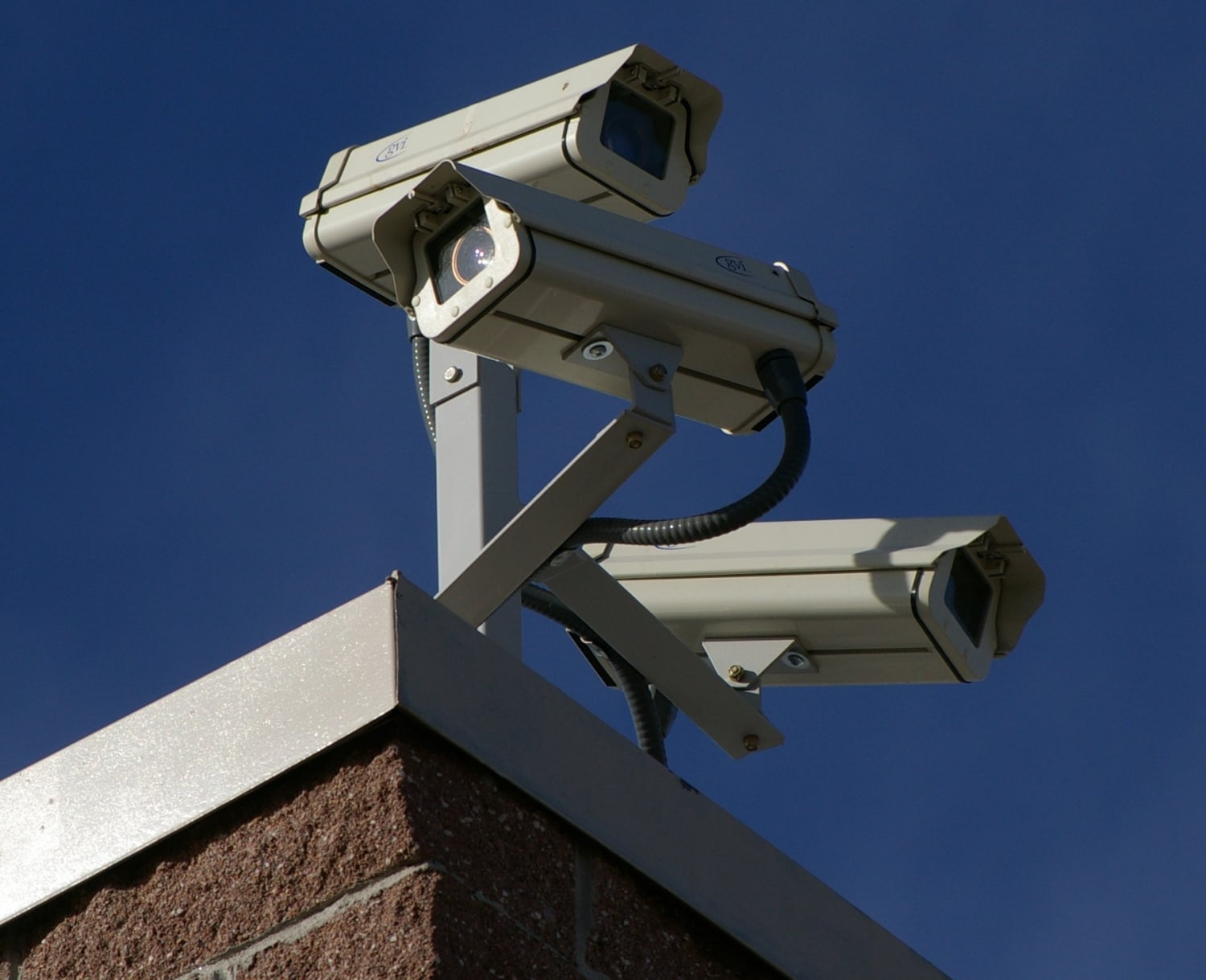
Unlike dome cameras that aim to blend in, bullet cameras are designed to be seen—and that’s part of their appeal. Their long, cylindrical shape acts as a strong visual deterrent. Intruders and mischief-makers know exactly what they’re looking at and that they’re being recorded.

Bullet cameras are particularly effective in outdoor settings. They’re typically weatherproof and come with features like sunshields and infrared LEDs for enhanced night vision. Think parking lots, building exteriors, perimeter fences—places where you want both strong surveillance and a clear warning to stay away.

One of the standout features of bullet cameras is their powerful zoom capabilities and long-range focus. This makes them ideal for monitoring long corridors, driveways, or large open spaces. Many models offer 4K resolution, motion sensors, and license plate recognition.

Installation is relatively easy, and the adjustable mounting brackets allow you to position the camera precisely where you need it. The only downside? They’re more vulnerable to tampering due to their exposed design. But many commercial-grade bullet cameras come with tamper detection and alarms to mitigate this risk.

If you need to keep a watchful eye on outdoor areas or want to send a loud message that your property is protected, bullet cameras should be at the top of your list.


PTZ (Pan-Tilt-Zoom) Cameras

PTZ cameras are the powerhouses of the surveillance world. With the ability to pan left and right, tilt up and down, and zoom in on objects, these cameras offer unmatched flexibility and coverage. They’re perfect for large commercial spaces that require constant monitoring—think warehouses, manufacturing plants, or large retail centers.

What sets PTZ cameras apart is their remote control capability. Security personnel can actively control the camera’s movements in real-time, or you can program them to follow a preset tour of specific areas. Some advanced models even use auto-tracking technology to follow moving objects across a scene.

These cameras often come with high-definition optics, 30x or more optical zoom, and advanced video analytics. They can automatically detect unusual behavior, license plates, or unauthorized access. If you’re managing a facility with critical zones or valuable assets, a PTZ camera offers the versatility you need.

The catch? They tend to be more expensive and require more setup. But in return, you get wide-area coverage that would otherwise require multiple fixed cameras. For businesses that need active monitoring and flexibility, PTZ cameras are worth the investment.


IP Cameras vs. Analog Cameras

When you’re choosing cameras for your commercial space, you’ll need to decide between IP (Internet Protocol) and analog systems. Let’s break it down.

IP Cameras transmit video data over a network and offer much higher resolution—often up to 4K. They come with a ton of smart features like motion detection, real-time alerts, and cloud storage. They’re ideal for modern businesses that want to integrate their security systems with other tech or need remote access through mobile apps or desktops.

Analog Cameras, on the other hand, use coaxial cables to transmit video to a DVR. While they’re cheaper upfront, the image quality is lower, and scalability is limited. You won’t get the same level of detail or flexibility, and adding more cameras can get tricky.

IP cameras also win in terms of ease of access and upgrades. You can easily add new cameras to the system, adjust settings remotely, and even monitor multiple locations from a single dashboard. Most importantly, the video clarity is miles ahead of analog—making it easier to identify faces, license plates, and other important details.

Unless you’re on a very tight budget or already have an existing analog setup, IP cameras are hands-down the smarter long-term choice for commercial properties.

Video Resolution

When it comes to commercial surveillance, video resolution is everything. It’s the difference between identifying a suspect clearly and ending up with a blurry mess. For commercial use, you should be looking at cameras with at least 1080p (Full HD) resolution—but ideally, go for 4MP, 5MP, or even 4K Ultra HD for crystal-clear footage.

Higher resolution means more detail. You can zoom in on a recorded video and still make out faces, license plates, or suspicious actions. This can be crucial evidence in case of a break-in, vandalism, or internal theft. With higher megapixels, you can also cover larger areas with fewer cameras—saving on installation and equipment costs.

But keep in mind, better resolution also means more storage consumption. A 4K camera generates significantly more data than a 1080p one. That’s where compression technologies like H.265 come in, which reduce file sizes without sacrificing quality.

Also, make sure the camera’s sensor size matches its resolution. A high-res camera with a poor sensor won’t perform well, especially in low-light conditions. Always check the camera specs—not just the pixel count. A good rule of thumb? If your business handles valuable assets or cash transactions, investing in high-resolution cameras is a no-brainer.


Night Vision and Low-Light Performance

Criminals don’t work 9 to 5—and neither should your security cameras. That’s why strong night vision capabilities are essential for commercial establishments. You need eyes on your property even when the lights are off.

Most commercial-grade cameras come with infrared (IR) LEDs that allow them to capture footage in complete darkness. These IR cameras typically provide clear black-and-white video at night and can see up to 100 feet or more depending on the model.

But IR isn’t the only game in town. Starlight technology and low-light sensors have become increasingly popular. These allow cameras to record color video in extremely dim environments—something traditional IR cameras can’t do. Imagine being able to identify the color of a suspect’s clothing or a vehicle at night. That could be a game-changer.

For businesses like warehouses, parking lots, bars, or gas stations that operate during dark hours or are poorly lit, night vision should be a top priority. Make sure to also consider the range of night vision—short-range IR won’t do much good on a wide property.

And don’t forget to test it yourself. Specs can be misleading, so real-world performance reviews are key.


Motion Detection and Alerts

Smart motion detection is what makes modern security cameras so powerful. Instead of endlessly recording and filling up storage space, cameras with motion detection only start recording when something actually moves in the frame. This not only saves storage but also makes reviewing footage way easier.

More advanced systems allow you to customize motion zones, so your camera only triggers when movement occurs in critical areas—like near a cash register or entrance. You can also set sensitivity levels to avoid false alarms from things like pets, passing cars, or rustling trees.

Then there’s real-time alerts. When motion is detected, your camera can send a push notification to your smartphone or email, complete with a snapshot or live feed. This is incredibly useful for business owners or security teams who need to react quickly.

Some high-end models go even further with AI-based detection, distinguishing between humans, vehicles, and objects. This helps eliminate false alarms and ensures you’re only notified when it matters.

For a busy commercial environment, especially those with high-value items or late-night operations, motion detection and smart alerts are features you absolutely need in your toolkit.


Storage Options – Cloud vs. Local

Where your camera footage is stored can affect everything from accessibility to security to cost. Commercial surveillance systems generally offer two main types of storage: local (on-site) and cloud-based.

Local storage means your footage is saved on a DVR, NVR, or SD card. It offers full control and privacy since the data stays within your premises. There’s no monthly fee, and the footage isn’t vulnerable to internet outages. However, it can be more complex to set up and is at risk of being stolen or destroyed if the device is tampered with.

Cloud storage, on the other hand, saves footage to remote servers that can be accessed from anywhere. This is perfect for business owners who manage multiple locations or travel frequently. Most cloud systems offer tiered pricing based on storage capacity and video retention time. You’ll have the peace of mind that your data is backed up off-site—but be prepared for ongoing subscription costs.

The best setup? A hybrid system that uses both. Local storage for immediate access and redundancy, and cloud backup for remote access and extra security. Always check encryption standards too. You don’t want footage falling into the wrong hands.


Best Security Camera Brands for Businesses


Hikvision

Hikvision is a titan in the world of video surveillance. Known for its wide product range and cutting-edge technology, this brand is a go-to for businesses of all sizes. Whether you’re running a small retail shop or a corporate campus, Hikvision has a solution tailored for you.

Their commercial-grade cameras boast features like 4K resolution, smart IR, motion detection, wide dynamic range (WDR), and even built-in analytics. They also support both IP and analog systems, so you can upgrade without ditching your current infrastructure.

One standout is their AcuSense technology, which uses deep learning to identify humans and vehicles, reducing false alarms significantly. Plus, their ColorVu series provides full-color images 24/7—even in low light.

The only drawback? Hikvision’s ties to the Chinese government have raised security and privacy concerns in some countries, leading to bans in certain federal projects. But for private commercial use, they remain a strong and reliable option.


Dahua

Dahua is another powerhouse in commercial security, often neck-and-neck with Hikvision in terms of market share and innovation. Their cameras are robust, affordable, and packed with features that make them ideal for business environments.

Dahua offers a full line of IP and analog cameras, NVRs, and video management software. Their standout technologies include WizSense and WizMind, which deliver advanced AI-based analytics like people counting, heat mapping, and facial recognition.

Many Dahua models support starlight night vision, high dynamic range (HDR), and long-range IR—all perfect for monitoring large or dimly lit areas. They also produce durable outdoor cameras that can withstand extreme weather conditions.

Dahua’s strong suit is combining affordability with professional-grade performance. It’s a favorite among system integrators and business owners who want high quality without breaking the bank.


Arlo

Arlo may be better known in the consumer space, but its commercial offerings are nothing to scoff at. The Arlo Pro and Arlo Ultra series offer wire-free, cloud-connected cameras with excellent video quality and smart features.

What makes Arlo unique is its sleek design, easy DIY installation, and excellent mobile app experience. Features include 2K to 4K resolution, color night vision, two-way audio, and smart motion alerts that distinguish between people, vehicles, and animals.

Arlo’s cloud storage options and compatibility with smart assistants (like Alexa and Google Assistant) make it perfect for small to medium-sized businesses that value convenience and flexibility.

However, it may not offer the same rugged durability or extensive hardwired systems as Hikvision or Dahua. But for modern, tech-savvy business owners, Arlo is a top contender—especially if remote access and aesthetics are high on your list.


Axis Communications

Axis is a premium brand, often regarded as the gold standard in IP surveillance. If you want the best in video quality, reliability, and cybersecurity, this is the brand to consider.

Their cameras are built for tough commercial environments—from freezing temperatures to high-humidity conditions. With razor-sharp resolution, advanced analytics, and open-platform VMS support, Axis cameras are designed for enterprise-level setups.

Axis was also one of the first to introduce edge analytics and open API support, making integration with third-party software seamless. They offer specialized solutions for industries like retail, healthcare, education, and transportation.

Sure, Axis cameras come with a higher price tag. But you’re paying for superior performance, customer support, and future-proofing. For mission-critical surveillance, Axis is worth every penny.


Top 5 Security Cameras for Commercial Establishments in 2025


Arlo Pro 5S 2K

If you’re looking for a feature-packed, user-friendly security camera that’s ideal for small to medium commercial spaces, the Arlo Pro 5S 2K is a strong contender. As the name suggests, it offers 2K resolution, which provides a noticeable bump in clarity over standard HD—helpful for identifying faces, license plates, or suspicious activity around your business premises.

One of the standout features is dual-band Wi-Fi support, which ensures a stable connection regardless of interference. This camera also boasts color night vision, meaning it doesn’t default to black and white in low light—it can still capture important color details like clothing or car colors even at night.

Installation is simple thanks to its wire-free design, and it’s compatible with Arlo’s SmartHub for enhanced security. Other smart features include AI-powered motion detection, people/vehicle/animal recognition, and real-time alerts directly to your phone. It also offers two-way audio, so you can speak to visitors or deter potential intruders with your voice remotely.

Battery life is solid, and there’s the option to add a solar panel for low-maintenance operation. While Arlo does charge for cloud storage plans, the ease of use and smart features make the Arlo Pro 5S 2K a compelling choice for business owners who prioritize mobility, simplicity, and smart integration.


Hikvision DS-2CD2387G2-LSU/SL

Hikvision’s DS-2CD2387G2-LSU/SL is a powerhouse dome camera that’s made for serious commercial surveillance. It combines several of Hikvision’s most advanced technologies into one compact, high-performance unit.

First off, it features ColorVu technology, which means it records in full color 24/7, even in pitch-dark conditions. This gives you incredibly detailed and useful footage at night—especially important for businesses with outdoor assets or after-hours operations.

It also incorporates AcuSense technology, which uses deep learning algorithms to detect and differentiate between humans and vehicles. This dramatically reduces false alarms caused by irrelevant motion like wind-blown trees or animals.

You’re also getting 4K resolution, a built-in microphone and speaker (for two-way audio), and smart deterrence features like a strobe light and warning siren that can be triggered when motion is detected. It’s IP67-rated, meaning it’s fully weatherproof and dust-resistant, making it suitable for both indoor and outdoor installations.

This camera supports PoE (Power over Ethernet), so a single cable handles both power and data. While it’s more of a professional-grade option and may require a bit more setup, it’s ideal for businesses looking for robust protection and top-tier video quality.


Dahua IPC-HDW5442T-ZE

Dahua’s IPC-HDW5442T-ZE is a top-performing turret-style IP camera, often favored by security professionals for its versatility, durability, and image clarity. It’s perfect for warehouses, retail stores, office buildings, or any commercial space where consistent surveillance is a must.

What sets this camera apart is its 4MP resolution and 1/1.8″ progressive scan CMOS sensor, delivering excellent image quality day or night. It uses Starlight technology for enhanced low-light performance and comes with a powerful 2.7–13.5mm motorized varifocal lens, letting you zoom in remotely for precise monitoring.

Dahua’s WizMind AI platform brings smart features like face detection, people counting, heat mapping, and even perimeter protection. These tools go beyond just recording—they provide actionable insights that can improve your business operations and security strategy.

With an IP67 weatherproof rating and IK10 vandal-proof design, this camera is made to last. It supports H.265 compression for efficient storage, and you can use it with Dahua’s NVRs or third-party video management systems thanks to ONVIF compatibility.

This model does require PoE wiring and some networking know-how, so it’s best installed by a professional. But the result? A powerful, reliable surveillance camera that ticks nearly every box for commercial users.


Axis Q3515-LVE Network Camera

For high-end commercial security, the Axis Q3515-LVE is a dream come true. Engineered for harsh environments and mission-critical operations, this camera is ideal for airports, logistics hubs, government buildings, and any commercial establishment that requires military-grade protection.

It features Full HD 1080p resolution at 120 frames per second, delivering ultra-smooth video even in fast-moving scenes. The camera is equipped with Lightfinder 2.0 and Forensic WDR, enabling excellent visibility in both bright and dark areas at the same time—so no detail is missed, even in high-contrast settings.

The Q3515-LVE also supports advanced analytics, such as loitering detection, audio detection, motion tracking, and license plate recognition when paired with Axis’ software. It has a built-in microphone for audio surveillance and comes with an impact-resistant aluminum casing—certified with IK10+ and IP66/67 ratings for maximum durability.

Other premium features include Axis Zipstream technology for bandwidth efficiency and redundant power inputs for uninterrupted operation. While it’s significantly more expensive than average cameras, it’s built for businesses that can’t afford to compromise on security.


Reolink RLC-823A

The Reolink RLC-823A offers a fantastic middle ground between affordability and high-performance features, making it a favorite among small to mid-sized commercial businesses looking for top value.

This is an 8MP (4K) PTZ IP camera with 5x optical zoom, offering sweeping views and the ability to focus in on specific areas with incredible detail. Its night vision range extends up to 190 feet, which is great for parking lots, building exteriors, and large warehouses.

AI-powered motion detection lets the RLC-823A distinguish between people, vehicles, and other motion triggers, sending instant alerts when something’s off. You can even set custom zones and schedules to avoid unnecessary notifications during business hours.

Reolink includes a microSD slot (up to 256GB) for local storage, and it also supports FTP, NVR, and Reolink’s cloud service. One standout feature is auto-tracking, which allows the camera to follow a person or vehicle as it moves—particularly helpful if you’re not actively monitoring the live feed.

While it doesn’t offer all the enterprise-level bells and whistles, the Reolink RLC-823A provides incredible bang for your buck and is a reliable option for most commercial surveillance needs.


Installation Tips for Maximum Coverage


Strategic Placement of Cameras

Installing a security camera isn’t just about throwing it on a wall and hoping for the best. Where and how you place your cameras can drastically affect their effectiveness. Strategic placement is key to getting comprehensive coverage, minimizing blind spots, and capturing high-quality evidence.

Start by analyzing your floor plan. Identify all key access points, such as doors, windows, loading docks, and hallways. Entrances and exits should be your top priority since these are the most common points of entry for intruders. Position cameras to capture people entering and exiting, ideally from a head-on angle to capture faces clearly.

Next, consider areas where valuables or sensitive data are stored—cash registers, safes, inventory rooms, and server closets. These are high-risk zones and should have continuous monitoring.

Don’t forget outdoor areas. Parking lots, back alleys, and delivery zones are often overlooked but can be hotspots for suspicious activity. Use bullet or PTZ cameras with long-range vision for these areas.

Also, think about lighting. Cameras perform best when they’re not facing direct sunlight or extreme backlight, so try to avoid placing them opposite bright windows. If that’s unavoidable, look for cameras with Wide Dynamic Range (WDR) to handle contrast better.

Finally, ensure cameras are installed high enough to avoid tampering but low enough to capture detail. Use a mix of wide-angle and zoom-capable cameras to get both the big picture and specific close-up shots.


Managing Blind Spots


One of the biggest mistakes businesses make when installing surveillance systems is underestimating blind spots. A blind spot is any area that falls outside the field of view of your cameras—and they’re exactly where trouble can brew undetected. Think of them as the shadows in your security coverage, and if left unaddressed, they can defeat the entire purpose of your system.

To manage blind spots, start by conducting a walkthrough of your premises while monitoring the camera feeds. Look for corners, alcoves, or areas with obstacles like tall shelves, walls, or decor that block line-of-sight. Even a well-placed camera can become ineffective if something obstructs its view.

Next, use multiple camera angles to cover the same area from different perspectives. This overlapping approach ensures that if one camera misses something, another one can catch it. PTZ cameras can help reduce blind spots because they cover wide areas with dynamic movement, but they shouldn’t be the only solution—since they can’t view everything at once.

Consider using wide-angle lenses for general surveillance, and fixed-focus cameras in tight spots like hallways or corridors. A blend of both allows for comprehensive coverage without overloading your network or storage capacity.

In outdoor areas, be mindful of objects like trees, poles, or parked vehicles that could obstruct views. Use elevated mounts and long-range bullet cameras to minimize blind spots over large distances.

Also, adjusting the height and angle of each camera makes a difference. Aim slightly downward and make sure the camera’s focus covers the necessary vertical range—especially entrances and exits.

Ultimately, blind spots are a silent vulnerability in any security system. Eliminating them takes planning, observation, and sometimes trial and error—but the payoff is a truly secure commercial environment.


Height and Angle Considerations


Getting the height and angle right when installing your security cameras is crucial. Mount them too high, and you’ll miss important facial features. Too low, and they can be tampered with easily. The sweet spot? Somewhere between 8 to 10 feet high, depending on the environment and the type of camera you’re using.

At this height, cameras can capture useful facial details while being out of easy reach. It also gives you a good downward angle, helping to avoid blind spots and unnecessary sky or floor in the footage. For interior cameras, this setup works great in places like entrances, offices, and corridors.

Now, about angles. You want to aim the camera to capture both facial features and context—like the person’s actions or the items they interact with. Tilt the camera down about 15–30 degrees from the horizontal line for the best coverage. Avoid pointing it directly at light sources like windows or doors with glass panes, which can cause overexposure and glare. Cameras with WDR (Wide Dynamic Range) can help mitigate this issue, but proper angling is still key.

When covering parking lots or large open areas, higher placement is needed—maybe 15–20 feet—especially when using PTZ cameras that zoom in on specific areas. But again, make sure the field of view is adjusted so you’re not capturing too much irrelevant space.

Another pro tip? Use camera mounts with adjustable brackets. This lets you fine-tune the angle post-installation, which is invaluable during your testing phase.

Lastly, consider tamper-proof housings for easily reachable locations, and weatherproof casings for any camera installed outdoors. Get the height and angle right, and you’ll drastically improve the effectiveness of your surveillance system—and reduce the chances of security footage letting you down when you need it most.


Wired vs. Wireless Security Cameras


Pros and Cons of Each Option

When deciding between wired and wireless security cameras for your commercial space, each option comes with its own set of advantages and trade-offs. The right choice often depends on the size of your facility, existing infrastructure, and your long-term needs.

Wired Cameras:

  • Pros:

    • More reliable signal and image transmission

    • Unlimited power via a constant wired connection

    • Typically offer higher video quality and resolution

    • Better suited for large-scale or enterprise setups

    • No interference from other wireless devices

  • Cons:

    • Installation is more complex and may require drilling or conduit work

    • Less flexible when relocating cameras

    • Downtime or gaps in coverage during power outages unless backed by UPS

Wireless Cameras:

  • Pros:

    • Easier and quicker to install

    • Great for small businesses or temporary setups

    • Can be relocated or adjusted easily

    • Battery or solar options available

    • Smart features with app access and cloud integration

  • Cons:

    • Signal can be affected by Wi-Fi congestion or obstacles

    • Battery-powered units need regular charging

    • Less secure than wired networks without encryption

    • Limited range depending on building structure


Which Is Best for Your Commercial Setup?

For large, multi-room facilities—like manufacturing plants, corporate buildings, or warehouses—a wired system is typically more reliable and cost-effective in the long run. It ensures strong connectivity across a vast area and can support dozens of cameras without lag or interference.

On the other hand, if you’re running a boutique, a small retail shop, or even a co-working space, wireless systems offer convenience and smart features that are more than adequate. They’re especially helpful for leased properties where permanent wiring isn’t an option.

Also, consider a hybrid setup—wired cameras for critical zones and wireless units for flexible monitoring. This gives you the best of both worlds and future-proofs your system as your business grows.


Legal Considerations When Installing Security Cameras


Privacy Laws

Before you install a single camera, it’s critical to understand the legal boundaries of surveillance in your region. Most jurisdictions allow commercial properties to use security cameras in public areas like entrances, sales floors, and parking lots. However, placing cameras in areas where people have a reasonable expectation of privacy—such as restrooms, locker rooms, or break areas—is strictly prohibited.

Some countries and states also require notice of surveillance, meaning you must inform employees, customers, and visitors that cameras are in use. This can be done with signage or written policies, but failing to notify individuals can result in fines or legal issues.

For audio recording, laws are even stricter. In some regions, two-party consent is required, meaning both parties must be aware and agree to audio recording. If your cameras capture sound, make sure you’re compliant with local regulations—or disable the audio feature altogether.

Also consider data protection laws like the GDPR in Europe or CCPA in California, which govern how surveillance data is stored, accessed, and shared. You may be required to encrypt footage, restrict access, or retain video for only a specific duration.

Before rolling out your security system, consult with a legal expert familiar with your area’s surveillance and privacy laws. The goal is to protect your property without infringing on anyone’s rights.


Notification Requirements for Employees and Customers

Transparency is key when it comes to surveillance in a commercial setting. Most regions require businesses to clearly notify employees and customers that they are being monitored by security cameras. This isn’t just a legal formality—it also helps build trust and avoids potential disputes.

For employees, notifications should be both visible and documented. That means more than just a small sign at the front desk. Include camera monitoring policies in employee handbooks, orientation materials, and HR documentation. It should clearly explain what is being recorded, when, and for what purpose.

When it comes to customers and visitors, prominent signage is often enough. Signs should be placed near entrances and in every monitored area, using clear language such as “This Area is Under Video Surveillance for Security Purposes.” If your cameras record audio or are linked with facial recognition systems, that information should also be disclosed.

Failing to provide proper notice can open your business to legal liability, especially if an employee or customer feels their privacy has been violated. Even if the footage isn’t misused, the perception of secret surveillance can damage your reputation and employee morale.

In certain jurisdictions, government or regulatory bodies may also require you to register your surveillance system or conduct a privacy impact assessment. It’s a good idea to check with a legal advisor or local compliance officer to ensure your notification practices are in line with local laws.

Being upfront about your camera usage doesn’t just protect you legally—it shows professionalism and a commitment to transparency.


Integrating Cameras with a Business Security System


Access Control

Integrating security cameras with your access control system creates a powerful synergy for protecting your commercial space. Instead of just monitoring areas visually, access control systems allow you to manage who enters and exits your building, and security cameras provide a visual log of these events.

This integration allows for features like event-based recording, where cameras begin recording the moment an access card is swiped or a door is opened. This gives you context—who used a key card, and what happened before and after their entry.

It also improves security response. If someone uses a stolen or expired badge, the access control system can flag the event, and cameras can capture their face, attire, and movements. You can then restrict access remotely or alert security staff.

Some systems even use facial recognition in combination with access control to create a biometric layer of security—especially useful in high-security environments like data centers or financial institutions.

With a fully integrated system, you’ll have a centralized dashboard that logs every access event, paired with the corresponding video footage. It’s a powerful tool for auditing, HR investigations, or incident reporting.


Alarm Systems

Pairing your surveillance cameras with a burglar alarm system adds an extra layer of protection. When an alarm is triggered, cameras can automatically zoom in, begin recording, or send real-time alerts to security personnel or mobile devices.

Modern commercial-grade systems also support video verification, where live or recorded footage is used to confirm whether a triggered alarm is a real threat or a false alarm. This speeds up response times and reduces fines associated with false alarms.

You can also integrate your alarm and camera systems with motion sensors, door/window contacts, and glass break detectors. When any of these are tripped, your surveillance system instantly reacts and provides visual confirmation.

This interconnected setup ensures that you’re not just recording incidents—you’re actively responding to them as they happen.


Centralized Management Software

One of the most overlooked components of an effective commercial surveillance system is video management software (VMS). VMS lets you monitor, manage, and control all of your cameras from a single interface—whether they’re all in one building or spread across multiple locations.

This centralized system offers live viewing, playback, motion alerts, system health monitoring, and even AI-based analytics like people counting, occupancy trends, and heat maps. Some software platforms are browser-based, while others are standalone apps or cloud services.

With centralized management, your security team can respond more effectively, identify potential threats faster, and access critical footage without bouncing between systems. Many VMS platforms also offer role-based access control, ensuring only authorized staff can view sensitive footage.

If you’re running a growing business with multiple departments or satellite offices, investing in a strong VMS is essential for scalable and manageable security.


Cost vs. Value: What to Expect


Budgeting for a Commercial-Grade Setup

Let’s talk numbers. Setting up a commercial-grade security system isn’t exactly cheap—but the return on investment is often worth every penny. The cost can vary widely based on the type and number of cameras, the size of your property, and the features you need.

Basic systems with a few 1080p wireless cameras and local storage might cost around $500–$1,000 for small retail shops or offices. For medium businesses requiring a mix of indoor/outdoor IP cameras with night vision, expect to pay around $2,000–$5,000, including NVRs and basic cloud service subscriptions.

If you’re looking at enterprise-level setups with dozens of cameras, AI-powered analytics, video management systems, and access control integration, the price can jump to $10,000 or more. And don’t forget installation costs, which can range from $100 to $300 per camera, depending on the complexity of the wiring and mounting.

There are also recurring expenses to consider—like cloud storage subscriptions, software licenses, and potential equipment upgrades every few years.


Balancing Cost with Functionality

While it’s tempting to cut corners and go for the cheapest options, you get what you pay for. A $50 off-brand camera might work fine during the day—but fail completely in low light, poor weather, or under cyberattack.

Instead, focus on total value. Look for cameras with solid warranties, excellent customer support, and proven reliability. Pay attention to features like resolution, durability, smart alerts, and integration with your existing systems. Also, consider scalability—can you easily add more cameras as your business grows?

The goal is to balance upfront costs with long-term efficiency. A reliable system might cost more initially but can save you thousands in theft prevention, insurance discounts, and peace of mind.

Also, look into security-as-a-service providers who bundle equipment, installation, cloud storage, and maintenance for a monthly fee. This makes budgeting easier and ensures you’re always running up-to-date tech.


Maintenance and Upkeep


Regular System Checks

Once your surveillance system is up and running, it’s easy to forget about it—until something goes wrong. That’s why regular system checks are essential. Think of your security system like a car—it needs ongoing maintenance to stay effective and reliable.

Start with a monthly physical inspection of all your cameras. Check for signs of tampering, dust or debris on lenses, loose connections, and corrosion (especially for outdoor units). Ensure that the camera angle hasn’t shifted due to weather or vibrations.

Next, test your system functionality. Are the motion sensors working? Are alerts being sent? Is the live feed smooth? Can you access footage from your mobile device or VMS software? A simple test each month ensures everything is functioning as intended.

Storage capacity should also be monitored regularly. If you’re using NVRs or SD cards, make sure they aren’t full. Overwriting important footage because of full memory is an all-too-common issue. Check your retention settings and make adjustments based on your business needs.

Don’t forget to verify your backup power supply, especially if you’re using wired systems. A reliable UPS (uninterruptible power supply) ensures your system stays online during power outages, safeguarding your property when it’s most vulnerable.


Firmware Updates and Cybersecurity

Commercial surveillance cameras aren’t immune to cyber threats. In fact, they can be a gateway for hackers if left unprotected. One of the simplest but most overlooked ways to keep your system secure is by regularly updating your camera firmware.

Manufacturers often release firmware updates to patch security vulnerabilities, enhance performance, and introduce new features. Schedule time each quarter to check for updates via the manufacturer’s website or management software.

Change default login credentials the moment your system is installed. Use strong, unique passwords for each device and enable two-factor authentication (2FA) wherever possible. Avoid using public Wi-Fi networks to monitor your cameras remotely.

Set up firewalls, VPNs, and IP filtering to limit access only to authorized users. And always ensure that your video data is encrypted, especially if you’re using cloud-based storage.

Cybersecurity isn’t just an IT issue—it’s a business continuity issue. One breach can compromise sensitive customer information, disable your cameras, or expose you to legal trouble. Regular software updates and strong cybersecurity practices go a long way in protecting your investment.


Cloud-Based Surveillance Systems


Benefits for Multi-Location Businesses

If your business operates in multiple locations, cloud-based surveillance is a game-changer. Instead of managing multiple on-site systems, you can monitor everything from a single cloud dashboard, whether you’re across town or across the globe.

Cloud systems are highly scalable, letting you add new cameras and sites with just a few clicks. This is especially helpful for franchises, restaurant chains, retail groups, or service-based businesses that need uniform security policies across different branches.

Another huge plus is real-time accessibility. Business owners or managers can log in from their smartphones, tablets, or desktops to check in on employees, customer traffic, or unusual activity. You don’t have to rely on someone being on-site to know what’s going on.

Cloud systems also centralize storage, allowing you to back up all your video footage off-site—a major safeguard against theft, vandalism, or equipment damage. And if a crime occurs, you can easily download and share footage with law enforcement, no matter where you are.


Remote Monitoring Capabilities

The ability to monitor your commercial space remotely is no longer a luxury—it’s a necessity. Cloud-enabled cameras offer 24/7 access to live streams, motion alerts, and even time-lapse reviews of the day’s activity.

Some cloud platforms go even further, using AI to flag suspicious behavior, like loitering near an entrance or someone entering a restricted zone. You can receive push notifications or even email alerts with video clips, so you’re never out of the loop.

For managers, remote monitoring means improved oversight. Want to make sure your team is opening the store on time? Or verify that the night shift is locking up properly? It’s all just a tap away.

You can also view and manage multiple camera feeds at once, compare performance across different stores, and spot security gaps that need to be addressed. Many systems even allow real-time communication via two-way audio—perfect for confronting trespassers or giving directions to delivery personnel.

With remote monitoring, your cameras aren’t just a reactive tool—they become a proactive management asset that helps you protect and optimize your business.


Customer Reviews and Real-World Use Cases


Retail Stores

Retail stores face a daily mix of challenges—shoplifting, employee theft, customer disputes, and more. That’s why many store owners turn to security cameras as both a deterrent and a diagnostic tool.

In customer reviews, retailers often praise systems like Arlo and Reolink for their smart motion alerts and high-resolution clarity, which makes it easy to identify thieves or replay customer interactions at the register. PTZ cameras are also popular in larger stores, where dynamic zoom and tracking can cover wide aisles and entryways.

Retailers also benefit from AI features like people counting and heat mapping, which help analyze customer behavior and store traffic. This data isn’t just for security—it’s also useful for marketing, staffing, and layout decisions.


Warehouses

Warehouses are sprawling and difficult to monitor, which makes them perfect candidates for long-range bullet cameras and PTZ models. Business owners in logistics and storage sectors consistently mention the importance of night vision, especially when operating in low-light conditions.

Cloud-based systems like Hikvision and Axis are preferred by warehouse managers for their durability, reliability, and ability to integrate with inventory tracking and access control.

Customer stories often mention catching break-ins or unauthorized after-hours activity, with footage used in both internal investigations and police reports. Smart alerts and remote monitoring also allow warehouse supervisors to monitor operations even when off-site.


Office Buildings

In office environments, cameras serve both security and compliance functions. Real-world users often install dome cameras in lobbies, elevators, and server rooms to keep track of who enters and exits restricted areas.

Office administrators frequently highlight the benefit of discreet camera designs and centralized monitoring. Arlo and Axis systems are popular for offering HD clarity with minimal visual intrusion.

Companies also use footage for HR disputes, timekeeping, and ensuring safety protocols are followed. Several business reviews emphasize how having visible cameras has improved employee accountability and reduced unauthorized activity.


Future Trends in Commercial Surveillance


AI Integration

Artificial Intelligence (AI) is revolutionizing commercial surveillance by transforming cameras from passive recording devices into proactive security tools. Today’s AI-enabled systems can detect anomalies in real-time, classify objects, and even predict security breaches before they happen.

AI algorithms can distinguish between a person, a pet, or a vehicle, drastically reducing false alerts. Advanced systems can also recognize specific behaviors like loitering, tailgating through access points, or someone leaving a package behind. For businesses, this means better focus on real threats—and faster response times.

One of the biggest advancements is AI-based video analytics, such as facial recognition, license plate reading, and activity pattern monitoring. These features are invaluable for high-security facilities like banks, government offices, and airports, but are now becoming more accessible for retail, warehouses, and corporate buildings.

AI is also enhancing searchability. Instead of manually scrolling through hours of footage, users can search by event type, time range, or even physical descriptions—saving time during investigations.

In short, AI is turning your security system into a smart assistant that watches, thinks, and acts—making your business more secure, efficient, and insightful.


Facial Recognition

Facial recognition is no longer science fiction—it’s here, and it’s becoming a staple in high-end commercial surveillance systems. This tech can identify employees, blacklist known offenders, or even track VIP customers for personalized service.

In retail, facial recognition can help prevent repeat shoplifters from re-entering the store. In corporate settings, it can replace ID badges for contactless access to secure areas. For event venues or hospitality, it enables VIP recognition and high-level guest service.

However, facial recognition does come with legal and ethical considerations. You’ll need to ensure compliance with data privacy laws like GDPR or CCPA and get informed consent if required. Transparency in how facial data is collected, stored, and used is critical to avoid backlash or legal trouble.

Businesses looking to adopt this tech should prioritize accuracy, encryption, and compliance. When used responsibly, facial recognition can significantly enhance both security and customer experience.


Smart Analytics

Beyond basic surveillance, smart analytics are transforming how businesses use security data. These tools help extract meaningful insights from footage, turning raw video into actionable intelligence.

Here are some of the top analytic tools being adopted:

  • People Counting: Helps retail stores track foot traffic, optimize staff scheduling, and measure marketing success.

  • Heat Mapping: Identifies the most visited areas in a store or building, useful for layout planning or product placement.

  • Queue Monitoring: Tracks wait times and customer flow, improving customer experience in busy locations.

  • Object Left/Removed Detection: Notifies managers if an item is left behind or stolen—perfect for high-security environments.

  • Behavior Analysis: Flags suspicious behavior patterns like loitering, rapid movements, or unauthorized zone entry.

These analytics aren’t just for preventing crime—they’re business tools. They offer insight into operations, help improve efficiency, and support better decision-making across departments.

As technology advances, we can expect more integration between surveillance, business intelligence, and operations—making cameras one of the most powerful tools in your commercial toolbox.


Conclusion

In today’s world, security cameras have evolved from simple recording devices into intelligent business assets. They do more than just protect your property—they help you understand your business, manage risk, and even improve customer experience. Whether you’re operating a retail store, warehouse, office, or multi-location enterprise, choosing the right surveillance system is crucial.

From understanding the types of cameras available (like dome, bullet, PTZ, and IP) to evaluating features such as resolution, night vision, and AI-powered analytics—you now have the tools to make an informed decision. And with brands like Hikvision, Dahua, Arlo, Axis, and Reolink, there’s something available at every price point and complexity level.

Remember, the best camera system for your commercial establishment is one that fits your needs, budget, and growth plan. It should offer real-time insights, scalable infrastructure, and strong cybersecurity. Don’t overlook the importance of proper installation, regular maintenance, and staying compliant with legal regulations.

Invest in a system that doesn’t just react to threats—but helps prevent them. Your business, employees, and customers deserve that level of protection.


FAQs


What type of camera is best for low-light areas?

For low-light areas, cameras with Starlight sensors or ColorVu technology offer the best performance. These provide clear, full-color footage even in near-darkness, outperforming traditional infrared cameras.


Can I use home security cameras in a commercial space?

While technically possible, home cameras often lack the durability, resolution, and smart features needed for commercial environments. Opt for commercial-grade systems for better reliability and legal compliance.


How much storage do I need for a month of footage?

That depends on the resolution, frame rate, number of cameras, and whether you’re using motion detection. A typical commercial setup might require 1–3TB per camera per month for 24/7 recording at 1080p.


Are there cameras that notify you in real time?

Yes, most modern IP cameras offer real-time alerts via mobile apps or email. Features like motion detection, AI object classification, and smart zone monitoring ensure you’re notified only when it matters.


Do security cameras deter crime?

Absolutely. Studies show that visible surveillance cameras can reduce crime by as much as 50% in high-risk areas. Even the presence of dummy cameras can discourage opportunistic theft or vandalism.

Sources Cited in the Article

Arlo Pro 5S 2K

Hikvision DS‑2CD2387G2‑LSU/SL

About All Action Alarm :Your Trusted Partner in Commercial Security Solutions

AllActionAlarm.com is Long Island’s top choice for state-of-the-art commercial security systems, providing unmatched protection and peace of mind for businesses of all sizes. With years of expertise, we specialize in creating customized security solutions, combining cutting-edge technology with seamless installation and 24/7 monitoring. Whether it’s high-definition surveillance, advanced access control, or intrusion detection, we deliver systems designed to safeguard your assets and personnel.

Our team of certified professionals is committed to offering the best security systems in Long Island, New York. We understand the unique challenges businesses face and work closely with you to develop a comprehensive security plan that fits your needs. We don’t just sell equipment; we partner with you for the long haul, ensuring your business remains protected against any threat.

Don’t leave your business’s safety to chance—contact us at (631) 549-7225 today for a free consultation and experience the AllActionAlarm difference!

For more info you may want to read this article about Understanding Commercial Camera Security Systems.