
Home Remote Monitoring System: The Ultimate Guide to Smart Security and Automation

What Is a Home Remote Monitoring System?
Definition and Core Concept
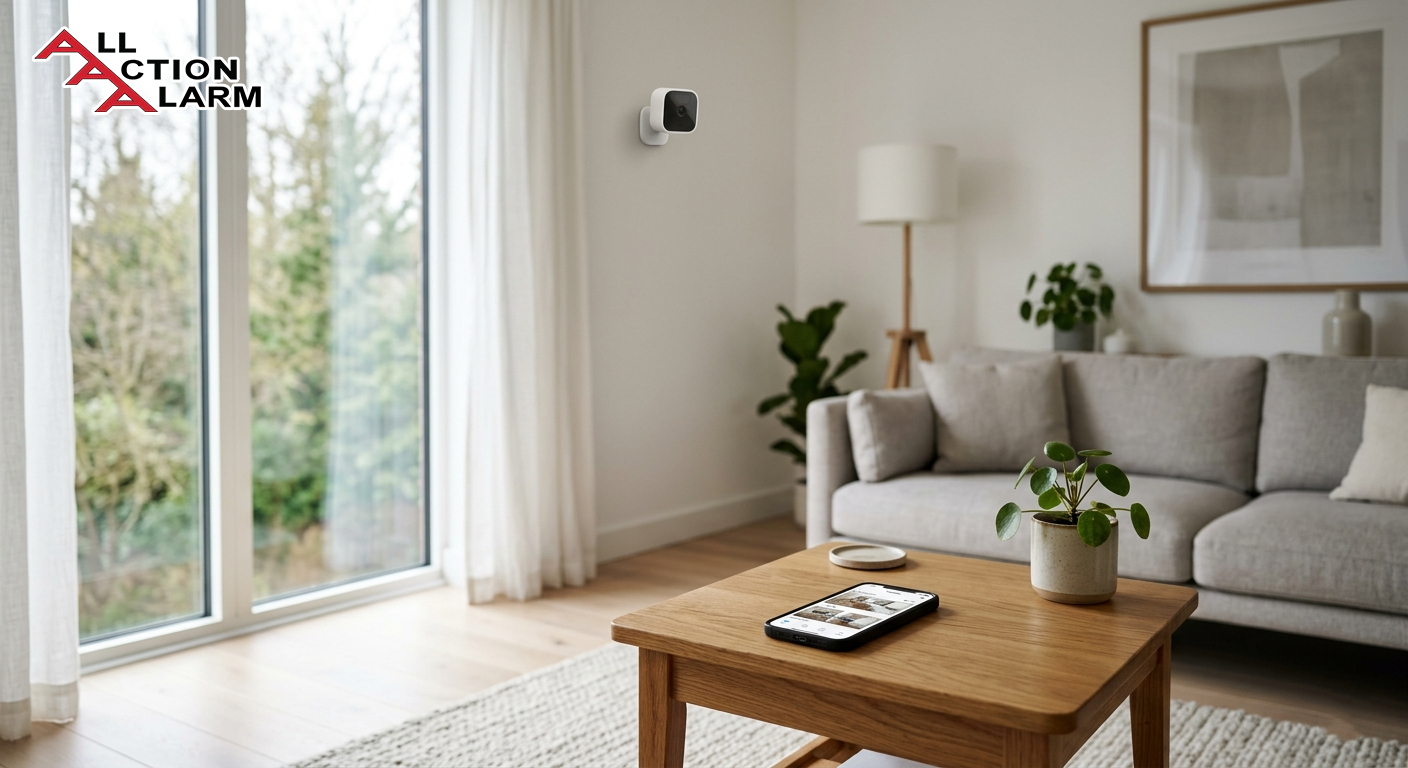
Imagine being able to check your home’s safety while sitting miles away—maybe at work, on vacation, or even just in another room. That’s exactly what a home remote monitoring system offers. At its core, this technology is designed to let homeowners monitor, manage, and secure their property in real time using internet-connected devices. It’s like having a digital guardian watching over your home 24/7, without needing to physically be there.
A home remote monitoring system typically combines cameras, sensors, alarms, and software into a single ecosystem that you can control from your smartphone, tablet, or computer. Whether it’s detecting motion, identifying unusual activity, or even monitoring environmental conditions like smoke or water leaks, these systems are built to keep you informed instantly. The beauty lies in its accessibility—everything is just a tap away.
Think of it as upgrading from a basic lock-and-key system to a fully intelligent security network. Instead of reacting after something happens, you’re proactively aware of what’s going on at all times. That shift—from passive security to active monitoring—is what makes these systems so powerful.
What really sets these systems apart is their adaptability. You can customize them to suit your lifestyle, whether you live in a small apartment or a large multi-story house. Want to monitor your front door, backyard, and garage simultaneously? Done. Need alerts when your kids arrive home from school? Easy. It’s not just about security anymore—it’s about total awareness and control.
How It Differs from Traditional Security Systems
Traditional home security systems used to be fairly straightforward—think loud alarms, basic motion detectors, and maybe a landline connection to a monitoring service. While they served their purpose, they lacked flexibility and real-time interaction. You often wouldn’t know something was wrong until after an alarm had already been triggered, and even then, your ability to respond was limited.
Now compare that to a modern remote monitoring system, and the difference feels almost night and day. Instead of relying solely on alarms, these systems provide live video feeds, instant mobile alerts, and remote control features. You’re no longer just alerted—you’re informed, empowered, and able to act immediately.
For example, if a motion sensor is triggered, a traditional system might simply sound an alarm. A remote monitoring system, on the other hand, can send you a notification, show you live footage, and even allow you to speak through a connected device. It’s the difference between hearing a noise and actually seeing what caused it.
Another major distinction lies in integration. Modern systems can connect with smart home devices like lights, locks, and thermostats. This means your security system doesn’t just protect your home—it interacts with it. Lights can turn on automatically when motion is detected, or doors can lock remotely if you forgot to secure them.
In essence, traditional systems are reactive, while remote monitoring systems are proactive and interactive. And in today’s fast-paced, tech-driven world, that level of control isn’t just a luxury—it’s becoming a necessity.
Key Components of a Home Remote Monitoring System
Sensors and Detectors
If a home remote monitoring system were a human body, sensors and detectors would be its nervous system. They are the first line of defense, constantly scanning your environment for anything unusual. Without them, your system would essentially be blind to what’s happening inside and around your home.
These devices come in various forms, each designed to detect specific types of activity or hazards. Motion sensors, for instance, use infrared technology to identify movement within a certain range. Door and window sensors alert you when an entry point is opened or tampered with. Then you have environmental sensors—like smoke detectors, carbon monoxide sensors, and water leak detectors—that go beyond security to ensure overall safety.
What makes modern sensors so impressive is their intelligence. They’re not just triggered by any movement; many can differentiate between humans, pets, and even objects. This reduces false alarms—a common frustration with older systems. Imagine your dog walking across the room and not triggering a full-blown alert. That’s the level of sophistication we’re talking about.
Another key advantage is how seamlessly these sensors communicate with your system. The moment something unusual is detected, a signal is sent to your central hub or app, triggering alerts or automated responses. It all happens in seconds, giving you precious time to react.
Placement also plays a crucial role. Strategically installing sensors in high-risk areas—like entry points, hallways, and basements—ensures maximum coverage. Think of it as creating an invisible web of awareness throughout your home.
In a world where even a few seconds can make a difference, sensors and detectors act as your home’s early warning system. They don’t just detect problems—they help you stay one step ahead of them.
Cameras and Surveillance Devices
When people think about home monitoring, cameras are usually the first thing that comes to mind—and for good reason. They provide something no other component can: visual confirmation. It’s one thing to get an alert saying motion was detected; it’s another to actually see what’s happening in real time.
Modern surveillance cameras have come a long way from grainy footage and limited angles. Today’s devices offer high-definition video, night vision, wide-angle lenses, and even AI-powered features like facial recognition. Some can distinguish between a delivery person, a stranger, or a family member, adding an extra layer of intelligence to your system.
Indoor and outdoor cameras serve different purposes but work together seamlessly. Indoor cameras help you monitor daily activities—whether it’s checking in on kids, pets, or elderly family members. Outdoor cameras, on the other hand, act as a deterrent and a watchdog, keeping an eye on entrances, driveways, and yards.
One of the standout features is remote access. You can pull up live footage anytime, from anywhere, using your smartphone. Stuck at work and wondering if that package arrived? Just check your front door camera. Heard a noise while on vacation? Open the app and take a look instantly.
Many cameras also come with two-way audio, allowing you to communicate directly through the device. This means you can talk to visitors, warn intruders, or even give instructions to a delivery driver—all without being physically present.
Storage is another important aspect. Footage can be saved locally on SD cards or in the cloud, depending on your setup. Cloud storage often comes with added benefits like easy access, backup, and advanced search features.
In short, cameras transform your monitoring system from a passive alert tool into an active observation platform. They don’t just tell you something happened—they show you exactly what, when, and how it happened.
Key Components of a Home Remote Monitoring System (Continued)
Control Panels and Mobile Apps
If sensors are the nervous system and cameras are the eyes, then the control panel and mobile app are the brain of your home remote monitoring system. This is where everything comes together, where raw data turns into actionable insights, and where you, as the homeowner, take control. Without this central interface, even the most advanced devices would feel disconnected and chaotic.
Traditionally, control panels were physical units mounted on walls—think keypad-based systems near your front door. While those still exist, they’ve evolved into sleek, touch-enabled hubs that resemble mini tablets. But the real game-changer is the mobile app. It transforms your entire system into something you can carry in your pocket, giving you full control no matter where you are.
Through a well-designed app, you can arm or disarm your system, view live camera feeds, receive alerts, and even control connected smart devices. Forgot to lock your door? No problem. Want to check if your kids got home safely? Just open the app. It’s that level of convenience that makes these systems feel less like security tools and more like lifestyle upgrades.
What’s particularly impressive is how intuitive these apps have become. You don’t need to be tech-savvy to navigate them. Most are designed with simple dashboards, clear icons, and customizable settings. You can tailor notifications to your preferences—whether you want alerts for every motion detected or only critical events.
Another key feature is automation control. You can set routines like turning on lights when motion is detected or activating cameras when you leave the house. This not only enhances security but also adds a layer of smart living that feels almost futuristic.
In many ways, the control panel and app are what make the entire system feel alive. They bridge the gap between technology and human interaction, turning a collection of devices into a cohesive, intelligent ecosystem.
How Home Remote Monitoring Systems Work
Connectivity and Internet Integration
At the heart of every home remote monitoring system lies one critical element: connectivity. Without a stable internet connection, even the most sophisticated setup would be reduced to a basic alarm system. It’s the integration with the internet—often referred to as the Internet of Things (IoT)—that allows all your devices to communicate, share data, and function as a unified network.
Most modern systems rely on Wi-Fi, though some incorporate cellular backup to ensure functionality during outages. This dual-layer connectivity is crucial because it ensures your home remains protected even if your primary internet connection fails. Think of it as having a backup generator for your security system—it keeps things running when you need them most.
Devices within the system communicate either through your home network or specialized protocols like Zigbee or Z-Wave. These technologies are designed for low power consumption and reliable communication between devices. So when a sensor detects motion, it instantly relays that information to your central hub, which then sends a notification to your phone.
Latency—or the delay in communication—is another important factor. High-quality systems are optimized to deliver real-time updates, often within seconds. That immediacy can make a significant difference, especially in emergency situations where every second counts.
Security is also a major concern when it comes to connectivity. After all, you’re dealing with sensitive data—video feeds, access controls, and personal information. That’s why reputable systems use end-to-end encryption, ensuring that your data remains private and protected from unauthorized access.
In essence, connectivity is what transforms a collection of devices into a responsive, intelligent system. It’s the invisible thread that ties everything together, enabling seamless interaction and real-time awareness.
Real-Time Alerts and Notifications
One of the most powerful features of a home remote monitoring system is its ability to keep you informed instantly. Real-time alerts and notifications are what turn passive monitoring into active awareness. Instead of checking your system manually, it reaches out to you the moment something unusual happens.
These alerts can be triggered by a wide range of events—motion detection, door openings, glass breakage, smoke detection, or even environmental changes like water leaks. The moment an event is detected, a notification is sent directly to your smartphone, often accompanied by additional context like a video clip or snapshot.
What makes these alerts truly effective is their customization. You’re not bombarded with unnecessary notifications; instead, you can fine-tune what you want to be alerted about. For example, you might choose to receive alerts only when motion is detected at night or when no one is home. This level of control helps reduce alert fatigue, ensuring that when you do get a notification, it actually matters.
Many systems also offer multi-channel alerts, including push notifications, emails, and even SMS messages. Some go a step further by integrating with voice assistants, allowing you to receive audible alerts through smart speakers.
Another interesting feature is event-based automation. For instance, if motion is detected, your system can automatically turn on lights, start recording video, and send you an alert—all at the same time. It’s a coordinated response that enhances both security and convenience.
In a way, real-time alerts act like a digital sixth sense. They keep you connected to your home, no matter where you are, ensuring that you’re always in the loop and ready to respond.
Types of Home Monitoring Systems
Wired vs Wireless Systems
Choosing between wired and wireless home monitoring systems is one of the first decisions you’ll face, and it’s not as straightforward as it might seem. Each option comes with its own set of advantages and trade-offs, depending on your home setup and personal preferences.
Wired systems are often considered the traditional choice. They involve physical cables connecting all components, which can make them highly reliable. There’s minimal risk of signal interference, and they don’t rely on Wi-Fi, which can be a big plus in areas with unstable internet. However, installation can be complex and invasive, often requiring professional help and drilling into walls.
Wireless systems, on the other hand, are all about flexibility and ease of use. They connect via Wi-Fi or other wireless protocols, making them much easier to install. You can set them up yourself in a matter of hours, and they’re ideal for renters or those who prefer a less permanent solution.
Here’s a quick comparison:
| Feature | Wired Systems | Wireless Systems |
|---|---|---|
| Installation | Complex | Easy (DIY-friendly) |
| Reliability | Very high | High (depends on Wi-Fi) |
| Flexibility | Low | High |
| Maintenance | Low | Moderate (battery changes) |
Wireless systems have gained popularity in recent years, largely due to their convenience and compatibility with smart home devices. Still, wired systems remain a solid choice for those prioritizing stability over flexibility.
DIY vs Professionally Installed Systems
Another important decision is whether to go the DIY route or opt for a professionally installed system. This choice often comes down to your comfort level with technology, your budget, and how customized you want your setup to be.
DIY systems are designed with simplicity in mind. They come with step-by-step instructions, pre-configured devices, and user-friendly apps. You can install everything yourself, saving on installation costs. These systems are perfect for those who enjoy hands-on projects and want full control over their setup.
Professionally installed systems, however, offer a more tailored experience. Experts assess your home, recommend optimal device placement, and handle the entire installation process. This ensures maximum coverage and efficiency, especially for larger or more complex properties.
There’s also the factor of ongoing support. Professional systems often come with monitoring services and customer support, giving you an added layer of assurance. DIY systems may offer support as well, but it’s usually less comprehensive.
Ultimately, both options have their place. DIY systems offer flexibility and affordability, while professional installations provide expertise and convenience. The right choice depends on what matters most to you.
Benefits of Using a Home Remote Monitoring System
Enhanced Security and Safety
Security is the most obvious benefit, but modern home remote monitoring systems take it several steps further. They don’t just protect against intruders—they create a comprehensive safety net for your entire household.
With features like real-time alerts, live video monitoring, and automated responses, you’re always aware of what’s happening. This proactive approach can deter potential intruders, as visible cameras and alarms often act as strong deterrents.
Beyond security, these systems also enhance safety. Smoke detectors, carbon monoxide sensors, and water leak detectors ensure that you’re alerted to potential hazards before they escalate. It’s like having a 24/7 safety inspector watching over your home.
Statistics show that homes with visible security systems are significantly less likely to be targeted by burglars. That alone makes a compelling case for investing in one.
Convenience and Peace of Mind
There’s something incredibly reassuring about knowing you can check on your home anytime, from anywhere. That’s the kind of peace of mind a remote monitoring system provides.
Whether you’re traveling, working late, or just out running errands, you’re always connected. You can verify that doors are locked, lights are off, and everything is as it should be. And if something isn’t right, you’ll know instantly.
Convenience also plays a huge role. From controlling devices remotely to automating daily routines, these systems simplify your life in ways you might not expect. It’s not just about security—it’s about living smarter.
Features to Look for in a Modern System
Smart Home Integration
When people talk about a home remote monitoring system today, they’re no longer just referring to cameras and alarms—they’re talking about an ecosystem. And at the center of that ecosystem is smart home integration. This is where your security system stops being a standalone tool and starts becoming part of a connected, intelligent living environment.
Imagine this: you leave your house, and with a single tap—or even automatically—your system locks the doors, arms the security sensors, turns off unnecessary lights, and adjusts the thermostat. That’s not science fiction; that’s what smart integration enables right now. Your monitoring system can seamlessly connect with devices like smart locks, lighting systems, thermostats, voice assistants (like Alexa or Google Assistant), and even garage doors.
The real beauty lies in automation. You can create “scenes” or routines tailored to your lifestyle. For example, a “Good Night” routine might lock all doors, turn off lights, activate motion sensors, and switch cameras to night mode. On the flip side, a “Welcome Home” routine can disarm the system, turn on lights, and adjust the temperature—all before you even step inside.
Compatibility is key here. Not all systems play nicely with every device, so it’s important to choose one that supports widely used ecosystems like Apple HomeKit, Google Home, or Amazon Alexa. The more compatible your system is, the more flexibility you’ll have in expanding your smart home over time.
Another underrated advantage is energy efficiency. By integrating with smart thermostats and lighting, your system can help reduce energy consumption. Lights can turn off automatically when no one is home, and heating or cooling can adjust based on occupancy.
In simple terms, smart home integration transforms your monitoring system from a reactive security tool into a proactive lifestyle assistant. It doesn’t just respond to events—it anticipates your needs and adapts accordingly.
AI and Automation Capabilities
If smart integration is the backbone, then artificial intelligence (AI) and automation are the brains that make everything feel… well, smart. This is where home remote monitoring systems truly start to feel futuristic, yet surprisingly practical.
Modern systems are increasingly powered by AI algorithms that can analyze patterns, recognize faces, and even predict potential security risks. For instance, instead of alerting you every time something moves, AI can distinguish between a passing car, a wandering pet, and an unfamiliar person approaching your door. That level of precision dramatically reduces false alarms, which used to be one of the biggest frustrations with older systems.
Facial recognition is another game-changer. Your system can learn to पहचान familiar faces—family members, friends, or regular visitors—and treat them differently from unknown individuals. So instead of getting a generic “motion detected” alert, you might receive a notification saying, “John is at the front door.” That’s not just useful—it’s incredibly intuitive.
Automation, powered by AI, goes even further. Your system can learn your daily routines and adjust accordingly. If it notices that you usually leave home at 8 AM, it can automatically arm the system around that time. If you tend to turn on certain lights in the evening, it can start doing that for you.
Some advanced systems even use predictive analytics. They analyze historical data to identify unusual patterns—like unexpected activity at odd hours—and flag them for your attention. It’s like having a security expert constantly analyzing your home environment.
Voice control is also becoming more integrated with AI capabilities. You can issue commands like “Show me the backyard camera” or “Arm the system,” making interaction effortless.
In short, AI and automation elevate your system from being merely responsive to being intelligently proactive. It doesn’t just follow instructions—it learns, adapts, and evolves with your lifestyle.
Cost of Home Remote Monitoring Systems
Initial Setup Costs
Let’s talk about something that’s often on everyone’s mind: cost. Investing in a home remote monitoring system can feel like a big decision, especially when you’re trying to balance security with budget. The good news? There’s a wide range of options available, making it accessible whether you’re looking for a basic setup or a fully integrated smart home system.
Initial setup costs can vary significantly depending on the type of system you choose. A basic DIY system with a few sensors and a camera might cost anywhere between $100 to $300. On the other hand, more advanced setups with multiple cameras, smart locks, and environmental sensors can easily reach $1,000 or more.
Here’s a quick breakdown to give you a clearer picture:
| Component | Estimated Cost Range |
|---|---|
| Basic Starter Kit | $100 – $300 |
| Security Cameras (per unit) | $50 – $250 |
| Smart Sensors | $20 – $100 each |
| Smart Locks | $100 – $300 |
| Professional Installation | $100 – $500 |
The flexibility here is important. You don’t have to buy everything at once. Many systems allow you to start small and expand over time, adding devices as your needs evolve.
It’s also worth considering the long-term value. While the upfront cost might seem high, the potential savings—in terms of preventing theft, reducing insurance premiums, and avoiding damage from hazards—can outweigh the initial investment.
Think of it less as an expense and more as an investment in peace of mind. After all, can you really put a price on knowing your home is सुरक्षित, even when you’re miles away?
Monthly Subscription Fees
Beyond the initial setup, many home remote monitoring systems come with monthly subscription plans. These fees typically cover cloud storage, advanced features, and sometimes professional monitoring services.
Basic plans can start as low as $5 to $10 per month, offering limited cloud storage and essential features. Mid-tier plans, ranging from $10 to $30 per month, often include extended video history, advanced alerts, and smart integrations. Premium plans, which can go up to $50 or more, may offer 24/7 professional monitoring, emergency response services, and AI-powered analytics.
Here’s a simplified comparison:
| Plan Type | Monthly Cost | Features |
|---|---|---|
| Basic | $5 – $10 | Limited storage, basic alerts |
| Standard | $10 – $30 | Extended storage, smart features |
| Premium | $30 – $50+ | Professional monitoring, AI insights |
Not all systems require a subscription, though. Some offer local storage options, allowing you to avoid ongoing fees. However, these may lack certain conveniences like remote access to recorded footage or advanced AI features.
The key is to evaluate what you actually need. If you’re comfortable monitoring your home yourself, a lower-tier or no-subscription option might be enough. But if you want the added सुरक्षा of professional oversight, a premium plan could be worth it.
Installation and Setup Process
Step-by-Step Installation Guide
Setting up a home remote monitoring system might sound intimidating, but in reality, it’s often much simpler than expected—especially with modern DIY solutions. Even if you’re not particularly tech-savvy, most systems are designed to guide you through the process step by step.
It usually starts with choosing the right locations for your devices. Entry points like doors and windows should be your top priority, followed by high-traffic areas like hallways and living rooms. Cameras should be positioned to cover key zones such as the front door, backyard, and garage.
Once placement is decided, installation begins. Wireless devices typically require minimal effort—just mount them using adhesive strips or screws and connect them to your app. Wired systems, on the other hand, may require more involved setup, including running cables and configuring a central hub.
The next step is connecting everything to your network. This usually involves downloading the system’s app, creating an account, and following on-screen instructions to pair each device. Most apps are intuitive and walk you through the process in a way that feels almost effortless.
After setup, it’s important to test your system. Trigger sensors, check camera feeds, and ensure notifications are working correctly. This step is often overlooked but is crucial for ensuring everything functions as expected.
Finally, customize your settings. Set up alert preferences, create automation routines, and integrate with other smart devices if applicable. This is where your system truly becomes personalized.
In many ways, installing a home monitoring system is like assembling a puzzle. Each piece has its place, and once everything comes together, you’re left with a complete, functional picture of your home’s security.
Common Challenges and How to Overcome Them
Connectivity Issues and Troubleshooting
No technology is perfect, and home remote monitoring systems are no exception. One of the most common challenges users face is connectivity issues. Since these systems rely heavily on internet access, any disruption can impact performance.
Weak Wi-Fi signals are often the main culprit. Devices located far from the router may struggle to maintain a stable connection, leading to delayed alerts or dropped video feeds. The solution? Consider using Wi-Fi extenders or mesh networks to ensure consistent coverage throughout your home.
Another issue is device compatibility. Not all devices work seamlessly together, especially if they come from different brands. Sticking to a single ecosystem or ensuring compatibility before purchase can save a lot of frustration.
Battery life can also be a concern for wireless devices. Regularly checking and replacing batteries is essential to keep everything running smoothly.
Sometimes, the problem isn’t technical but user-related—like incorrect settings or missed updates. Keeping your system’s firmware and app updated ensures optimal performance and security.
The key takeaway? Most challenges are manageable with a bit of planning and maintenance. Once you understand how your system works, troubleshooting becomes far less daunting.
Future Trends in Home Remote Monitoring
AI, IoT, and Predictive Security
The future of home remote monitoring systems is shaping up to be incredibly exciting. As technologies like AI and IoT continue to evolve, these systems are becoming smarter, faster, and more intuitive than ever before.
One of the most promising developments is predictive security. Instead of simply reacting to events, future systems will anticipate potential threats based on patterns and data analysis. Imagine your system recognizing unusual behavior—like repeated attempts to access your property—and alerting you before anything actually happens.
IoT will continue to expand, connecting more devices and creating a truly integrated smart home environment. From appliances to security systems, everything will work together seamlessly.
AI will also become more advanced, offering deeper insights and more accurate detection. False alarms will become increasingly rare, and systems will be able to understand context in ways that feel almost human.
In essence, the future isn’t just about monitoring—it’s about intelligent living. Your home won’t just be smart; it will be aware, adaptive, and responsive in ways that redefine what security and convenience mean.
Conclusion
A home remote monitoring system is no longer a luxury reserved for tech enthusiasts—it’s quickly becoming a standard part of modern living. From enhancing security and safety to offering unmatched convenience and control, these systems provide a level of awareness that was unimaginable just a decade ago.
As technology continues to evolve, the line between security and smart living will blur even further. What you’re really investing in isn’t just protection—it’s peace of mind, efficiency, and a smarter way to live.
FAQs
1. What is the best home remote monitoring system for beginners?
The best system for beginners is typically a DIY wireless setup with an easy-to-use mobile app. Brands like Ring, Arlo, and SimpliSafe are popular because they offer simple installation, intuitive interfaces, and scalable options that allow users to expand over time.
2. Do home monitoring systems work without the internet?
Some basic functions may work without the internet, especially in wired systems, but most remote features—like live streaming and mobile alerts—require an active connection. Many systems offer cellular backup for added reliability.
3. Are home remote monitoring systems expensive to maintain?
Maintenance costs are generally low. While some systems require monthly subscriptions, many offer free basic features. Battery replacements and occasional upgrades are the main ongoing expenses.
4. Can I install a home monitoring system myself?
Yes, many modern systems are designed for DIY installation. They come with step-by-step instructions and require minimal technical knowledge, making them accessible for most homeowners.
5. Is my data safe with a home monitoring system?
Reputable systems use encryption and secure servers to protect user data. Choosing trusted brands and keeping your software updated can significantly reduce security risks.
About All Action Alarm: Your Trusted Partner in Home Security Solutions
When it comes to protecting your home and loved ones, there’s no room for compromise. At All Action Alarm, we take home security to the next level by offering top-tier protection with cutting-edge technology and expert monitoring services that you can rely on. As a leader in the security industry, we’re committed to keeping homes and businesses safe, providing peace of mind 24/7.
Check out Home Automation Systems and Get Started with All Action Alarm Today!
Don’t wait for an emergency to take action. Protect your home and family with the best in the business. Call (631) 549-7225 to schedule your consultation, or visit allactionalarm.com to learn more about our services.
Your safety is our top priority.
SOURCEs
https://www.security.org/home-security-systems/
https://www.statista.com/topics/2430/smart-home/
https://www.marketsandmarkets.com/Market-Reports/smart-home-market-121.html
https://www.grandviewresearch.com/industry-analysis/smart-home-security-market


 Ca.garcia.s, CC BY-SA 4.0
