
Keycard Access Control System
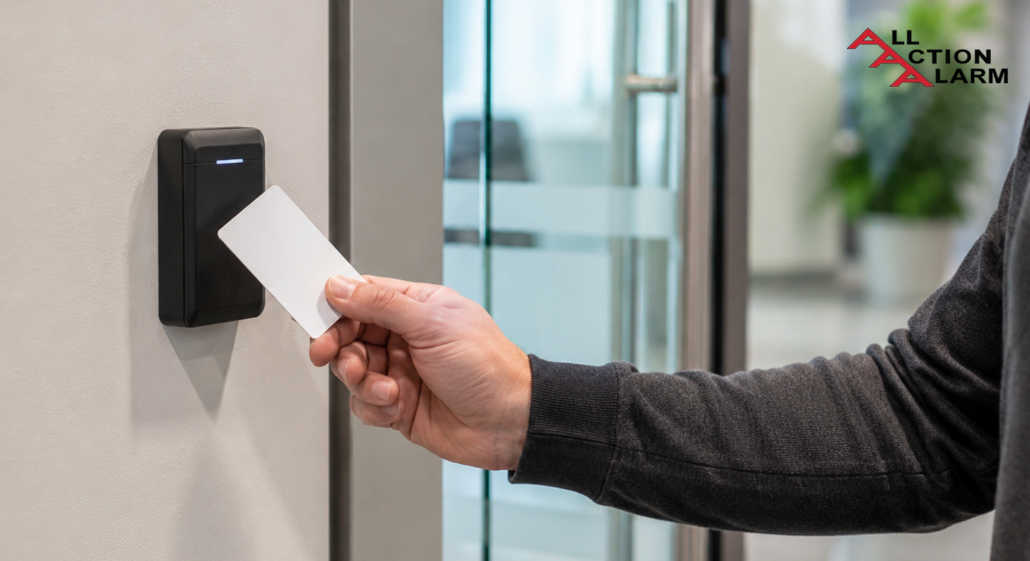

A keycard access control system is one of those security upgrades that sounds simple on the surface, but once you look closely, you realize it quietly does a lot of heavy lifting. Instead of handing out metal keys, hoping nobody copies them, and changing locks every time someone leaves, a business can issue cards, assign access permissions, and track who enters which area and when. That shift may not feel dramatic at first, but it changes the entire way a building is managed. A keycard turns every door from a passive lock into an active decision point, almost like a digital gatekeeper standing there around the clock.
Think about a busy office, hotel, school, warehouse, hospital, gym, apartment building, or coworking space. People come and go constantly, and not everyone should have the same level of access. The receptionist may need the front entrance and mailroom. The IT manager may need the server room. Cleaning staff may need access after business hours, but only to certain areas. A card access control system makes those permissions easier to organize without physically changing locks or chasing down keys.
What makes keycard systems so practical is their balance of security and convenience. They are easier to use than complicated biometric setups, more manageable than old-fashioned key rings, and flexible enough for small offices as well as multi-site enterprises. They can also connect with alarms, video surveillance, visitor management platforms, elevators, and time-tracking systems, which gives building managers a clearer picture of what is happening inside the property. In a world where physical security and digital accountability increasingly overlap, keycard access is not just about opening doors. It is about creating controlled movement, reducing risk, and giving organizations a smarter way to protect people, spaces, equipment, and information.
What Is a Keycard Access Control System?
A keycard access control system is a physical security solution that uses cards or card-like credentials to allow or deny entry to doors, gates, elevators, parking areas, storage rooms, or restricted zones. At its simplest, a person presents a keycard to a reader, and the system decides whether that card has permission to unlock the door. Behind that small moment, there is software, hardware, identity data, access rules, and an electronic locking mechanism working together. It feels quick to the user, but the system is making a decision based on who the person is, where they are trying to go, and whether they are allowed there at that specific time.
Unlike a traditional lock, which only asks, “Does this key fit?” a keycard system asks smarter questions. Is this credential active? Has it been reported lost? Is this employee still part of the company? Is this door included in their access group? Are they trying to enter during approved hours? That added intelligence is exactly why businesses use access control instead of relying only on mechanical keys. A standard key cannot easily tell you who used it, when it was used, or whether it was copied. A keycard, on the other hand, can be activated, suspended, replaced, or limited with just a few software changes.
In everyday language, people often use terms like keycard system, badge access system, card reader door lock, and electronic access control system interchangeably. There are differences in technology, but the basic idea is the same: give authorized people a convenient credential and keep unauthorized people out. Some systems use plastic cards with magnetic stripes. Others use RFID, proximity cards, smart cards, mobile credentials, or encrypted badges. The right choice depends on the building, security needs, budget, compliance requirements, and how many users need access. A small private office might only need a few doors secured, while a hospital or corporate campus may need hundreds of access points tied into a central platform.
How Keycards Replace Traditional Keys
Traditional keys have been around for centuries, and to be fair, they still work for many basic situations. The problem is that they were designed for a much simpler world. A metal key is easy to lose, easy to lend, and in many cases, easy to copy. When an employee leaves a company, a tenant moves out, or a contractor finishes a project, the organization has to trust that the key was returned and never duplicated. That is a weak spot, and in security, weak spots are like tiny cracks in a dam. They may look harmless at first, but once pressure builds, they can create serious problems.
A keycard door access system replaces that uncertainty with control. Instead of changing locks whenever a key goes missing, an administrator can simply deactivate the lost card. Instead of issuing one master key that opens everything, a manager can assign different permissions to different people. For example, an employee might be able to enter the main office Monday through Friday from 8 a.m. to 6 p.m., but not the finance room, server closet, warehouse cage, or executive suite. That kind of precision is nearly impossible with basic mechanical keys unless you create a complicated and expensive master-key system.
The other major advantage is accountability. With metal keys, a door can open and close without leaving much of a trail. With keycards, the system can create an access log showing card activity. That log can help investigate incidents, understand traffic patterns, support compliance audits, and identify unusual behavior. Of course, access logs should be handled responsibly and in line with privacy laws and workplace policies, but from a security management perspective, they are extremely useful.
Keycards also make life easier for the people using them. Nobody wants to carry a heavy key ring that looks like it belongs to a medieval dungeon keeper. A single badge can open several approved doors, work with elevators, support photo identification, and sometimes even connect to printing, cafeteria payments, or attendance systems. In other words, the keycard becomes more than a door opener. It becomes a practical workplace credential that blends identity, convenience, and controlled access into one everyday object.
Why Businesses Still Choose Keycards
Even with mobile credentials, biometrics, PIN pads, and facial recognition becoming more common, keycard access control remains incredibly popular because it hits a sweet spot. It is familiar, cost-effective, easy to train people on, and reliable when installed correctly. Most employees already understand the basic behavior: tap, swipe, or present the card, wait for the light or beep, and enter. There is no steep learning curve, no need to remember yet another password, and no requirement for every user to own a compatible smartphone. That makes keycards especially useful in workplaces with mixed staff, visitors, contractors, temporary employees, or high turnover.
Businesses also like keycards because they scale well. A company can start with one secured entrance and later expand to storage rooms, laboratories, parking gates, elevators, and multiple buildings. The same access management software can often support different roles and schedules, allowing administrators to adjust permissions as the organization grows. This matters because security is not static. Teams change, office layouts change, threats change, and business operations change. A flexible system helps the building keep up instead of forcing managers to rebuild everything from scratch.
Another reason keycards remain relevant is that they offer a practical middle ground between low-security and high-friction systems. A biometric scanner may be appropriate for a data center or research lab, but it may feel excessive at a small office entrance. A keypad may be simple, but shared PINs can spread quickly and become hard to control. A keycard gives each person an individual credential without making entry feel invasive or slow. That balance is one reason hotels, universities, gyms, corporate offices, healthcare facilities, and apartment communities continue to rely on card-based access.
There is also a branding and identity benefit that people sometimes overlook. Employee badges can show names, photos, departments, colors, and company logos, which helps with visual identification. In a large workplace, being able to spot who belongs there matters. It creates a subtle layer of social security, because strangers without badges stand out more easily. That does not replace strong access policies, but it supports them. A good keycard system is not just a lock upgrade; it becomes part of the building’s daily rhythm.
How a Keycard Access Control System Works
A keycard access control system works by connecting a user credential, a reader, a controller, software rules, and an electronic lock into one coordinated process. When a person presents a card at a reader, the reader captures the card’s credential data and sends it to the control panel or access control server. The system checks that credential against stored permissions. When the credential is valid and the access rules allow entry, the system sends a signal to release the lock. When the credential is invalid, expired, suspended, or outside its allowed schedule, the door stays locked.
That may sound technical, but the everyday experience is smooth because the process usually takes less than a second. The user sees a green light, hears a beep, and enters. If access is denied, the reader may flash red, beep differently, or display a message, depending on the hardware. In larger systems, that denied attempt may also appear in the software dashboard, where security staff can review it. Some systems can trigger alerts after repeated failed attempts, forced-door events, door-held-open events, or access attempts outside normal hours.
The magic of access control is not only in the card. It is in the rules. A card by itself is just a credential. The system becomes powerful when administrators define access groups, time zones, door schedules, holiday calendars, lockdown modes, and user roles. For example, a warehouse supervisor may have access to loading docks and inventory rooms, but only during assigned shifts. A senior manager may have access to multiple floors. A visitor badge may expire automatically at 5 p.m. the same day. These rules transform a basic door lock into a living security system.
Modern systems may be cloud-based, on-premises, or hybrid. Cloud-based access control allows administrators to manage doors through a web dashboard, often from multiple locations. On-premises systems store and manage access locally, which some organizations prefer for control or compliance reasons. Hybrid systems combine both approaches. Regardless of the architecture, the goal is the same: make sure the right people can enter the right places at the right times, while keeping the wrong people out without making everyday movement feel like an obstacle course.
The Main Components Behind Every Swipe
Every keycard access control system depends on several core components working together. The first is the credential itself, which may be a magnetic stripe card, proximity card, RFID card, smart card, or mobile credential. The credential carries or transmits identifying information. That information does not have to be a person’s full identity; in many systems, it is a unique number or encrypted code that the access platform connects to a user profile. The card is the visible part of the system, but it is only the front door to the deeper logic behind the scenes.
The second component is the reader. This is the device installed near the door, gate, turnstile, elevator, or cabinet. Readers can be swipe-based, tap-based, contactless, keypad-enabled, biometric-enabled, or multi-technology. A reader’s job is to capture the credential data and pass it along securely. Reader quality matters because it affects user experience, credential compatibility, weather resistance, durability, and security. An outdoor reader at a parking gate needs different protection than an indoor reader at a private office.
The third component is the controller or access control panel. This is the decision-making bridge between the reader and the lock. In many systems, the controller stores access rules locally so the door can still function if the network connection drops. That local intelligence can be important in real-world buildings, where internet and network issues happen at the worst possible time. Depending on the system design, one controller may manage one door, two doors, four doors, or many more access points.
The fourth component is the lock hardware. Electric strikes, magnetic locks, electrified locks, exit devices, and gate operators all play a role depending on the opening type. Door position sensors, request-to-exit devices, backup batteries, and power supplies are also part of the ecosystem. Finally, there is the software, where administrators add users, issue cards, review logs, create schedules, and manage permissions. When all these pieces are chosen carefully, the system feels effortless. When they are mismatched, the building can become frustrating, insecure, or both.
What Happens When a Card Is Presented
When someone presents a keycard, a surprisingly detailed conversation happens between devices. First, the reader detects the card. With a proximity or RFID card, this happens wirelessly through radio frequency communication. With a magnetic stripe card, the user physically swipes the card so the reader can capture the encoded data. With a smart card, the process may include encrypted communication that helps verify the card more securely. To the person at the door, it is just a tap or swipe. To the system, it is a miniature identity check.
After the reader captures the credential, the data travels to the controller. The controller checks whether the card number or encrypted credential matches an active user record. Then it checks the access rules. This is where the system asks practical questions. Is this card assigned to someone? Is the credential active? Is the person allowed through this specific door? Is the current time within the user’s approved schedule? Is the door in lockdown mode? Is anti-passback enabled? These checks help prevent a card from being treated like a universal magic wand.
If everything lines up, the controller sends power or a release signal to the locking device. The door unlocks for a programmed amount of time, often just a few seconds. A door contact may monitor whether the door actually opens and closes. If someone props the door open too long, the system can log a door-held-open event or send an alert. If the door opens without a valid unlock command, it can create a forced-door event. These details help security teams separate normal traffic from suspicious activity.
When access is denied, the system records the attempt. This is useful because failed access can reveal simple mistakes, like an employee trying the wrong entrance, or serious issues, like someone using a lost or stolen card. In a well-managed system, denied events are not just ignored. They are reviewed, filtered, and used to improve policies. Security thinker Bruce Schneier’s well-known reminder, “Security is a process, not a product,” fits here perfectly. The keycard is a product, but the real security comes from how consistently the system is configured, monitored, updated, and maintained.
Types of Keycard Technologies
Not all keycards are created equal. A keycard access control system can use several different card technologies, and each one comes with its own strengths, weaknesses, costs, and ideal use cases. Some cards are simple and inexpensive, while others use stronger encryption and support advanced security policies. Choosing the right type is important because the credential is the piece users interact with every day. It affects convenience, security, replacement costs, compatibility, and future upgrade options.
The most common categories include magnetic stripe cards, proximity cards, RFID cards, and smart cards. Magnetic stripe cards are often associated with hotels and older office systems. Proximity and RFID cards became popular because users can tap or hold the card near the reader without swiping. Smart cards add more advanced communication and security features, including encryption and mutual authentication in many deployments. Some organizations also use mobile credentials, where a smartphone acts like a badge, but physical keycards remain widely used because they are simple, durable, and easy to issue.
Here is a practical comparison of common technologies:
| Technology | Typical User Experience | Security Level | Best Fit |
|---|---|---|---|
| Magnetic stripe card | Swipe through reader | Basic | Hotels, legacy systems, low-risk areas |
| Proximity card | Hold near reader | Moderate, depending on format | Offices, gyms, apartments, schools |
| RFID card | Tap or present near reader | Varies by frequency and encryption | Commercial buildings, campuses, warehouses |
| Smart card | Tap with encrypted exchange | Higher when properly configured | Healthcare, finance, data centers, regulated spaces |
| Mobile credential | Use phone or wearable | Can be high with modern platforms | Modern offices, tech companies, flexible workplaces |
The right choice should not be based only on price. A cheap credential may look attractive at first, but if it is easy to clone or difficult to manage, it can become expensive later. On the other hand, not every door needs the highest possible security credential. A storage closet, main lobby, laboratory, and server room may deserve different levels of protection. The best approach is to match card technology to risk. In plain language, do not use a screen door where you need a bank vault, and do not install a bank vault where a normal secure door would do.
Magnetic Stripe Cards
Magnetic stripe cards are one of the older forms of keycard access control technology. They store data on a magnetic strip, similar to the way many older payment cards and hotel room cards worked. To use the card, the person swipes it through a reader. The reader pulls the stored data from the stripe and sends it to the access control system for verification. This style is familiar and inexpensive, which is why it has been used for years in hotels, small businesses, clubs, and legacy access systems.
The main advantage of magnetic stripe cards is cost. They are usually affordable to produce and easy to replace. They can also be printed with names, logos, room numbers, membership details, or visual identification. For short-term use, such as hotel guests, visitors, or temporary passes, magnetic stripe cards can be practical. A hotel, for example, may issue thousands of room cards every month, so low card cost matters. The card only needs to work for a limited period, and if it stops working, the front desk can quickly issue another one.
The downside is that magnetic stripe cards are not the strongest choice for high-security applications. The stripe can wear out, become demagnetized, or fail when scratched. Users also have to swipe the card correctly, which can slow entry when people are carrying bags, tools, or equipment. From a security perspective, older magnetic stripe technologies may be easier to copy than modern encrypted credentials. That does not mean they are useless, but it does mean they should be used carefully and in the right context.
For businesses with older magnetic stripe systems, upgrading may be worth considering when the system becomes unreliable, hard to support, or too limited for current needs. Many organizations move from swipe cards to contactless proximity or smart cards because the user experience is faster and the security options are better. Still, magnetic stripe cards have a place. They are like the basic economy car of access control: not fancy, not the safest on the road, but good enough for certain short trips when cost and simplicity matter most.
Proximity and RFID Cards
Proximity and RFID cards are among the most common choices for a modern card access control system. Instead of swiping, the user presents the card near a reader. The reader energizes the card or communicates with it through radio frequency signals, then receives the credential data. This contactless experience feels smoother than magnetic stripe access because people can often keep the card in a badge holder, wallet sleeve, or lanyard. In a busy workplace, that small convenience adds up quickly.
The term RFID stands for radio-frequency identification, and proximity cards are a type of RFID credential. These cards can operate at different frequencies and use different formats. Some older low-frequency cards are known for being convenient but less secure against cloning. Newer high-frequency cards and encrypted credentials can offer better protection when paired with compatible readers and properly configured systems. That distinction matters because people sometimes assume all RFID cards are the same. They are not. Two cards may look identical on the outside but behave very differently under the hood.
Businesses choose proximity and RFID cards because they offer a good blend of speed, durability, and affordability. Employees do not need to physically insert or swipe the card, so readers often experience less wear. Entry is fast, which helps at main entrances during morning rushes, shift changes, or class transitions. These cards are useful in offices, schools, apartment communities, warehouses, gyms, and healthcare facilities where people move frequently between spaces. They can also be integrated with photo ID badges, making one card serve both visual and electronic identification purposes.
The biggest concern is credential security. If an organization uses older card formats that can be copied, a lost or borrowed card becomes a bigger risk. That is why many businesses are moving toward encrypted RFID or smart card technologies. A good upgrade path is to install multi-technology readers that support both current cards and future secure credentials. This lets a company transition gradually instead of replacing everything overnight. In other words, proximity and RFID cards are convenient, but the real question is whether they are secure enough for the doors they protect.
Smart Cards and Encrypted Credentials
Smart cards are a stronger option for organizations that need better protection from card cloning, unauthorized duplication, and credential abuse. A smart card usually contains a chip that can communicate more securely with the reader. Instead of simply broadcasting a static number, many smart card systems support encrypted communication, mutual authentication, diversified keys, and more advanced credential structures. That sounds technical, but the basic idea is easy to understand: the card and reader do not just exchange a simple name tag; they verify each other more carefully.
This matters because access control is only as strong as the trustworthiness of the credential. If a card can be copied easily, the system may still log an entry, but it may not be the real authorized person entering. Encrypted credentials reduce that risk by making the card harder to duplicate and by protecting the communication between the card and reader. For sensitive environments such as financial offices, healthcare facilities, government buildings, research labs, data centers, and enterprise campuses, that added security can be very important.
Smart cards can also support multiple applications. The same card may be used for building access, secure printing, computer login, cashless payments, time attendance, or identity verification. This multi-use capability can simplify life for employees and administrators. Instead of juggling several cards, users carry one credential that fits into a broader identity ecosystem. Of course, that also means the card must be managed carefully, because it may become more valuable than a basic door badge.
The tradeoff is cost and planning. Smart cards and compatible readers usually cost more than basic proximity cards. They may also require better key management, migration planning, and coordination between security, IT, HR, and compliance teams. But for many organizations, the investment makes sense. Think of it like replacing a simple mailbox lock with a coded safe. Both can restrict access, but one gives you far more confidence when the contents truly matter. For companies planning a new system today, encrypted credentials are often worth serious consideration, especially if the building handles sensitive data, expensive inventory, regulated records, or high-value equipment.
Benefits of Keycard Access Control
The biggest benefit of a keycard access control system is that it gives organizations practical control over who can go where. That may sound obvious, but it solves a long list of real-world problems. Lost keys, copied keys, former employees with unreturned keys, doors left unsecured, unclear access rules, and lack of entry records can all create risk. Keycards help bring order to that chaos. They let a business manage access based on roles, schedules, locations, and security levels rather than depending on trust and memory.
One of the most valuable benefits is speed of administration. When someone joins the company, an administrator can issue a card and assign the right access group. When someone changes departments, permissions can be updated. When someone leaves, their card can be disabled immediately. This is much cleaner than collecting keys, replacing locks, and hoping nothing slipped through the cracks. In a growing organization, that flexibility is not a luxury. It is a survival tool.
Another benefit is better visibility. Access logs can show activity patterns, entry attempts, and security events. If there is an incident, managers can review which credentials were used near the time and location of the issue. This can help with investigations, but it can also help with everyday operations. For example, a facility manager may notice that a certain entrance is overcrowded in the morning, or that a restricted room is being accessed more often than expected. Good data helps people make better decisions.
Keycard systems also improve convenience for users. A single badge can replace multiple keys and support different access levels. Employees can move through approved areas quickly without waiting for someone to unlock a door. Visitors and contractors can receive temporary credentials that expire automatically. Security staff can manage doors without physically standing at every entrance. In the best setups, access control fades into the background. People barely think about it because it works smoothly. That is the sweet spot: strong enough to protect the building, simple enough that people actually use it properly.
Stronger Security and Better Visibility
A keycard access control system strengthens security because it adds identity, timing, and location awareness to physical entry. A mechanical key can open a door, but it cannot tell the system who used it. A keycard can. That difference gives building managers a clearer view of access activity and lets them respond faster when something looks wrong. If a card is lost, it can be deactivated. If an employee leaves, access can be removed. If a restricted room needs tighter control, permissions can be adjusted without replacing the door hardware.
Visibility is especially important in buildings with sensitive areas. Server rooms, medication storage, finance offices, laboratories, equipment cages, executive suites, and records rooms should not be open to everyone. With keycard access, an organization can create layers of permission. The main entrance may be available to all employees, while the server room may be limited to IT staff and senior administrators. This layered approach is like having checkpoints inside a castle instead of relying only on the front gate. If one area is exposed, the entire building is not automatically exposed.
Access reports can also support accountability. When people know that entries are logged, they are less likely to casually borrow badges, prop open doors, or enter spaces where they do not belong. That does not mean the system should be used to create a culture of suspicion. The goal is not to make employees feel watched every second. The goal is to protect people and assets while maintaining a reasonable record of sensitive access activity. Good policy communication makes a big difference here. Employees should understand why access control exists, what data is collected, and how it is used.
Better visibility also supports emergency response. Some systems can help security teams understand which doors are locked, which doors are held open, and which areas were accessed recently. In certain setups, access control can integrate with lockdown procedures, alarm systems, and video surveillance. When combined thoughtfully, these tools give security teams a stronger command center view of the building. The result is not just a locked door. It is a smarter, more responsive security environment.
Easier Management for Growing Teams
Growth is exciting, but it can make security messy fast. A company with ten employees may manage keys casually. A company with fifty people starts to feel the cracks. A company with hundreds of employees, vendors, cleaners, visitors, drivers, and contractors needs a real system. This is where keycard access control shines. It gives administrators a way to manage access without drowning in spreadsheets, key cabinets, and “Who has the back door key?” conversations.
One major advantage is role-based access. Instead of creating custom permissions for every single person from scratch, administrators can create groups. Sales team members get one set of permissions. Warehouse staff get another. Managers get additional areas. Contractors get limited access. Cleaning crews get after-hours access to approved zones. When a new person joins, they can be assigned to the right group. When their role changes, their group can change. This keeps access management cleaner and reduces mistakes.
Keycard systems also help with temporary access. Many organizations depend on people who are not permanent employees, such as consultants, delivery teams, repair technicians, auditors, event staff, or short-term workers. Giving these people metal keys can create a security headache. With access control software, temporary credentials can be created with expiration dates and limited areas. A contractor may receive access only to one entrance and one mechanical room for three days. After that, the credential stops working automatically. That is a much better approach than hoping someone returns a key after the job is done.
For multi-location businesses, centralized access control can be even more valuable. A regional manager may need access to several offices. A local employee may only need one site. An administrator can manage everything from one platform, depending on the system design. This prevents each location from developing its own messy access habits. As teams grow, consistency becomes security. A keycard system helps create that consistency by turning access into a managed process rather than a collection of informal decisions.
Planning, Installation, and Management
Planning a keycard access control system should start before anyone buys readers, cards, locks, or software. The first question is not “Which product is cheapest?” It is “What are we trying to protect, and how should people move through the building?” A good system begins with a clear map of doors, users, risks, schedules, and business operations. Without that planning, even expensive hardware can produce poor results. Security technology is like plumbing: when it is designed well, nobody notices it. When it is designed badly, everyone complains.
A proper plan should identify which doors need control and which ones do not. Not every door should automatically become a card reader door. Some doors may only need mechanical locks. Others may need monitored access, alarms, or video coverage. Exterior doors, server rooms, medication storage, inventory rooms, executive offices, labs, and records rooms usually deserve closer attention. Interior convenience doors may not. The best design balances security, usability, fire code requirements, emergency exit rules, and budget.
Installation should also involve the right professionals. Access control touches doors, locks, power, networking, software, life safety, and sometimes fire alarm integration. A mistake in one area can create serious problems. For example, a door must allow safe exit during emergencies. A magnetic lock may require specific release devices and code-compliant wiring. A reader may need weather protection outdoors. A controller may need backup power. These details are not glamorous, but they matter.
Management is the part that continues after installation. Someone must own the system. That means creating users, removing old users, reviewing access groups, responding to lost cards, checking reports, testing doors, updating software, and training staff. Many access control failures are not caused by bad equipment. They are caused by neglected administration. A system that is installed and then ignored slowly becomes less secure. The strongest results come when access control is treated as an ongoing program, not a one-time project.
Choosing the Right Doors, Readers, and Software
Choosing the right doors for a keycard access control system starts with risk. Exterior entrances are usually the first priority because they control who enters the building. After that, organizations should look at sensitive internal areas. Server rooms, HR files, inventory storage, medication rooms, cash handling areas, labs, and executive spaces often need additional protection. The goal is not to turn the workplace into a maze of locked doors. The goal is to create sensible layers. People should move easily where they belong and be stopped where they do not.
Reader selection depends on credential type, environment, and security expectations. A basic indoor office reader may work well for a small business, while an outdoor gate reader needs weather resistance and durability. A high-security area may need smart card support, keypad plus card, or multi-factor authentication. Multi-technology readers can be useful when a company is migrating from older cards to newer encrypted credentials. They allow the organization to support old and new cards during the transition instead of forcing a disruptive overnight change.
Software is just as important as hardware. Good access control software should make it easy to add users, assign access levels, create schedules, review logs, deactivate cards, and generate reports. Cloud-based platforms may appeal to businesses that want remote management and easier multi-site control. On-premises systems may appeal to organizations with specific IT, compliance, or data-control requirements. The best choice depends on internal resources, security policies, internet reliability, and long-term plans.
Before choosing a system, businesses should ask practical questions. How many doors need control today? How many may need control in three years? Will the system support mobile credentials later? Can it integrate with video cameras, alarms, elevators, visitor management, or HR directories? How easy is it to revoke access? What happens during a network outage? How are backups handled? These questions prevent expensive surprises. A cheap system that cannot grow may become costly fast. A well-chosen system, on the other hand, feels like buying shoes with room to walk instead of shoes that pinch on day one.
Common Mistakes to Avoid
One of the most common mistakes with a keycard access control system is treating it like a simple door hardware purchase instead of a full security program. A business may buy readers, cards, and software, install everything, and assume the job is finished. But access control is not “set it and forget it.” People join, leave, change roles, lose cards, borrow badges, prop doors open, and find shortcuts. The system must be managed continuously or it slowly loses value.
Another mistake is giving too much access to too many people. This often happens because broad permissions are easier to assign. Instead of carefully defining roles, administrators give employees access to every door “just in case.” That may feel convenient, but it weakens security. Access should follow the principle of least privilege, which means people should receive only the access they reasonably need to do their work. If someone does not need the server room, warehouse cage, finance office, or roof hatch, their card should not open those areas. Convenience should not quietly become a master key.
Using outdated or easily cloned cards is another issue. Many organizations still rely on older card formats because they work and replacing them seems inconvenient. But if the credentials are weak, the system may provide a false sense of security. The door looks controlled, the reader beeps, and the log records activity, but the credential itself may not be trustworthy enough for sensitive areas. This is especially important for businesses protecting confidential data, expensive equipment, regulated materials, or vulnerable populations.
Poor offboarding is also a major risk. When employees leave, their access should be removed quickly. The same applies to contractors, vendors, interns, and temporary workers. A forgotten active card is like leaving a spare key under the mat and forgetting who knows about it. Businesses should create a clear process between HR, management, IT, and facilities so access is updated whenever someone’s status changes. Finally, ignoring door behavior can cause trouble. A card system cannot help much if people prop doors open, tailgate behind others, or use emergency exits for convenience. Training, signage, audits, and good culture are part of the system too.
Cost, ROI, and Long-Term Value
The cost of a keycard access control system depends on the number of doors, type of locks, reader technology, software model, wiring needs, credential type, installation complexity, and integration requirements. A single-door setup for a small office is very different from a multi-building enterprise system with elevators, visitor management, video integration, and encrypted smart cards. Because every building is different, exact pricing should come from a qualified installer or vendor after a site assessment. Still, businesses can think about cost in categories: hardware, software, installation labor, cards, maintenance, support, and future expansion.
Hardware usually includes readers, controllers, power supplies, locks, door contacts, exit devices, and sometimes backup batteries. Software may be licensed as a one-time purchase, subscription, cloud service, or support contract. Installation labor can vary widely because some doors are easy to wire and others require more work. Glass doors, fire-rated doors, gates, elevators, historic buildings, and outdoor entrances can all add complexity. Credentials also matter. Basic cards may be inexpensive, while smart cards and mobile credentials may cost more but offer stronger security and flexibility.
The return on investment comes from more than preventing break-ins. A keycard system can reduce rekeying costs, lower administrative headaches, improve incident investigations, support compliance, protect inventory, reduce unauthorized access, and make employee onboarding smoother. It can also reduce the hidden cost of uncertainty. When a key goes missing, managers worry. When a card goes missing, they deactivate it. That difference has real operational value, even if it does not always appear neatly on a budget spreadsheet.
Long-term value depends heavily on choosing a system that can grow. A bargain system that cannot support more doors, better credentials, mobile access, or integrations may need replacement sooner than expected. A scalable system may cost more upfront but save money over time by avoiding painful migrations. The best investment is not always the cheapest or the most expensive. It is the system that matches current needs, supports future plans, and can be managed without turning daily operations into a security circus. In access control, value comes from the right balance of protection, usability, reliability, and adaptability.
Conclusion
A keycard access control system is one of the most practical ways to modernize building security without making everyday access complicated. It replaces the uncertainty of metal keys with digital control, giving businesses the ability to issue, update, restrict, and revoke access with far more precision. Whether it is protecting a small office, a hotel, a school, a warehouse, a healthcare facility, or a large corporate campus, keycard access helps answer one of the most important security questions: who should be allowed in, and when?
The real strength of keycard access is not just the card itself. It is the ecosystem behind it. Readers, controllers, locks, software, schedules, reports, and policies all work together to create a smarter security layer. When designed well, the system feels almost invisible to authorized users while creating meaningful barriers for unauthorized access. That is the ideal balance. Security should not feel like a brick wall for the people who belong there, but it should be firm enough to stop the people who do not.
Choosing the right system requires careful planning. Businesses should think about the doors they need to secure, the type of credentials they want to use, the software they can manage, and the level of security each area requires. Older magnetic stripe or basic proximity cards may be enough for low-risk spaces, while encrypted smart cards may be better for sensitive areas. Strong policies matter too. Even the best system can be weakened by poor offboarding, shared badges, propped doors, or overly broad permissions.
At its best, keycard access control is not just a security expense. It is an operational upgrade. It saves time, reduces risk, improves accountability, and gives organizations room to grow. Like a good traffic system inside a building, it guides movement, prevents confusion, and keeps sensitive areas protected. For any organization still relying on traditional keys alone, moving to a well-planned keycard system can be a smart step toward safer, cleaner, and more manageable physical security.
FAQs About Keycard Access Control Systems
1. Is a keycard access control system better than traditional keys?
Yes, for most businesses, a keycard access control system is better than traditional keys because it offers more control, flexibility, and visibility. A metal key can be lost, copied, or kept by someone who should no longer have access. A keycard can be deactivated quickly, reassigned, limited by schedule, and tracked through access logs. Traditional keys may still work for very small or low-risk spaces, but once a building has multiple employees, restricted rooms, vendors, visitors, or turnover, keycards become much easier to manage.
2. Can keycards be copied?
Some keycards can be copied, especially older or basic credential formats. This is why the type of card technology matters. Basic proximity cards may be more vulnerable than modern encrypted smart cards. Organizations with sensitive areas should consider secure credentials, updated readers, strong access policies, and regular audits. A card system is only as strong as its weakest credential, so businesses should not assume every card offers the same level of protection.
3. What happens when an employee loses a keycard?
When an employee loses a keycard, the administrator should deactivate that card in the access control software and issue a replacement. This is one of the biggest advantages over traditional keys. There is usually no need to replace locks unless there are other security concerns. The lost credential simply stops working. Businesses should also have a clear reporting policy so employees know they must report missing badges immediately rather than waiting or hoping the card turns up later.
4. Can keycard access control work during a power outage?
Many systems can continue working during short power outages if they include backup batteries or an uninterrupted power supply. The exact behavior depends on the system design, lock type, fire safety rules, and local code requirements. Some doors may fail secure, meaning they stay locked from the outside, while still allowing safe exit. Others may fail safe, meaning they unlock when power is lost. This should be planned carefully during installation because safety and security both matter.
5. How do I choose the best keycard access control system for my building?
Start by mapping your doors, users, risks, and daily traffic patterns. Then choose credentials and readers that match your security needs. A small office may need a simple cloud-managed system with proximity cards, while a healthcare facility or data center may need encrypted smart cards, stricter reporting, and integrations with video or alarms. The best system is not always the most expensive one. It is the one that protects the right areas, stays easy to manage, supports future growth, and fits how people actually use the building.
About All Action Alarm: Your Trusted Partner in Commercial Security Solutions
AllActionAlarm.com is Long Island’s top choice for state-of-the-art commercial security systems, providing unmatched protection and peace of mind for businesses of all sizes. With years of expertise, we specialize in creating customized security solutions, combining cutting-edge technology with seamless installation and 24/7 monitoring. Whether it’s high-definition surveillance, advanced access control, or intrusion detection, we deliver systems designed to safeguard your assets and personnel.
Our team of certified professionals is committed to offering the best security systems in Long Island, New York. We understand the unique challenges businesses face and work closely with you to develop a comprehensive security plan that fits your needs. We don’t just sell equipment; we partner with you for the long haul, ensuring your business remains protected against any threat.
Don’t leave your business’s safety to chance—contact us at (631) 549-7225 today for a free consultation and experience the AllActionAlarm difference!
For more info you may want to read this article about Commercial Alarm System.
SOURCEs
https://csrc.nist.gov/publications/detail/sp/800-116/rev-1/final
https://csrc.nist.gov/publications/detail/sp/800-53/rev-5/final
https://www.cisa.gov/topics/physical-security
https://www.securityindustry.org/


 Ca.garcia.s, CC BY-SA 4.0
