
Modern Biometric Door Access Systems: Fingerprint Security Explained

Understanding Fingerprint Door Access Control Systems
What Is a Fingerprint Access System?
A fingerprint door access control system is one of those technologies that feels like it came straight out of a sci-fi movie—but today, it’s very real and increasingly common. At its core, this system replaces traditional keys, PIN codes, or swipe cards with something you always carry: your fingerprint. Instead of worrying about lost keys or stolen access cards, your identity itself becomes the key.
Think about how often people misplace keys or forget passwords. It happens all the time, right? That’s exactly the problem biometric systems aim to solve. A fingerprint access system uses unique patterns found in your fingerprint—like ridges and valleys—to verify your identity before granting access. Since no two fingerprints are identical, even among twins, this method offers a highly personalized level of security.
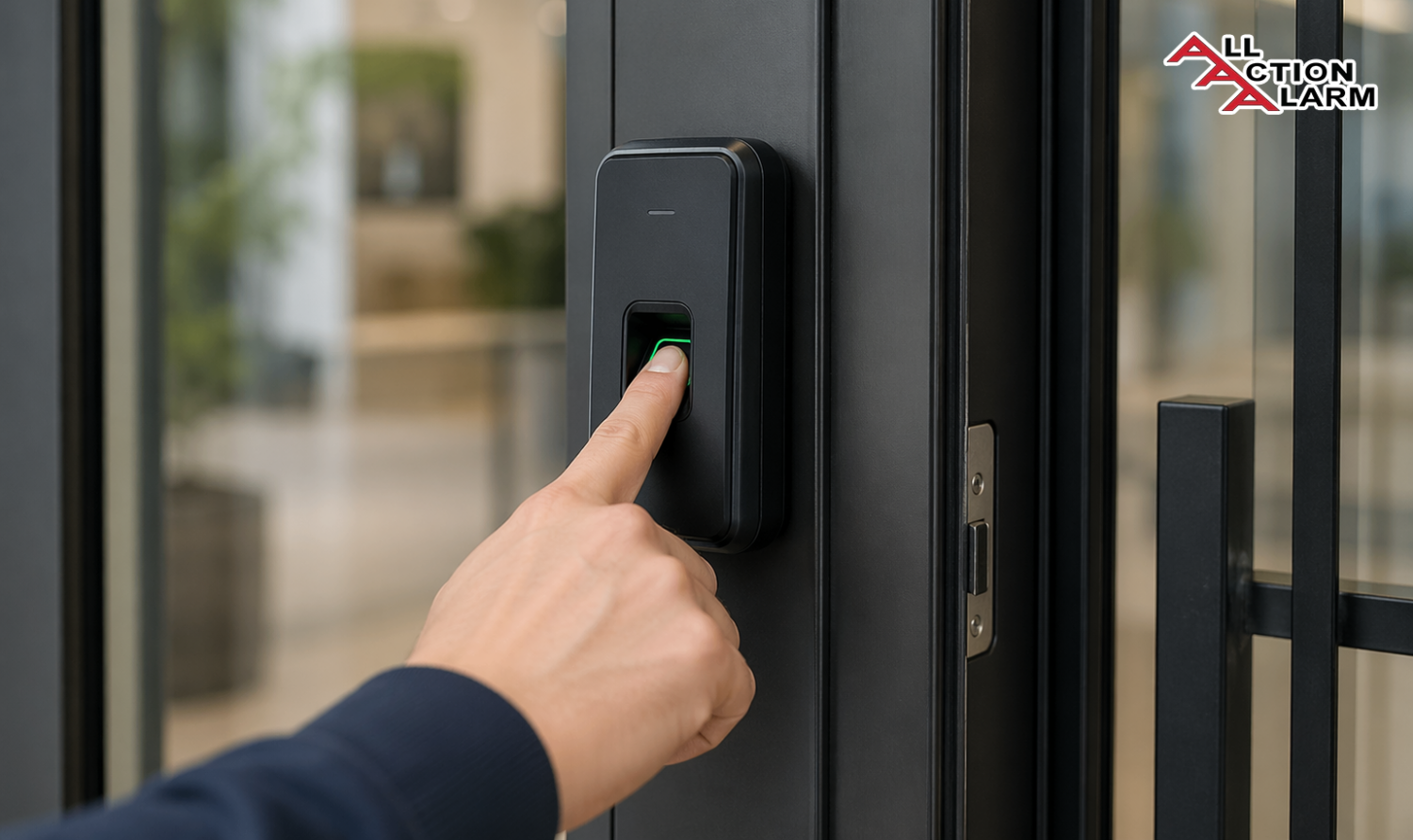
In practical terms, the system consists of a scanner mounted near a door, a processing unit, and a database that stores authorized fingerprints. When you place your finger on the scanner, the system compares your print with stored data. If there’s a match, the door unlocks. If not, access is denied. Simple, yet incredibly powerful.
What makes these systems particularly attractive is their versatility. They can be used in homes, offices, hospitals, banks, and even high-security facilities. Whether you’re trying to protect personal belongings or sensitive corporate data, fingerprint access systems offer a modern solution that aligns with today’s security demands.
Another important point is how these systems are evolving. Early versions were expensive and limited, but today’s models are more affordable, faster, and easier to install. Many even integrate with smartphones and smart home ecosystems, allowing users to manage access remotely.
So, if you’ve ever wondered whether upgrading your door security is worth it, fingerprint access control systems are definitely something to consider. They blend convenience, security, and innovation into a single seamless experience.
How Biometric Authentication Works
To really understand the magic behind a fingerprint door access control system, you need to look under the hood at how biometric authentication actually works. While it may seem instantaneous—and it often is—there’s a sophisticated process happening in just a fraction of a second.
When you place your finger on the scanner, the system doesn’t store an image like a photograph. Instead, it captures specific data points known as minutiae points. These include ridge endings, bifurcations, and other unique features of your fingerprint. Think of it like mapping out a constellation—only instead of stars, it’s mapping the unique patterns on your skin.
Once captured, this data is converted into a digital template. This template is then compared against stored templates in the system’s database. If the system finds a match within an acceptable margin, access is granted. If not, the door stays locked. The entire process typically takes less than a second, making it both secure and efficient.
There are different types of fingerprint scanning technologies used in these systems:
- Optical scanners, which use light to capture fingerprint images
- Capacitive scanners, which detect electrical currents from the skin
- Ultrasonic scanners, which use sound waves for deeper, more accurate readings
Each type has its own strengths and limitations, but modern systems often combine these technologies to improve accuracy and reliability.
One of the most impressive aspects of biometric authentication is its adaptability. Advanced systems can adjust for minor changes in your fingerprint, such as cuts, dryness, or aging. This ensures that users aren’t locked out due to small variations while still maintaining high security standards.
Security-wise, fingerprint systems are incredibly robust. Unlike passwords that can be guessed or stolen, biometric data is inherently tied to the individual. That said, modern systems also encrypt stored fingerprint templates, ensuring that even if data is compromised, it cannot be easily misused.
In a world where cyber threats and physical security risks are constantly evolving, biometric authentication offers a forward-thinking solution. It’s not just about locking doors—it’s about redefining how we think about identity and access.
Key Components of a Fingerprint Access Control System
Fingerprint Scanner Technology
When people think about a fingerprint door access control system, the first thing that comes to mind is usually the scanner itself—and for good reason. The scanner is the front line of the entire system, acting as the gatekeeper that decides who gets in and who doesn’t. But not all scanners are created equal, and understanding the differences can help you make a smarter decision when choosing a system.
At a basic level, fingerprint scanners capture the unique patterns on your fingertip and convert them into a digital format. However, the way they do this can vary significantly. The most common types include optical, capacitive, and ultrasonic scanners. Optical scanners use light to take a digital image of your fingerprint, much like a camera. They’re affordable and widely used, but they can sometimes struggle with accuracy if the finger is dirty or wet.
Capacitive scanners, on the other hand, rely on electrical signals. They measure the tiny differences in electrical charge between the ridges and valleys of your fingerprint. This makes them more accurate and harder to fool compared to optical scanners. Then you have ultrasonic scanners, which are considered the most advanced. These use sound waves to create a detailed 3D map of your fingerprint, offering exceptional accuracy even in challenging conditions.
Another important factor is response time and durability. Modern scanners can process fingerprint data in under a second, making them incredibly efficient for high-traffic environments like offices or apartment complexes. Durability is equally crucial, especially for outdoor installations. Many high-quality scanners are designed to be weatherproof, dust-resistant, and capable of withstanding extreme temperatures.
You might also notice features like liveness detection, which ensures that the fingerprint being scanned is from a real, living person—not a replica or fake. This adds an extra layer of security, especially in environments where sensitive access control is required.
In essence, the scanner is not just a piece of hardware—it’s the heart of the system. Choosing the right type can significantly impact the overall performance, reliability, and security of your fingerprint access control setup.
Control Panels and Software
While the scanner might be the face of the system, the real brains behind a fingerprint door access control system lie in its control panel and software. This is where all the decision-making happens, and it’s what transforms a simple fingerprint scan into a secure, intelligent access process.
The control panel acts as the central hub. It receives data from the fingerprint scanner, processes it, and determines whether access should be granted or denied. Think of it as the system’s command center. In smaller setups, the control panel might be integrated directly into the scanner unit. In larger or more complex systems, it’s often a separate device connected to multiple entry points across a building.
What really brings the system to life, though, is the software. This is where administrators can manage users, set access permissions, and monitor activity in real time. For example, you can assign different access levels to different people—employees might only have access during working hours, while managers or security personnel can enter at any time.
Modern systems often come with cloud-based software, which allows you to manage access remotely. Imagine being able to unlock a door for a guest while you’re miles away or instantly revoke access if an employee leaves the company. That level of control is not just convenient—it’s transformative.
Another powerful feature is audit trails. The software records every access attempt, including timestamps and user identities. This creates a detailed log that can be invaluable for security audits or investigations. If something goes wrong, you can quickly trace who accessed a particular area and when.
Integration is also becoming increasingly important. Many fingerprint systems can now connect with other security solutions like CCTV cameras, alarm systems, and even smart home devices. This creates a unified security ecosystem where everything works together seamlessly.
In short, the control panel and software are what elevate a fingerprint access system from a simple lock to a fully intelligent security solution. Without them, the system would lack the flexibility and control that make it so powerful in today’s world.
Types of Fingerprint Door Access Systems
Standalone Systems
If you’re looking for something simple yet effective, standalone fingerprint door access systems are often the go-to choice. These systems are designed to operate independently, without needing to connect to a larger network or centralized control system. That makes them ideal for smaller environments like homes, small offices, or single-entry points.
One of the biggest advantages of standalone systems is their ease of installation. Since everything is built into a single unit—scanner, control panel, and database—you don’t need extensive wiring or complicated setup processes. In many cases, installation can be completed in just a few hours, even by someone with basic technical skills.
Another benefit is cost-effectiveness. Standalone systems are generally more affordable than networked solutions, making them accessible for individuals or small businesses working with a limited budget. Despite their lower cost, many modern standalone units still offer impressive features like multiple user storage, quick response times, and even backup access methods such as PIN codes or RFID cards.
However, this simplicity does come with some limitations. Since the system isn’t connected to a central database or cloud platform, managing users can be a bit more manual. For example, adding or removing users typically requires direct access to the device. This can become inconvenient if you have a large number of users or need to make frequent changes.
Another limitation is the lack of advanced monitoring and reporting features. Unlike networked systems, standalone units usually don’t provide detailed access logs or remote management capabilities. This makes them less suitable for environments where security needs to be closely monitored or audited.
That said, for many users, these limitations are a fair trade-off for the convenience and affordability that standalone systems offer. If your primary goal is to secure a single door without the complexity of a larger system, a standalone fingerprint access control system can be a practical and reliable solution.
Networked Systems
For larger setups or more demanding security requirements, networked fingerprint door access systems offer a whole different level of capability. Unlike standalone systems, these are connected to a central server or cloud platform, allowing multiple access points to be managed from a single interface.
Imagine managing security for an entire office building, a university campus, or a hospital. Doing that manually at each door would be a nightmare, right? That’s where networked systems shine. They allow administrators to control access across multiple locations in real time, all from a centralized dashboard.
One of the biggest advantages here is scalability. You can start with a few access points and expand the system as needed without having to replace existing components. This makes networked systems a future-proof investment for growing organizations.
Another major benefit is remote management. Whether you’re in the same building or on the other side of the world, you can add or remove users, adjust permissions, and monitor activity with just a few clicks. This level of flexibility is particularly valuable in today’s fast-paced, remote-friendly work environments.
Networked systems also excel in data tracking and analytics. They provide detailed reports on access patterns, helping organizations identify potential security risks or inefficiencies. For example, you can see which areas are accessed most frequently or detect unusual activity that might indicate a security breach.
Of course, this added functionality comes with increased complexity and cost. Installation typically requires professional expertise, and ongoing maintenance may be necessary to ensure the system runs smoothly. There’s also the need for a reliable network connection, especially for cloud-based systems.
Still, for businesses and institutions that require robust, scalable, and highly controllable security solutions, networked fingerprint access systems are hard to beat. They don’t just secure doors—they provide a comprehensive framework for managing access in a modern, connected world.
Benefits of Using Fingerprint Door Access Control Systems
Enhanced Security and Accuracy
When it comes to securing physical spaces, traditional methods like keys and access cards are starting to feel outdated—and for good reason. A fingerprint door access control system offers a level of security that is not only advanced but also inherently tied to human identity. Unlike keys that can be duplicated or cards that can be stolen, fingerprints are unique to each individual, making unauthorized access significantly more difficult.
One of the standout advantages is accuracy. Modern fingerprint systems boast extremely low false acceptance rates (FAR) and false rejection rates (FRR). In simple terms, they’re highly effective at letting the right people in while keeping the wrong ones out. According to industry data, high-quality biometric systems can achieve accuracy rates of over 99%, which is a significant improvement over traditional access methods.
Another critical aspect is non-transferability. You can lend someone your key or share a password, but you can’t hand over your fingerprint. This eliminates a huge vulnerability in conventional systems. It also ensures accountability—every access event is tied directly to a specific individual, not just a generic credential.
Fingerprint systems also reduce the risk of lock picking and hacking. While no system is completely immune to threats, biometric systems add layers of complexity that make them far more resistant to common attack methods. Features like encryption, liveness detection, and multi-factor authentication (in some advanced setups) further enhance security.
Let’s not ignore the psychological factor either. Knowing that a system uses biometric authentication often acts as a deterrent to potential intruders. It sends a clear message: this isn’t an easy target. In environments like offices, laboratories, or data centers, that added sense of security can be invaluable.
Ultimately, the strength of fingerprint access systems lies in their ability to combine precision, reliability, and identity-based authentication. It’s not just about locking a door—it’s about ensuring that only the right person, at the right time, can pass through it.
Convenience and Ease of Use
Security is essential, but let’s be honest—if a system is complicated or frustrating to use, people will try to bypass it. That’s where fingerprint door access control systems truly shine. They strike a perfect balance between high-level security and everyday convenience, making them incredibly user-friendly.
Think about your daily routine. How often do you fumble for keys while your hands are full? Or forget a password and have to reset it? With fingerprint access, all of that disappears. Your finger becomes your key, and it’s always with you. A quick touch is all it takes to unlock a door—no searching, no remembering, no hassle.
This simplicity is especially valuable in high-traffic environments. In offices or commercial buildings, employees can move in and out quickly without creating bottlenecks. The fast response time—often under a second—means that access control doesn’t slow down productivity.
Another major advantage is reduced administrative burden. There’s no need to issue physical keys or manage access cards. Adding a new user is as simple as registering their fingerprint, and removing access is just as easy. This is particularly helpful in organizations with high employee turnover or frequent visitor access.
Fingerprint systems also support multi-user access with customizable permissions. For example, you can allow certain users to access specific areas while restricting others. This level of control is both powerful and easy to manage, especially with modern software interfaces.
For homeowners, the convenience factor is even more noticeable. No more hiding spare keys under doormats or worrying about losing them. Some systems even allow temporary access for guests or service providers, adding an extra layer of flexibility.
In a world where time and simplicity matter more than ever, fingerprint access systems offer a seamless experience that fits naturally into daily life. It’s security that doesn’t get in your way—in fact, it makes things easier.
Common Applications of Fingerprint Access Systems
Residential Security
Home security has evolved dramatically over the years, and fingerprint door access control systems are now at the forefront of that transformation. For homeowners, these systems offer a compelling mix of safety, convenience, and modern appeal that traditional locks simply can’t match.
One of the biggest advantages in residential settings is peace of mind. You no longer have to worry about lost keys or unauthorized copies floating around. Your home becomes accessible only to those whose fingerprints are registered in the system. That’s a level of control that feels both empowering and reassuring.
Families especially benefit from this technology. Instead of giving keys to children—which can easily be lost—you can simply register their fingerprints. This not only ensures they can safely enter the home but also allows parents to monitor access times through system logs. It’s a subtle but effective way to keep track of who’s coming and going.
Another interesting use case is temporary access. Let’s say you have a house cleaner, a babysitter, or a guest staying over. With a fingerprint system, you can grant them access for a specific period and then revoke it instantly when it’s no longer needed. No key exchanges, no awkward follow-ups.
Modern systems also integrate seamlessly with smart home ecosystems. Imagine unlocking your door with your fingerprint and having the lights turn on automatically or the thermostat adjust to your preferred settings. It’s not just security—it’s an enhanced living experience.
From an aesthetic perspective, fingerprint locks also add a touch of sophistication. They give your home a modern, tech-savvy feel that aligns with today’s smart living trends.
In short, for residential use, fingerprint access systems offer a practical and forward-thinking solution. They simplify daily routines while significantly enhancing security, making them an increasingly popular choice for homeowners around the world.
Commercial and Industrial Use
In commercial and industrial environments, the stakes are often much higher—and that’s exactly where fingerprint door access control systems prove their true value. These settings require not just security, but also accountability, scalability, and efficiency.
Take an office building, for example. With potentially hundreds of employees, managing access using keys or cards can quickly become chaotic. Fingerprint systems streamline this process by assigning access directly to individuals. Employees can enter authorized areas بسهولة, while restricted zones remain secure.
One of the most critical benefits here is access tracking. Every entry and exit is recorded, creating a detailed audit trail. This is invaluable for security purposes, compliance requirements, and even workforce management. For instance, some companies use fingerprint systems to track attendance, eliminating the need for separate timekeeping tools.
In industrial settings like factories or warehouses, fingerprint systems help ensure that only trained and authorized personnel can access specific areas or machinery. This not only enhances security but also improves workplace safety. After all, restricting access to hazardous zones can prevent accidents and liability issues.
Healthcare facilities also rely heavily on biometric access control. Hospitals use these systems to protect sensitive areas like laboratories, pharmacies, and patient records. Given the importance of data privacy and safety in healthcare, fingerprint authentication provides a reliable solution.
Let’s not forget about scalability. As businesses grow, their security needs evolve. Networked fingerprint systems can easily expand to accommodate new locations, departments, or users without requiring a complete overhaul.
While the initial investment might be higher compared to traditional systems, the long-term benefits—reduced administrative costs, improved security, and enhanced operational efficiency—make it a worthwhile investment.
In these environments, fingerprint access control isn’t just a convenience; it’s a strategic tool that supports both security and business operations in a meaningful way.
Installation Process of Fingerprint Door Systems
Pre-Installation Considerations
Before jumping into installing a fingerprint door access control system, it’s crucial to think things through carefully. A lot of people assume it’s just about buying a device and mounting it ליד the door, but the reality is a bit more nuanced. Proper planning can make the difference between a smooth, efficient system and one that constantly causes frustration.
The first thing to consider is the type of door and environment. Is the system going on a wooden residential door, a glass office entrance, or a heavy-duty industrial gate? Different doors require different mounting methods and hardware compatibility. Outdoor installations, for example, demand weatherproof devices with high IP ratings to withstand rain, dust, and temperature fluctuations.
Next comes power supply and connectivity. Some fingerprint systems are battery-operated, while others require a wired power source. If you’re opting for a networked system, you’ll also need to ensure stable internet or LAN connectivity. A weak connection can lead to delays or even system failures, which is the last thing you want in a security setup.
Another key factor is user capacity and scalability. Are you installing the system for a small family or a growing business with dozens—or even hundreds—of users? Choosing a system that can scale with your needs will save you from costly upgrades later. Many modern systems support thousands of fingerprint records, but not all do, so it’s worth checking.
You should also think about integration with existing security systems. If you already have CCTV cameras, alarm systems, or smart home devices, it’s wise to choose a fingerprint system that can integrate seamlessly. This creates a unified security ecosystem rather than a collection of disconnected tools.
Finally, don’t overlook legal and privacy considerations. In some regions, storing biometric data comes with specific regulations. Ensuring compliance not only protects users but also prevents potential legal issues down the line.
Taking the time to evaluate these factors might seem tedious, but it sets the foundation for a reliable and efficient system. It’s like building a house—you wouldn’t skip the blueprint stage, right?
Step-by-Step Installation Overview
Once all the planning is done, the actual installation of a fingerprint door access control system becomes much more straightforward. While the exact process can vary depending on the model and complexity of the system, the general steps tend to follow a similar pattern.
The process usually starts with mounting the hardware. This involves installing the fingerprint scanner and, if applicable, the control panel near the door. Proper positioning is important—it should be easily accessible but not exposed to unnecessary risks like direct sunlight or water (unless it’s specifically designed for outdoor use).
Next comes wiring and power setup. For wired systems, this means connecting the device to a power source and possibly to a network or central control unit. Battery-powered systems are simpler but still require careful setup to ensure long-lasting performance. At this stage, professional installation is often recommended, especially for complex or networked systems.
After the hardware is in place, the focus shifts to software configuration. This is where you define system settings, create user profiles, and establish access permissions. Most modern systems come with intuitive interfaces, making this step relatively user-friendly—even for those who aren’t particularly tech-savvy.
The next step is enrolling fingerprints. Each authorized user needs to register their fingerprint in the system. This usually involves placing their finger on the scanner multiple times to ensure accurate data capture. It’s a simple process, but it’s important to do it correctly to avoid recognition issues later.
Finally, there’s testing and calibration. Before relying on the system, you’ll want to test it thoroughly. Check response times, verify access permissions, and ensure the door locks and unlocks smoothly. This step helps identify and fix any issues before they become real problems.
While DIY installation is possible for simpler systems, more advanced setups often benefit from professional expertise. Either way, once installed correctly, the system offers a seamless and secure experience that’s well worth the effort.
Challenges and Limitations
Environmental and Technical Issues
As impressive as fingerprint door access control systems are, they’re not without their challenges. Like any technology, they can be affected by environmental and technical factors that impact performance. Understanding these limitations helps set realistic expectations and ensures better decision-making.
One of the most common issues is fingerprint readability. Conditions like dirt, moisture, or even dry skin can interfere with the scanner’s ability to capture accurate data. For instance, someone working in construction or manufacturing might have worn or damaged fingerprints, making recognition more difficult. While advanced systems try to compensate for these variations, they’re not always perfect.
Environmental conditions also play a significant role. Extreme temperatures, humidity, and exposure to sunlight can affect the performance of certain scanners—especially lower-end models. That’s why choosing a device with appropriate durability ratings is essential for outdoor or industrial use.
Another challenge is system dependency on power and connectivity. A power outage or network failure can temporarily disable access, which can be problematic in critical environments. Many systems address this with backup batteries or offline modes, but it’s still a factor to consider.
There’s also the issue of initial cost and maintenance. While prices have come down over the years, high-quality fingerprint systems can still require a significant upfront investment. Additionally, regular maintenance—like cleaning the scanner and updating software—is necessary to keep the system functioning optimally.
Despite these challenges, most can be mitigated with proper planning and the right choice of equipment. It’s less about avoiding the technology and more about using it wisely and understanding its boundaries.
Privacy Concerns
Whenever biometric data is involved, privacy concerns naturally come into the conversation—and rightly so. A fingerprint door access control system doesn’t just store access credentials; it stores data that is deeply personal and unique to each individual.
One of the main concerns is data security. Users often worry about what happens if their fingerprint data is stolen or hacked. Unlike passwords, fingerprints can’t be changed. That’s why modern systems use encryption and store fingerprint data as templates rather than actual images. This makes it extremely difficult for attackers to reconstruct the original fingerprint.
Another concern is how the data is used and who has access to it. In workplaces, employees may feel uneasy about their biometric data being stored and monitored. Transparency is key here. Organizations need to clearly communicate how the data is collected, stored, and used, and ensure that it’s only accessed by authorized personnel.
There are also legal considerations. Different countries have different regulations biometric data. For example, some regions require explicit user consent before collecting fingerprints, while others impose strict rules on data storage and retention. Ignoring these regulations can lead to serious legal consequences.
Despite these concerns, it’s worth noting that biometric systems are often more secure than traditional methods when implemented correctly. The key lies in choosing reputable systems, following best practices, and maintaining transparency with users.
Privacy doesn’t have to be a barrier—it just needs to be handled responsibly.
Future Trends in Biometric Access Control
Integration with Smart Home Systems
The evolution of the fingerprint door access control system is no longer happening in isolation—it’s becoming a central piece of the broader smart technology ecosystem. One of the most exciting developments is its growing integration with smart home systems, transforming simple access control into a fully connected living experience.
Imagine walking up to your front door after a long day. You place your finger on the scanner, and within seconds, not only does the door unlock, but your lights turn on, your thermostat adjusts to your preferred temperature, and even your favorite playlist starts playing softly in the background. This isn’t futuristic fantasy—it’s already happening in many modern homes.
This level of integration is made possible through platforms like Google Home, Amazon Alexa, and Apple HomeKit, which allow different smart devices to communicate with each other. Fingerprint access systems are increasingly being designed to work seamlessly with these platforms, enabling automation scenarios that go far beyond basic security.
Another powerful feature is remote access control. Homeowners can manage their fingerprint systems through mobile apps, allowing them to grant or revoke access instantly. For example, if a friend arrives early or a delivery needs to be placed inside, you can unlock the door remotely without physically being there. Some systems even provide real-time notifications, so you know exactly who entered your home and when.
Security also benefits from this integration. When combined with smart cameras and alarm systems, fingerprint access creates a layered defense strategy. If an unauthorized attempt is made, the system can trigger alerts, activate cameras, or even notify authorities.
There’s also a growing trend toward voice-assisted management. While you wouldn’t unlock your door using voice alone for security reasons, voice commands can still be used to check system status, review access logs, or control related smart devices.
As smart homes continue to evolve, fingerprint access systems are becoming less of a standalone feature and more of a central hub. They’re redefining what it means to feel secure and comfortable in your own space—blending convenience, automation, and advanced security into one seamless experience.
AI and Cloud-Based Security
If smart home integration is about convenience, then AI and cloud-based technology are about taking fingerprint door access control systems to an entirely new level of intelligence. These advancements are reshaping how security systems operate, making them not just reactive but also proactive.
Artificial Intelligence (AI) is being used to enhance pattern recognition and decision-making. Modern systems can learn user behavior over time—understanding when certain individuals typically access specific areas. If something unusual happens, like access at an odd hour or repeated failed attempts, the system can flag it as suspicious and trigger alerts.
AI also improves fingerprint recognition accuracy. It can adapt to subtle changes in a user’s fingerprint, such as minor cuts, aging, or environmental effects. This reduces false rejections while maintaining high security standards, creating a smoother user experience.
Cloud-based systems, on the other hand, bring unmatched flexibility and scalability. Instead of storing data locally on a device, information is securely stored in the cloud. This allows administrators to manage access from anywhere in the world, using a smartphone or computer. Whether it’s a single home or a global enterprise, the system can scale effortlessly.
Another advantage of cloud integration is real-time updates and backups. Software updates can be deployed automatically, ensuring the system always has the latest security features. Data backups reduce the risk of losing critical information due to hardware failure.
Here’s a quick comparison to understand the shift:
| Feature | Traditional Systems | AI & Cloud-Based Systems |
|---|---|---|
| Data Storage | Local | Cloud |
| Access Management | On-site only | Remote & real-time |
| Learning Capability | None | AI-driven behavior analysis |
| Scalability | Limited | Highly scalable |
| Security Updates | Manual | Automatic |
Of course, with cloud technology comes the need for strong cybersecurity measures. Encryption, multi-factor authentication, and secure servers are essential to protect sensitive biometric data.
Industry experts often highlight that the future of security lies in intelligent ecosystems, not isolated devices. As one security analyst noted, “The real power of biometric systems emerges when they are combined with AI and cloud infrastructure—it turns access control into a dynamic, responsive system rather than a static barrier.”
This shift is already underway, and it’s only accelerating. Fingerprint access systems are no longer just about unlocking doors—they’re becoming smart guardians that learn, adapt, and evolve alongside the people who use them.
Conclusion
The fingerprint door access control system has moved far beyond being a luxury or a futuristic concept—it’s now a practical, reliable, and increasingly essential part of modern security. From homes to large-scale enterprises, these systems are redefining how we think about access, identity, and protection.
What makes them so compelling is their ability to combine security, convenience, and intelligence into a single solution. You’re no longer relying on something you might lose or forget; instead, you’re using something inherently yours. That shift alone changes the entire dynamic of access control.
At the same time, it’s important to approach this technology with a balanced perspective. While the benefits are significant, factors like installation planning, environmental conditions, and privacy considerations shouldn’t be overlooked. Choosing the right system—and implementing it correctly—makes all the difference.
Looking ahead, the integration of AI, cloud computing, and smart ecosystems will only make these systems more powerful. They’re evolving from simple security tools into intelligent systems that anticipate needs, detect anomalies, and adapt in real time.
For anyone considering an upgrade in security—whether for personal or professional use—fingerprint access control offers a forward-thinking solution that aligns perfectly with today’s digital world. It’s not just about keeping doors closed; it’s about opening them in smarter, safer ways.
FAQs
1. Are fingerprint door access systems safe from hacking?
Fingerprint systems are generally very secure, especially when they use encryption and store data as templates instead of images. While no system is completely immune, high-quality biometric systems are far more resistant to hacking than traditional password-based systems.
2. What happens if the fingerprint scanner fails?
Most systems include backup options such as PIN codes, RFID cards, or physical keys. This ensures that you can still access the door even if the scanner malfunctions.
3. Can multiple users be added to one system?
Yes, most fingerprint access systems support multiple users. Some advanced systems can store hundreds or even thousands of fingerprints, making them suitable for both homes and businesses.
4. Do fingerprint systems work with wet or dirty fingers?
They can sometimes struggle in such conditions, but modern scanners—especially ultrasonic and capacitive types—are designed to handle minor variations. Cleaning your finger or the scanner usually resolves the issue.
5. Is it expensive to install a fingerprint door access system?
Costs vary depending on the system type and features. Standalone systems are more affordable, while networked or AI-powered systems require a higher investment but offer greater functionality and scalability.
About All Action Alarm: Your Trusted Partner in Commercial Security Solutions
AllActionAlarm.com is Long Island’s top choice for state-of-the-art commercial security systems, providing unmatched protection and peace of mind for businesses of all sizes. With years of expertise, we specialize in creating customized security solutions, combining cutting-edge technology with seamless installation and 24/7 monitoring. Whether it’s high-definition surveillance, advanced access control, or intrusion detection, we deliver systems designed to safeguard your assets and personnel.
Our team of certified professionals is committed to offering the best security systems in Long Island, New York. We understand the unique challenges businesses face and work closely with you to develop a comprehensive security plan that fits your needs. We don’t just sell equipment; we partner with you for the long haul, ensuring your business remains protected against any threat.
Don’t leave your business’s safety to chance—contact us at (631) 549-7225 today for a free consultation and experience the AllActionAlarm difference!
For more info you may want to read this article about Commercial Alarm System.
SOURCEs
https://www.nist.gov/programs-projects/biometrics
https://www.biometricsinstitute.org
https://www.idemia.com/biometrics
https://www.ncbi.nlm.nih.gov/pmc/articles/PMC3658732/
https://www.sciencedirect.com/topics/computer-science/fingerprint-recognition
https://www.iso.org/standard/54567.html
https://www.ibm.com/security/identity-access-management
https://azure.microsoft.com/en-us/services/active-directory/
https://cloud.google.com/security
https://www.statista.com/topics/1568/biometrics/
https://www.grandviewresearch.com/industry-analysis/biometrics-market
https://www.fortunebusinessinsights.com/biometrics-market-102215
https://www.ftc.gov/business-guidance/privacy-security
https://ico.org.uk/for-organisations/guide-to-data-protection/


 Ca.garcia.s, CC BY-SA 4.0
