
Vacation Home Monitoring System: The Complete Guide to Protecting Your Second Home
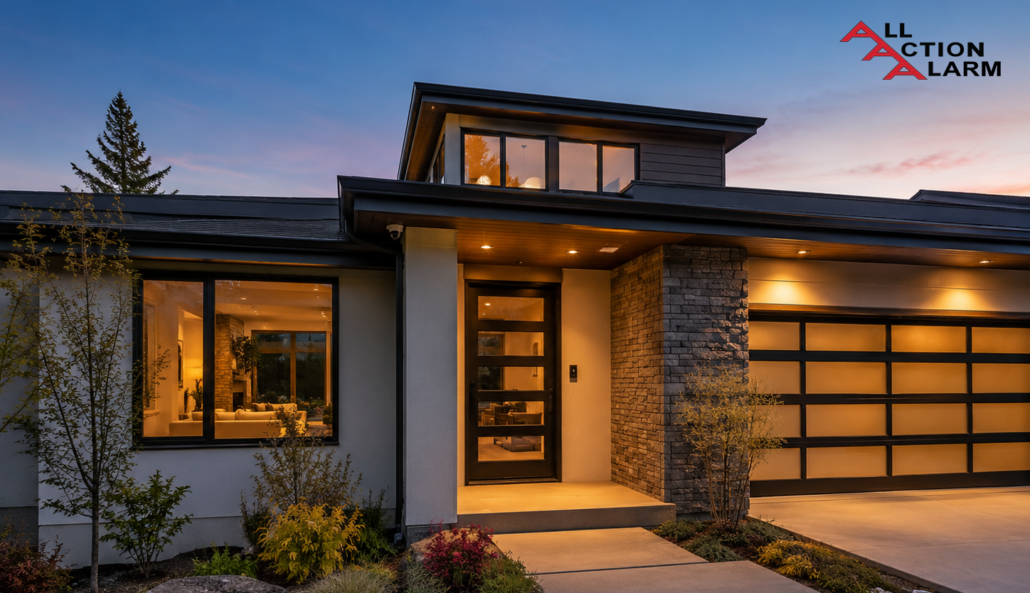

A vacation home monitoring system is no longer a fancy gadget setup reserved for luxury cabins, beachfront villas, or high-end mountain homes. It has become one of the smartest ways to protect a property that spends long stretches of time empty, rented, or visited only on weekends. Think about it like this: your primary home has you, your neighbors, your daily routines, and your instincts watching over it. Your vacation home, on the other hand, might sit alone through storms, heat waves, cold snaps, holiday weekends, delivery delays, and the occasional curious stranger who notices no one has been around for a while. That gap between “everything is fine” and “something went wrong three days ago” is exactly where monitoring makes a huge difference.
The best part is that modern remote property monitoring does not have to feel complicated. You do not need to turn your second home into a sci-fi command center full of blinking lights and confusing dashboards. A practical setup can be as simple as a few smart sensors, a reliable camera, a door lock you can control from your phone, and alerts that tell you when something needs attention. When those pieces work together, they act like a quiet caretaker in the background. They cannot shovel snow, repair a broken pipe, or chase away every problem, but they can tell you quickly when something looks wrong.
This matters because vacation homes are different from regular homes. They are often located in areas with seasonal weather, less foot traffic, spotty internet, or limited access to emergency help. A beach house may face humidity, flooding, and salt-air corrosion. A lake cabin may deal with frozen pipes, pests, and power outages. A city condo used as a short-term rental may need smarter access control and privacy-safe guest monitoring. A good second home monitoring system adapts to the property instead of forcing every owner into the same cookie-cutter security package.
Why Vacation Homes Need Monitoring
A vacation home sounds peaceful, but owning one can feel like leaving a suitcase full of valuables on a train platform and hoping it stays exactly where you put it. You lock the door, drive away, and trust that the roof, pipes, windows, appliances, and neighborhood will behave until you return. Most of the time, they do. The problem is that vacation homes do not usually fail in convenient, dramatic ways while you are standing there with a toolbox. They fail quietly. A small leak under a sink keeps dripping. A power outage shuts down the heat. A package sits on the porch long enough to advertise that nobody is home. A storm knocks a branch against a window, and the damage waits patiently for mold, pests, or rainwater to make it worse.
That is why a vacation home monitoring system is less about paranoia and more about time. The faster you know about a problem, the smaller that problem usually stays. A leak detected in the first hour may be a towel-and-plumber situation. A leak discovered three weeks later can become flooring damage, drywall replacement, mold remediation, insurance paperwork, and a very expensive lesson. The same idea applies to temperature changes, smoke alerts, unauthorized entry, garage doors left open, or guests who forget to lock up after checkout. Monitoring gives you the one thing distance steals from you: awareness.
It also gives you more control without needing to drive across town, across the state, or across the country. You can unlock the door for a cleaner, confirm a contractor arrived, check whether the thermostat is holding the right temperature, and see if a storm knocked out power. For owners who rent their homes, monitoring can also protect the guest experience. Nobody wants to arrive at a cold house, a dead smart lock, or a property where the Wi-Fi has been down all day. When your system tells you about issues early, you can fix them before they become angry messages, refund requests, or poor reviews.
The real value is peace of mind, but not the vague kind you get from wishful thinking. It is practical peace of mind built from alerts, sensors, backups, and routines. You are not guessing whether the home is safe. You have a digital pulse on the place. That does not mean checking cameras every fifteen minutes or living in your phone. A well-designed system lets you relax more because it only interrupts you when something deserves your attention.
What a Vacation Home Monitoring System Actually Does
A vacation home monitoring system is a connected set of devices that helps you watch over a property when you are not there. At its simplest, it answers four big questions: Is anyone entering the home? Is the property safe from water, fire, and environmental damage? Can trusted people access the home without physical keys? Is the house operating normally while empty or occupied by guests? Those questions may sound basic, but they cover most of the situations that make second-home owners nervous. The goal is not just to record events after the fact. The real goal is to alert you early enough to act.
Most systems combine security, safety, access, and automation. Security devices may include outdoor cameras, smart doorbells, door sensors, window sensors, driveway motion alerts, and alarms. Safety devices may include water leak sensors, freeze sensors, smoke detectors, carbon monoxide detectors, humidity monitors, and temperature alerts. Access devices may include smart locks, garage controllers, keypad entry, and guest codes. Automation devices may include smart lights, thermostats, plugs, and routines that make the home look lived in or keep it protected during extreme weather.
The magic happens when these devices talk to each other. For example, a smart lock can record when the cleaner enters, a thermostat can adjust before guests arrive, and a leak sensor can send an alert before water spreads across the floor. A camera may not need to record all day if motion zones are set correctly. A door sensor can trigger a light. A smoke alarm can notify both you and a monitoring center, depending on your plan. This is where a basic collection of gadgets becomes a true remote vacation home monitoring system.
Here is a simple comparison of common monitoring components and what they protect:
| Component | Main Purpose | Best For |
|---|---|---|
| Security camera | Visual verification | Entryways, driveways, exterior activity |
| Smart doorbell | Visitor and package alerts | Front doors, deliveries, service visits |
| Water leak sensor | Early leak detection | Sinks, water heaters, laundry rooms |
| Freeze sensor | Low-temperature alerts | Cabins, mountain homes, cold climates |
| Smart lock | Remote access control | Guests, cleaners, contractors |
| Smart thermostat | Climate monitoring | Energy savings, freeze prevention, guest comfort |
| Smoke and CO detector | Life-safety alerts | Fire, carbon monoxide risk, emergency response |
A good system does not need every device on day one. The smartest approach is to match the setup to the home’s real risks. A ski cabin needs freeze protection and cellular backup more than a palm-tree beach condo might. A short-term rental needs excellent access control and guest-safe camera placement. A remote cabin with weak internet needs backup communication. The best system is not the one with the longest feature list. It is the one that catches the problems your property is most likely to face.
Security Cameras and Smart Doorbells
Security cameras are usually the first thing people picture when they think about a vacation home security system, and for good reason. A camera gives you visual context that a basic alarm cannot. A motion alert that says “activity detected” is useful, but a video clip showing a delivery driver, a deer, a neighbor, or an unknown person near the back door is much more helpful. Cameras also create a record of events, which can matter if you need to report theft, check contractor visits, confirm guest arrival, or understand what happened during a storm. Used wisely, they are one of the most practical tools in a second-home owner’s kit.
Placement matters more than most people realize. A camera pointed at the wrong area creates noise, false alerts, and privacy problems. Exterior cameras should usually focus on public-facing or property-protection zones such as driveways, gates, front porches, garage doors, side entrances, and exterior stairways. A smart doorbell works especially well because it monitors one of the most active spots on the property: the front door. It can help with package theft, service visits, guest check-ins, and unexpected visitors. For homes with long driveways or rural access roads, a camera with motion zones can provide an early heads-up before someone reaches the house.
The key is to avoid turning cameras into a source of stress. Many owners start by enabling every alert possible, then quickly get buried in notifications from birds, shadows, headlights, rain, leaves, and passing cars. A better approach is to use motion zones, person detection, package detection, and schedules. For example, a camera might send alerts only when a person is detected near the entry after checkout time. That keeps your phone from becoming a slot machine of useless notifications. A smart vacation home monitoring system should reduce worry, not create a new part-time job.
Privacy is especially important if the home is rented. Indoor cameras in private spaces are a terrible idea and may violate platform policies, local laws, or guest trust. Exterior cameras should be disclosed clearly when required, and they should never point into bedrooms, bathrooms, hot tubs, pools where privacy is expected, or neighboring properties. The best rule is simple: use cameras to protect entrances and property, not to watch people live their lives. When you respect that boundary, cameras become a safety tool instead of a creepy surprise.
Leak, Freeze, Smoke, and Carbon Monoxide Sensors
If cameras are the eyes of a vacation home monitoring system, sensors are the nerves. They notice the quiet threats you cannot see from a driveway camera: water under the water heater, a basement temperature drop, smoke from an appliance, rising humidity in a closed-up house, or carbon monoxide from a heating system. These risks do not care whether the home is beautiful, new, or well maintained. A tiny plumbing failure can cause more financial pain than a broken window. A furnace issue in winter can lead to frozen pipes. A smoke or carbon monoxide event can become life-threatening if guests or family members are inside.
Water leak sensors are among the highest-value devices for second homes because water damage spreads fast and often starts silently. Good places to put them include under sinks, behind toilets, near water heaters, beside washing machines, under dishwashers, in basements, near sump pumps, and close to HVAC equipment. Some advanced systems can connect to a smart water shutoff valve that automatically closes the main water line when a leak is detected. That is a powerful upgrade, especially for homes left empty for weeks at a time. Even a basic sensor that sends a phone alert can help you call a neighbor, property manager, or plumber before the problem grows teeth.
Freeze sensors and temperature monitoring are critical in colder climates. A cabin can look perfectly fine from the outside while the temperature inside drops low enough to threaten pipes. Smart thermostats help, but separate freeze sensors add another layer of protection because they can be placed near vulnerable areas like crawl spaces, utility rooms, or basements. Humidity sensors are useful in humid climates, coastal homes, or properties closed up during off-season months. They can help catch conditions that may lead to mold, musty odors, or warped materials.
Smoke and carbon monoxide detectors deserve special attention because they are not just about property protection. They are about life safety. For a vacation rental, guests may not know where everything is, how the heating system works, or what to do during an alarm. A connected smoke and CO setup can notify you remotely and, with professional monitoring, may trigger emergency response depending on the service and local rules. This is where monitoring goes beyond convenience. It becomes the difference between hearing about a disaster after the fact and responding while there is still time.
Smart Locks, Lighting, and Access Control
Keys are charming until they become a problem. They get lost, copied, hidden under rocks, left with cleaners, mailed to guests, forgotten in kitchen drawers, or passed from one person to another with no clear record. For a second home, that is a headache. For a vacation rental, it can become chaos. A smart lock gives you cleaner control by allowing unique codes for guests, family members, cleaners, maintenance workers, and property managers. You can create a code, set when it works, delete it after use, and check whether the door locked after someone left. That one upgrade alone can make a vacation home monitoring system feel instantly more useful.
Smart locks are especially helpful when paired with a booking routine. For example, a rental host can set a guest code to activate shortly before check-in and expire after checkout. A cleaner can have a separate recurring code that works only on cleaning days. A contractor can receive a temporary code instead of requiring someone to drive over and open the door. This cuts down on physical key handoffs and gives you a basic access history. It also reduces the awkward messages that start with, “We can’t find the key,” or “The lockbox won’t open.”
Smart lighting adds another layer of protection and comfort. Lights can turn on before guests arrive, follow sunset schedules, or create the impression that the home is occupied. A dark house for weeks can quietly announce vacancy. A home with sensible lighting routines looks cared for. Inside the home, smart plugs and lights can make arrivals easier, especially if guests reach the property at night. Outside, motion lights near walkways, stairs, and driveways can improve safety while also discouraging unwanted activity.
Access control also includes garage doors, gates, and alarm codes. A common mistake is securing the front door while forgetting that a garage keypad, side entrance, or sliding door is easier to access. The system should match how people actually enter the property. A beautiful smart lock on the front door does not help much if cleaners use the garage and guests use the side door. The best setup thinks like a real person walking up to the house: where would someone enter, where would they struggle, and where would a forgotten lock create risk? Once those weak spots are covered, the property becomes much easier to manage from anywhere.
The Real Risks of Leaving a Property Empty
An empty vacation home is not automatically unsafe, but it does face a different risk profile than an occupied property. Homes are living systems. Pipes need stable temperatures, batteries need checking, doors need locking, gutters need clearing, and small issues need human eyes before they become expensive. When nobody is around, time becomes the enemy. A loose shingle, a dripping supply line, a tripped breaker, or a stuck thermostat can sit unnoticed until the next visit. By then, the original issue may be buried under secondary damage. That is why remote home monitoring for vacation properties is so valuable: it shortens the delay between problem and response.
Seasonal homes can be especially vulnerable because their conditions change dramatically through the year. A house that is easy to manage in summer may need freeze protection in winter. A desert home may need temperature alerts to protect electronics, plants, finishes, or stored items during extreme heat. A coastal property may need humidity management and storm checks. A wooded cabin may need motion alerts, smoke detection, and power outage awareness. There is no universal “safe” setting because every property has its own personality. A smart monitoring plan starts by understanding that personality.
Insurance and maintenance expectations can also be different for vacant or seasonal homes. Some policies may have requirements around winterization, water shutoff, heat maintenance, inspections, or vacancy periods. That does not mean monitoring replaces proper maintenance or insurance coverage. It supports them. Sensors, cameras, and alerts help you prove that you are paying attention and give you a better chance of catching problems early. Still, owners should always check their own policy language because assumptions can be expensive.
The emotional side matters too. Without monitoring, every storm becomes a question mark. Every missed call from a neighbor makes your stomach drop. Every long gap between visits invites that little voice asking, “What if something happened?” A second home security and monitoring system does not remove every risk, but it quiets that voice. It turns vague anxiety into specific information. Instead of wondering whether the property is okay, you can check the system, review alerts, and take action when needed.
Break-ins, Trespassing, and Package Theft
Break-ins are one of the most obvious concerns for vacation homes, but the risk is not always the dramatic movie version where someone smashes a window in the middle of the night. Sometimes it is much quieter. Someone notices the same lights have been off for weeks. A package sits untouched. Snow has no footprints. Grass gets tall. Trash bins never move. The property starts giving off signals that nobody is around. A vacation home security system helps reduce those signals by adding cameras, lighting routines, door sensors, and access records that make the home look and feel less abandoned.
Trespassing can also be an issue, especially for cabins, lake houses, rural homes, and properties near trails, beaches, or open land. Not every trespasser has bad intentions. Some people wander onto the wrong driveway, take a shortcut, fish near a dock, or explore an empty-looking property. But even harmless trespassing can lead to damage, liability concerns, or uncomfortable surprises. Outdoor cameras, driveway alerts, motion lighting, and clear signage can help discourage people from treating the property like public space. When alerts are tuned correctly, you can tell the difference between normal activity and something worth investigating.
Package theft is another practical problem, especially for owners who ship supplies, replacement parts, linens, smart devices, or household goods to the property. A smart doorbell can confirm delivery and show whether a package is still there. Some owners use lockable delivery boxes, garage delivery systems, or schedule shipments only when a cleaner or manager can retrieve them. Monitoring helps because it creates accountability. You are not relying on a delivery notification alone; you can actually see what happened at the door.
The best anti-break-in strategy is layered. A camera alone may record a problem, but it may not prevent one. A smart lock alone controls access, but it does not watch the driveway. Motion lights alone may scare off some unwanted visitors, but they cannot send you a clip. Door and window sensors can alert you to entry, but they need a response plan. When these pieces work together, your property becomes harder to ignore and harder to target. Most unwanted visitors prefer easy opportunities. A monitored home sends the opposite message.
Water Damage, Mold, and Frozen Pipes
Water damage is the sneaky villain of vacation home ownership. It does not kick down the door. It creeps. A small line behind a toilet leaks for days. A water heater begins to fail. A washing machine hose cracks. A dishwasher connection drips under the cabinet. A sump pump stops working during heavy rain. By the time someone smells mildew or sees warped flooring, the damage may have already spread far beyond the original source. That is why leak detection may be the most underrated part of a vacation home monitoring system.
Frozen pipes deserve their own spotlight because they can turn a peaceful winter cabin into a financial nightmare. When indoor temperatures drop too low, water inside pipes can freeze and expand, causing pipes to burst. The real mess often happens later, when temperatures rise or water pressure returns and the broken pipe starts pouring water into the house. A smart thermostat can help maintain heat, but a thermostat near the living room may not reflect the temperature in a crawl space, basement, garage wall, or utility closet. Separate freeze sensors placed in vulnerable areas give you better coverage.
Mold is another reason early alerts matter. Mold often follows moisture, poor airflow, and time. A vacation home closed up for weeks can develop humidity problems, especially in warm or coastal climates. Humidity sensors and HVAC monitoring can warn you when conditions are drifting into the danger zone. This is not just about protecting drywall or furniture. Mold can affect indoor air quality and guest comfort, and it can turn a five-star rental experience into a complaint-filled mess. Nobody wants to open the front door to a musty smell after a long drive.
A strong water-protection setup usually includes leak sensors in high-risk areas, temperature sensors in cold zones, humidity tracking where moisture is common, and a plan for who responds when an alert comes through. The response plan is just as important as the devices. Getting a leak alert at 2 a.m. is useful only if you know whether to call a neighbor, plumber, property manager, or emergency service. The best systems make that decision easier by giving you clear information fast. That is how a small warning becomes a saved floor, a saved wall, and sometimes a saved vacation.
DIY vs Professional Vacation Home Monitoring
Choosing between DIY and professional monitoring is one of the biggest decisions owners face. A DIY vacation home monitoring system gives you control, flexibility, and lower monthly costs. You pick the devices, install them, manage the app, and respond to alerts yourself. That can work beautifully for owners who enjoy smart home technology, visit the property regularly, and have a reliable local contact nearby. If you are comfortable troubleshooting Wi-Fi, changing batteries, adjusting camera zones, and checking notifications, DIY can be affordable and effective.
Professional monitoring adds a human response layer. Instead of every alert depending only on you, a monitoring center may receive certain alarm events and follow a response process. This can be valuable for security alarms, smoke alerts, carbon monoxide alarms, and emergencies that happen while you are asleep, traveling, in a meeting, or outside cell service. Professional installation may also help if the property is large, unusual, remote, or needs wired devices, cellular backup, or more advanced coverage. You pay more, but you may gain reliability and a clearer emergency path.
The right choice often depends less on technology and more on your life. Are you the kind of person who sees a phone alert immediately, understands it, and can act fast? Do you have a neighbor or property manager who can check the home quickly? Is the property close enough that you can visit after a serious alert? Or is it several hours away, in another state, or in a rural area where delays are common? A self-monitored system is only as strong as your ability to respond. A professionally monitored system is only worth the cost if it covers the risks you actually need help with.
Many owners end up with a hybrid setup. They self-monitor cameras, smart locks, thermostats, and leak sensors while using professional monitoring for burglary, smoke, or carbon monoxide alarms. That can be a smart middle ground. You do not need to pay for every bell and whistle, but you still have backup for high-stakes alerts. The best decision comes from being honest about what could happen, how fast you could respond, and who can help when you are not nearby.
Here is a simple way to compare both options:
| Option | Strengths | Weaknesses | Best Fit |
|---|---|---|---|
| DIY monitoring | Lower cost, flexible devices, easy upgrades | You must respond to alerts yourself | Nearby owners, tech-comfortable users, smaller homes |
| Professional monitoring | Emergency response support, stronger alarm handling | Monthly fees, contracts, less flexibility | Remote homes, high-value properties, frequent travelers |
| Hybrid setup | Balanced cost and protection | Requires thoughtful setup | Rental hosts, seasonal homes, owners with local contacts |
One thing to avoid is choosing based only on the cheapest monthly price. A bargain system that misses alerts, loses Wi-Fi often, or overwhelms you with false notifications is not really a bargain. At the same time, an expensive professional package with features you never use can be overkill. Look at your property like a doctor looks at a patient. What are the real symptoms? What risks show up again and again? The answer will point you toward the level of monitoring you actually need.
Key Features to Look For Before You Buy
Before buying a vacation home monitoring system, slow down and think about reliability first. Shiny features are tempting, but a system that fails during a power outage or loses connection every time the internet blinks is not protecting much. For second homes, the most important features are stable connectivity, backup power, useful alerts, easy remote access, and devices that match the environment. A city apartment, a beach house, a mountain cabin, and a rural farmhouse do not need the exact same setup. The best system fits the property like a good jacket: comfortable, practical, and built for the weather.
Connectivity is the backbone. If your vacation home has strong internet, many Wi-Fi devices will work well. But if the home is rural, seasonal, or affected by outages, consider cellular backup or devices that can keep communicating when Wi-Fi drops. Battery backup matters too. A power outage can disable routers, hubs, cameras, and smart locks if they are not prepared. Some systems send an alert when power goes out, which is incredibly useful because outages can affect heat, sump pumps, refrigerators, freezers, security equipment, and guest comfort.
Alerts should be clear and actionable. A good system tells you what happened, where it happened, and whether it needs urgent attention. “Motion detected” is less helpful than “person detected at front door.” “Sensor triggered” is less helpful than “water detected under water heater.” The app should be easy enough that you can use it under stress. You should be able to check device status, battery levels, camera clips, lock history, thermostat settings, and sensor alerts without digging through confusing menus. Guest access should also be simple if you rent the property or allow family and friends to use it.
Privacy and security are part of the buying decision too. Choose reputable brands that support strong passwords, two-factor authentication, regular updates, and clear privacy settings. A monitoring system protects your home, but it also collects sensitive information about access, activity, and sometimes video. That means you need to protect the system itself. Use unique passwords, avoid sharing your main login, create separate user access when possible, and remove old guest or contractor permissions. A weak account can turn a smart security system into a vulnerability.
A practical setup process should start with the risks, not the gadgets. Walk through the home in your mind from outside to inside. Where would someone approach? Where would water leak? Where could temperatures drop? Where do guests need access? Where would a camera be useful without invading privacy? Once you answer those questions, the shopping list becomes much clearer. You are no longer buying random devices. You are building a monitoring plan.
Cost, Maintenance, and Common Mistakes
The cost of a vacation home monitoring system can vary widely depending on how much coverage you want. A basic DIY setup with a smart lock, doorbell camera, thermostat, and a few leak sensors may cost a few hundred dollars upfront, plus optional cloud storage or app subscription fees. A larger system with multiple cameras, smart water shutoff, professional alarm monitoring, cellular backup, and professional installation can cost much more. Monthly fees may cover video storage, emergency monitoring, cellular service, advanced alerts, or platform features. The important thing is to compare total cost, not just device prices.
Maintenance is where many owners get surprised. Smart devices are not “set it and forget it” forever. Batteries need replacing. Camera lenses need cleaning. Wi-Fi routers need rebooting. Firmware updates need applying. Sensor placement may need adjustment after renovations, furniture changes, or seasonal shifts. Smart locks need fresh batteries before busy rental periods. If you own a winter property, you should test temperature and freeze alerts before the coldest months arrive. If you own a summer rental, check locks, cameras, and guest codes before peak season. Monitoring works best when it is treated like home maintenance, not a one-time project.
Common mistakes usually come from rushing. One mistake is installing cameras everywhere without thinking about privacy or false alerts. Another is relying only on cameras while ignoring leak sensors, even though water damage can be more expensive than a stolen package. Some owners buy devices from too many different brands and end up juggling five apps that do not work together smoothly. Others forget about backup internet, then discover their system is blind during an outage. Another common mistake is failing to create a response plan. An alert is only useful if someone knows what to do next.
A simple maintenance routine can prevent most headaches. Once a month, check device status in the app, review battery levels, test smart locks, and confirm cameras are online. Before leaving the home for a long stretch, make sure doors are locked, water protection is active, thermostat settings are correct, and emergency contacts are current. After major storms or outages, review alerts and ask a local contact to inspect the property if needed. These small habits are like brushing your teeth. They are not glamorous, but they prevent painful problems later.
Best Monitoring Setup for Rental Hosts and Airbnb Owners
A vacation rental needs monitoring, but it also needs trust. Guests want to feel safe, not watched. That balance is the heart of a good vacation rental monitoring system. For Airbnb, Vrbo, and direct-booking hosts, the best setup usually focuses on exterior security, smart access, environmental protection, noise awareness where legal and appropriate, and guest comfort. It should help you run the property smoothly without crossing privacy lines. The goal is not to spy on guests. The goal is to protect the home, support check-in, respond to emergencies, and prevent avoidable issues.
Smart locks are almost essential for rental hosts. They make self-check-in easier and reduce the risk of lost keys. Unique codes also help you separate guest access from cleaner access, maintenance access, and owner access. When codes expire automatically after checkout, you avoid the awkward and risky situation of old guests still having access. A smart lock can also reduce late-night check-in stress. Instead of driving over with a key or explaining a lockbox in the dark, you can send clear instructions and manage access from your phone.
Exterior cameras can be useful at entrances, driveways, and parking areas, but disclosure is critical. Hosts should follow platform rules and local laws carefully. Indoor cameras in private spaces should be avoided, and any monitoring device that could affect guest privacy must be handled with extreme caution. Noise monitors, where allowed, can help detect party risk without recording conversations. Occupancy and motion rules also vary by location and platform, so hosts need to stay updated and transparent. Guest trust is part of the business. Once it is broken, even a technically legal setup can hurt reviews and bookings.
Environmental sensors may save hosts from some of the most expensive rental problems. Guests may accidentally leave windows open, set thermostats too low or too high, clog toilets, overload appliances, or miss early signs of leaks. Leak sensors, humidity monitoring, smoke and CO alerts, thermostat controls, and power outage notifications can help you act quickly. These tools also protect guest experience. If the heat fails before arrival, you can fix it. If a leak appears during a stay, you can send help. If the smart lock battery is low, you can replace it before the next guest gets stuck outside.
For rental hosts, the best setup is usually simple and documented. Guests should receive clear check-in instructions, emergency contacts, privacy disclosures, and basic house guidance. Cleaners should know how to report device issues. Maintenance workers should have temporary codes. The owner or manager should receive alerts that matter, not endless noise. When the system is designed well, guests barely notice it. They simply experience a home that feels safe, easy to enter, comfortable, and professionally managed.
Conclusion
A vacation home monitoring system is one of the smartest investments a second-home owner can make because it protects against the problems that distance makes worse. It does not matter whether the property is a beach cottage, ski cabin, lake house, city condo, desert retreat, or short-term rental. The same basic truth applies: when nobody is there, small problems have more time to grow. Monitoring gives you eyes, ears, and early warnings when you cannot be on-site. That can mean catching a leak before it ruins flooring, knowing when the heat fails before pipes freeze, confirming a guest checked in safely, or seeing who approached the front door.
The best system is not always the biggest or most expensive one. It is the one built around your property’s real risks. Cameras and smart doorbells help with visibility. Leak, freeze, smoke, and carbon monoxide sensors protect against silent damage and safety threats. Smart locks and access controls make guest stays, cleaner visits, and contractor access easier to manage. Cellular backup, battery backup, and strong app alerts make the whole setup more reliable. When these tools work together, they create a practical safety net around your home.
DIY monitoring can be a great fit for owners who are comfortable managing alerts and have someone nearby to help. Professional monitoring makes sense when the home is far away, high-value, rented often, or exposed to serious security and life-safety risks. Many owners will do best with a hybrid approach that combines self-managed smart devices with professional response for major alarms. The key is to be honest about how quickly you can respond and what kind of backup you need.
A second home should feel like freedom, not a constant source of worry. The right remote vacation home monitoring system helps you enjoy the property more because you are not relying on hope alone. You have information. You have alerts. You have control. And when something does go wrong, you have a better chance of catching it early, handling it calmly, and keeping your vacation home ready for the next quiet weekend, family trip, or happy guest arrival.
FAQs
What is the best vacation home monitoring system?
The best vacation home monitoring system is the one that matches your property’s location, risks, internet reliability, and access needs. For a cold-weather cabin, the best setup should include freeze sensors, smart thermostat control, leak detection, battery backup, and possibly cellular backup. For a beach house, humidity alerts, leak sensors, exterior cameras, smart locks, and storm-ready power notifications may matter more. For a vacation rental, smart access control, exterior door monitoring, guest-safe privacy practices, and environmental sensors are usually more important than filling the home with cameras. There is no single perfect brand or package for every owner because every property has different weak spots.
A strong starter setup usually includes a smart lock, video doorbell or exterior camera, water leak sensors, smoke and carbon monoxide alerts, a smart thermostat, and door sensors. From there, you can add driveway cameras, glass-break sensors, smart water shutoff, garage controls, or professional monitoring if the property needs more protection. The best system should also be easy to use. If the app is confusing, alerts are vague, or devices constantly disconnect, the system will become frustrating instead of helpful. Reliability beats novelty every time.
The smartest way to choose is to walk through your biggest “what if” scenarios. What if a pipe leaks? What if guests cannot get in? What if the power goes out? What if someone approaches the home while it is empty? What if the heat fails in January? The best system answers those questions clearly and gives you a way to respond.
Can I monitor a vacation home without Wi-Fi?
Yes, you can monitor a vacation home without regular Wi-Fi, but you need the right equipment. Many common smart home devices depend on Wi-Fi, so they may not work well in remote cabins, rural homes, or properties with unreliable internet. In those cases, look for a vacation home monitoring system with cellular backup or devices designed to communicate through cellular networks. Some alarm systems, cameras, hubs, water sensors, and environmental monitors can send alerts without relying completely on home internet. This is especially useful if the property loses power, the router freezes, or the local internet service is unstable.
That said, cellular monitoring is not magic. You still need decent cellular signal at the property, and you may need a monthly service plan. Video cameras can also use a lot of data, so many cellular-based setups focus more on alerts, sensors, and alarms than constant video streaming. For remote homes, a practical setup might include cellular alarm monitoring, freeze sensors, leak sensors, door sensors, smoke and CO alerts, and one carefully placed camera if bandwidth allows. You can also use battery backups or uninterruptible power supplies to keep routers and hubs online during shorter outages.
For properties with weak Wi-Fi but available internet, upgrading the router, adding mesh Wi-Fi, or improving modem placement may solve many problems. For truly remote locations, cellular or satellite internet may be worth considering. The main point is simple: do not assume a normal Wi-Fi camera setup will work in a remote vacation home. Build the system around the connection you actually have, not the connection you wish you had.
Are cameras allowed in vacation rentals?
Cameras may be allowed in vacation rentals in certain exterior or common-property areas, but hosts must follow platform rules, local laws, and privacy expectations carefully. Indoor cameras in private areas such as bedrooms, bathrooms, sleeping spaces, changing areas, or anywhere guests expect privacy should be avoided. Even when exterior cameras are permitted, they should usually be disclosed clearly in the listing and positioned only for legitimate safety and property-protection purposes. A camera watching the driveway, entry path, or front door is very different from a camera aimed at a hot tub, pool area with privacy expectations, bedroom window, or neighbor’s yard.
For rental hosts, trust is just as important as security. Guests do not want to feel monitored during their vacation. They want easy check-in, safe parking, working locks, and a comfortable stay. A good vacation rental monitoring system protects the property without making guests uncomfortable. Smart locks, leak sensors, smoke and carbon monoxide detectors, thermostats, and disclosed exterior cameras can all support safety and operations. Privacy-invasive devices can damage reviews, trigger complaints, violate rules, and create legal risk.
Rules can change, and they may differ by platform, city, state, province, or country. Hosts should review the latest policies from the booking platform they use and check local regulations before installing cameras or monitoring devices. Noise monitors, occupancy sensors, and doorbell cameras may also have disclosure requirements. The safest approach is transparency. Tell guests what devices exist, where they are located, what they do, and what they do not do. Good monitoring should make the property feel professionally managed, not secretly watched.
How much does a vacation home monitoring system cost?
A vacation home monitoring system can cost anywhere from a modest DIY setup to a more expensive professionally installed package. A basic system with a smart lock, doorbell camera, thermostat, and a few leak sensors may start at a few hundred dollars in equipment. Monthly costs may be low or optional if you self-monitor, though video storage, advanced alerts, or smart home subscriptions can add fees. A more complete setup with several cameras, door and window sensors, smoke and carbon monoxide monitoring, smart water shutoff, cellular backup, and professional monitoring can cost significantly more upfront and may include monthly service fees.
The right budget depends on the property’s risk. Spending money on cameras while skipping leak sensors may not make sense for a home with older plumbing. Paying for professional monitoring may be worth it for a remote cabin but unnecessary for a condo with on-site building security. A smart water shutoff valve may seem expensive until you compare it with the cost of major water damage. Cost should be measured against the problems the system can help prevent. The cheapest setup is not always the best value, and the most expensive setup is not always necessary.
Do not forget maintenance costs. Batteries, subscriptions, cloud storage, replacement sensors, router upgrades, and occasional professional help can all add up. Rental hosts should also budget for lock batteries, backup keys, cleaner instructions, and device checks between stays. A good rule is to start with the highest-risk areas first: access, water, temperature, smoke, carbon monoxide, and exterior visibility. You can expand once the basics are stable.
Is professional monitoring better than self-monitoring?
Professional monitoring is better for some vacation homes, while self-monitoring is perfectly fine for others. The difference comes down to response. With self-monitoring, alerts go to you, and you decide what to do. That can work well if you check your phone often, understand the alerts, and have a local person who can inspect the property quickly. Self-monitoring is usually less expensive and more flexible. It is a good fit for owners who enjoy managing smart devices and want control without a long-term service contract.
Professional monitoring adds backup when you are unavailable. This can be especially valuable for burglary alarms, smoke alerts, carbon monoxide alarms, and other urgent events. If your vacation home is far away, frequently empty, rented often, or located somewhere with higher risk, professional monitoring may provide extra peace of mind. It can also help during travel, sleep, meetings, or times when you miss phone notifications. The downside is cost, possible contracts, and less flexibility depending on the provider.
A hybrid setup is often the sweet spot. You can self-monitor cameras, locks, thermostat settings, and leak sensors while using professional monitoring for life-safety and intrusion alarms. That way, you are not paying for unnecessary services, but you still have backup for serious events. The best choice depends on how much risk you are comfortable handling yourself. A second home monitoring system should match your lifestyle, not just your budget.
About All Action Alarm: Your Trusted Partner in Home Security Solutions
When it comes to protecting your home and loved ones, there’s no room for compromise. At All Action Alarm, we take home security to the next level by offering top-tier protection with cutting-edge technology and expert monitoring services that you can rely on. As a leader in the security industry, we’re committed to keeping homes and businesses safe, providing peace of mind 24/7.
Check out Home Video Surveillance Systems and Get Started with All Action Alarm Today!
Don’t wait for an emergency to take action. Protect your home and family with the best in the business. Call (631) 549-7225 to schedule your consultation, or visit allactionalarm.com to learn more about our services.
Your safety is our top priority.


 Ca.garcia.s, CC BY-SA 4.0
