
Professional Security System Installation
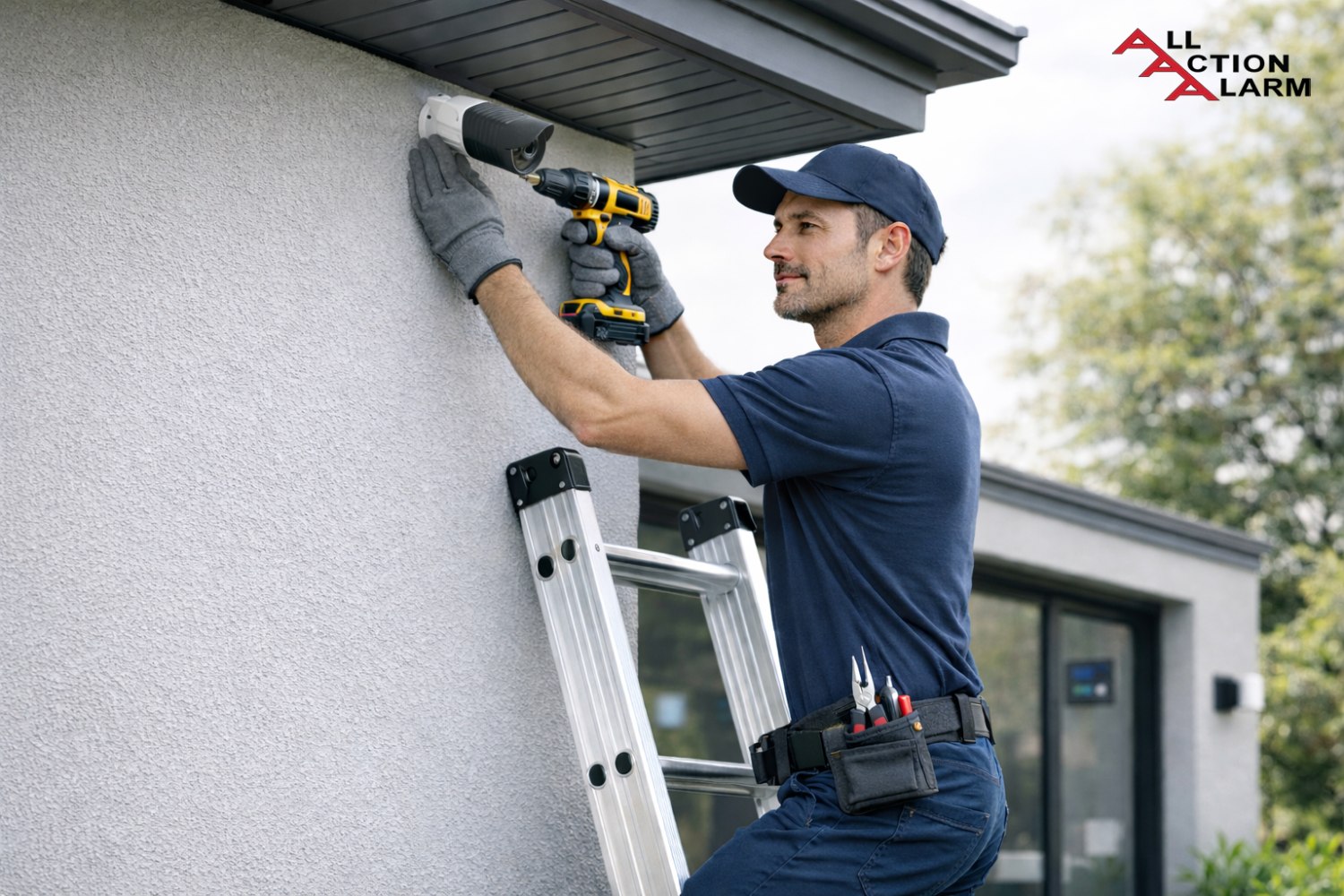

Introduction to Professional Security System Installation
Imagine coming home to find out someone has broken in. Your valuables are gone, and your sense of safety? Shattered. It’s a scenario no one wants to face, and one that can often be prevented with the right security measures in place. In today’s world, a lock and key aren’t enough anymore. Professional security system installation is no longer a luxury—it’s a necessity.
Now, sure, you could head to a big box store, grab a few cameras and sensors, and try to piece together a DIY security setup. But here’s the truth: if you’re serious about real protection—24/7 monitoring, expert placement, zero blind spots—you need a professional on the job. Just like you wouldn’t rewire your house without an electrician, you shouldn’t risk your safety to a self-install when your family, home, or business is on the line.
Professional security installation brings more than just gadgets. It brings expertise, strategy, and customization based on your unique needs. Whether it’s your home, office, or an entire commercial complex, a professionally installed system is built to work flawlessly when it matters most.
In this guide, we’re diving deep into the world of professional security system installation. From understanding what goes into a modern setup to navigating the installation process and picking the right provider, we’re covering it all. Whether you’re just starting your research or ready to make a move, this article will walk you through every corner of the process—with the clarity and depth you need to make a smart, informed decision.
So, if you’ve been wondering, “Is professional installation really worth it?”—keep reading. Because peace of mind starts here.
Understanding the Basics of a Security System
Let’s break it down: what exactly makes up a modern security system? It’s more than just a few cameras and a loud alarm. A solid setup is like a digital watchdog—it detects threats, alerts you in real-time, records evidence, and, in many cases, even calls the authorities for you.
Here are the core components you’ll usually find in a professionally installed system:
-
Cameras: These act as your eyes when you’re not around. They come in different types—dome, bullet, PTZ (pan-tilt-zoom), indoor, outdoor, night vision, motion-activated, and more.
-
Sensors: These detect motion, broken glass, or door/window opening. Some are so precise, they can distinguish between a person and a pet.
-
Alarms: The loud sirens that scare off intruders and notify the neighborhood that something’s wrong.
-
Control Panels: This is the brain of the system. It connects every device and lets you manage them all in one place.
-
Mobile App Access: With smart systems, you can control your entire security setup right from your phone—even when you’re on vacation halfway across the globe.
Now, one of the biggest debates in the security world? Wired vs. wireless systems.
-
Wired Systems: These are hardwired into your home’s electrical system. They tend to be more reliable and tamper-resistant, but installation can be invasive and require drilling and cable routing.
-
Wireless Systems: These run on Wi-Fi and are much easier to install. They’re also easier to scale or move, but they rely heavily on your internet connection, which can be a downside if your Wi-Fi is spotty.
Understanding these basics is crucial. It gives you a clearer picture of what you’re investing in—and why going the professional route ensures every component works in perfect sync.
So, here’s the million-dollar question: Why not just install the system yourself? After all, there are hundreds of DIY security kits out there promising easy setup in under an hour. But here’s the thing—security isn’t just about sticking a camera on your wall. It’s about strategy, precision, and knowing how to make every square inch of your property safer. And that’s where professionals come in.
First off, professional installers bring expertise you just can’t match with YouTube tutorials. They know exactly where to place cameras to eliminate blind spots, how to hardwire systems for reliability, and how to integrate your system with smart tech without exposing it to cyber threats. It’s not just about doing the job—it’s about doing it right.
Also, consider the time and stress factor. DIY systems often involve trial and error, fiddling with wires, troubleshooting apps that won’t sync, or realizing after installation that your camera angle misses half your driveway. A professional handles it all while you sit back, relax, and know it’s being done correctly the first time.
Then there’s long-term reliability. A professionally installed system is less likely to fail when you need it most. Installers test every component, walk you through how it works, and often offer ongoing support if anything goes wrong down the line. That’s peace of mind you won’t get from a box kit on a store shelf.
And let’s not forget compliance and legal coverage. Some insurance companies offer discounts for professionally installed systems. In some jurisdictions, certain features like video surveillance or 24/7 monitoring need to meet specific regulations—which professionals already know and comply with.
Sure, professional installation might cost a bit more upfront, but it pays off in the form of seamless performance, top-notch reliability, and the one thing you can’t put a price on: real security.
Types of Security Systems Installed Professionally
Not all security systems are built the same. Depending on your needs, location, and level of risk, a professional installer can recommend and set up a system that suits your space perfectly. Let’s break it down.
1. Home Security Systems
This is the most common request. Whether it’s a single-family house, an apartment, or a gated property, professionals tailor home systems to cover key entry points, driveways, backyards, garages, and internal spaces. Features often include:
-
Door/window sensors
-
Indoor and outdoor cameras
-
Smart locks
-
Video doorbells
-
Panic buttons
-
Fire and CO2 sensors
Home systems also often sync with smart home platforms, allowing remote control via your phone or voice assistant.
2. Commercial and Business Security Setups
When you’re protecting a business, the stakes are higher. A break-in could mean lost data, stolen equipment, or even endanger employees. That’s why commercial systems are typically more robust, including:
-
Multi-camera networks with centralized monitoring
-
Access control systems (badge/fingerprint entry)
-
Alarm systems integrated with emergency response
-
Surveillance for stock rooms, cash registers, and exits
-
Thermal or AI-enhanced cameras for advanced analytics
Professional installers design these setups with scalability in mind. If your business grows, your security system grows with it.
3. Smart Security Integrations
Smart homes are no longer futuristic—they’re here. And a professionally installed security system can integrate with:
-
Amazon Alexa
-
Google Assistant
-
Apple HomeKit
-
Smart lighting
-
Smart thermostats
-
Smart garage doors
This means you can arm or disarm your system with a voice command or set automation like turning on lights when motion is detected.
The point is, professional security installation isn’t one-size-fits-all. Whether you’re protecting your family, business, or both, pros design a system to match your lifestyle—and that’s something a DIY kit simply can’t do.
Components of a Professionally Installed Security System
A great security system is more than the sum of its parts—but those parts matter a lot. Let’s dive into the essential components that make up a fully functional, professionally installed system.
Security Cameras
Arguably the most visible and vital part of any system. Professionals choose from a range of camera types depending on your space:
-
CCTV Cameras: Ideal for constant surveillance in businesses or large properties.
-
IP Cameras: Offer higher resolution and remote streaming capability via internet.
-
PTZ Cameras: Pan, tilt, and zoom features allow broader coverage with fewer units.
-
Dome/Bullet Cameras: Each designed for specific angles and mounting types.
-
Doorbell Cameras: Record visitors, deliveries, or potential intruders at your front door.
Installation experts know exactly where to place each type for optimal visibility and deterrence.
Alarms and Sensors
Security isn’t just about catching the bad guys—it’s about stopping them before they act. Here’s what pros typically install:
-
Motion Sensors: Trigger lights, cameras, or alarms when they detect movement.
-
Glass Break Sensors: Detect the frequency of breaking glass—essential for large windows or storefronts.
-
Door and Window Contacts: Alert you the moment a secured entry point is breached.
-
Environmental Sensors: Detect smoke, fire, gas leaks, and flooding.
Control Panels and Smart Hubs
This is where it all comes together. Control panels let you arm/disarm systems, receive alerts, and communicate with monitoring centers. Smart hubs integrate with your other devices and apps, making it easier to manage everything in one place.
-
Touchscreen panels for easy navigation
-
Voice control compatibility
-
Battery backups in case of power outage
-
Encrypted communication for security
Remote Access and Mobile Integration
With pro setups, you’re never disconnected. Through mobile apps, you can:
-
View live or recorded footage
-
Lock or unlock doors
-
Set schedules for your system
-
Receive real-time alerts and emergency notifications
-
Communicate with visitors via two-way audio
This combination of hardware and software is where professional systems shine. It’s not just about having the tools—it’s about knowing how to use them effectively, and ensuring they’re installed to do their job without fail.
The Installation Process Explained
Ever wondered what actually happens when you hire a professional to install your security system? It’s not just a quick plug-and-play job. It’s a carefully planned, detail-driven process that ensures every inch of your property is protected. Let’s walk through it so you know exactly what to expect.
Initial Consultation and Site Assessment
It all starts with a conversation. A professional installer will typically begin with a consultation—either in person or virtually—to understand your needs, budget, and concerns. They’ll ask questions like:
-
What areas of your home or business do you want to secure?
-
Do you have pets or kids at home?
-
Are you interested in smart integrations or remote access?
-
Do you need indoor, outdoor, or both types of coverage?
After this discussion, they’ll often schedule a site assessment, where they physically inspect your property. This helps them identify entry points, potential vulnerabilities, blind spots, and areas that require extra attention—like garages, basements, or hidden alleyways.
System Design and Customization
Now comes the real magic. Based on the assessment, the installer will design a tailored security system for your specific property. This includes selecting the right types of cameras, the best places to install sensors, and how to route wires or position wireless devices.
You’ll also decide on features like:
-
Night vision capabilities
-
Cloud or local video storage
-
Monitoring services
-
Panic buttons or emergency call features
-
Integration with smart assistants
This step ensures that your system isn’t just a cookie-cutter solution—but something built for your home or business.
Actual Installation Process
This is the part most people think of—when the installer shows up with tools in hand. But it’s far more organized than you might expect.
-
Cameras are mounted at precise angles to eliminate blind spots
-
Sensors are installed on doors, windows, and other entry points
-
Cables (if it’s a wired system) are discreetly routed through walls or ceilings
-
The control panel is mounted in a secure but accessible location
-
Smart devices are synced and connected to your home network
Professional installers work efficiently but thoroughly. They test connections, check camera coverage zones, and ensure everything’s in working order before moving on.
Testing and User Training
Before they pack up, a good installer will test every component of the system—and walk you through how to use it. That includes:
-
Arming and disarming the system
-
Navigating the mobile app
-
Accessing and reviewing camera footage
-
Troubleshooting alerts
-
Customizing settings like sensitivity and notifications
They’ll also explain what to do in case of an emergency and how to contact support if something isn’t working right later on.
This kind of white-glove service is what separates a professional job from a DIY one. You’re not just getting a system—you’re getting the confidence that comes from knowing it works, and that you know how to use it.
Cost of Professional Security System Installation
Alright, let’s talk money—because let’s be honest, budget matters. One of the biggest concerns people have when considering professional security installation is cost. So, how much does it really cost? The answer? It depends—but let’s break it down to give you a clear picture.
What Affects the Pricing?
Several factors influence the total price of a professionally installed security system:
-
Size of the property: Bigger spaces require more cameras, sensors, and wiring.
-
Type of system: Wired systems tend to be more expensive due to labor costs, while wireless systems can be quicker and cheaper to install.
-
Features and tech level: Smart integrations, high-resolution cameras, and remote access all add to the cost.
-
Monitoring services: Some companies charge monthly fees for 24/7 monitoring, emergency response, or cloud video storage.
-
Location: Urban vs. rural, access to installers, and even local security regulations can affect pricing.
Average Costs for Homes and Businesses
Let’s look at some rough estimates:
-
Basic Home Security Installation:
-
$500–$1,000 for a 3–4 camera system with motion sensors, alarms, and control panel.
-
-
Mid-Tier System with Smart Features:
-
$1,000–$2,500 including app access, smart home integration, and multiple sensors.
-
-
High-End Residential or Small Business Setup:
-
$3,000–$5,000+ for large homes, storefronts, or properties needing robust surveillance and access control.
-
-
Commercial Installations:
-
Can range from $5,000 to $20,000+, depending on the size, complexity, and number of cameras and access points.
-
Installation vs. Long-Term Savings
While the upfront cost of professional installation might seem steep compared to a DIY kit, the long-term value is significant:
-
Fewer errors and breakdowns = less money spent on repairs or replacements
-
More reliable coverage = lower risk of break-ins or theft
-
Potential discounts on homeowner’s or business insurance
-
Improved property value and appeal to renters or buyers
So while a DIY setup might cost a few hundred dollars less, it could end up costing you more if it fails when you need it most. A professional system is an investment in security, not just a gadget for peace of mind.
Choosing the Right Security System Installer
Picking the right installer is just as important as choosing the right equipment. You could have the best cameras in the world, but if they’re installed poorly, you might as well have nothing. A skilled, certified, and experienced installer ensures your system performs flawlessly—and keeps your home or business truly secure.
So how do you find the right one? Let’s walk through it step by step.
Certifications and Licenses to Look For
A professional security system installer should be licensed, bonded, and insured. This protects both you and them in the event of damage, injury, or future disputes. In many states and regions, installing security equipment—especially surveillance or alarm systems—requires specific certifications or permits.
Some certifications and affiliations to look out for:
-
ESA (Electronic Security Association) membership
-
UL certification (Underwriters Laboratories – ensures safety standards)
-
NICET certification (for fire and alarm system techs)
-
State contractor licenses
-
Local permits and compliance knowledge
Ask to see proof. Legitimate pros will always be happy to provide it.
Reviews, Reputation, and Referrals
Google reviews, Yelp, and even Facebook are goldmines of real-world experiences. Look for installers with consistently high ratings and detailed reviews mentioning professionalism, punctuality, system performance, and aftercare service.
Ask neighbors, coworkers, or local community groups for referrals. Word-of-mouth is often the most reliable source of truth when it comes to home or business services.
Also, check if the installer has worked on projects similar to yours. An installer who specializes in residential might not be ideal for a large commercial space, and vice versa.
Questions to Ask Before Hiring
Here are some essential questions to ask during the consultation phase:
-
How long have you been in the business?
-
Do you offer warranties on your work and equipment?
-
Do you handle all aspects of installation or outsource?
-
What kind of after-installation support do you provide?
-
Are your systems compatible with my smart devices/home setup?
-
What happens if something stops working? Do you offer maintenance plans?
Good installers won’t just answer your questions—they’ll help you understand the system and how to make the most of it. If they rush you, gloss over details, or pressure you into upgrades, that’s a red flag.
Hiring a professional installer isn’t just about finding someone with tools. It’s about trusting them with your security. Take your time, do your homework, and you’ll thank yourself later.
Smart Home Security Systems
Let’s talk about the future—because it’s already here. Smart home security systems are rapidly becoming the norm, and professional installers are leading the way in setting up systems that do a whole lot more than just sound an alarm.
What makes a smart security system different? Connectivity and control. These systems are designed to work with your phone, voice assistants, and other smart devices, giving you full command over your home’s safety from anywhere.
Integration with Voice Assistants and Smart Devices
Professionally installed smart security systems can be integrated with:
-
Amazon Alexa: Arm or disarm your system with voice commands.
-
Google Assistant: Ask for a live camera feed or status update.
-
Apple HomeKit: Full integration into your Apple ecosystem.
-
Smart thermostats and lights: Automate lights when motion is detected or temperature settings when you’re away.
-
Smart locks: Lock or unlock doors remotely. Give temporary codes to guests or workers.
-
Garage door controllers: Never forget to close the garage again—control it from your phone.
The possibilities are endless—and when these systems are professionally set up, they work together seamlessly.
Mobile Access and Automation
One of the biggest advantages of smart systems is mobile app access. From your smartphone or tablet, you can:
-
View live or recorded footage from any camera
-
Receive real-time alerts for motion, door openings, or unusual activity
-
Set custom alerts (e.g., “Notify me if the front door opens after 10 PM”)
-
Automate routines like arming the system when you leave for work
-
Control individual devices or entire scenes (like “Good Night” mode that locks doors, arms alarms, and turns off lights)
Imagine heading to bed and just saying, “Alexa, secure the house.” Done.
Why Professional Installation is Crucial for Smart Systems
Here’s the deal: with smart systems, the stakes are higher. If improperly installed, your security devices can be vulnerable to hacking, glitchy performance, or disconnection from your home network. Professional installers make sure:
-
Devices are securely encrypted
-
Firmware is updated
-
Signal strength and device communication are solid
-
Integrations work without lag or bugs
And let’s not forget: they’ll show you how to actually use all the features. No fumbling through apps or missing critical settings. Just smooth, effortless protection.
Smart home security systems are powerful—but only when they’re set up the right way. That’s where the pros come in.
Commercial Security Installation Considerations
Securing a business is a whole different game compared to home security. The stakes are higher, the systems are more complex, and the risks are often more varied—from theft and vandalism to internal security breaches and regulatory compliance. That’s why professional installation isn’t just smart for commercial setups—it’s essential.
Larger Scale Systems and Customization
Business premises typically cover more ground than homes—think warehouses, offices, retail stores, or multi-site franchises. That means a one-size-fits-all solution simply won’t cut it.
Professionals start with a full risk assessment, evaluating everything from entry points to employee access areas. They then design a system that includes:
-
Dozens (or hundreds) of cameras with overlapping fields of view
-
Alarm zones for specific parts of the building
-
Security for server rooms, storage spaces, and point-of-sale systems
-
Redundant systems for backup during power or internet outages
Every detail is customized—because even two stores in the same chain might have different layouts and vulnerabilities.
Access Control Systems
One of the most valuable components in a commercial setup is access control. These systems allow or restrict entry to different parts of your building based on roles, schedules, or credentials.
Professionally installed access control can include:
-
Keycard or fob entry
-
Biometric scanners (fingerprint, facial recognition)
-
Keypad systems with time-based entry codes
-
Smartphone-based access apps
-
Centralized software to monitor and manage user permissions
With professional installation, these systems are synced with your cameras and alarms, giving you a full picture of who’s going where—and when.
24/7 Monitoring and Surveillance
Many commercial properties require round-the-clock monitoring, not just motion detection or alerts. Professional installers can integrate your system with third-party monitoring services or set up your in-house security office for centralized surveillance.
These systems often include:
-
Live monitoring stations with multiple screens
-
Automated alerts triggered by specific events (loitering, motion in restricted areas)
-
Cloud storage of footage for liability protection and incident review
-
Analytics that detect unusual patterns, like people entering after hours
And for businesses with high foot traffic—like retail, banks, or medical facilities—AI-powered cameras can provide even more insight, including customer behavior analysis or crowd management features.
Compliance and Legal Protection
Businesses often need to comply with regulations regarding data protection, surveillance, and employee privacy. Professional installers understand these laws and ensure your system stays compliant—protecting you from legal trouble down the line.
In short, commercial security isn’t something to take lightly. With professional installation, you’re not just protecting a building—you’re protecting people, assets, and your livelihood.
Common Mistakes to Avoid During Installation
Let’s face it—even with the best intentions, security system installations can go wrong when they’re not done professionally. And these mistakes? They can leave you vulnerable when you least expect it. Here are some of the most common pitfalls people fall into—and why pros know how to avoid them.
Poor Camera Placement
This is the big one. A poorly placed camera is basically useless. Whether it’s pointing at the sky, blocked by a wall, or positioned at the wrong height, it won’t give you the coverage you need.
Common mistakes include:
-
Mounting too high (missing facial features or license plates)
-
Installing where there’s too much light glare or backlighting
-
Not covering blind spots like side gates, back windows, or alleyways
-
Ignoring indoor vulnerabilities like garage doors or basement entries
A professional installer uses their experience and tools like field-of-view calculators to ensure cameras are placed with purpose.
Overlooking Network Security
Today’s systems are smart—which means they’re connected to the internet. But that also opens the door to cyber threats if you’re not careful.
DIY users often skip steps like:
-
Changing default passwords
-
Setting up encrypted connections
-
Segmenting security devices from the main Wi-Fi network
-
Installing firmware updates regularly
Professional installers handle all of this for you and will make sure your system isn’t just physically secure—it’s digitally secure too.
Inadequate Power Backup
If your system loses power, it’s game over—unless you’ve prepared for it. Many DIY setups don’t include battery backups or hardwired power solutions, which means a simple power outage or unplugging can leave your property unprotected.
Pros ensure:
-
Control panels have battery backups
-
Cameras with critical coverage areas have power redundancy
-
Alarms stay active even if someone cuts the power
Lack of Integration and Testing
Putting together cameras, alarms, and sensors isn’t enough—they need to work together seamlessly. Many DIY users don’t test the full system or connect devices properly, which can lead to false alarms or missed incidents.
Professional installers:
-
Conduct full system tests
-
Run drills to simulate real break-ins
-
Ensure all alerts are working and going to the right devices
-
Train you on how to operate and troubleshoot the system
Avoiding these mistakes is what sets a pro-installed system apart. It’s the difference between “I hope it works” and “I know it works.”
Maintenance and Support After Installation
So, your security system is finally up and running. The cameras are rolling, the sensors are activated, and you’re feeling safe. But here’s a truth that’s often overlooked: installation isn’t the end of the journey—it’s just the beginning. Like any tech system, your security setup needs ongoing maintenance and reliable support to stay effective over the long haul.
Why Maintenance Matters
Let’s be real—security systems are only as good as their current condition. Dusty cameras, dead sensors, outdated software, or disconnected alarms can all create gaps in your protection. Regular maintenance ensures that your system stays optimized, responsive, and trustworthy.
Neglecting maintenance can result in:
-
Blurry or blacked-out video feeds
-
False alarms or missed detections
-
Connection drops between devices
-
Outdated firmware that’s vulnerable to hacking
-
Shortened equipment lifespan
A professional installer often provides a maintenance plan, which includes regular check-ups and performance assessments. It’s like having a pit crew for your home or business security.
What Does Routine Maintenance Include?
A typical professional maintenance package may involve:
-
Camera lens cleaning and focus adjustment
-
Battery checks and replacements for wireless devices
-
Sensor recalibration to ensure accurate detection
-
Firmware and software updates for cameras, alarms, and control panels
-
Testing communication lines between devices and monitoring services
-
Reviewing event logs for anomalies or potential threats
If anything looks off or underperforms, the technician will repair or replace the component before it becomes a liability.
Troubleshooting and Technical Support
Let’s face it—even the best systems can run into hiccups. Maybe your app isn’t showing footage, or one of your motion sensors is going haywire. With a professional installation, you’re not stuck Googling for answers.
Most reputable providers offer:
-
24/7 customer support via phone, email, or chat
-
Remote diagnostics (where a technician can log in and fix issues without a house visit)
-
Same-day service calls for urgent issues
-
Step-by-step guides or video tutorials for basic troubleshooting
This support is especially vital for business owners. One failed system component can impact safety, employee trust, and even insurance compliance. Having experts on call saves you time, stress, and potential losses.
Warranty and Service Agreements
Professionally installed systems often come with manufacturer warranties and extended service agreements, giving you additional protection.
-
Equipment warranty (usually 1 to 5 years)
-
Workmanship warranty (for the installation work itself)
-
Optional service contracts that cover future updates, replacements, or expanded coverage
Think of it as insurance for your security investment. If anything fails due to normal use or installation error, you’re covered—and that peace of mind is priceless.
Future Trends in Professional Security Systems
Security technology is moving fast—faster than ever before. What seemed like sci-fi five years ago is becoming standard today. If you’re investing in a professionally installed system, it’s worth knowing what’s on the horizon. That way, you can choose solutions that are future-proof and adaptable to evolving threats and needs.
AI-Powered Surveillance
Artificial intelligence is revolutionizing video surveillance. Instead of just recording footage, modern cameras can analyze it in real-time.
Here’s what AI in security looks like:
-
Facial recognition for identifying known visitors or intruders
-
License plate recognition for gated properties or parking lots
-
Behavior analysis to detect suspicious actions (like loitering, climbing fences, or sudden movements)
-
Automated alerts only when actual threats are detected, reducing false alarms
Professionally installed AI-enhanced systems can drastically reduce response times and increase the precision of your security coverage.
Biometric Access Control
We’re moving beyond keycards and codes. Biometric systems use fingerprints, facial scans, iris patterns, or even voice recognition to allow or deny access.
Professional installers are now offering:
-
Touchless facial recognition panels (ideal for hygiene and speed)
-
Multifactor authentication systems for high-security zones
-
Cloud-based access logs to track who entered where—and when
This tech is especially popular in medical, financial, and government buildings, but it’s rapidly entering homes and small businesses too.
Smart Threat Prediction
Imagine a system that doesn’t just react—but predicts threats. With machine learning, some advanced platforms can analyze:
-
Past break-in patterns
-
Community crime data
-
User behavior trends
And then use that data to proactively recommend security updates or raise alerts when something seems “off.” It’s like giving your security system a brain.
Drone Integration and Robotics
While still emerging, security drones and robots are starting to show up in commercial spaces. Drones can patrol large properties like farms or factories, providing aerial views and covering more ground in less time.
Professionals can install systems that:
-
Automatically deploy drones in response to alarms
-
Integrate robotic patrol units that interact with intruders or send alerts
-
Monitor and record from angles human-mounted cameras can’t reach
The future of security isn’t just digital—it’s autonomous, intelligent, and deeply integrated. Going with professional installation now ensures that your system can evolve with these exciting innovations.
Legal and Ethical Considerations
With great power comes great responsibility—and that applies to security systems too. When installing surveillance or access control, especially in shared spaces, there are legal and ethical boundaries you need to respect. Luckily, professional installers know these rules and help keep you compliant.
Recording Laws and Privacy
In many regions, there are strict laws about:
-
Where you can record (e.g., not in bathrooms or private employee areas)
-
Whether you need to notify people they’re being recorded
-
How you can use or share recorded footage
-
Whether audio recording is permitted alongside video
For example, in the U.S., some states require two-party consent to record audio—which means everyone involved must agree to being recorded, or you could be breaking the law.
A professional installer will:
-
Set up proper signage for surveillance
-
Help you configure settings to stay within legal limits
-
Advise you on data retention policies and secure storage
Data Security and User Consent
If your system stores footage in the cloud or allows remote access, you’re also handling sensitive digital data. This means:
-
You must secure access with strong passwords and encryption
-
You should avoid sharing footage without proper consent
-
You may need to comply with regulations like GDPR or CCPA (for businesses)
Professionals install systems with encryption, user permissions, and audit logs to protect both you and the people on your property.
Ethical Use of Security Tech
Just because you can record everything doesn’t mean you should. Ethical considerations include:
-
Respecting employee privacy
-
Avoiding surveillance in shared residential spaces without approval
-
Using facial recognition responsibly
-
Not using footage to discriminate or intimidate
Professional security isn’t just about hardware—it’s about responsible use, transparency, and protecting people, not just property.
Conclusion
At the end of the day, investing in professional security system installation is one of the smartest moves you can make—whether you’re a homeowner protecting your family or a business owner safeguarding your livelihood. It’s about more than just cameras and sensors; it’s about peace of mind, reliability, and knowing your system will work when it matters most.
From strategic planning and expert installation to ongoing maintenance and support, professional services offer a level of security DIY kits simply can’t match. They future-proof your investment, ensure legal compliance, and give you access to the latest innovations in smart, AI-powered protection.
In a world where threats are evolving and technology is advancing at lightning speed, don’t gamble with your safety. Trust the pros to build a system that not only watches over your space—but does it intelligently, legally, and effectively.
Your safety is worth the investment. Your peace of mind? Priceless.
FAQs
1. Can I upgrade my DIY system to a professional one?
Yes, many professional installers can integrate or replace your existing DIY components with more robust, secure equipment. They can also expand your current system with professional-grade cameras, sensors, and monitoring.
2. How long does installation typically take?
It depends on the size of the property and complexity of the system. A basic home installation may take 4–6 hours, while a commercial setup can take several days. Your installer will provide a timeline during the consultation.
3. Are there monthly fees after installation?
Only if you opt for monitoring services or cloud storage. Many companies offer monthly subscriptions for 24/7 monitoring, video backup, or mobile app access—but these are usually optional.
4. What happens if the power goes out?
Most professional systems include battery backups for control panels and wireless devices. In case of a power outage, your system stays active for several hours, and may also notify you about the loss of power.
5. Is professional installation really worth it?
Absolutely. You get expert design, legal compliance, seamless integration, ongoing support, and long-term reliability. It’s a solid investment in safety, security, and peace of mind.
About All Action Alarm: Your Trusted Partner in Commercial Security Solutions
AllActionAlarm.com is Long Island’s top choice for state-of-the-art commercial security systems, providing unmatched protection and peace of mind for businesses of all sizes. With years of expertise, we specialize in creating customized security solutions, combining cutting-edge technology with seamless installation and 24/7 monitoring. Whether it’s high-definition surveillance, advanced access control, or intrusion detection, we deliver systems designed to safeguard your assets and personnel.
Our team of certified professionals is committed to offering the best security systems in Long Island, New York. We understand the unique challenges businesses face and work closely with you to develop a comprehensive security plan that fits your needs. We don’t just sell equipment; we partner with you for the long haul, ensuring your business remains protected against any threat.
Don’t leave your business’s safety to chance—contact us at (631) 549-7225 today for a free consultation and experience the AllActionAlarm difference!
For more info you may want to read this article about Commercial Alarm System.
SOURCES:


 Ca.garcia.s, CC BY-SA 4.0
